
















WooCommerce
990 UAH644 UAH/year≈ €14
Black November: −35% on all modules until 30 November Black November: −35% until 30 November Choose a module
 Website auditA PDF report by email in 3 minutesCheck a website
Everyday tasks
Image compressorSize, quality and WebP in bulkQR generatorLink, Wi-Fi, payment to IBANVAT calculator20, 14, 7% and amount in wordsTransliterationOfficial Ukrainian standardWebsite checks
PHP and pluginsPHP version, WordPress, pluginsGoogle Merchant feedFields, prices, GTIN, imagesDomain emailSPF, DKIM, DMARC, blacklistsAI search readinessllms.txt, bots, markupAll 9 toolsEnter at least 2 characters



A Fiken invoice from every WooCommerce order: amounts to the øre, Norwegian VAT, no duplicates; Pro adds automatic sending, payments, credit notes and a report.
The free version works with no time limit. Pro adds the rest of the features in the table.


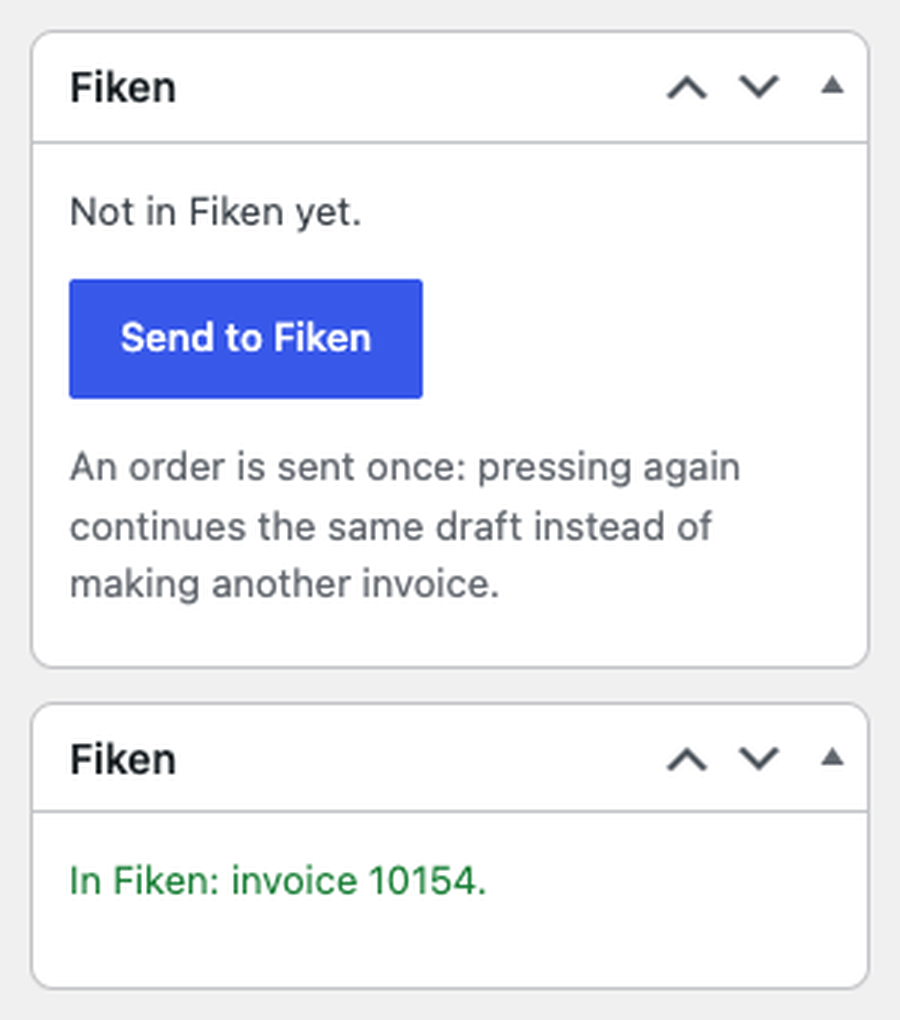
The order screen gets a “Fiken” box with a “Send to Fiken” button. The buyer is looked up in Fiken by e-mail, otherwise added with name or company, phone and address.

WooCommerce → Fiken: paste the client ID of your app, press “Connect to Fiken” and approve the access at fiken.no.

Automatic sending. An order with a chosen status goes to Fiken in the background, one request at a time.

A fresh install is the free version, nothing switches on by itself. The “Try Pro for 7 days” button → e-mail → the key right in the window and by e-mail.

Moving the site? Unlink the licence on the old domain and activate it on the new one yourself. A staging copy (staging., dev.) works with the same key and does not take a site slot. For studios — keys for 5 or 25 sites, or unlimited.
 WordPress 6.2+, WooCommerce 7.0+ (HPOS and block checkout supported), PHP 7.4+.A Fiken company with the API module and your own Fiken app (public client, PKCE).The plugin adds nothing to the checkout: there are no requests to Fiken while an order is placed.
Connection with OAuth 2.0 and PKCE, an invoice from the order with a total check, Norwegian VAT types on separate income accounts, companies without VAT, protection against duplicates, HPOS.


Fiken for WooCommerce sends your shop orders to Fiken, the Norwegian cloud accounting service, as invoices with the right Norwegian VAT types on every line. The buyer becomes a Fiken customer and the order becomes an invoice with its products, shipping and fees; one click on the order screen.
What you need in Fiken. A Fiken company with the API module (a paid add-on in Fiken) and your own Fiken app: in Fiken tick “I am a developer”, create an app with “Uten client secret (PKCE)”, add the redirect URL shown on the plugin screen and paste the client ID. No password or API token is typed into the shop: Fiken forbids personal tokens in third-party software.
The order screen gets a “Fiken” box with a “Send to Fiken” button. The buyer is looked up in Fiken by e-mail, otherwise added with name or company, phone and address. The plugin makes an invoice draft with the order lines, reads back the total Fiken calculated and compares it with the order total. Only a draft that matches becomes an invoice; the invoice number shows in the box and in the order note.
Each line gets a Norwegian VAT type from its rate: 25% HIGH, 15% MEDIUM, 12% LOW, 11.11% RAW_FISH; lines without VAT go as exempt, export, outside the VAT law or reverse charge, as you choose. A line with another rate stops the order, and the note names that line.
Fiken accepts each VAT rate only on its own income account, so the plugin sorts them: 25% on 3000, 15% on 3030, 12% on 3050, exempt, export and reverse charge on 3100, outside the VAT law on 3200. Accounts 3000 and 3100 can be changed. The line amounts are chosen so that the invoice equals the order to the øre. An order is never invoiced twice: the draft keeps its UUID, and after a lost answer the next attempt finds the draft or the invoice in Fiken instead of making another.
WooCommerce → Fiken: paste the client ID of your app, press “Connect to Fiken” and approve the access at fiken.no. Then pick the company and press “Check connection”: the plugin shows the API access and whether the company is VAT-registered.
Choose whether to make the invoice right away (Fiken numbers it) or keep the draft and check it in Fiken first. Set the days until due, income accounts 3000 and 3100 and the type for lines without VAT. If the company is not registered for VAT, every line goes as “outside the VAT law” (OUTSIDE), the only type Fiken accepts there; an order with VAT for such a company is refused before anything is made, with the reason. The invoice carries the first active bank account of the company. The plugin interface is in English; Pro includes Norwegian (bokmål).
Automatic sending. An order with a chosen status goes to Fiken in the background, one request at a time. Network errors and Fiken outages are retried by themselves after 5 min, 30 min, 2, 6 and 12 hours; a refusal from Fiken stops the sending with the reason in the journal.
Payments both ways. A paid order becomes a cash invoice (kontantfaktura) on the bank account of its payment method; a payment made later is registered on the invoice once. Every hour the plugin checks the invoices waiting for payment in Fiken, and when an invoice is settled there, the order in WooCommerce is marked paid.
Credit notes. A refund in WooCommerce makes a full credit note or a partial one for the refunded lines with their VAT types. A refund of an amount without lines is not guessed: the note asks you to credit it in Fiken.
Invoice e-mail. Fiken itself e-mails the invoice to the buyer as soon as it is made (your choice).
Income accounts per VAT type. Your own accounts for each rate and separately for shipping and fees.
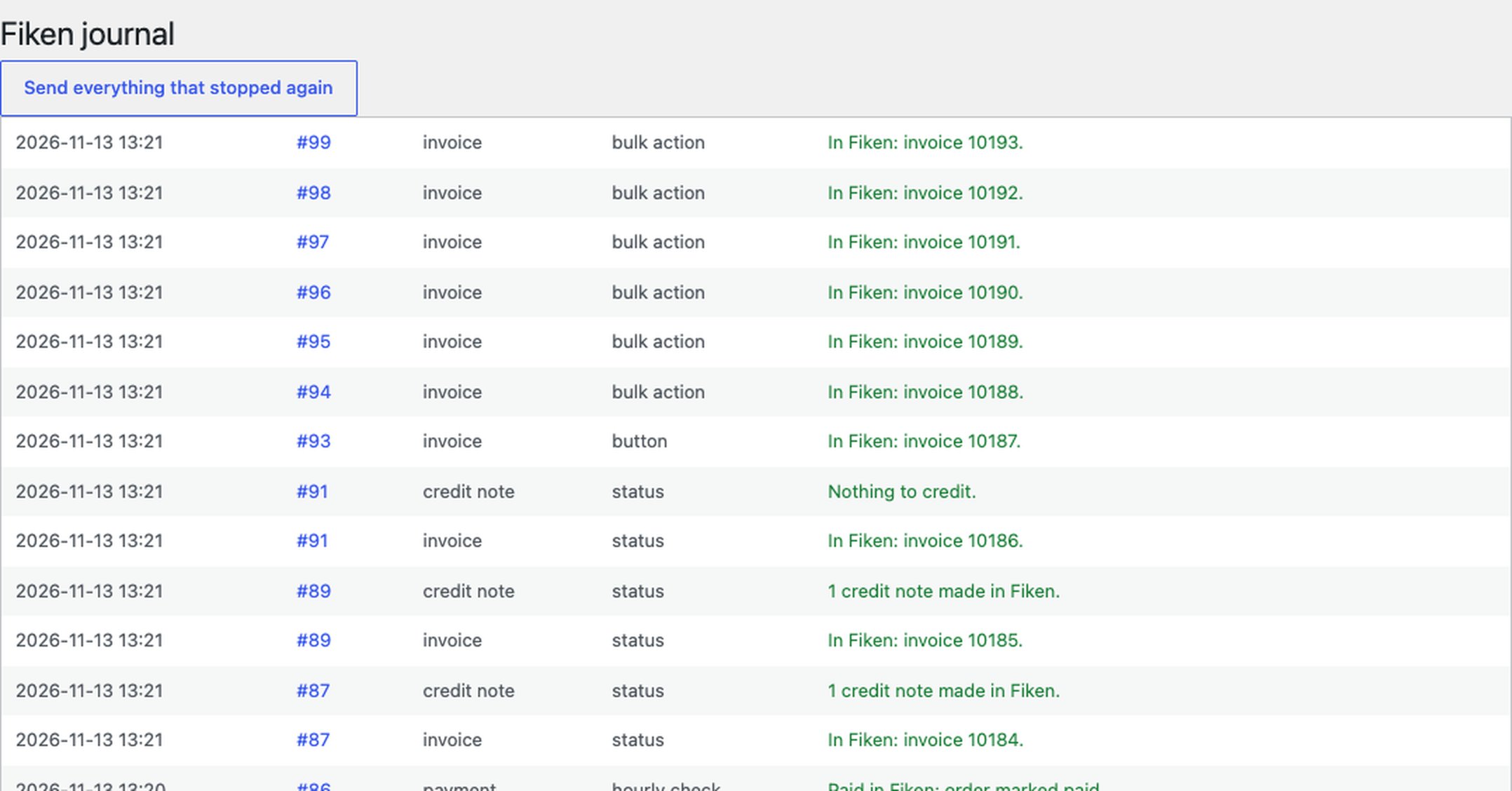
Bulk action, journal and report. A “Send to Fiken” bulk action on the orders list; a journal of every invoice, payment, credit note and error with “Send again” and “Send everything that stopped again”; a report for a period: orders with no invoice or only a draft, an invoice Fiken no longer finds, a different total, a refund without a credit note.
Didn't find the answer? Message us on Telegram and we'll reply within a business day.
 @catcode_support
Setup, compatibility, activation
No, it is an independent integration by CatCode. Fiken is a trademark of Fiken AS; the plugin is not affiliated with or endorsed by Fiken.
Fiken's documentation says that using personal API tokens in third-party applications violates Fiken's terms, and integrations must use OAuth 2.0. A plugin cannot keep a client secret, so it connects as a public client with PKCE and the client ID of your own app.
Then every line goes with the type "outside the VAT law" (OUTSIDE), the only one Fiken accepts for such a company. An order with VAT on it is refused before the invoice is made, with the reason in the note.
The type comes from the rate of the line: 25% HIGH, 15% MEDIUM, 12% LOW, 11.11% RAW_FISH. Fiken takes each rate only on its own account, so 25% goes to 3000, 15% to 3030, 12% to 3050, exempt and export to 3100, outside the VAT law to 3200.
No invoice is made: the draft stays in Fiken and the order shows both totals. After you fix the draft in Fiken, the next send continues the same draft.
No. The order remembers the UUID of its draft; after a lost answer the attempt looks for the draft or the invoice in Fiken first.
In Pro the invoices waiting for payment are checked every hour; when an invoice is settled in Fiken, the order is marked paid.
One key covers two sites: the shop and its test copy.
No reviews yet. Be the first.
No questions yet. Ask one — we answer within 24 hours.
We build custom modules for WordPress, WooCommerce, OpenCart and Shopify. Tell us about the task and we'll prepare an estimate.
Order a custom module
—
Charged in UAH; your bank converts it to your currency. EUR price is approximate.

CatCode assistant
Just now


CatCode assistant
Online

I’ll help with your website task
Describe your website task — I’ll find a ready-made module or pass it to a developer for an estimate. Modules, custom features, layout, integrations, speed, migration, technical SEO.