















WooCommerce
Payments with Viva.com for WooCommerce — Smart Checkout that does not lose paid orders
Free + Pro
990 UAH/year≈ €20
v1.0.0
 Website auditA PDF report by email in 3 minutesCheck a website
Everyday tasks
Image compressorSize, quality and WebP in bulkQR generatorLink, Wi-Fi, payment to IBANVAT calculator20, 14, 7% and amount in wordsTransliterationOfficial Ukrainian standardWebsite checks
PHP and pluginsPHP version, WordPress, pluginsGoogle Merchant feedFields, prices, GTIN, imagesDomain emailSPF, DKIM, DMARC, blacklistsAI search readinessllms.txt, bots, markupAll 9 toolsEnter at least 2 characters
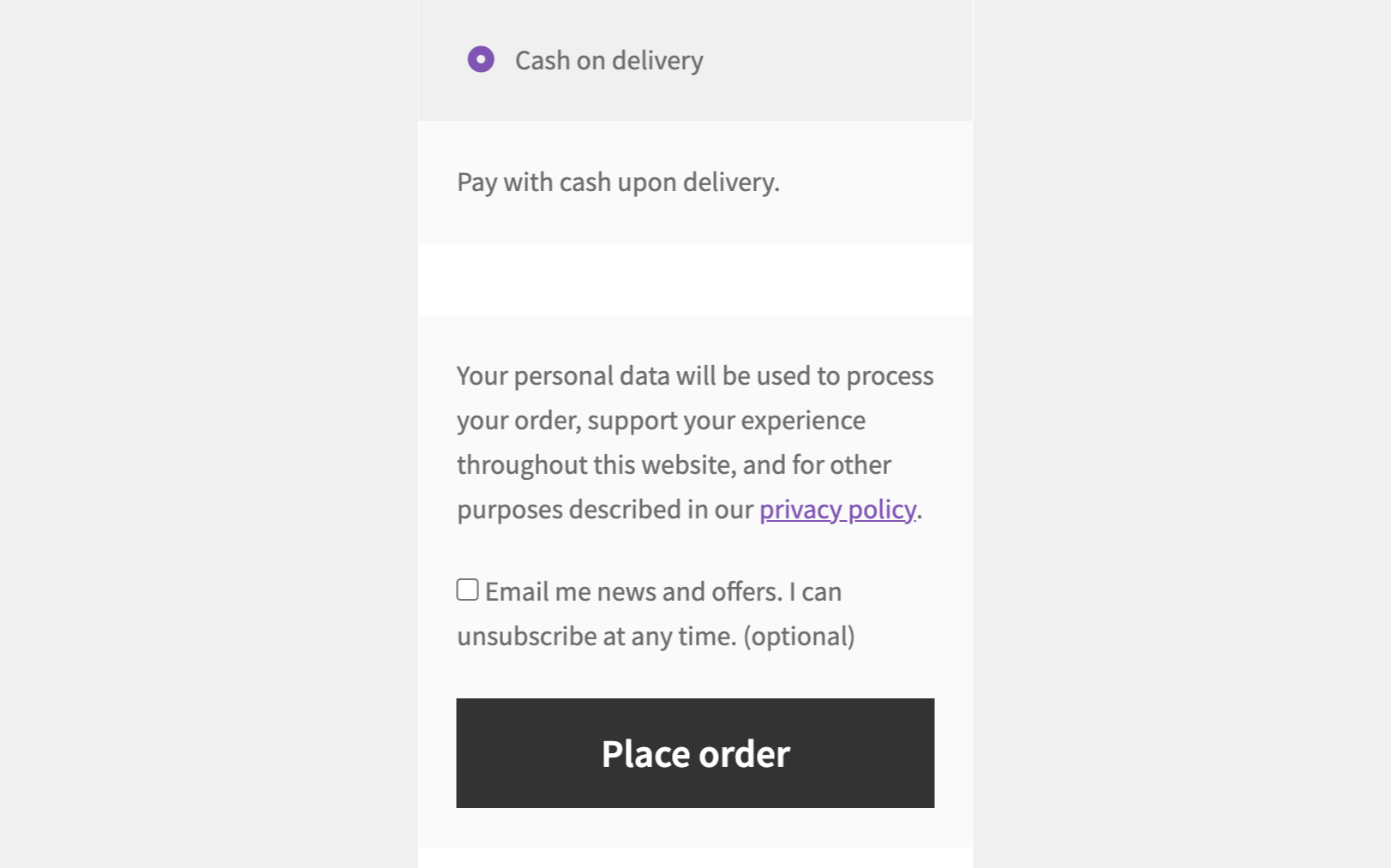
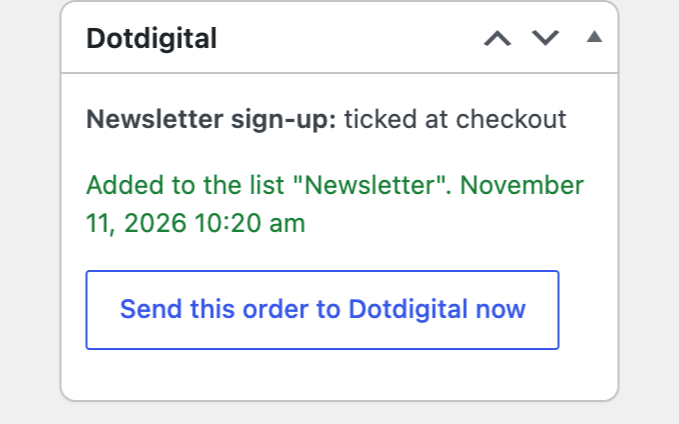
Newsletter sign-up at the WooCommerce checkout straight into your Dotdigital list, with a consent record.
The free version works with no time limit. Pro adds the rest of the features in the table.


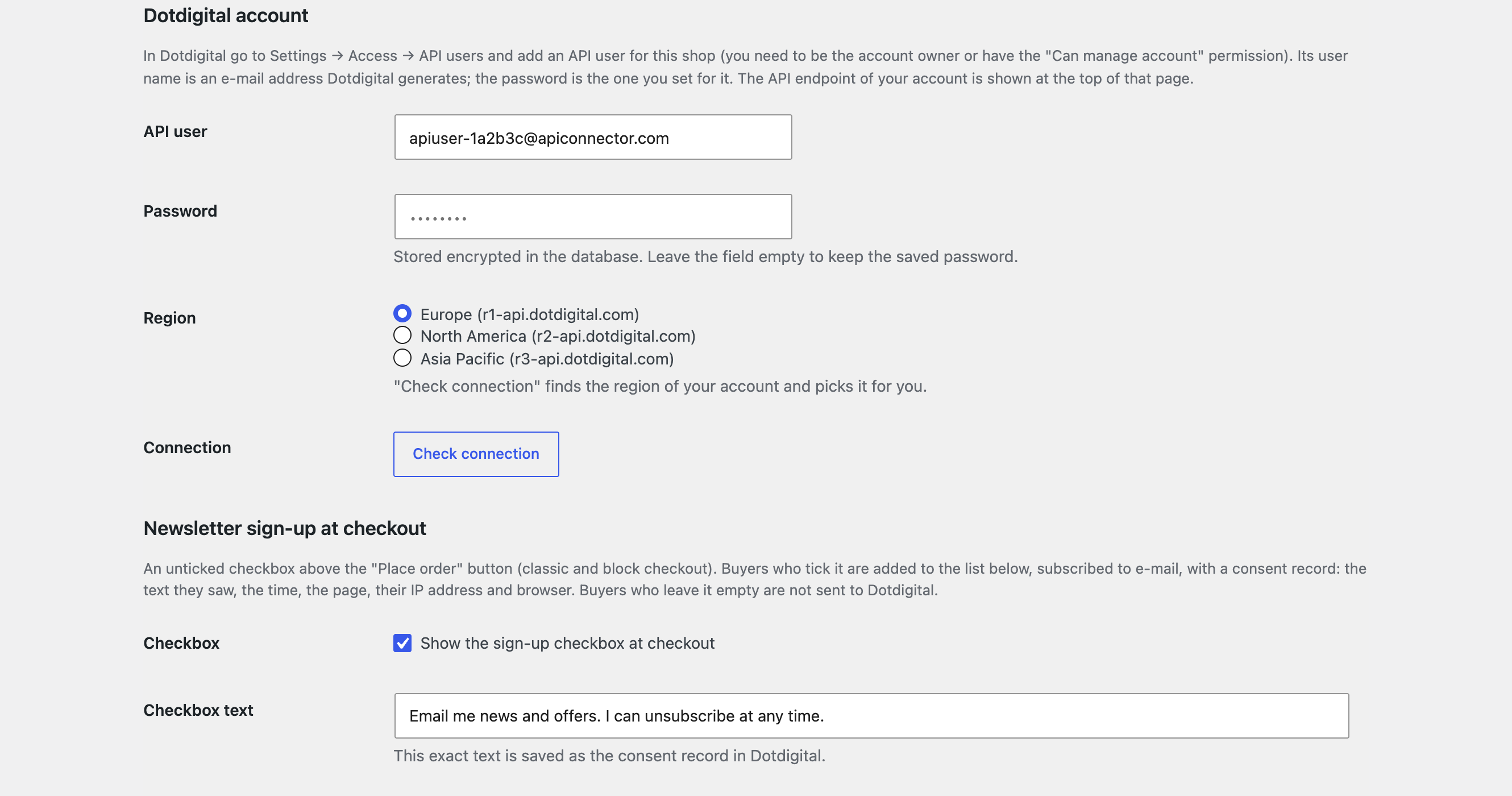
You connect with a Dotdigital API user (login and password, the password is stored encrypted); the module finds the region of the account (r1, r2 or r3) from Dotdigital’s answer.

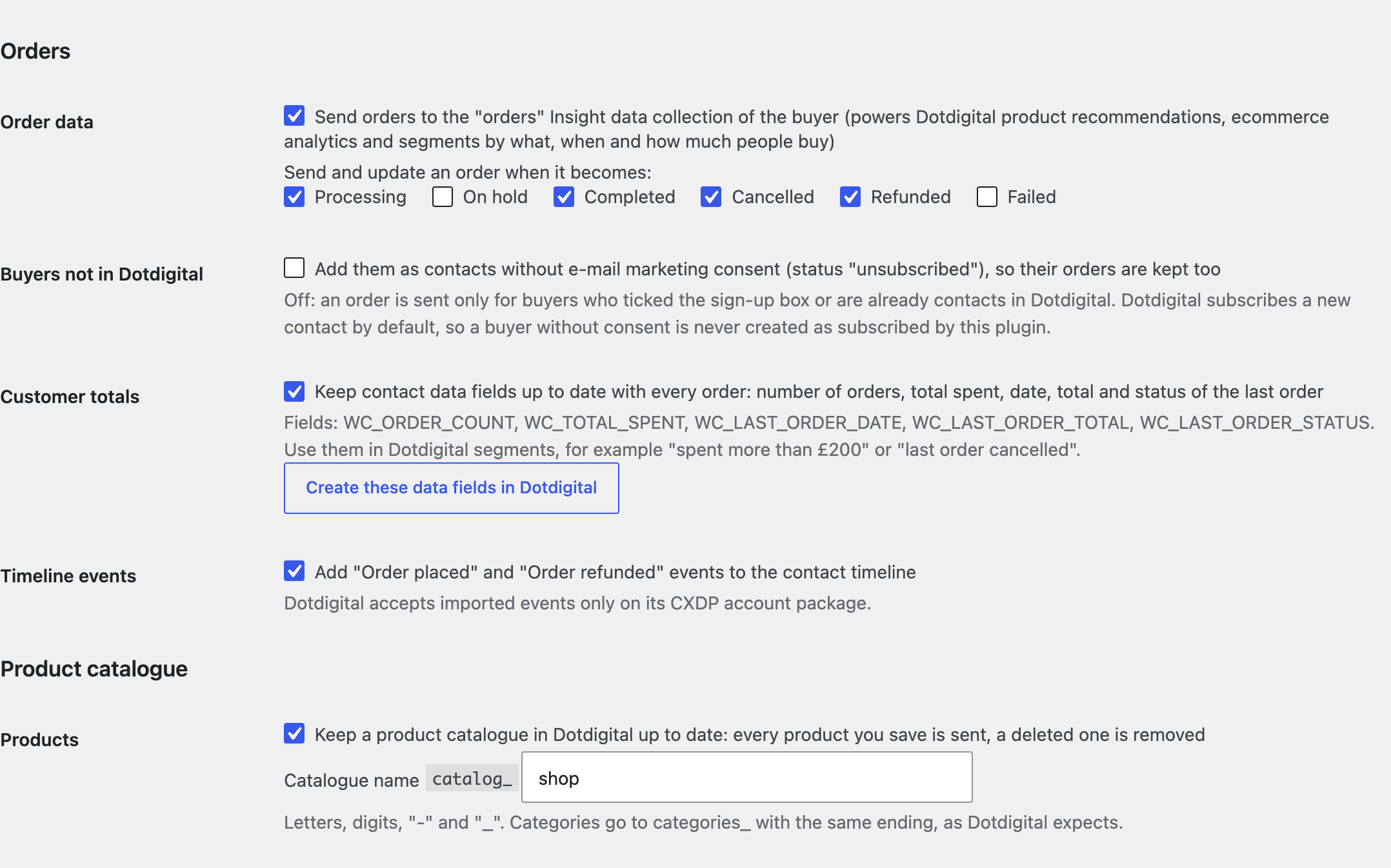
Orders go to the contact’s “orders” Insight data collection in the standard Dotdigital schema (on the statuses you choose; refunds too), for recommendations, analytics and segments.

The base version is free. Pro costs 1290 UAH for a one-year licence. A year of updates, technical support and all Pro features.

A fresh install is the free version, nothing switches on by itself. The “Try Pro for 7 days” button → e-mail → the key right in the window and by e-mail.

Moving the site? Unlink the licence on the old domain and activate it on the new one yourself. A staging copy (staging., dev.) works with the same key and does not take a site slot. For studios — keys for 5 or 25 sites, or unlimited.
 WordPress 6.2+, WooCommerce 7.0+, PHP 7.4+.A Dotdigital account and an API user.For the Pro features: Insight data, the Tag, CXDP and SMS depend on the package of your account.
API user connection, list choice, the checkout box (classic and block), consent record, single or double opt-in, background sending with a retry.
Dotdigital Sync for WooCommerce adds an unticked “Email me news and offers” box to the WooCommerce checkout. A buyer who ticks it is added to the Dotdigital list you choose, subscribed, with a consent record; a buyer who leaves it empty is not sent to Dotdigital. It works on the classic and the block checkout.
You connect with a Dotdigital API user (login and password, the password is stored encrypted); the module finds the region of the account (r1, r2 or r3) from Dotdigital’s answer. The address books of the account load with one button, you pick one, and the text of the box can be edited. The box sits above “Place order” on the classic checkout and in the order section of the block checkout, never ticked in advance. After the order the contact is added to the list with the first and last name and the consent record: the text the buyer saw, the time, the checkout page, the IP address and the browser. Single or double opt-in: with double opt-in Dotdigital e-mails new contacts a link to confirm. Someone who unsubscribed earlier and ticks the box again gets Dotdigital’s own resubscription e-mail; addresses Dotdigital suppresses (hard bounce, complaint) are left alone and the note says why. Sending runs in the background, once per order, so the checkout never waits for Dotdigital; a network error, a rate limit or a server error is retried once, and a refusal goes to the order notes with Dotdigital’s reason. Every order shows whether the buyer signed up and what Dotdigital answered.
Orders go to the contact’s “orders” Insight data collection in the standard Dotdigital schema (on the statuses you choose; refunds too), for recommendations, analytics and segments. Pro never subscribes anyone who did not consent: orders are sent only for subscribed and already existing contacts, and you can optionally add the others as unsubscribed. Customer totals for segments: number of orders, total spent, date, total and status of the last order, with one button that creates the fields in your account. The product catalogue (catalog_ and categories_ collections) is updated when a product is saved or deleted. Dotdigital Tag: the module prints your connection code and feeds it who the visitor is (including a guest who types an e-mail at checkout), the cart, the viewed product and the completed purchase, for abandoned cart programs; a program ID and a delay can be set. “WooCommerce order placed / refunded” events on the contact timeline (CXDP package). SMS about the order status through Dotdigital (an account with SMS pay as you go), a text per status, optionally only for consenting buyers. Past orders (24 months) and the catalogue are sent in the background in batches, and you see how many records were imported and rejected. A journal of every call and a “Send this order to Dotdigital now” button on the order.
The module is not on wordpress.org yet: the free version and Pro are one archive from this page. Without a key it works as the free version.
Didn't find the answer? Message us on Telegram and we'll reply within a business day.
 @catcode_support
Setup, compatibility, activation
No. It is an independent integration made by us; Dotdigital is a trademark of its owner. All it needs is your account and an API user.
No. The free version sends only buyers who ticked the box. Pro does not subscribe non-consenting buyers either, and can send orders only for contacts that already exist.
If the buyer ticks the box again, Dotdigital sends them its resubscription e-mail. Addresses Dotdigital suppresses are left alone.
The note on the order (and the journal in Pro) gives Dotdigital's reason. Pro has a "Send this order to Dotdigital now" button.
None: "Check connection" asks Dotdigital where your account lives (r1, r2 or r3).
Pro switches off, the free part keeps working.
No reviews yet. Be the first.
No questions yet. Ask one — we answer within 24 hours.
We build custom modules for WordPress, WooCommerce, OpenCart and Shopify. Tell us about the task and we'll prepare an estimate.
Order a custom module
—
Charged in UAH; your bank converts it to your currency. EUR price is approximate.

CatCode assistant
Just now


CatCode assistant
Online

I’ll help with your website task
Describe your website task — I’ll find a ready-made module or pass it to a developer for an estimate. Modules, custom features, layout, integrations, speed, migration, technical SEO.
