















WooCommerce
Square Two-way Sync for WooCommerce — two-way stock, products and orders
Free + Pro
990 UAH/year≈ €20
v1.0.0
 Website auditA PDF report by email in 3 minutesCheck a website
Everyday tasks
Image compressorSize, quality and WebP in bulkQR generatorLink, Wi-Fi, payment to IBANVAT calculator20, 14, 7% and amount in wordsTransliterationOfficial Ukrainian standardWebsite checks
PHP and pluginsPHP version, WordPress, pluginsGoogle Merchant feedFields, prices, GTIN, imagesDomain emailSPF, DKIM, DMARC, blacklistsAI search readinessllms.txt, bots, markupAll 9 toolsEnter at least 2 characters

Yahoo! Shopping Japan and WooCommerce: orders, stock, shipments.
The free version works with no time limit. Pro adds the rest of the features in the table.


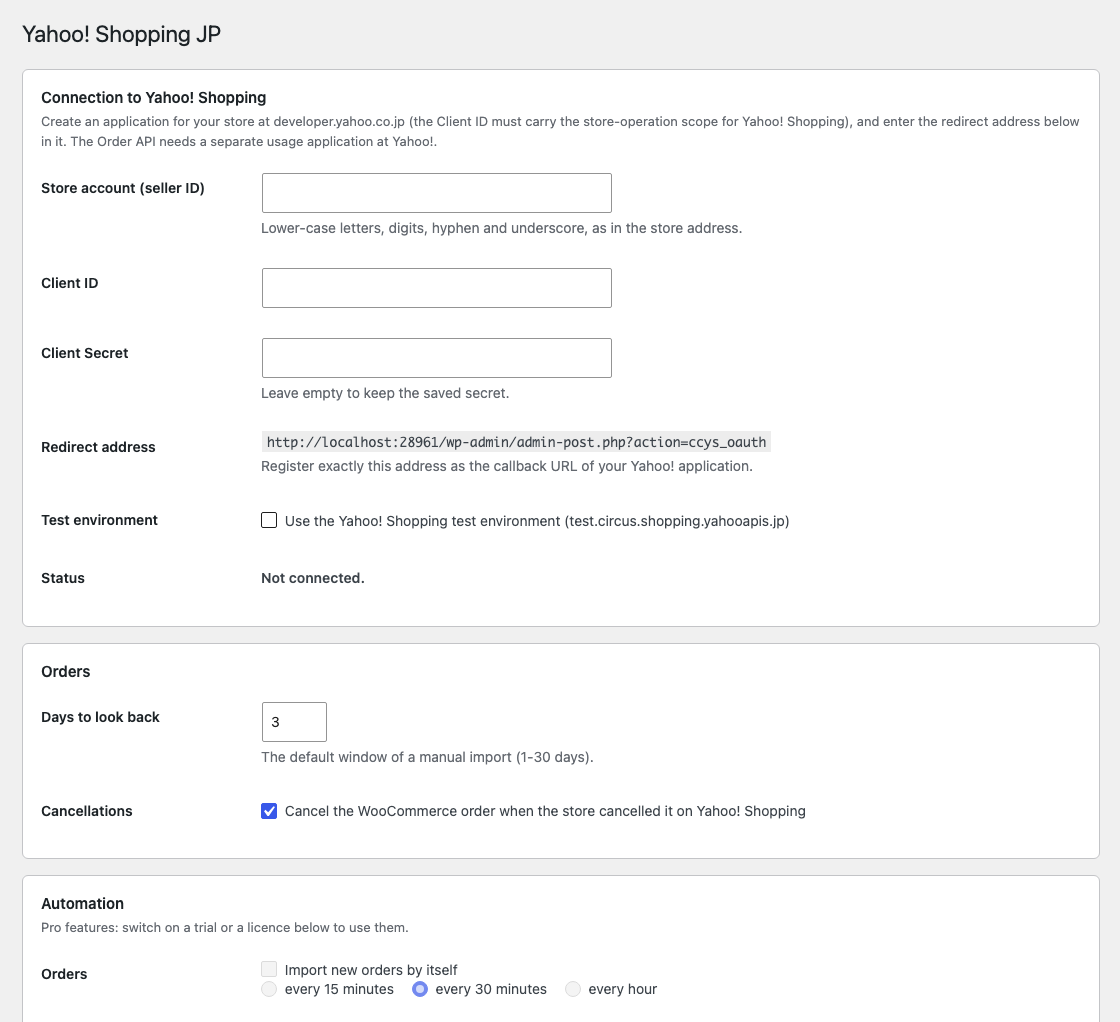
“Connect to Yahoo!

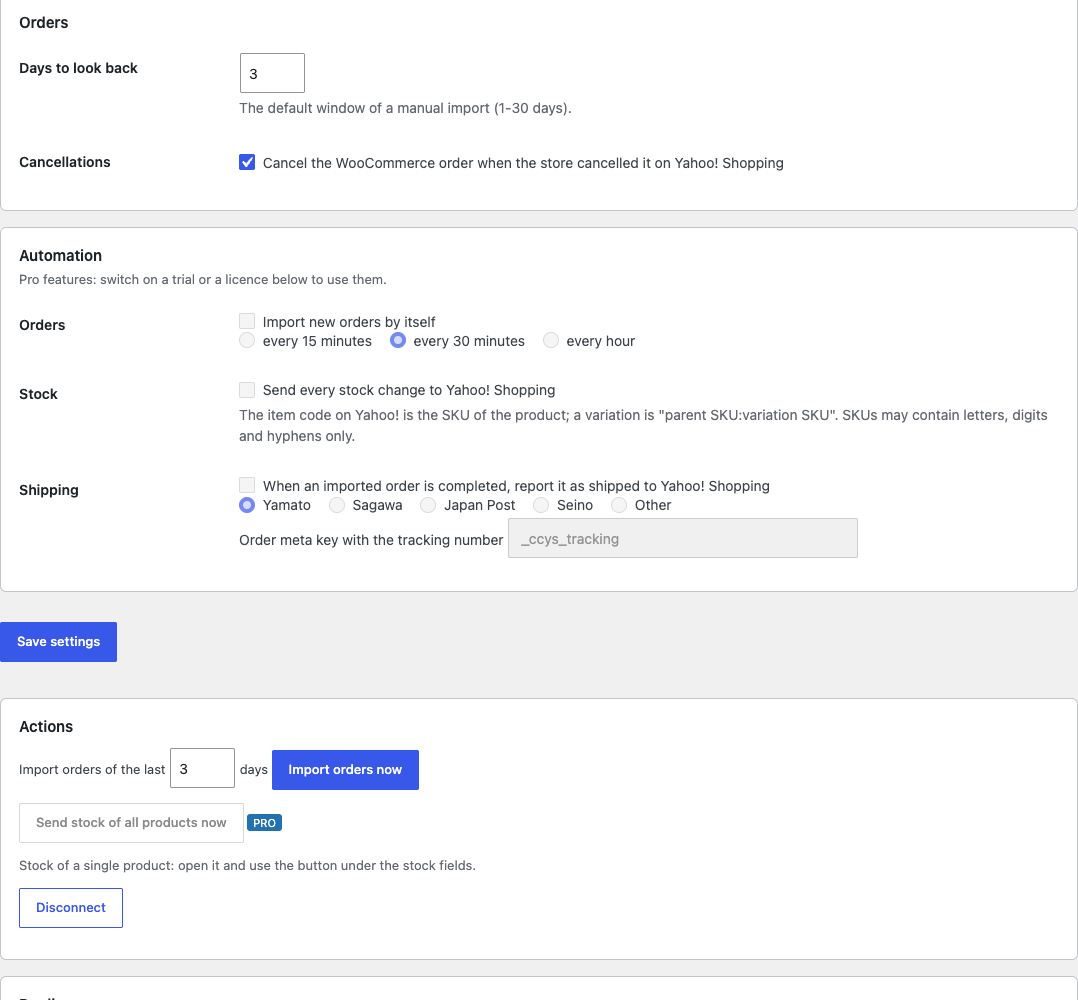
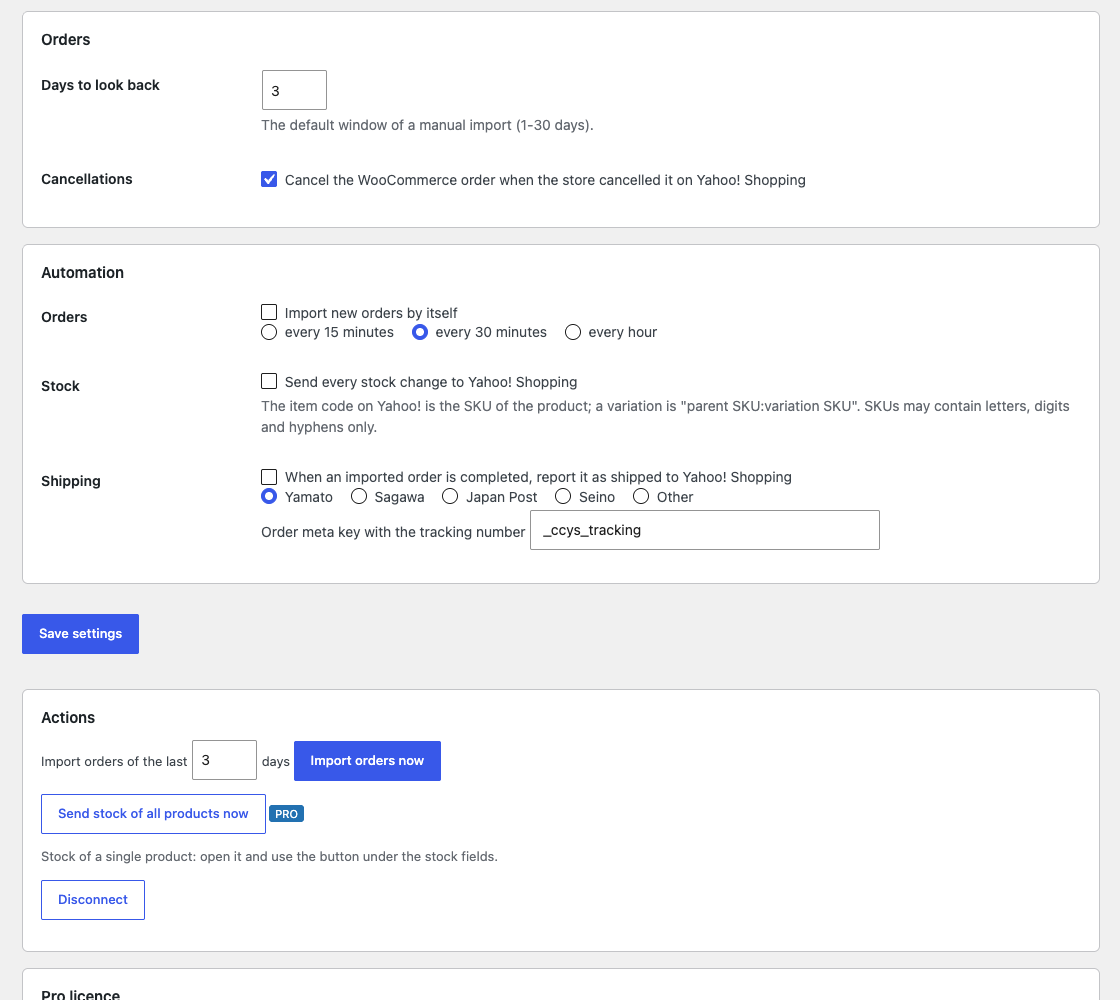
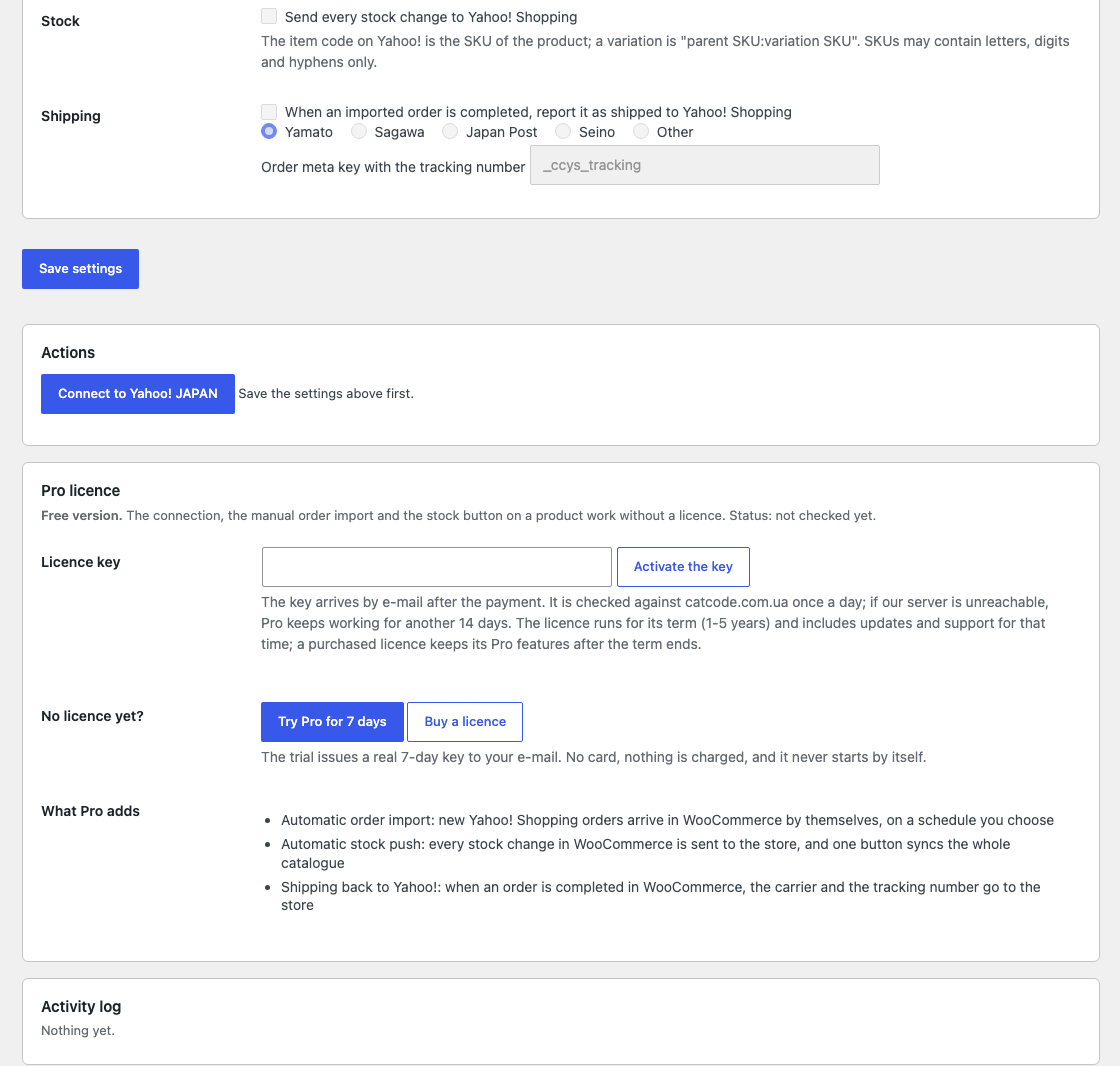
Automatic import on a schedule (15, 30 or 60 minutes), pushing every stock change, telling Yahoo! about the shipment (carrier and tracking number) when the order is Completed, and the stock of the whole catalogue with one button.

The base version is free. Pro costs 1490 UAH for a one-year licence. A year of updates, technical support and all Pro features.

A fresh install is the free version, nothing switches on by itself. The “Try Pro for 7 days” button → e-mail → the key right in the window and by e-mail.

Moving the site? Unlink the licence on the old domain and activate it on the new one yourself. A staging copy (staging., dev.) works with the same key and does not take a site slot. For studios — keys for 5 or 25 sites, or unlimited.
 WordPress 6.2+, WooCommerce 8.0+, PHP 7.4+, SimpleXML extension.A Yahoo! Shopping store and a Yahoo! application with access to the store API.Product SKU = the Yahoo! item code (Latin letters, digits, hyphen).
Connection, order import, stock from a product.



Yahoo! Shopping JP for WooCommerce links a Yahoo! Shopping Japan store with WooCommerce: connection by Yahoo! JAPAN ID, order import, stock push and, in Pro, automation and shipment notices. Items are matched by item code = SKU. We found no ready Yahoo! Shopping plugin for WooCommerce (search and the Yahoo developer pages, 2 November 2026).
This module has never run against the real Yahoo!. We had no Yahoo! Shopping store and no Yahoo! application with access to the store API, so nothing was ever sent to Yahoo!.
“Connect to Yahoo! JAPAN” goes through the Yahoo! consent screen and stores the tokens; an expired token is renewed by itself, a revoked one (401) is renewed once and the request repeated. “Import orders now” creates WooCommerce orders: a paid one becomes Processing, one shipped on Yahoo! becomes Completed, one cancelled on Yahoo! is cancelled here too. A second import does not duplicate and the module sends no e-mails to buyers. Amounts come from Yahoo! (in yen), the prefecture becomes a state code, lines are tied to products by SKU. On a product page a button pushes its stock to Yahoo!.
Automatic import on a schedule (15, 30 or 60 minutes), pushing every stock change, telling Yahoo! about the shipment (carrier and tracking number) when the order is Completed, and the stock of the whole catalogue with one button.
The module is not on wordpress.org yet: the free version and Pro are one archive from this page. Without a key it works as the free version.
Didn't find the answer? Message us on Telegram and we'll reply within a business day.
 @catcode_support
Setup, compatibility, activation
No. We made the module; Yahoo! is a trademark of its owner.
No: WooCommerce customer e-mails are switched off for imported orders.
Pro switches off, the free part keeps working.
No reviews yet. Be the first.
No questions yet. Ask one — we answer within 24 hours.
We build custom modules for WordPress, WooCommerce, OpenCart and Shopify. Tell us about the task and we'll prepare an estimate.
Order a custom module
—
Charged in UAH; your bank converts it to your currency. EUR price is approximate.

CatCode assistant
Just now


CatCode assistant
Online

I’ll help with your website task
Describe your website task — I’ll find a ready-made module or pass it to a developer for an estimate. Modules, custom features, layout, integrations, speed, migration, technical SEO.
