
















WooCommerce
Abandoned Cart Recovery for WooCommerce
Free + Pro
990 UAH/year≈ €20
v1.3.1
 Website auditA PDF report by email in 3 minutesCheck a website
Everyday tasks
Image compressorSize, quality and WebP in bulkQR generatorLink, Wi-Fi, payment to IBANVAT calculator20, 14, 7% and amount in wordsTransliterationOfficial Ukrainian standardWebsite checks
PHP and pluginsPHP version, WordPress, pluginsGoogle Merchant feedFields, prices, GTIN, imagesDomain emailSPF, DKIM, DMARC, blacklistsAI search readinessllms.txt, bots, markupAll 9 toolsEnter at least 2 characters

SmartBill or Oblio invoices from WooCommerce orders, buyer CUI at the checkout; Pro adds automation, storno and e-Factura through Oblio.
The free version works with no time limit. Pro adds the rest of the features in the table.


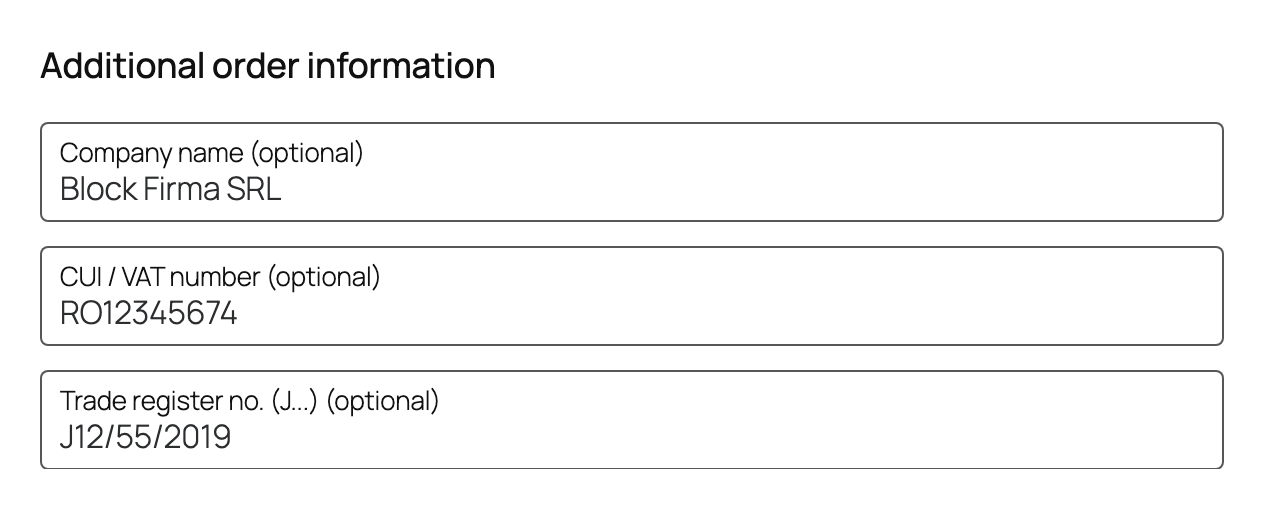
On the classic checkout and in the Checkout block the buyer sees “Company name”, “CUI” and “Trade register number”.

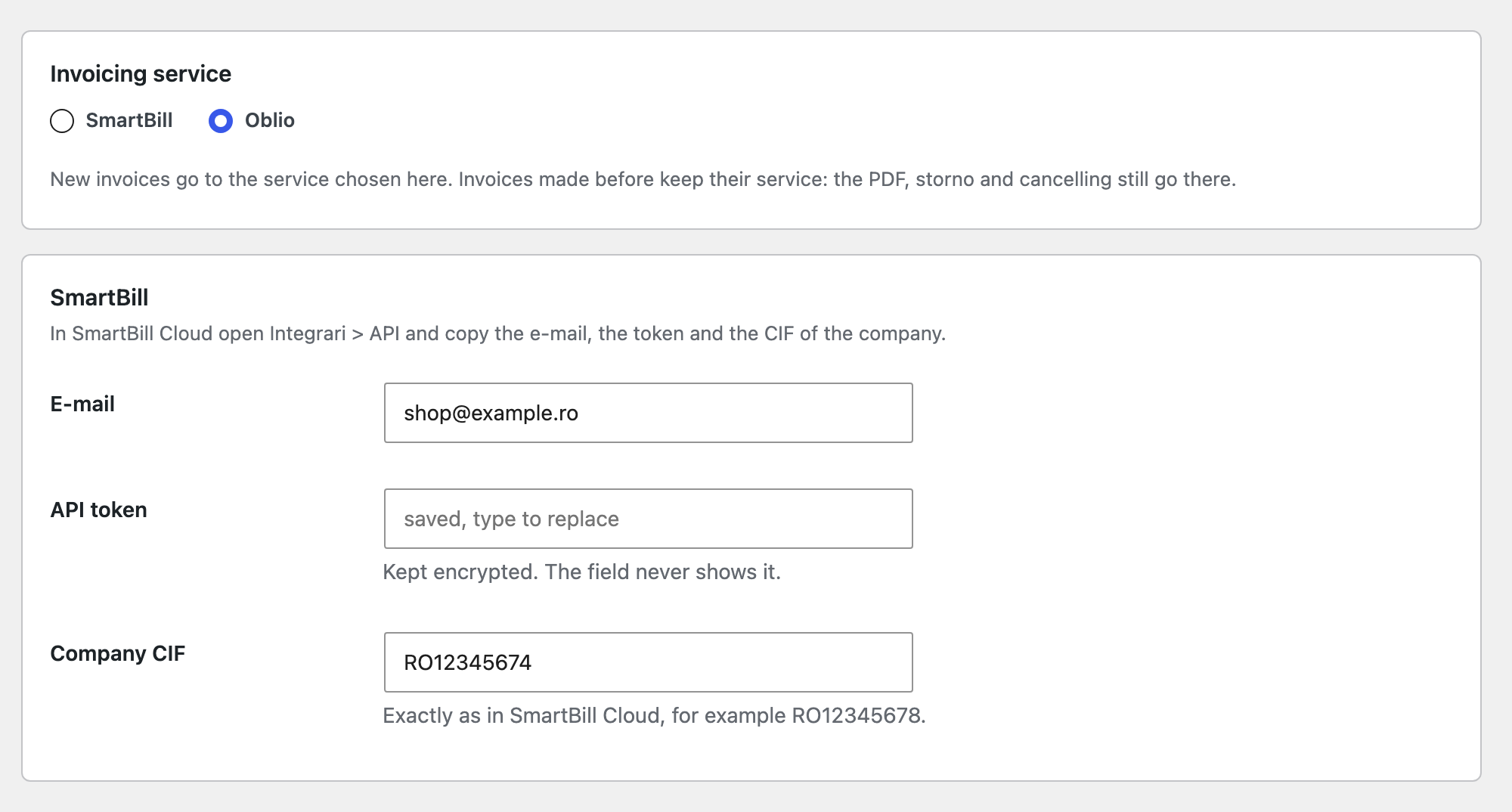
WooCommerce → SmartBill & Oblio: the service and its connection.

The base version is free. Pro costs 990 UAH for a one-year licence. A year of updates, technical support and all Pro features.

A fresh install is the free version, nothing switches on by itself. The “Try Pro for 7 days” button → e-mail → the key right in the window and by e-mail.

Moving the site? Unlink the licence on the old domain and activate it on the new one yourself. A staging copy (staging., dev.) works with the same key and does not take a site slot. For studios — keys for 5 or 25 sites, or unlimited.
 WordPress 6.2+, WooCommerce 7.0+, PHP 7.4+.A SmartBill Cloud account with API access, or an Oblio account.An invoice series created in the service.For e-mails to the buyer: an e-mail server set in SmartBill (Configurare > Email) or e-mail set up in Oblio.
SmartBill and Oblio, invoice and PDF from the order, company name, CUI and register number at the checkout, series and VAT rates from the account, protection against duplicates.



SmartBill & Oblio Invoices for WooCommerce issues an invoice (factura) from a WooCommerce order in the Romanian service SmartBill Cloud or Oblio. The buyer enters the company name, CUI and trade register number at the checkout, and the invoice appears in your series with the right buyer, rows and VAT rates. The PDF of the invoice downloads straight from the order.
On the classic checkout and in the Checkout block the buyer sees “Company name”, “CUI” and “Trade register number”. A buyer who enters a CUI is invoiced as a company; one who leaves it empty, as a private person. For a Romanian CUI the plugin verifies the check digit, catches a CNP typed by mistake and asks for the company name when there is a CUI. Nobody has to write company details into the order notes.
WooCommerce → SmartBill & Oblio: the service and its connection. For SmartBill that is the e-mail, API token and company CIF from Integrari > API; for Oblio the e-mail, API secret and CIF from Setari > Date Cont. “Check the connection” reads the invoice series and VAT rates of the account, so you pick the series from a list. The token and secret are stored encrypted.
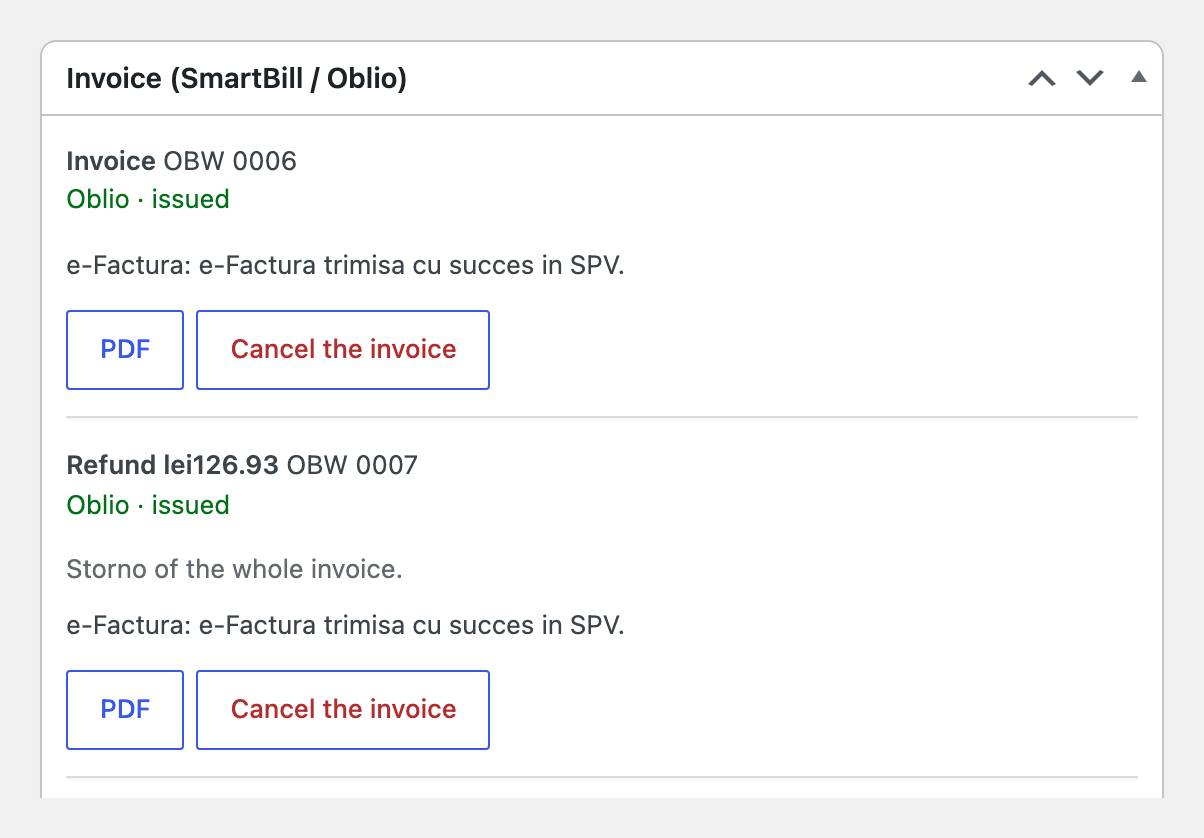
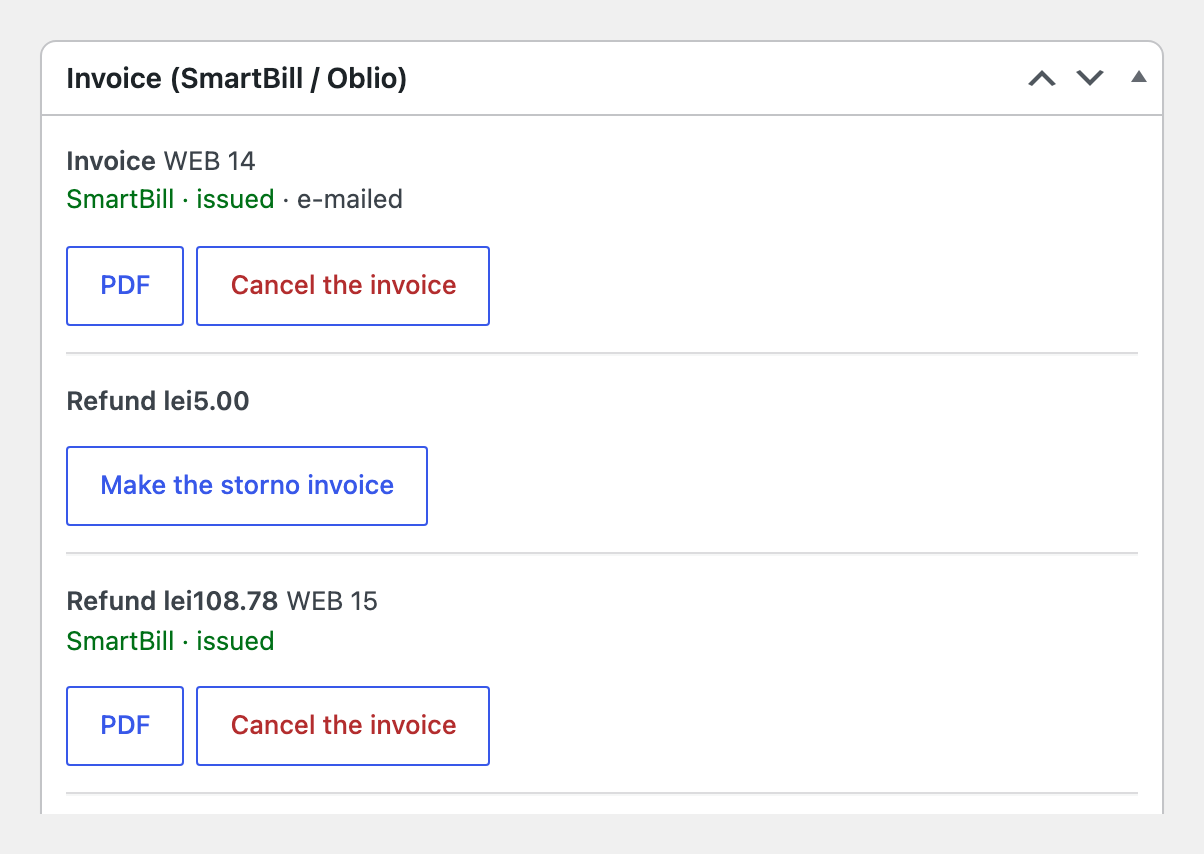
Orders get an “Invoice (SmartBill / Oblio)” box: the “Issue the invoice” button, the invoice number, its state and the PDF. The rows come from the order: products, shipping as a service, fees, the VAT rate of every row, the product code (SKU) and the order currency. Bucharest becomes “Sector N”. When the rows do not add up to what the buyer paid, nothing is sent and the box explains why. The Invoices tab lists every invoice with its service, number, state and total.
An invoice is never made twice. When the service does not answer, the invoice waits and is retried up to eight times with growing pauses. When the answer was lost, the plugin first looks whether the invoice was made (Oblio: the same request key and the invoice list; SmartBill: the series counter). When it cannot be sure, it stops and shows the series and number to look at in the service, with “Link an invoice” and “It is not there, send again”.
In Pro the invoice is issued by itself when the order reaches the statuses you choose, and the orders list gets a bulk action. The service e-mails the invoice to the buyer, and orders paid online are invoiced as collected (incasata, card). A full refund reverses the invoice in the service and a partial one becomes an invoice with the refunded rows at negative quantities, by itself or with one click. Invoices can be cancelled. With Oblio every new invoice goes to e-Factura (SPV) right away and its state shows on the order. The customer sees the invoice link in My account and in the order e-mails.
Didn't find the answer? Message us on Telegram and we'll reply within a business day.
 @catcode_support
Setup, compatibility, activation
No, it is an independent integration through the public SmartBill and Oblio APIs. SmartBill and Oblio are trademarks of their owners.
SmartBill sends invoices to SPV from its own account settings. Oblio can do it from its account too, and Pro asks Oblio to send every new invoice right after it is issued.
The invoice waits and is retried by itself, up to eight times. A request whose answer was lost is never repeated blindly: the plugin first looks whether the invoice exists.
The e-Factura ANAF plugin does not send an order that has a SmartBill or Oblio invoice, and an order with an ANAF or Keez invoice is not invoiced here. With Keez, do not switch on automatic invoices for the same statuses in both plugins; the settings warn about it.
Yes. New invoices go to the chosen service and older ones stay with theirs: PDF, storno and cancelling go where the invoice was made.
Pro switches off and the free part keeps working.
Yes, a separate module for OpenCart 2.3, 3.x and 4.x.
No reviews yet. Be the first.
No questions yet. Ask one — we answer within 24 hours.
We build custom modules for WordPress, WooCommerce, OpenCart and Shopify. Tell us about the task and we'll prepare an estimate.
Order a custom module
—
Charged in UAH; your bank converts it to your currency. EUR price is approximate.

CatCode assistant
Just now


CatCode assistant
Online

I’ll help with your website task
Describe your website task — I’ll find a ready-made module or pass it to a developer for an estimate. Modules, custom features, layout, integrations, speed, migration, technical SEO.
