OpenCart
Postcode Delivery Zones for OpenCart — delivery zones by postcode, minimum order and delivery windows
Free + Pro
990 UAH
v1.0.1
Enter at least 2 characters
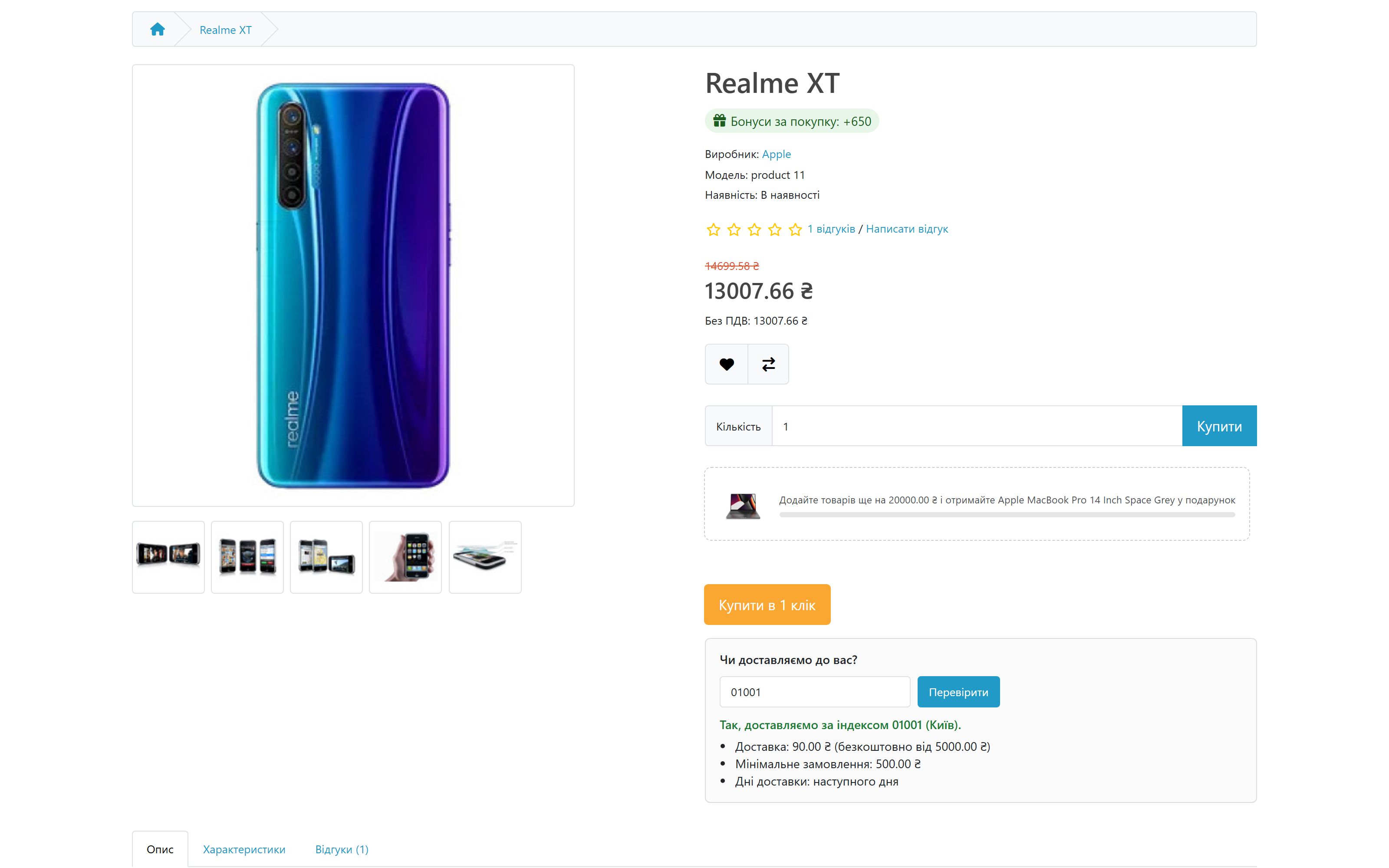

Delivery by postcode: zones with a fee, "free from" and a minimum order, "Do we deliver to you?" on the product page, delivery windows at checkout. OpenCart 4.x, 3.x, 2.3, lifetime license.
Clear even without sound: Ukrainian subtitles
The free version works with no time limit. Pro adds the rest of the features in the table.



A fresh install is the free version, nothing switches on by itself. The “Try Pro for 7 days” button → e-mail → the key right in the window and by e-mail.

Moving the store? Unbind the licence on the old domain and activate it on the new one yourself. If our server is unreachable, Pro keeps working for 14 more days. For studios — keys for 5 or 25 sites, or unlimited.
 OpenCart 4.0.2 – 4.1.x, 3.0.x or 2.3.0.x — a separate archive for each branch.PHP 7.0+ for the 2.3 build; for 3.x and 4.x — whatever PHP version your OpenCart requires.No core modifications (OCMOD) needed: the widget is added through OpenCart events, and the shipping method is a standard “Shipping” extension.Tested on clean OpenCart 4.1.0.3, 3.0.5.0 and 2.3.0.2: installation, zones, widget, minimum order, outside the zones, windows with capacity, CSV, uninstall.
The postcode delivery method now shows up at checkout next to the Nova Poshta, Ukrposhta and ROZETKA widgets.
Postcode zones with exclusions, fee, “free from” and minimum per zone, widget on the product page and in the cart; Pro.
4 modules in one order — 40% cheaper than separately



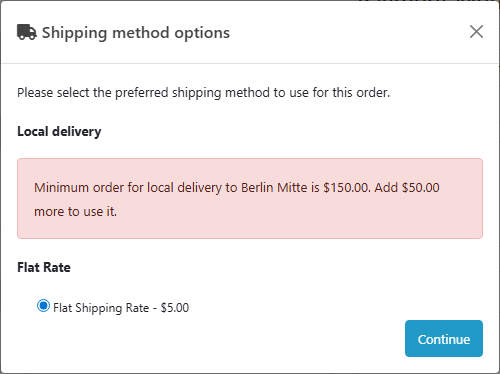
Postcode Delivery Zones for OpenCart is your store’s own delivery by postcode. You define zones as lists of postcodes (exact, prefixes, ranges, exclusions), and every zone has its own delivery fee, free-delivery threshold and minimum order value. The customer learns whether you deliver to them already on the product page, and at checkout the shipping method only appears for postcodes you serve. Below the zone minimum the module says plainly how much is missing.
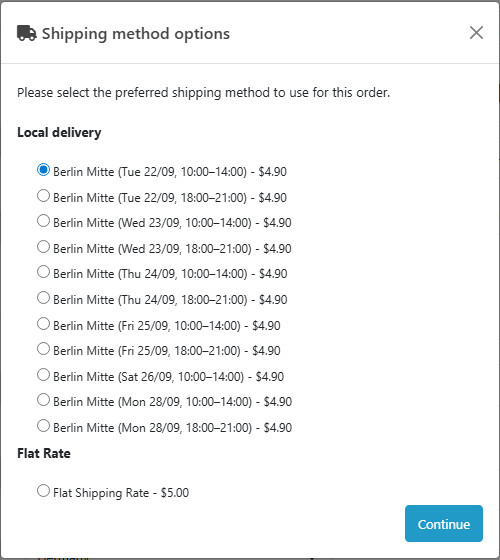
The core version is free. Up to three zones with a fee, “free from” and a minimum, and a “Do we deliver to you?” check on the product page and in the cart — no license and no time limit. Pro adds delivery windows the customer picks at checkout (the date and time are saved in the order), window capacity, cut-off time, preparation days, closed dates, unlimited zones and CSV import and export.
10115 exact, 10* prefix, 10115-10999 range, !10117 exclusion. Spaces are ignored; UK and Polish formats are recognised too.10115-10179 and !10117, delivery 4.90, free from 50, minimum 25.cc_pdzones.ocmod.zip → “Install” in the list.cc_pdzones-oc3-1.0.1.ocmod.zip, then Modifications → Refresh.upload/ folder from cc_pdzones-oc2-1.0.1.ocmod.zip to the store root.Didn't find the answer? Message us on Telegram and we'll reply within a business day.
 @catcode_support
Setup, compatibility, activation
@catcode_support
Setup, compatibility, activation
Yes. Postcode Delivery Zones is a separate shipping method next to your carriers, pickup or a flat rate.
The shipping method is shown with a message saying how much is missing to the zone minimum, and it can't be selected until the total gets there.
The first enabled zone in the list. Change the order with the arrows on the zone card.
Upload the contents of the upload/ folder from the archive to the store root, then Extensions → Shipping → Postcode Delivery Zones → Install.
No. For OpenCart the license is lifetime: one payment and the Pro features stay with you.
No reviews yet. Be the first.
No questions yet. Ask one — we answer within 24 hours.
We build custom modules for WordPress, WooCommerce, OpenCart and Shopify. Tell us about the task and we'll prepare an estimate.
Order a custom module
—

CatCode assistant
Just now


CatCode assistant
Online

I’ll help with your website task
Describe your website task — I’ll find a ready-made module or pass it to a developer for an estimate. Modules, custom features, layout, integrations, speed, migration, technical SEO.
