
















OpenCart
890 UAH579 UAH≈ €12
Black November: −35% on all modules until 30 November Black November: −35% until 30 November Choose a module
 Website auditA PDF report by email in 3 minutesCheck a website
Everyday tasks
Image compressorSize, quality and WebP in bulkQR generatorLink, Wi-Fi, payment to IBANVAT calculator20, 14, 7% and amount in wordsTransliterationOfficial Ukrainian standardWebsite checks
PHP and pluginsPHP version, WordPress, pluginsGoogle Merchant feedFields, prices, GTIN, imagesDomain emailSPF, DKIM, DMARC, blacklistsAI search readinessllms.txt, bots, markupAll 9 toolsEnter at least 2 characters
Payroc for OpenCart 4.x, 3.x, 2.3: card payments on the Payroc page, signature checks, refunds. Payment links and capture later in Pro. Lifetime licence.
The free version works with no time limit. Pro adds the rest of the features in the table.


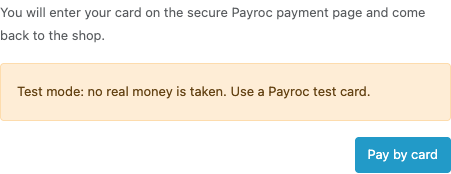
At the checkout the buyer chooses “Pay by card” and presses the button. The shop opens the Payroc payment page, where the buyer types the card: the card data never reaches your shop.

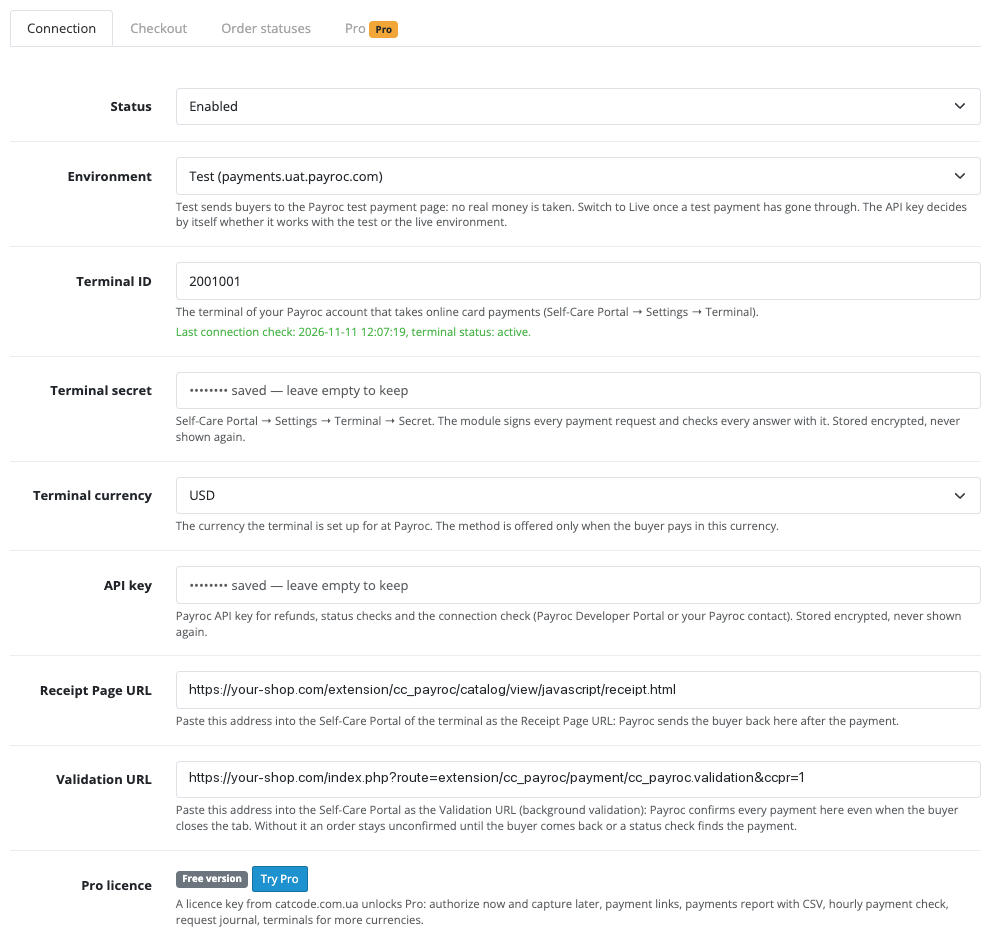
Extensions → Extensions → Payments → Payroc Payments (CatCode): the tabs “Connection”, “Checkout”, “Order statuses” and “Pro”.

The base version is free. Pro costs 990 UAH, a one-time payment, lifetime licence.

A fresh install is the free version, nothing switches on by itself. The “Try Pro for 7 days” button → e-mail → the key right in the window and by e-mail.

Moving the site? Unlink the licence on the old domain and activate it on the new one yourself. A staging copy (staging., dev.) works with the same key and does not take a site slot. For studios — keys for 5 or 25 sites, or unlimited.
 OpenCart 4.0.2.x and 4.1.x, 3.0.x or 2.3.0.2; PHP 7.0+ for 2.3 and 3.x, the cURL extension.A Payroc merchant account with a USD or CAD terminal and the terminal secret from the Self-Care Portal.A Payroc API key for refunds, the status check and the “Check connection” button (taking payments works without it).A shop on HTTPS reachable from the internet: Payroc returns the buyer and posts its confirmation to the shop address.The order currency must match the terminal currency (several terminals in Pro): the module does no currency conversion and hides the method for other currencies.For the hourly check in Pro: the OpenCart 4 scheduler, or a server cron every hour (OpenCart 3.x and 2.3).
For OpenCart 4.x, 3.x and 2.3: card payment on the Payroc page, signature, amount and currency checks, background confirmation, full and partial refunds, a payment status check, USD and…
Payroc Payments for OpenCart 4.x, 3.x and 2.3 takes card payments through the Payroc Hosted Payment Page. The buyer picks “Pay by card” at checkout, types the card on the Payroc page and comes back to the shop; the order is paid only when the signature of the answer matches and the amount, currency and order number agree with the cart. USD and CAD terminals are supported.
What you need from Payroc. A Payroc merchant account with a USD or CAD terminal. The terminal ID and the terminal secret come from the Self-Care Portal, the API key from the Payroc Developer Portal. The terms, limits and fees are set by Payroc in your agreement.
At the checkout the buyer chooses “Pay by card” and presses the button. The shop opens the Payroc payment page, where the buyer types the card: the card data never reaches your shop. After paying, Payroc sends the buyer back and the “order placed” page appears. If the bank declines, the buyer sees the reason and returns to the checkout with the same cart to try another card. If the buyer closes the tab before coming back, the order is still confirmed: Payroc tells the shop in the background.
Extensions → Extensions → Payments → Payroc Payments (CatCode): the tabs “Connection”, “Checkout”, “Order statuses” and “Pro”. On “Connection” choose the test or live environment and enter the terminal ID, the terminal secret, the API key and the terminal currency (USD or CAD). The secret and the API key are stored encrypted and never shown again. “Check connection” asks Payroc whether it knows the terminal and whether it is active. The module also shows the two addresses for the Payroc Self-Care Portal: the Receipt Page URL, where Payroc brings the buyer back, and the Validation URL, where Payroc posts a confirmation in the background. A click on an address copies it.
The “Checkout” tab sets the title and the description of the method for every language, the minimum order total, the geo zone and the sort order; “Order statuses” sets the statuses for a paid, a declined and a refunded order. An order stays without a status until the payment is confirmed, so empty attempts do not clutter the order list. Every payment attempt gets a new order number at Payroc, so a second try after a decline is never confused with the first.
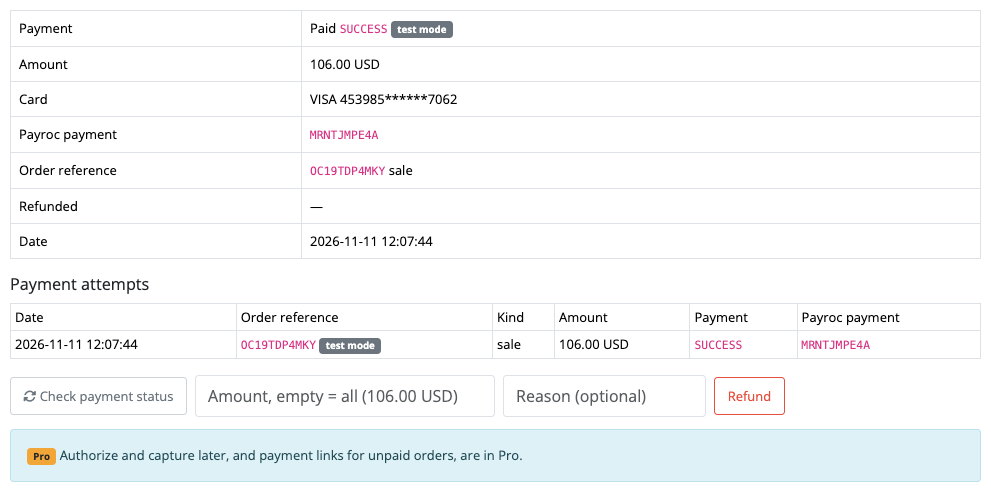
The answer from Payroc is accepted only after its signature is checked with the terminal secret. An approved payment sets the paid status; if the amount, the currency or the cart changed, or only part of the amount was approved, the order gets the “review” status with a note. Repeated and late answers change nothing, and a second approval for the same order leaves a note about the double payment. The order tab shows the payment, the masked card, the Payroc payment ID and the attempts; refunds, full or partial, with a reason, and the “Check payment status” button are there too.
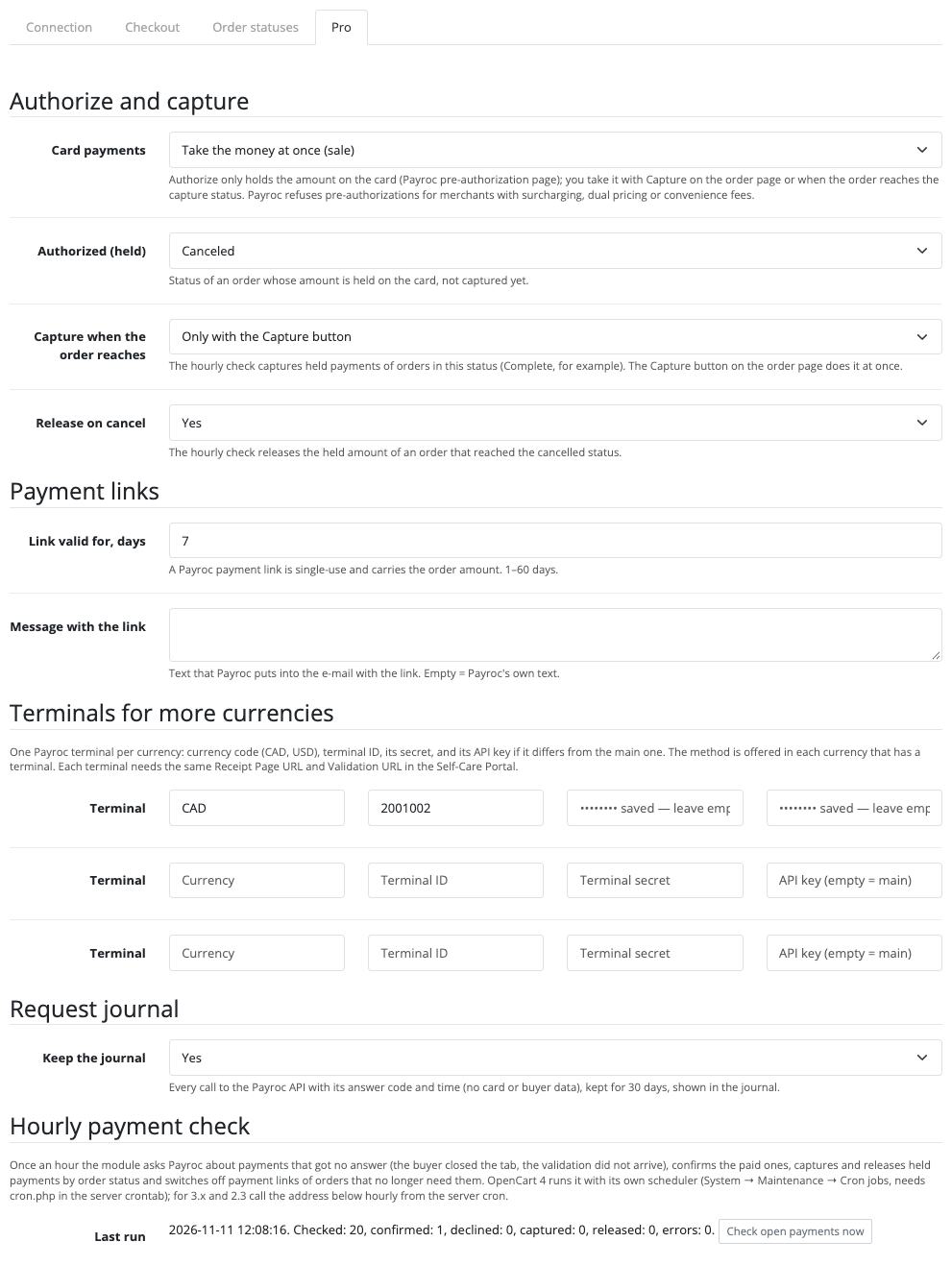
Pro: authorize now, capture later. The amount is held on the card through the Payroc pre-authorization page, the order gets the “held” status, and the “Capture” and “Release” buttons in the order take the money or free the hold (partly, through the amount field). The hourly check captures held payments of orders that reached the status you chose and releases the hold of cancelled ones.
Payment links (Pro) for any unpaid order, for example one taken by phone: single-use, with a preset amount and a validity of 1 to 60 days; Payroc e-mails it to the buyer with your message, and a paid or cancelled order switches the link off by itself. The hourly background check picks up payments Payroc has not answered for. The payments journal and report show the terminal’s payments for a period and match them to shop orders (matches, amount differs, approved but unpaid, no shop order) with a CSV export. The request journal of Payroc calls is kept for 30 days. Up to three extra terminals for other currencies, each with its own secret.
Didn't find the answer? Message us on Telegram and we'll reply within a business day.
 @catcode_support
Setup, compatibility, activation
No, it is an independent integration made by us. Payroc is a trademark of its owner.
A Payroc merchant account with a USD or CAD terminal: the terminal ID and the secret from the Self-Care Portal and an API key from the Developer Portal. The terms of connection and the limits are set by Payroc.
No. The card is typed on the Payroc payment page, and the shop gets only the result and a masked card number.
Check that the Receipt Page URL and the Validation URL are entered in the Payroc portal for this terminal. "Check payment status" in the order asks Payroc about the payment; in Pro the hourly check does it too.
Yes, in the free version: on the order tab enter an amount and a reason, or leave the amount empty for a full refund.
The method is shown to buyers who pay in the currency of your terminal (USD or CAD). With Pro you can add a terminal for each further currency; there is no currency conversion.
Yes, in Pro. Payroc does not run pre-authorizations for merchants with surcharging, dual pricing or convenience fees.
OpenCart 4.0.2.x, 4.1.x, 3.0.x and 2.3.0.2: three separate archives in one product.
Yes, for OpenCart it is one payment and a lifetime licence for two sites.
No reviews yet. Be the first.
No questions yet. Ask one — we answer within 24 hours.
We build custom modules for WordPress, WooCommerce, OpenCart and Shopify. Tell us about the task and we'll prepare an estimate.
Order a custom module
—
Charged in UAH; your bank converts it to your currency. EUR price is approximate.

CatCode assistant
Just now


CatCode assistant
Online

I’ll help with your website task
Describe your website task — I’ll find a ready-made module or pass it to a developer for an estimate. Modules, custom features, layout, integrations, speed, migration, technical SEO.
