
















OpenCart
Abandoned Cart Recovery for OpenCart 2.3, 3.x and 4.x
Free + Pro
1 290 UAH≈ €26
v1.2.4
 Website auditA PDF report by email in 3 minutesCheck a website
Everyday tasks
Image compressorSize, quality and WebP in bulkQR generatorLink, Wi-Fi, payment to IBANVAT calculator20, 14, 7% and amount in wordsTransliterationOfficial Ukrainian standardWebsite checks
PHP and pluginsPHP version, WordPress, pluginsGoogle Merchant feedFields, prices, GTIN, imagesDomain emailSPF, DKIM, DMARC, blacklistsAI search readinessllms.txt, bots, markupAll 9 toolsEnter at least 2 characters

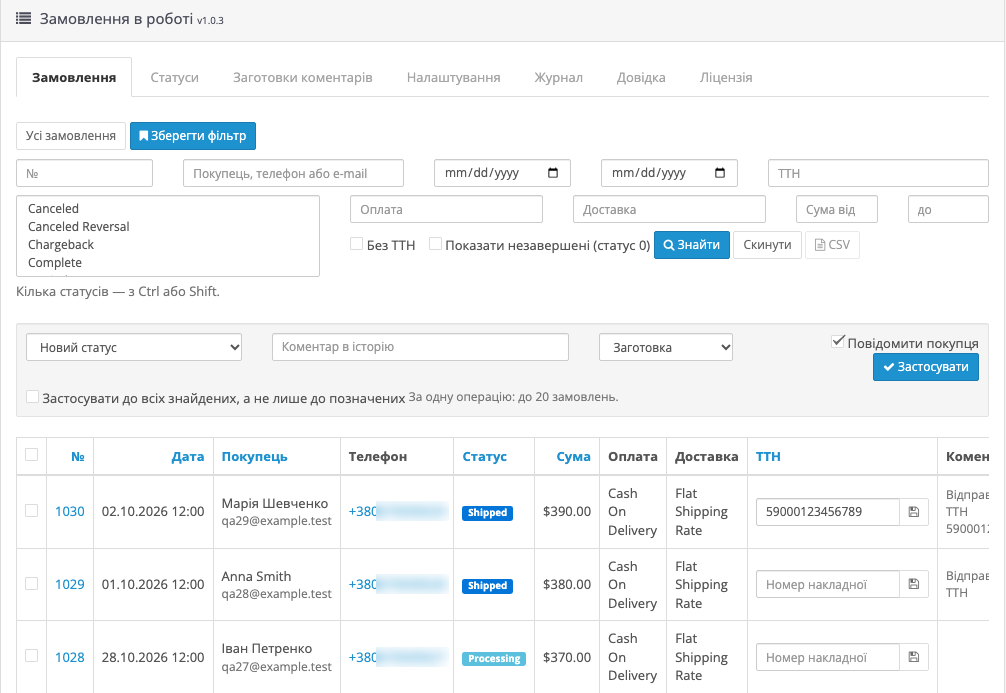
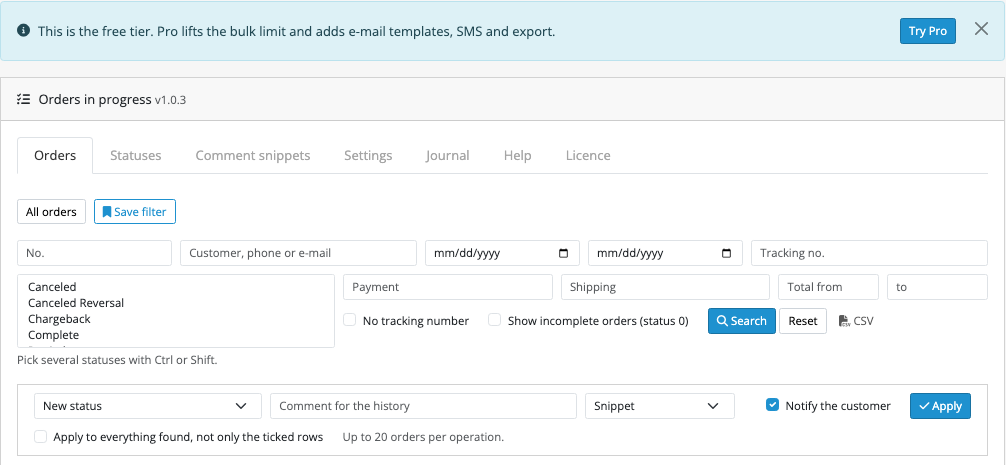
One order screen in OpenCart: status colour, phone, tracking number and last comment in the row, filters, bulk status change for up to 20 orders at a time. Pro adds up to 500 orders, an e-mail template per status, SMS through your gateway and CSV export. Perpetual licence.
The free version works with no time limit. Pro adds the rest of the features in the table.


The storefront does not change. The buyer gets an e-mail about the new status if the manager left Notify the customer on.

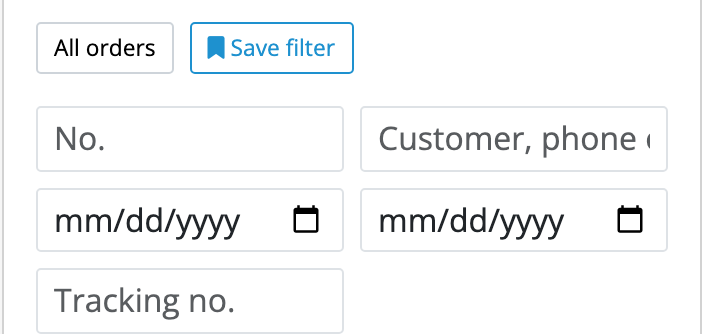
Filters work together: number, customer, phone, e-mail, date, total, status, payment, shipping, tracking number, orders without one.

A fresh install is the free version, nothing switches on by itself. The “Try Pro for 7 days” button → e-mail → the key right in the window and by e-mail.

Moving the site? Unlink the licence on the old domain and activate it on the new one yourself. A staging copy (staging., dev.) works with the same key and does not take a site slot. For studios — keys for 5 or 25 sites, or unlimited.
 OpenCart 4.0.2.3+ and 4.1.x, 3.x or 2.3.0.2. Tested on 4.1.0.3, 4.0.2.3, 3.0.5.0 and 2.3.0.2.Mail configured in OpenCart itself. In tests a local mail server caught the letters, delivery to a real mailbox was not checked.SMS (Pro): your gateway with a GET or POST HTTP request.
Before updating to this version, note the settings and the licence key, or replace the files over FTP without uninstalling: later updates keep them.
For OpenCart 4.x, 3.x and 2.3: manager screen, filters, status colours, tracking in the row, bulk status change, journal.



Order Workflow for OpenCart puts orders on one screen: the status is a colour, the phone is a link, the tracking number is edited in the row and the last comment is visible without opening the order. A manager ticks orders, picks a status, and the change, the history record and the e-mail to the customer go out in one action.
The storefront does not change. The buyer gets an e-mail about the new status if the manager left Notify the customer on. In Pro the letter uses your template for that status, and SMS goes through your gateway.
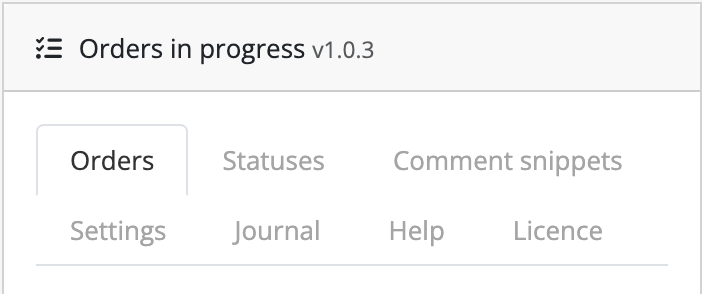
Filters work together: number, customer, phone, e-mail, date, total, status, payment, shipping, tracking number, orders without one. A filter you use every day can be saved as a tab. Status colour, order and hiding are set on a separate tab.
The tracking number lives in the module’s own table. It can also be read from an order field or from a column another shipping extension added: foreign data is only read. The journal shows who changed a status, when, and where the notice went.
Didn't find the answer? Message us on Telegram and we'll reply within a business day.
 @catcode_support
Setup, compatibility, activation
The status and date on the order, the order history record and stock: goods and options with subtraction on are returned or taken by the same rules as in OpenCart. E-mail and SMS go out only if the manager left the tick on.
Coupons, gift vouchers, reward points and affiliate commission are not recalculated. The anti-fraud check is not run, and neither are OpenCart 4 subscriptions. For such orders change the status on the standard order page.
The OpenCart catalog model does this work, and the admin reaches it through a separate API user. The module writes the status directly so bulk change does not depend on that user. The Help tab says this too.
The coupon usage record stays. To have it removed, cancel such an order on the standard page.
Not if they hang off the addHistory event: it does not fire here. That includes Email Templates letters: from here the letter goes out with the Order Workflow text.
No. The manager decides with the Notify the customer tick box. If a letter fails, the manager sees the reason and the history has no notified mark.
Any with a GET or POST HTTP request: the address, headers and text are set in the settings. The keys and balance are yours. Tests used a test gateway, TurboSMS and SMSClub were not tried live.
OpenCart gives rights only to the group of the person who installed it. For other groups tick access and modify in Users → User Groups.
The 2.3 installer copies files over FTP. Without FTP, copy the upload/ folder from the archive to the store root.
No reviews yet. Be the first.
No questions yet. Ask one — we answer within 24 hours.
We build custom modules for WordPress, WooCommerce, OpenCart and Shopify. Tell us about the task and we'll prepare an estimate.
Order a custom module
—
Charged in UAH; your bank converts it to your currency. EUR price is approximate.

CatCode assistant
Just now


CatCode assistant
Online

I’ll help with your website task
Describe your website task — I’ll find a ready-made module or pass it to a developer for an estimate. Modules, custom features, layout, integrations, speed, migration, technical SEO.
