















WooCommerce
Shippo & EasyPost Shipping Labels for WooCommerce — live USPS, UPS, FedEx and DHL rates and labels
Free + Pro
890 UAH/year≈ €18
v1.0.0
 Website auditA PDF report by email in 3 minutesCheck a website
Everyday tasks
Image compressorSize, quality and WebP in bulkQR generatorLink, Wi-Fi, payment to IBANVAT calculator20, 14, 7% and amount in wordsTransliterationOfficial Ukrainian standardWebsite checks
PHP and pluginsPHP version, WordPress, pluginsGoogle Merchant feedFields, prices, GTIN, imagesDomain emailSPF, DKIM, DMARC, blacklistsAI search readinessllms.txt, bots, markupAll 9 toolsEnter at least 2 characters

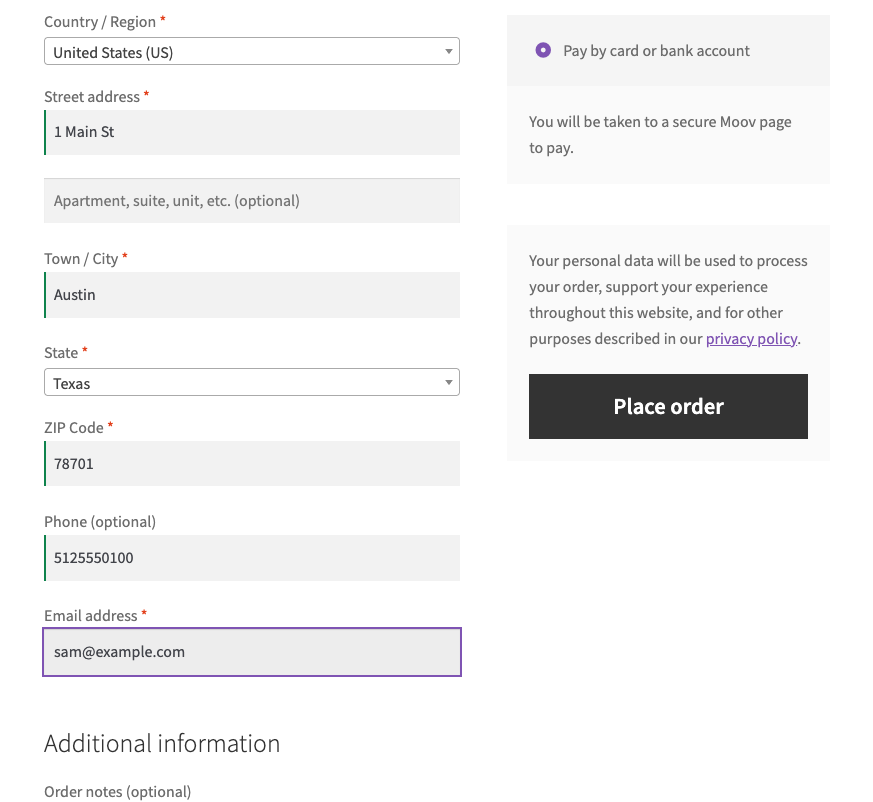
Card (and with Pro ACH) payments through Moov in US dollars.
The free version works with no time limit. Pro adds the rest of the features in the table.


You paste the public and secret keys and the account ID from the Moov Dashboard; “Check connection” gets a token and finds the wallet payment method of the account (the money lands there).

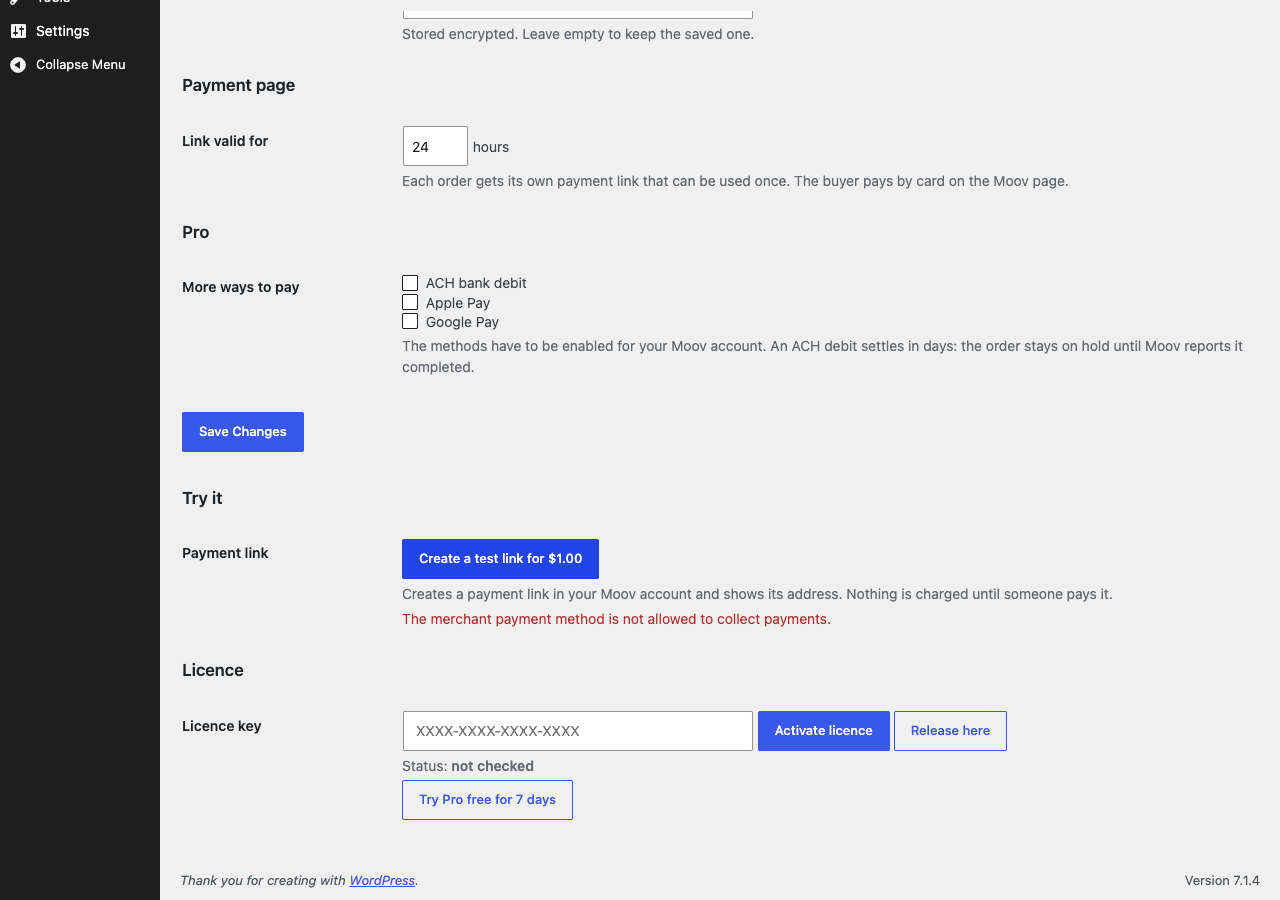
More ways to pay on the payment page: ACH debit, Apple Pay and Google Pay (they have to be enabled for your Moov account; an ACH payment takes days and the order stays on hold until Moov shows the transfer completed).

The base version is free. Pro costs 1490 UAH for a one-year licence. A year of updates, technical support and all Pro features.

A fresh install is the free version, nothing switches on by itself. The “Try Pro for 7 days” button → e-mail → the key right in the window and by e-mail.

Moving the site? Unlink the licence on the old domain and activate it on the new one yourself. A staging copy (staging., dev.) works with the same key and does not take a site slot. For studios — keys for 5 or 25 sites, or unlimited.
 WordPress 6.2+, WooCommerce 7.0+, PHP 7.4+.The shop currency is US dollars. A Moov account approved by Moov to accept payments (Moov does the business onboarding).
Card payment through a payment link, a signed webhook, the transfer status.

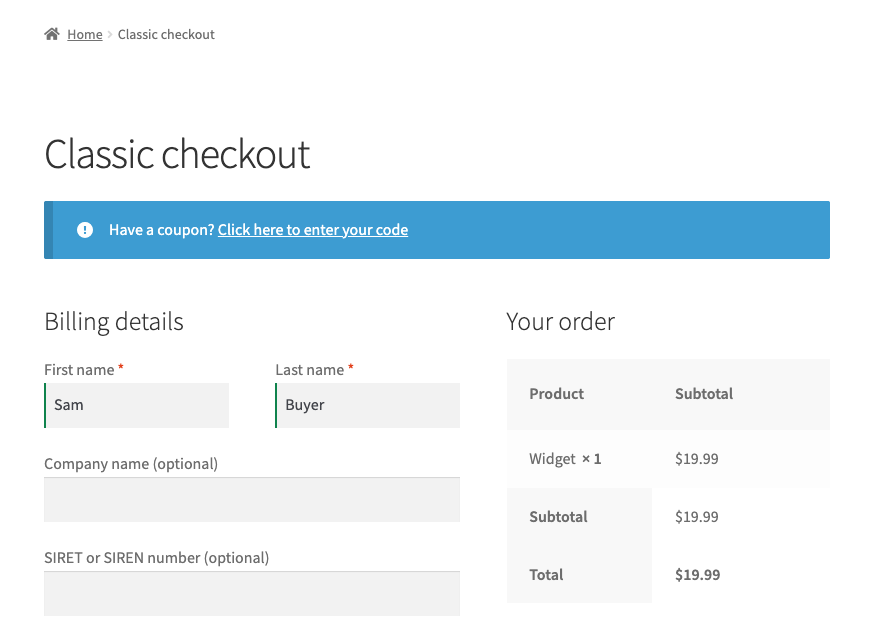
Moov Payments for WooCommerce adds Moov as a payment method in WooCommerce: at the checkout the buyer is sent to a Moov-hosted payment page (a payment link), so card details never reach your shop, and the order is settled when Moov reports by webhook that the transfer is completed. Payments are in US dollars. We found no official Moov plugin for WooCommerce.
This module has never run against the real Moov. We had no Moov account (Moov onboards the business and we do not invent company details), so not a single payment went through the real Moov.
You paste the public and secret keys and the account ID from the Moov Dashboard; “Check connection” gets a token and finds the wallet payment method of the account (the money lands there). Each order gets a single-use payment link with the amount, the order number, an expiry (24 hours by default) and a reference to the order; the buyer pays by card on the Moov page. After the checkout the order is On hold with a note and stock is reduced. The Moov webhook is checked with its HMAC-SHA512 signature, the transfer is read from Moov (status, amount, order reference) and only then is the order paid; a different amount puts the order on hold. A failed or cancelled transfer gives a Failed order with the reason in words, a reversed transfer puts the order on hold and a repeated event changes nothing. A “Check payment status” button on the order page asks Moov about the transfer if the webhook did not arrive and “Create a test link” makes a $1.00 link without charging anything. The keys and the webhook secret are stored encrypted.
More ways to pay on the payment page: ACH debit, Apple Pay and Google Pay (they have to be enabled for your Moov account; an ACH payment takes days and the order stays on hold until Moov shows the transfer completed). Refunds from WooCommerce: a full or partial refund of an order goes to Moov and a refusal by Moov is shown in words. A “New payment link” button creates a fresh link for an unpaid order, for example after the first one expired.
The module is not on wordpress.org yet: the free version and Pro are one archive from this page. Without a key it works as the free version.
Didn't find the answer? Message us on Telegram and we'll reply within a business day.
 @catcode_support
Setup, compatibility, activation
No. Moov publishes no WooCommerce plugin; we made the module, and the Moov trademark belongs to Moov Financial, Inc.
It waits for the payment. When Moov reports the transfer completed it moves to Processing; a bank debit can take days.
Pro switches off, the free part keeps working.
No reviews yet. Be the first.
No questions yet. Ask one — we answer within 24 hours.
We build custom modules for WordPress, WooCommerce, OpenCart and Shopify. Tell us about the task and we'll prepare an estimate.
Order a custom module
—
Charged in UAH; your bank converts it to your currency. EUR price is approximate.

CatCode assistant
Just now


CatCode assistant
Online

I’ll help with your website task
Describe your website task — I’ll find a ready-made module or pass it to a developer for an estimate. Modules, custom features, layout, integrations, speed, migration, technical SEO.
