
















OpenCart
Abandoned Cart Recovery for OpenCart 2.3, 3.x and 4.x
Free + Pro
1 290 UAH≈ €26
v1.2.4
 Website auditA PDF report by email in 3 minutesCheck a website
Everyday tasks
Image compressorSize, quality and WebP in bulkQR generatorLink, Wi-Fi, payment to IBANVAT calculator20, 14, 7% and amount in wordsTransliterationOfficial Ukrainian standardWebsite checks
PHP and pluginsPHP version, WordPress, pluginsGoogle Merchant feedFields, prices, GTIN, imagesDomain emailSPF, DKIM, DMARC, blacklistsAI search readinessllms.txt, bots, markupAll 9 toolsEnter at least 2 characters

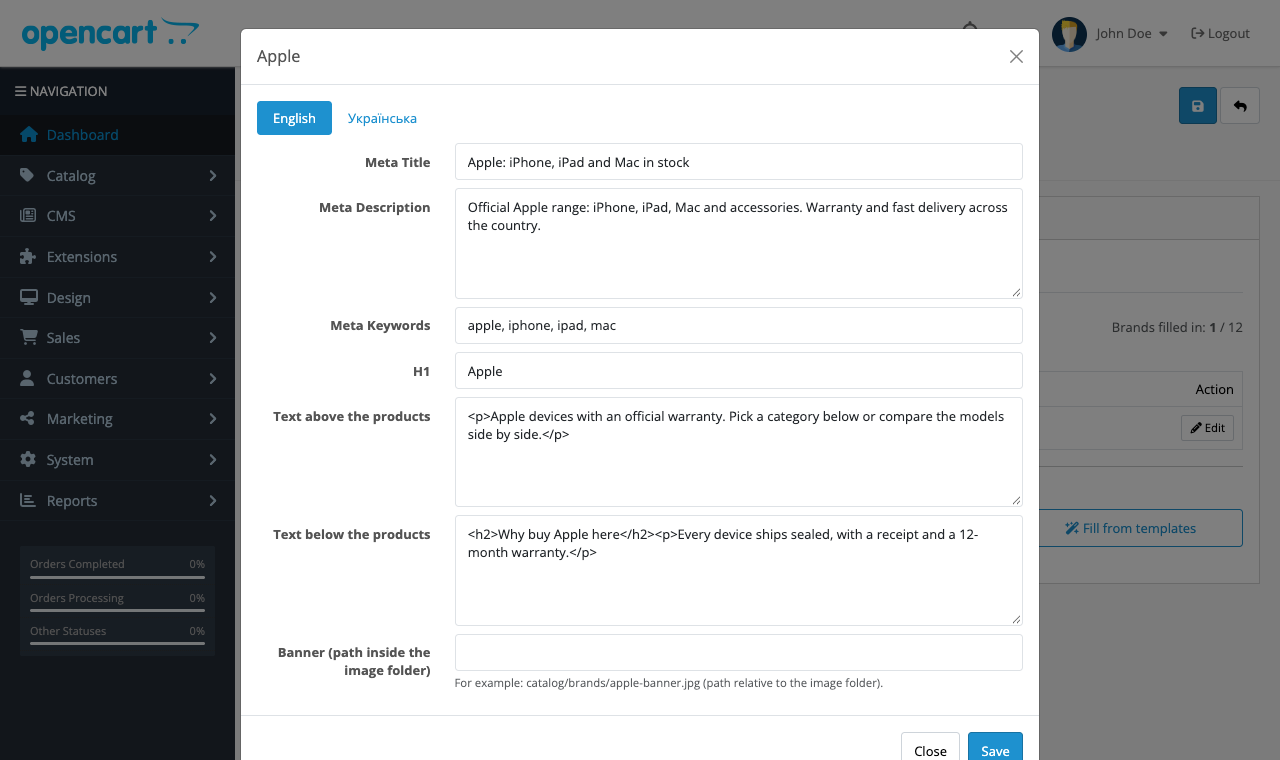
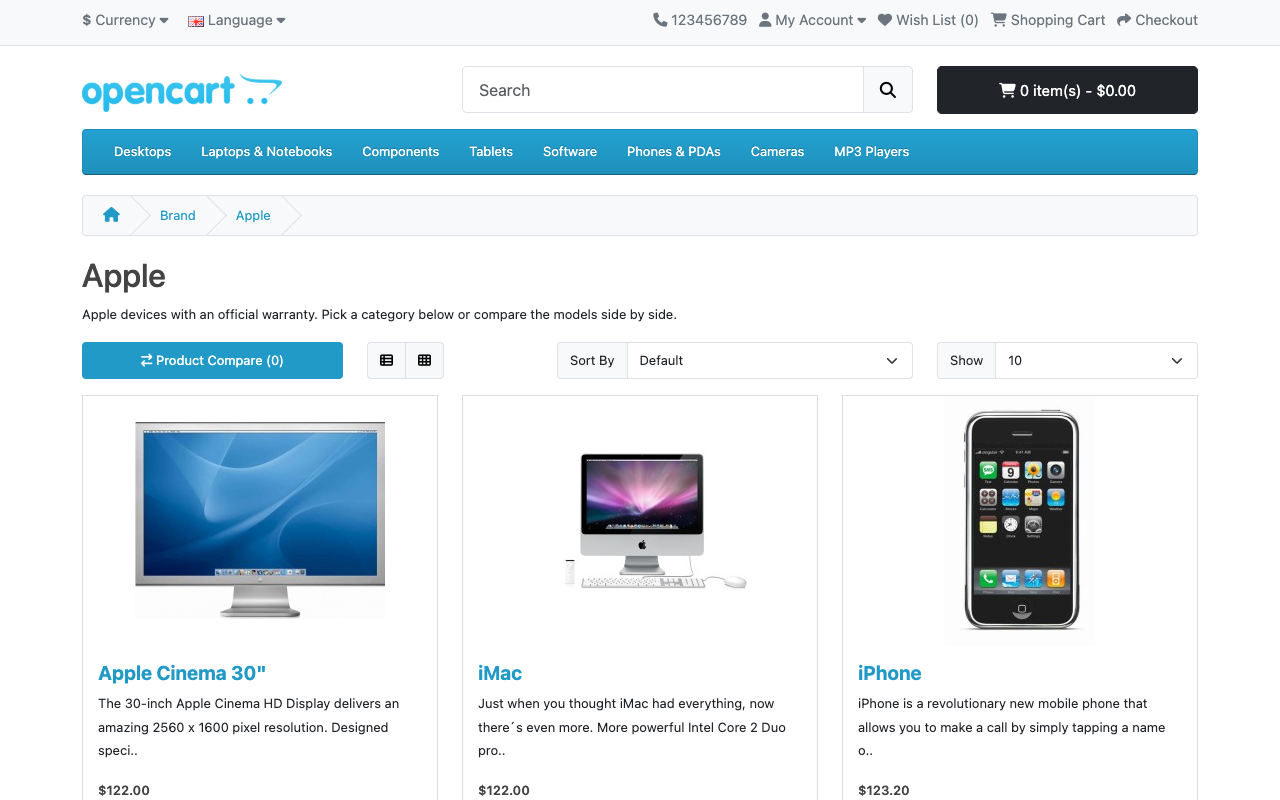
Meta tags, H1 and texts for OpenCart brand pages: the core has none. Checked on OpenCart 4.1, 4.0, 3.0 and 2.3.
The free version works with no time limit. Pro adds the rest of the features in the table.


For 10 brands: Meta Title, Meta Description, H1 and the text above the products, in every language of the store.

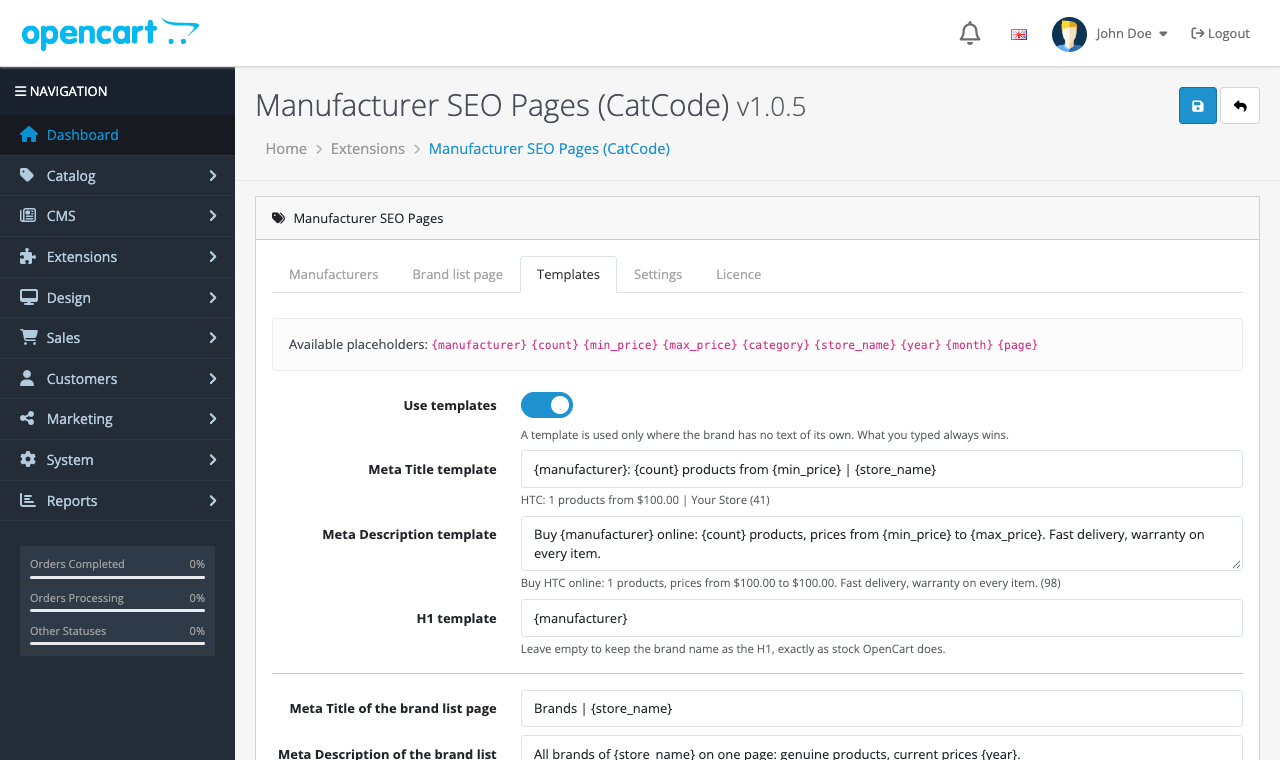
An unlimited number of brands, templates with placeholders ({manufacturer}, {count}, {min_price}, {max_price}, {store_name}, {year}, {month}, {page}) and a bulk fill with a progress bar, the text under the products, a brand banner, Meta Keywords and Brand JSON-LD markup.

The base version is free. Pro costs 790 UAH, a perpetual licence. One payment, no yearly fees.

A fresh install is the free version, nothing switches on by itself. The “Try Pro for 7 days” button → e-mail → the key right in the window and by e-mail.

Moving the site? Unlink the licence on the old domain and activate it on the new one yourself. A staging copy (staging., dev.) works with the same key and does not take a site slot. For studios — keys for 5 or 25 sites, or unlimited.
 OpenCart 2.3, 3.0 or 4.0.2+ (a separate archive for each branch).PHP 5.6+ for 2.3 and 3.0, 8.0+ for 4.x.No core file is changed: the module works on events.
Brand editor, brand list page, pagination suffix; Pro: templates, bulk fill, text under the products, banner, Meta Keywords, Brand JSON-LD.


Manufacturer SEO gives OpenCart brand pages what the core lacks entirely: their own Meta Title, Meta Description, H1 and a text above the product list, for every brand and every store language. Stock OpenCart keeps only a name, an image and a sort order for a manufacturer, so a brand page shows no description and meta tags built from the bare name. The module patches no core file: everything runs on events, and switching it off brings the stock page back.
Checked on four OpenCart versions. The module was checked in a browser on real OpenCart 4.1.0.3, 4.0.2.3, 3.0.5.0 and 2.3.0.2. It needs no outside service, so there is no stand-in here.
For 10 brands: Meta Title, Meta Description, H1 and the text above the products, in every language of the store. The brand list page gets its own meta and text. Page 2 and later of the pagination get a suffix in the title so they are not duplicates. Texts are stored as HTML with a tag allowlist (paragraphs, bold, italic, lists, links, h2 and h3 headings): scripts and event handlers are removed on save and again on output.
An unlimited number of brands, templates with placeholders ({manufacturer}, {count}, {min_price}, {max_price}, {store_name}, {year}, {month}, {page}) and a bulk fill with a progress bar, the text under the products, a brand banner, Meta Keywords and Brand JSON-LD markup. The bulk fill writes its result into the module table, so it stays editable by hand, and it does not overwrite texts written by hand.
Install: Extensions → Installer → upload the zip of your branch (cc_brands for 4.x, cc_brands-oc3 for 3.0, cc_brands-oc23 for 2.3), then Extensions → Modules → install and open the module.
Didn't find the answer? Message us on Telegram and we'll reply within a business day.
 @catcode_support
Setup, compatibility, activation
It is an editor for one brand: its own text, H1 and meta for every language. Templates (Pro) only fill the brands you did not write by hand.
Yes, they live in the module's own table and an update does not touch it.
Pro switches off; the texts already written and the free fields stay and are still printed.
Brand texts are shared by all stores of one installation.
No reviews yet. Be the first.
No questions yet. Ask one — we answer within 24 hours.
We build custom modules for WordPress, WooCommerce, OpenCart and Shopify. Tell us about the task and we'll prepare an estimate.
Order a custom module
—
Charged in UAH; your bank converts it to your currency. EUR price is approximate.

CatCode assistant
Just now


CatCode assistant
Online

I’ll help with your website task
Describe your website task — I’ll find a ready-made module or pass it to a developer for an estimate. Modules, custom features, layout, integrations, speed, migration, technical SEO.
