
OpenCart
Loyalty Points & Cashback for OpenCart — points programme with checkout redemption
Free + Pro
890 UAH
v1.0.0
Enter at least 2 characters

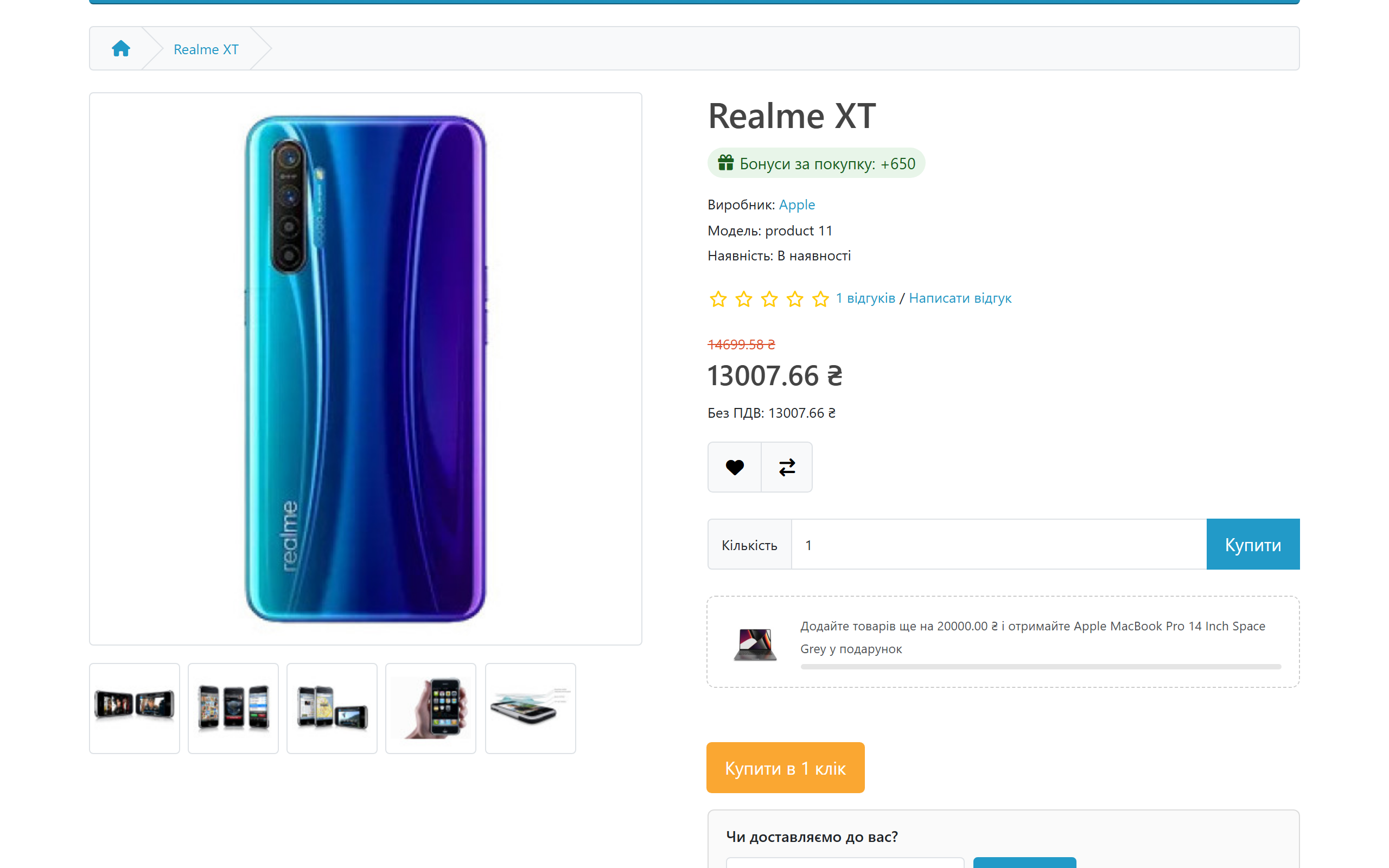
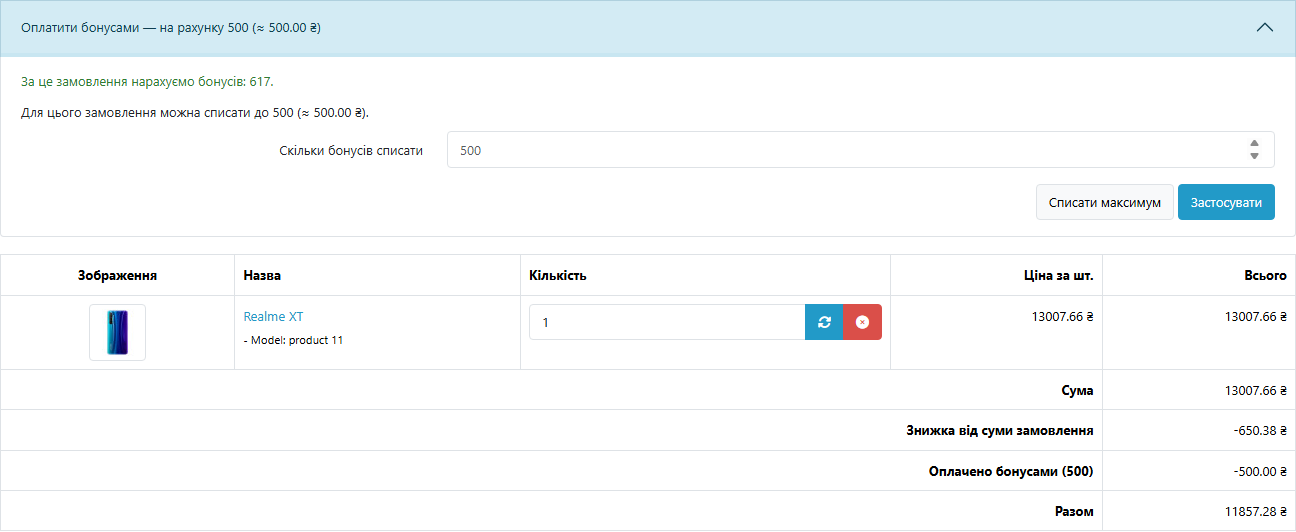
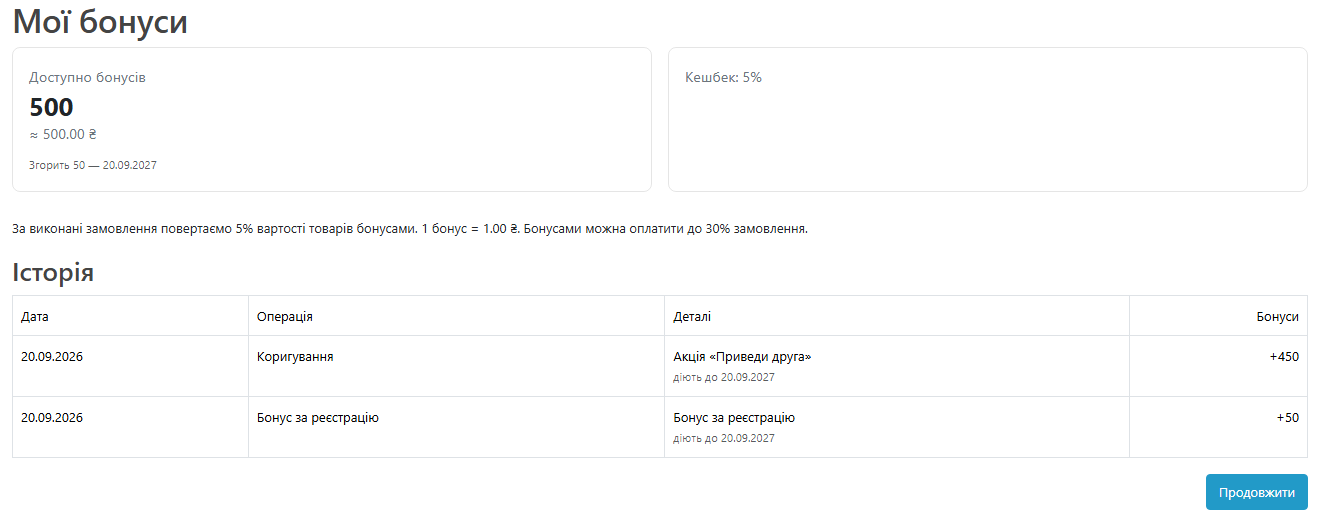
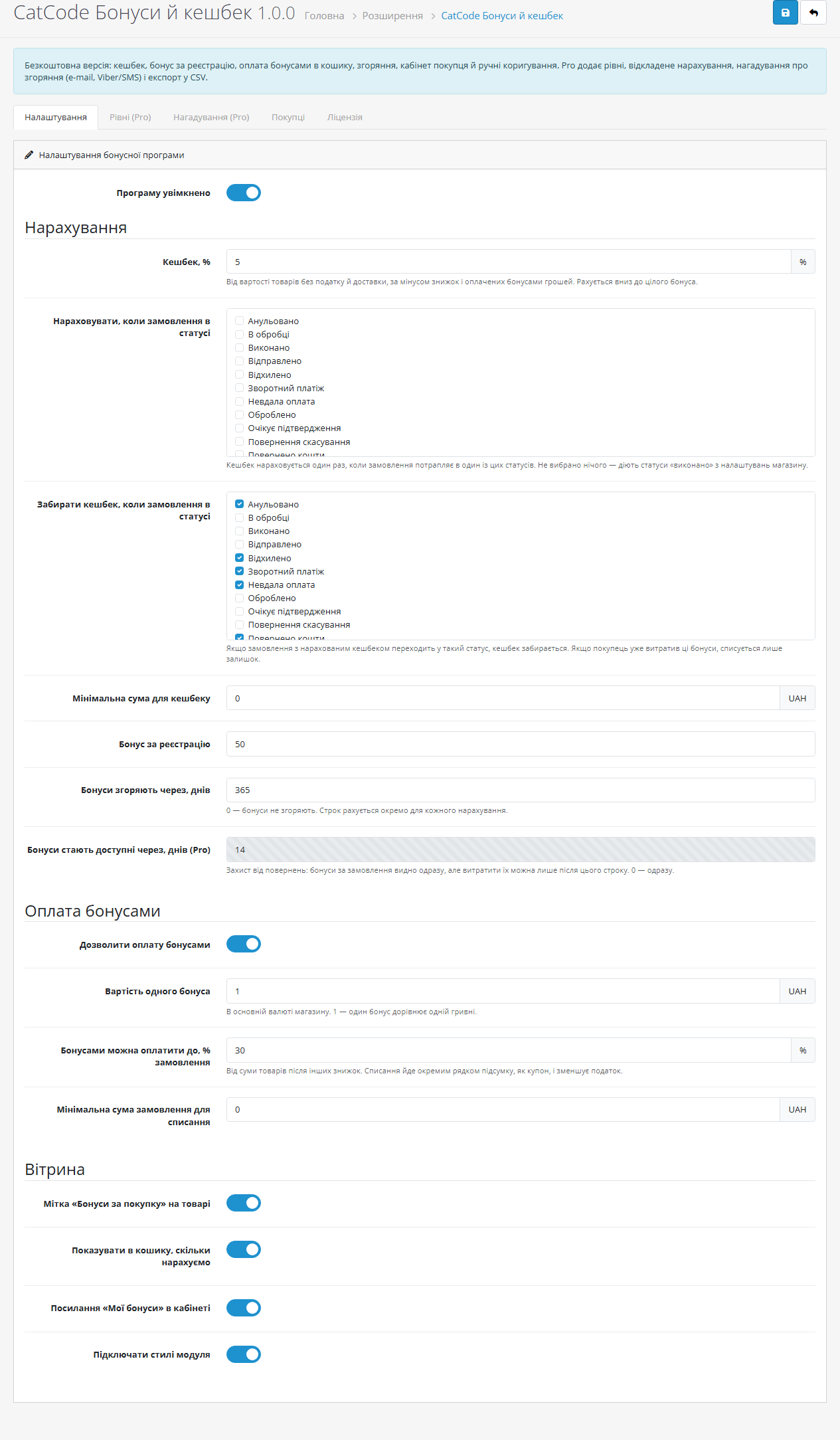
Cashback in points for completed orders and paying with points in the cart. Pro — customer levels, delayed crediting, expiry reminders.
Clear even without sound: Ukrainian subtitles
The free version works with no time limit. Pro adds the rest of the features in the table.



A fresh install is the free version, nothing switches on by itself. The “Try Pro for 7 days” button → e-mail → the key right in the window and by e-mail.

Moving the store? Unbind the licence on the old domain and activate it on the new one yourself. If our server is unreachable, Pro keeps working for 14 more days. For studios — keys for 5 or 25 sites, or unlimited.
 OpenCart 4.0.2 – 4.1.x (tested on 4.1.0.3), 3.0.x (tested on 3.0.5.0) or 2.3.0.2PHP 8.0+ for OpenCart 4, 7.3+ for OpenCart 3, 7.0+ for OpenCart 2.3No core file edits. OpenCart 4 — the standard extension installer; OpenCart 3 and 2.3 — an ocmod archiveWorks with both mysqli and pdo (DB_DRIVER)Expiry and reminders need a cron — either OpenCart 4’s built-in cron or a separate cron entry with the key from the settings
For OpenCart 4.x, 3.x and 2.3: cashback for completed orders, paying with points as a separate totals line, welcome bonus, expiry with FIFO spending, the “My points” account page, the…
4 modules in one order — 40% cheaper than separately



Loyalty Points & Cashback for OpenCart is a loyalty programme for stores on OpenCart 2.3, 3.x and 4.x. A completed order gives the customer back a share of the goods value in points, and next time those points pay part of the cart — as a separate line in the totals, just like a coupon. Points live in their own ledger: the balance is never a number someone edited, and every point can be traced back to an order.
Why another loyalty module. OpenCart’s built-in reward points credit a fixed number of points per product: no percentage of the order, no expiry, no customer levels, no history page for the customer, and no list of balances for the admin. Here cashback is a percentage, every credit has its own term, and points spent reduce the tax base exactly as a discount does. The same module runs on 2.3, 3.0 and 4.1 — with no core file edits.
890 UAH — one payment, a licence for good. No yearly fees: the module and its Pro features stay yours. One licence covers all three builds — OpenCart 4.x, 3.x and 2.3.
Trial first, payment later. A 7-day free Pro trial starts from the module settings with an e-mail address, no card needed. A fresh install is a clean Free version; nothing switches itself on. When the trial ends the Pro fields lock, but the levels and terms you saved are not wiped: after payment everything comes back as it was.
cc_loyalty_txn: the balance is the sum of its rows, not a field someone “fixed”. Every credit knows its expiry date and what is left of it, and spending is FIFO — the points that expire soonest go first.cc_loyalty.ocmod.zip and click Install. OpenCart 3: Extensions → Installer → cc_loyalty-oc3.ocmod.zip. OpenCart 2.3: the stock 2.3 installer copies files only over FTP, so upload the contents of upload/ from cc_loyalty-oc2.ocmod.zip to the shop root manually, then Refresh in Modifications.Didn't find the answer? Message us on Telegram and we'll reply within a business day.
 @catcode_support
Setup, compatibility, activation
@catcode_support
Setup, compatibility, activation
Built-in points are a fixed number per product — no percentage, no expiry, no history page for the customer and no list of balances in the admin. Here cashback is a percentage of the order, it has a term, customer levels and a full ledger.
Points go into a separate totals line next to coupons, so tax is calculated on the amount after they are deducted — exactly as with a discount.
Points spent come back in full and the cashback is taken away up to what is left. If it has already been spent, the balance does not go negative.
No. For OpenCart the licence is a one-off payment and lasts for good; updates and support are included.
The points ledger stays in the database. Install the module again and the balances are still there.
No reviews yet. Be the first.
No questions yet. Ask one — we answer within 24 hours.
We build custom modules for WordPress, WooCommerce, OpenCart and Shopify. Tell us about the task and we'll prepare an estimate.
Order a custom module
—

CatCode assistant
Just now


CatCode assistant
Online

I’ll help with your website task
Describe your website task — I’ll find a ready-made module or pass it to a developer for an estimate. Modules, custom features, layout, integrations, speed, migration, technical SEO.
