
















WooCommerce
Abandoned Cart Recovery for WooCommerce
Free + Pro
990 UAH/year≈ €20
v1.3.1
 Website auditA PDF report by email in 3 minutesCheck a website
Everyday tasks
Image compressorSize, quality and WebP in bulkQR generatorLink, Wi-Fi, payment to IBANVAT calculator20, 14, 7% and amount in wordsTransliterationOfficial Ukrainian standardWebsite checks
PHP and pluginsPHP version, WordPress, pluginsGoogle Merchant feedFields, prices, GTIN, imagesDomain emailSPF, DKIM, DMARC, blacklistsAI search readinessllms.txt, bots, markupAll 9 toolsEnter at least 2 characters
Up2pay e-Transactions, Monetico and Systempay for WooCommerce: card payments on the bank's page, confirmed by the bank's signature; Pro adds refunds and a journal.
The free version works with no time limit. Pro adds the rest of the features in the table.


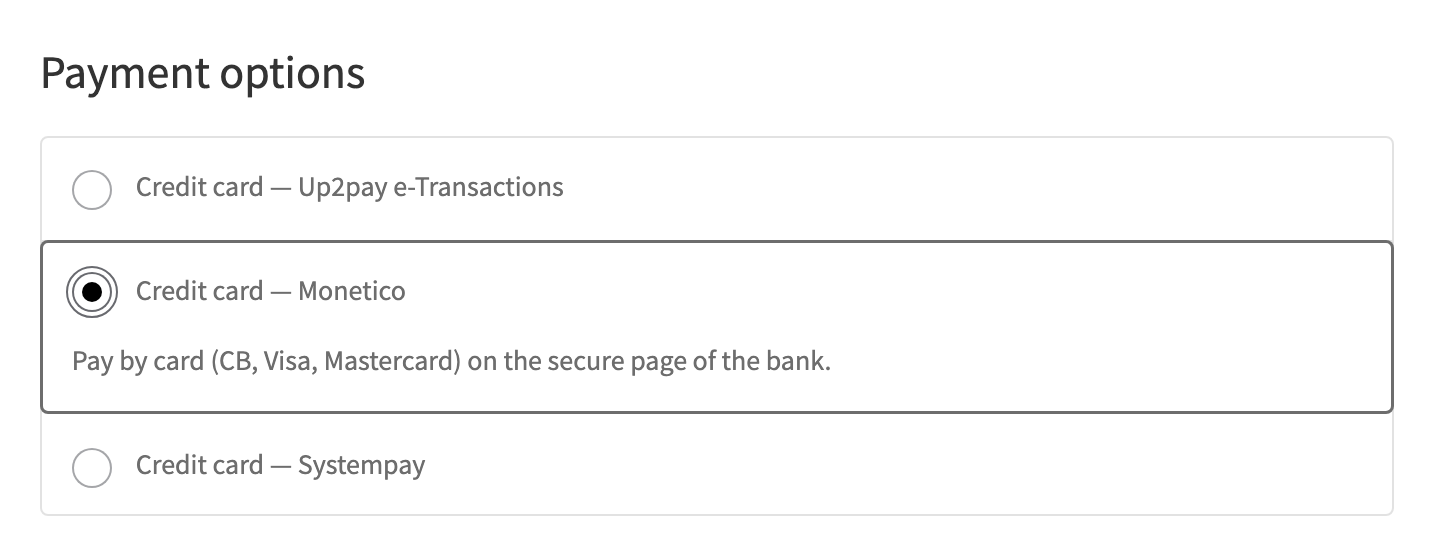
The buyer picks “Credit card — Up2pay e-Transactions”, “Monetico” or “Systempay”, presses pay and enters the card on the secure page of the bank, with 3-D Secure.

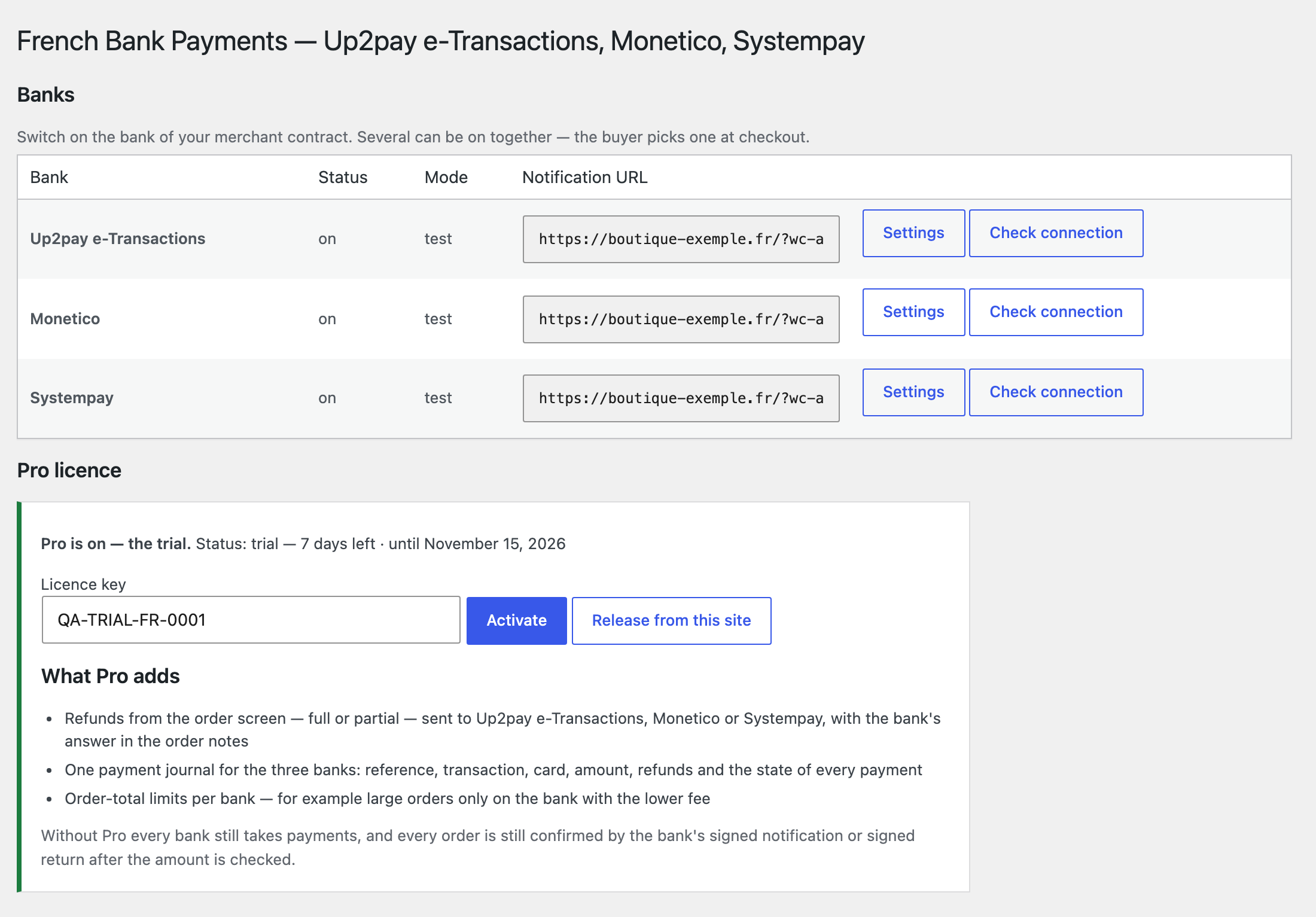
WooCommerce → French Bank Payments shows the three banks on one screen: on or off, Test or Production, the notification URL and the “Settings” and “Check connection” buttons.

The base version is free. Pro costs 990 UAH for a one-year licence. A year of updates, technical support and all Pro features.

A fresh install is the free version, nothing switches on by itself. The “Try Pro for 7 days” button → e-mail → the key right in the window and by e-mail.

Moving the site? Unlink the licence on the old domain and activate it on the new one yourself. A staging copy (staging., dev.) works with the same key and does not take a site slot. For studios — keys for 5 or 25 sites, or unlimited.
 WordPress 6.2+, WooCommerce 7.0+, PHP 7.4+.Shop currency: euro (EUR); a filter opens USD, GBP or CHF if your contract covers them.An online card acquiring contract with Crédit Agricole (Up2pay e-Transactions), Crédit Mutuel or CIC (Monetico), Banque Populaire or Caisse d’Épargne (Systempay).A site reachable from the internet: the bank sends its payment notification to the shop’s address.
Up2pay e-Transactions, Monetico and Systempay in one plugin, classic and block checkout, HPOS, orders confirmed only by the bank’s signature, amount check, waiting screen, French translation.



French Bank Payments for WooCommerce takes card payments through the payment pages of the big French banks: Up2pay e-Transactions (Crédit Agricole), Monetico (Crédit Mutuel and CIC) and Systempay (Banque Populaire and Caisse d’Épargne). Switch on the bank of your merchant contract, or several, and the buyer picks one. Works on the classic and the block checkout, with HPOS.
An order becomes paid only from what the bank signed, and only when the amount and the currency match. The free version: all three banks, Test and Production, a waiting screen, a new attempt after a refusal. Pro: refunds from the order screen, a payment journal and order-total limits per bank.
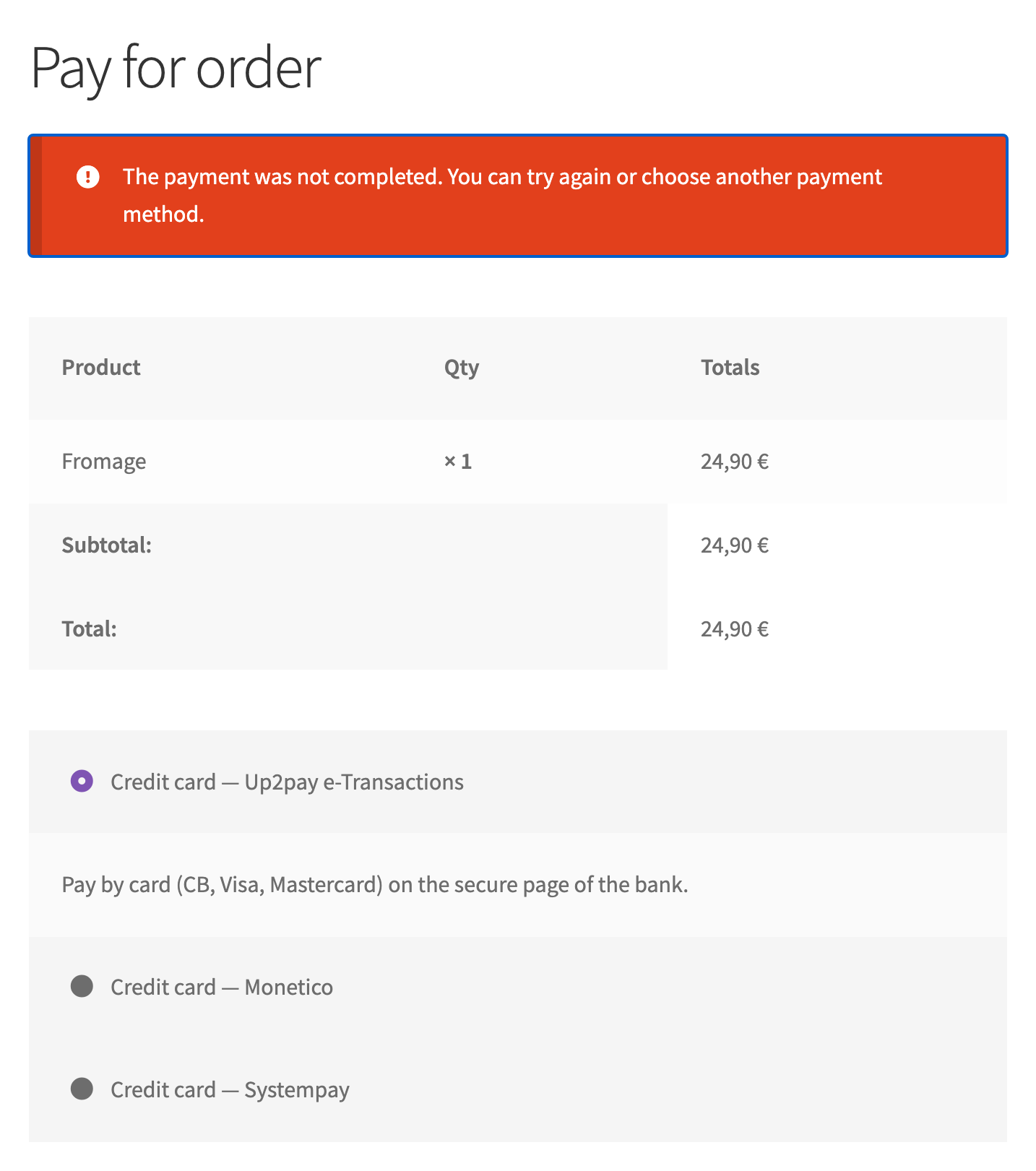
The buyer picks “Credit card — Up2pay e-Transactions”, “Monetico” or “Systempay”, presses pay and enters the card on the secure page of the bank, with 3-D Secure. After paying they land on the thank-you page; if the bank has not confirmed yet, the page says it is waiting and refreshes by itself. A refusal or a cancellation brings them back to the pay page with a plain message, the cart is kept, and they can try again or choose another method.
WooCommerce → French Bank Payments shows the three banks on one screen: on or off, Test or Production, the notification URL and the “Settings” and “Check connection” buttons. Each bank’s settings take the data from the bank’s welcome e-mail, the key, the reference prefix and the order status after payment. “Check connection” opens a payment page with your credentials on Up2pay’s platform, and checks Systempay’s REST password.
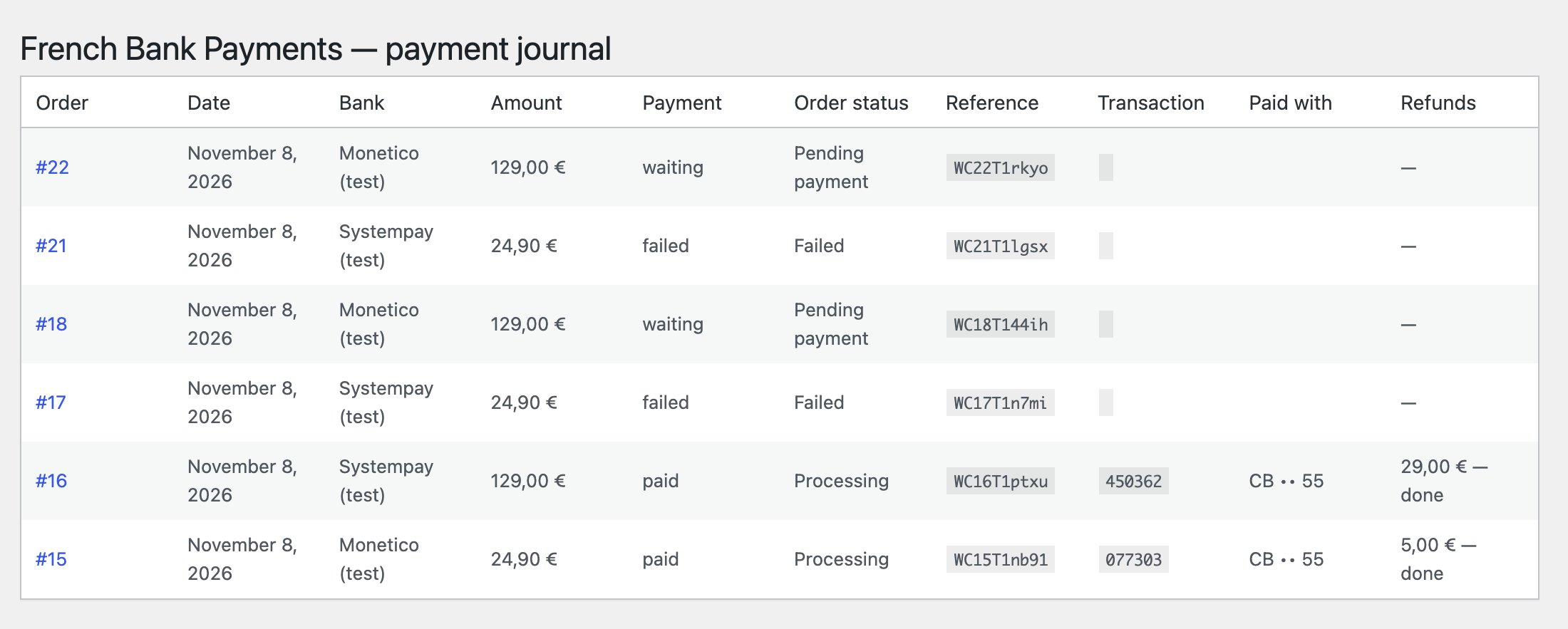
The order notes show every step: the buyer sent to the bank, the payment received with the transaction number and the last card digits, or the reason of a refusal. In Pro a refund, full or partial, is made from the order screen and sent to the bank, and the bank’s answer goes to the notes. The payment journal puts the three banks in one table.
The “Download free” button gives the full archive: without a key all three banks work, and refunds, the journal and the limits switch on with a Pro key or the trial.
Didn't find the answer? Message us on Telegram and we'll reply within a business day.
 @catcode_support
Setup, compatibility, activation
The one that holds your merchant contract for online card payments: Crédit Agricole — Up2pay e-Transactions; Crédit Mutuel or CIC — Monetico; Banque Populaire or Caisse d'Épargne — Systempay.
Up2pay: yes, tick "Demo account" in the Test environment and the plugin fills in the public demo account of Crédit Agricole; nothing is charged. Monetico and Systempay give Test access with the contract.
For Monetico it is the only way the payment result reaches the shop. Up2pay gets it with every payment. Systempay also confirms through the signed return of the buyer, but only the notification covers a buyer who closes the tab after paying.
No, it is an independent integration built on the banks' documentation. Up2pay, e-Transactions, Monetico and Systempay are trademarks of their owners.
Yes, a separate module, Up2Pay, Monetico & Systempay, for OpenCart 2.3, 3.x and 4.x.
No reviews yet. Be the first.
No questions yet. Ask one — we answer within 24 hours.
We build custom modules for WordPress, WooCommerce, OpenCart and Shopify. Tell us about the task and we'll prepare an estimate.
Order a custom module
—
Charged in UAH; your bank converts it to your currency. EUR price is approximate.

CatCode assistant
Just now


CatCode assistant
Online

I’ll help with your website task
Describe your website task — I’ll find a ready-made module or pass it to a developer for an estimate. Modules, custom features, layout, integrations, speed, migration, technical SEO.
