
















OpenCart
Abandoned Cart Recovery for OpenCart 2.3, 3.x and 4.x
Free + Pro
1 290 UAH≈ €26
v1.2.4
 Website auditA PDF report by email in 3 minutesCheck a website
Everyday tasks
Image compressorSize, quality and WebP in bulkQR generatorLink, Wi-Fi, payment to IBANVAT calculator20, 14, 7% and amount in wordsTransliterationOfficial Ukrainian standardWebsite checks
PHP and pluginsPHP version, WordPress, pluginsGoogle Merchant feedFields, prices, GTIN, imagesDomain emailSPF, DKIM, DMARC, blacklistsAI search readinessllms.txt, bots, markupAll 9 toolsEnter at least 2 characters

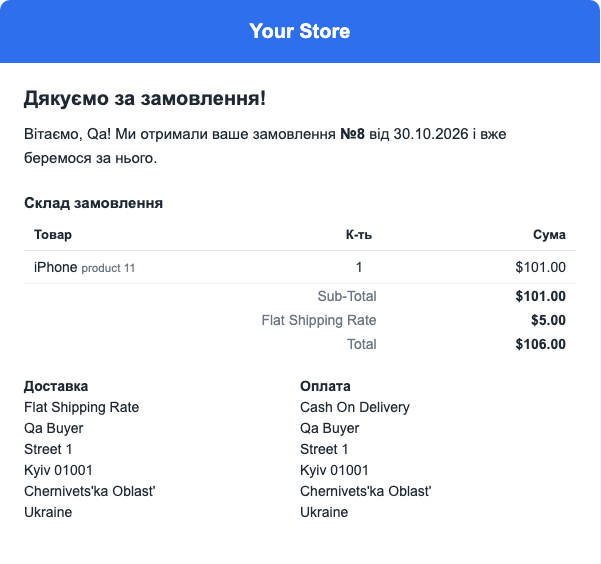
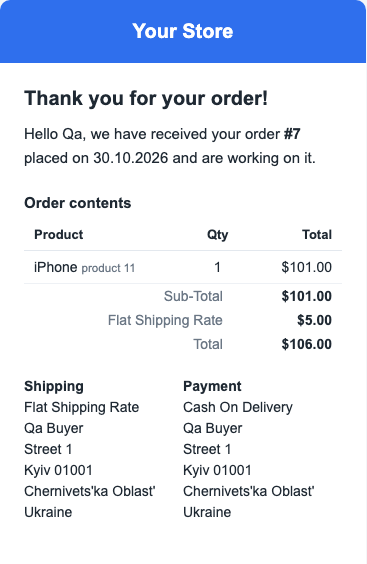
Branded order e-mails in OpenCart: your logo, colours and footer, text in the language of the order, a live preview and a send log. Pro adds a template per status, the waybill and fiscal receipt in the letter, copies to other addresses and a background queue. Perpetual licence.
The free version works with no time limit. Pro adds the rest of the features in the table.


The buyer gets a letter in the shop’s style with the order contents, totals, payment and shipping methods and addresses.

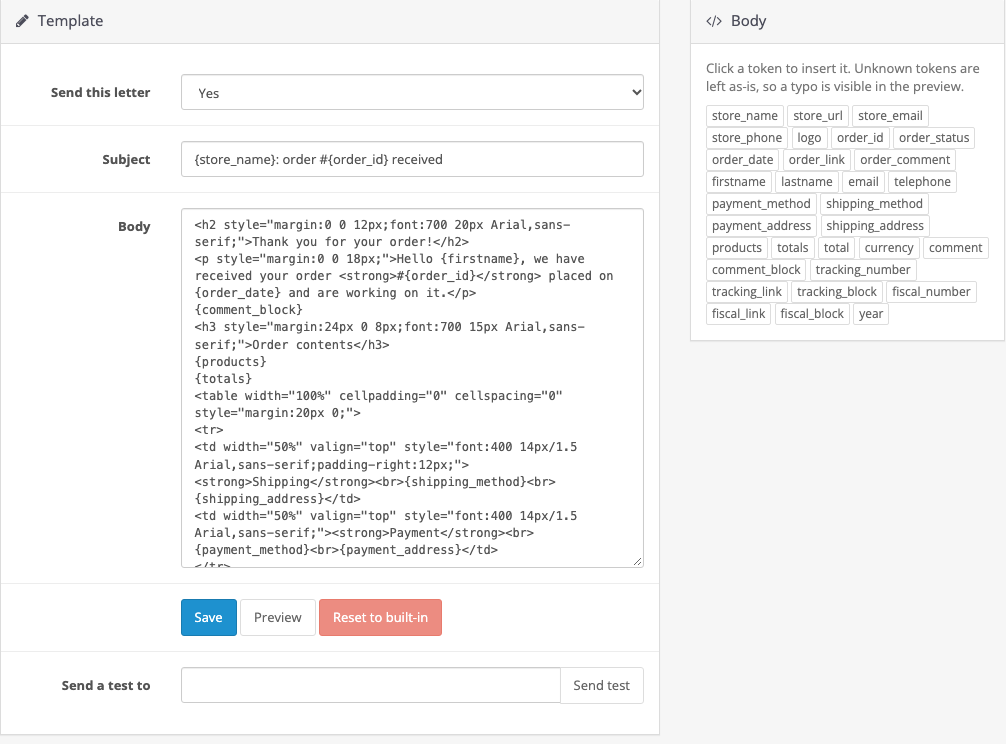
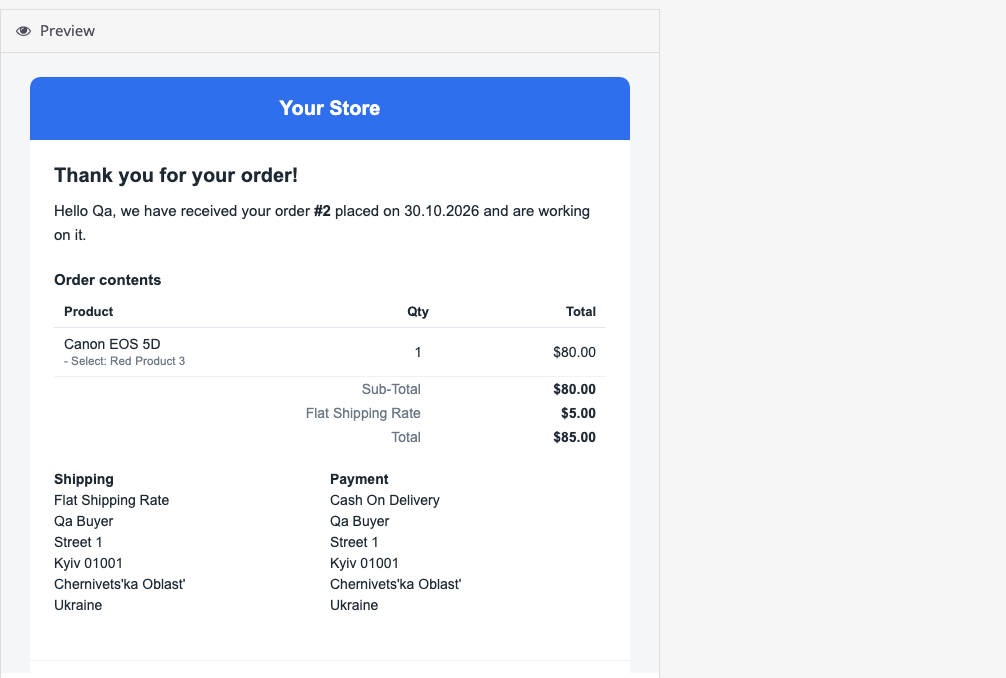
The settings hold the logo, colour, background, width and footer. In the editor you change the subject and HTML, insert placeholders with a click and see the result in the preview.

A fresh install is the free version, nothing switches on by itself. The “Try Pro for 7 days” button → e-mail → the key right in the window and by e-mail.

Moving the site? Unlink the licence on the old domain and activate it on the new one yourself. A staging copy (staging., dev.) works with the same key and does not take a site slot. For studios — keys for 5 or 25 sites, or unlimited.
 OpenCart 4.1.x, 3.x or 2.3.0.2.Mail configured in OpenCart itself. The module has no mail server of its own.The logo must be reachable from the internet: mail clients do not show it from an attachment.Background queue: a hosting cron job.
Before updating to this version, note the settings and the licence key, or replace the files over FTP without uninstalling: later updates keep them.
For OpenCart 4.x, 3.x and 2.3: branded wrapper, confirmation and status templates, order language, preview, send log.



Email Templates for OpenCart replaces the standard order letters with branded ones: your logo, colours and footer, in the language the buyer placed the order in. You edit the text yourself, and the preview shows the finished letter.
The buyer gets a letter in the shop’s style with the order contents, totals, payment and shipping methods and addresses. Goods are shown with their options. When the status changes, a letter about the new status arrives with the manager’s comment. A guest sees no button to an account page they do not have.
The settings hold the logo, colour, background, width and footer. In the editor you change the subject and HTML, insert placeholders with a click and see the result in the preview. The test button sends the letter to your address.
The send log shows every letter: recipient, subject, status and attempts. A letter that failed can be retried. Rows older than the number of days you set go away with the clean-up button or the cron job.
Didn't find the answer? Message us on Telegram and we'll reply within a business day.
 @catcode_support
Setup, compatibility, activation
While the module is on, OpenCart's customer letters are off. If OpenCart still sends them, the settings page shows a warning. On 2.3 refresh the modifications in that case.
OpenCart's customer letters come back. After removal the templates stay in the database and the send log is deleted.
Yes. On 4.x and 3.x it is OpenCart's own letter, on 2.3 the module sends it.
The language the order was placed in. If there is no text of yours for that language, the built-in letter goes out: in Ukrainian, Russian or English.
If the mail server answers slowly, the buyer does not wait for it during checkout. The queue needs a hosting cron job, the link is in the settings.
From the tables of the CatCode Nova Poshta, Meest, Ukrposhta and PRRO modules. With no number the block does not appear. The fallback for the waybill is a 14-digit number in the order history.
The 2.3 installer copies files over FTP. Without FTP, copy the upload/ folder from the archive to the store root, rename install.xml to cc_mailtpl.ocmod.xml, upload it in the Installer and refresh the modifications.
No reviews yet. Be the first.
No questions yet. Ask one — we answer within 24 hours.
We build custom modules for WordPress, WooCommerce, OpenCart and Shopify. Tell us about the task and we'll prepare an estimate.
Order a custom module
—
Charged in UAH; your bank converts it to your currency. EUR price is approximate.

CatCode assistant
Just now


CatCode assistant
Online

I’ll help with your website task
Describe your website task — I’ll find a ready-made module or pass it to a developer for an estimate. Modules, custom features, layout, integrations, speed, migration, technical SEO.
