
















OpenCart
Abandoned Cart Recovery for OpenCart 2.3, 3.x and 4.x
Free + Pro
1 290 UAH≈ €26
v1.2.4
 Website auditA PDF report by email in 3 minutesCheck a website
Everyday tasks
Image compressorSize, quality and WebP in bulkQR generatorLink, Wi-Fi, payment to IBANVAT calculator20, 14, 7% and amount in wordsTransliterationOfficial Ukrainian standardWebsite checks
PHP and pluginsPHP version, WordPress, pluginsGoogle Merchant feedFields, prices, GTIN, imagesDomain emailSPF, DKIM, DMARC, blacklistsAI search readinessllms.txt, bots, markupAll 9 toolsEnter at least 2 characters

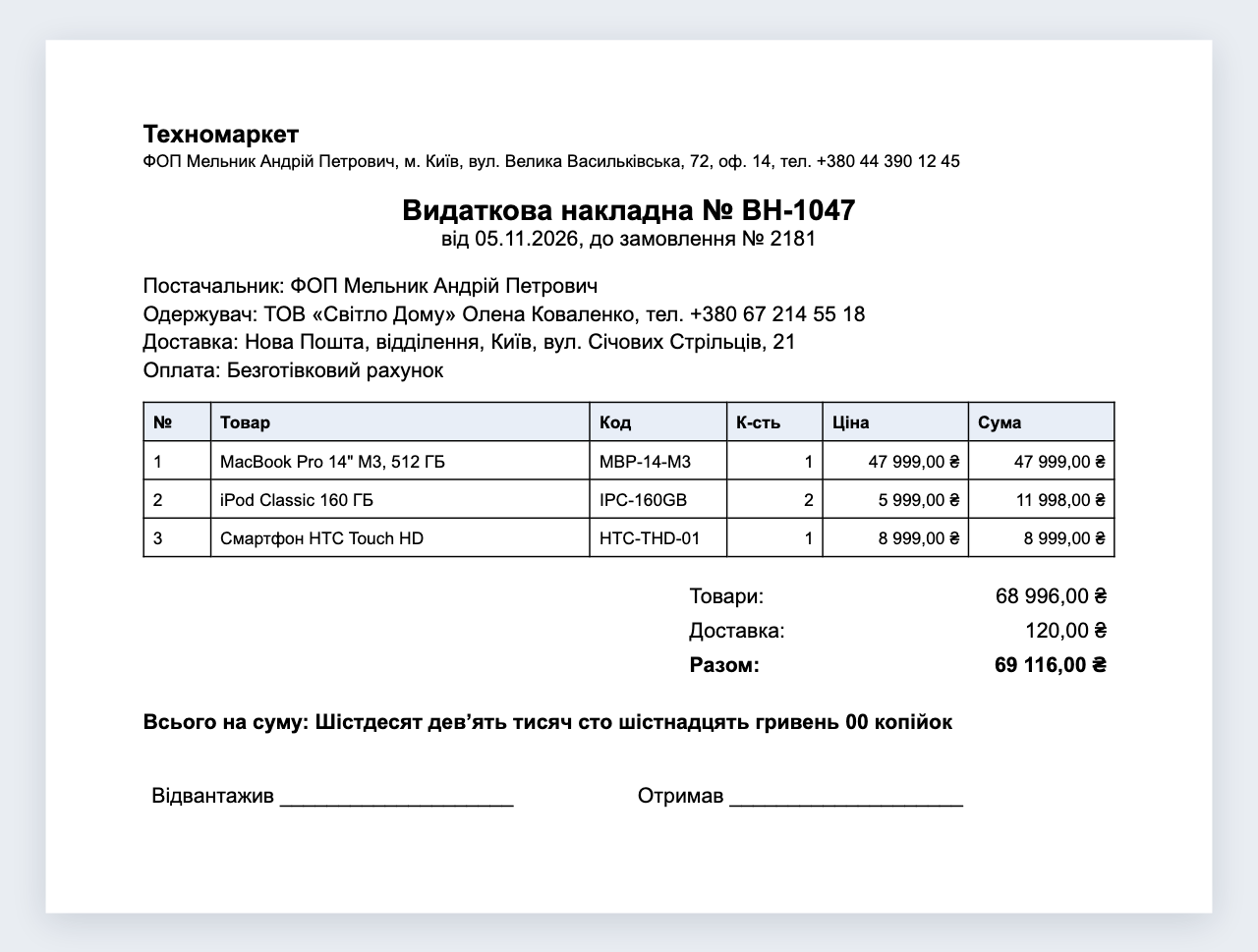
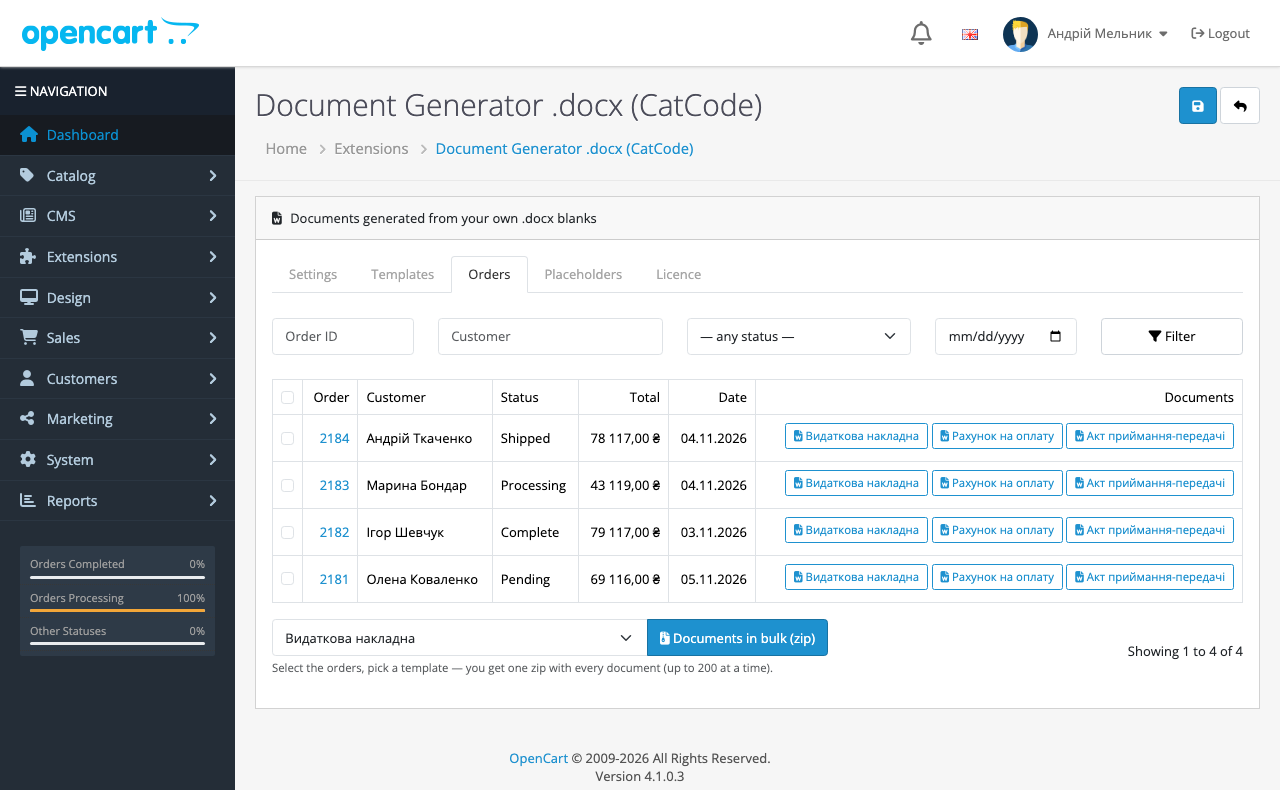
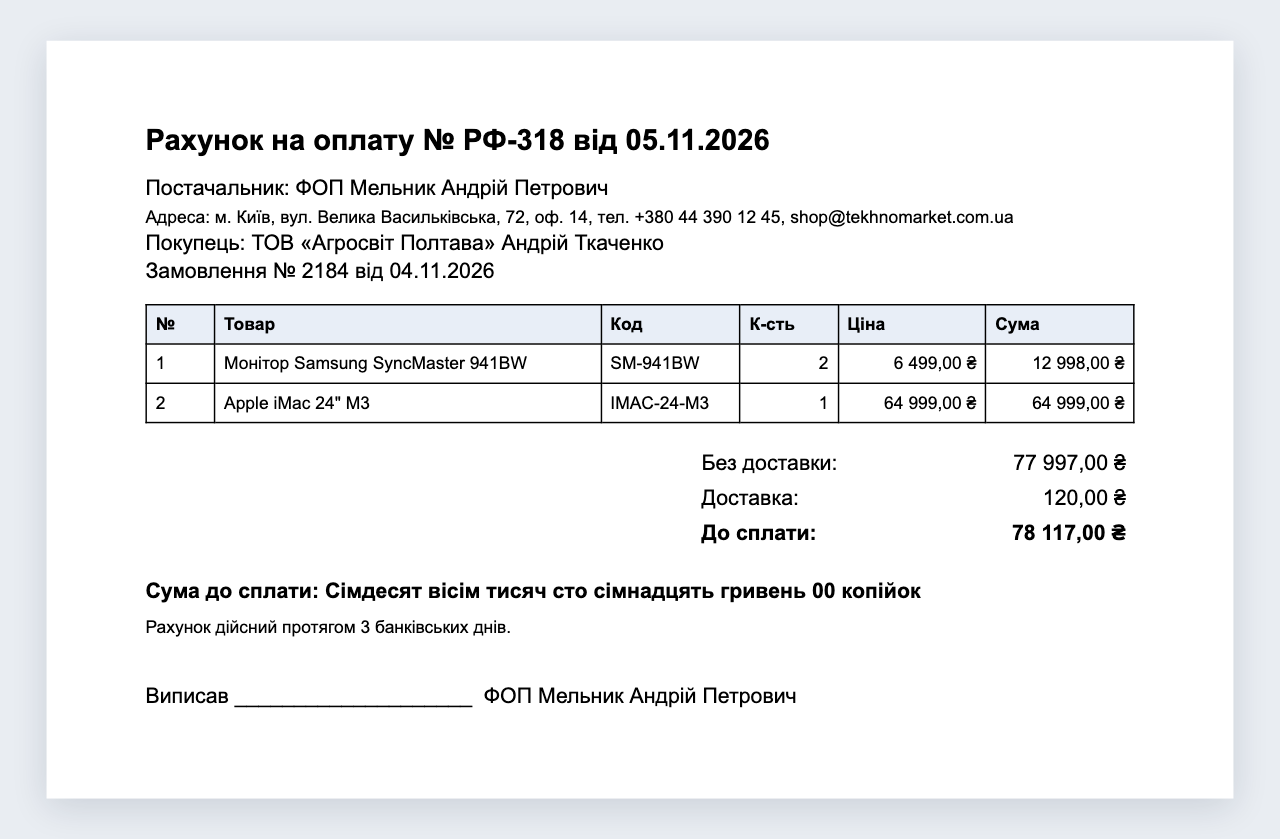
Upload your own .docx blank with placeholders and the module gives every order a button for the finished document: delivery note, act, invoice, contract. No composer and no external service. Pro adds own numbering and a bulk zip. Perpetual licence.
The free version works with no time limit. Pro adds the rest of the features in the table.


Nothing: the admin makes the documents in the back office and the module shows nothing on the storefront.

Extensions → Modules → Document Generator .docx. The Templates tab takes a .docx and shows next to each file the placeholders the module found in it.

The base version costs 0 UAH. Pro costs 1,290 UAH, a one-time payment with a perpetual licence.

A fresh install is the free version, nothing switches on by itself. The “Try Pro for 7 days” button → e-mail → the key right in the window and by e-mail.

Moving the site? Unlink the licence on the old domain and activate it on the new one yourself. A staging copy (staging., dev.) works with the same key and does not take a site slot. For studios — keys for 5 or 25 sites, or unlimited.
 OpenCart 4.0.2+ and 4.1.x. Tested on 4.1.0.3. There are no builds for 3.x or 2.3.PHP 8.0+ with the zip extension: if it is missing, the settings page says so.Files: .docx only.
Templates tab at 1280 px: the template name and the numbering fields no longer get squeezed.
Before updating to this version, note the settings and the licence key, or replace the files over FTP without uninstalling: later updates keep them.
For OpenCart 4: .docx templates, placeholders for the order, customer, addresses, shop and totals, the line-item row, amount in words, the Orders tab.



Document Generator .docx for OpenCart 4 fills your own blank with the data of an order. Take the delivery note, act or invoice your accountant already uses, type placeholders such as {{order.number}} or {{customer.full_name}} into the text, upload the file, and the Orders tab of the module gets a button. The result is still a Word file, so anything left can be finished by hand.
Nothing: the admin makes the documents in the back office and the module shows nothing on the storefront. The finished file can be printed or sent to the buyer by hand.
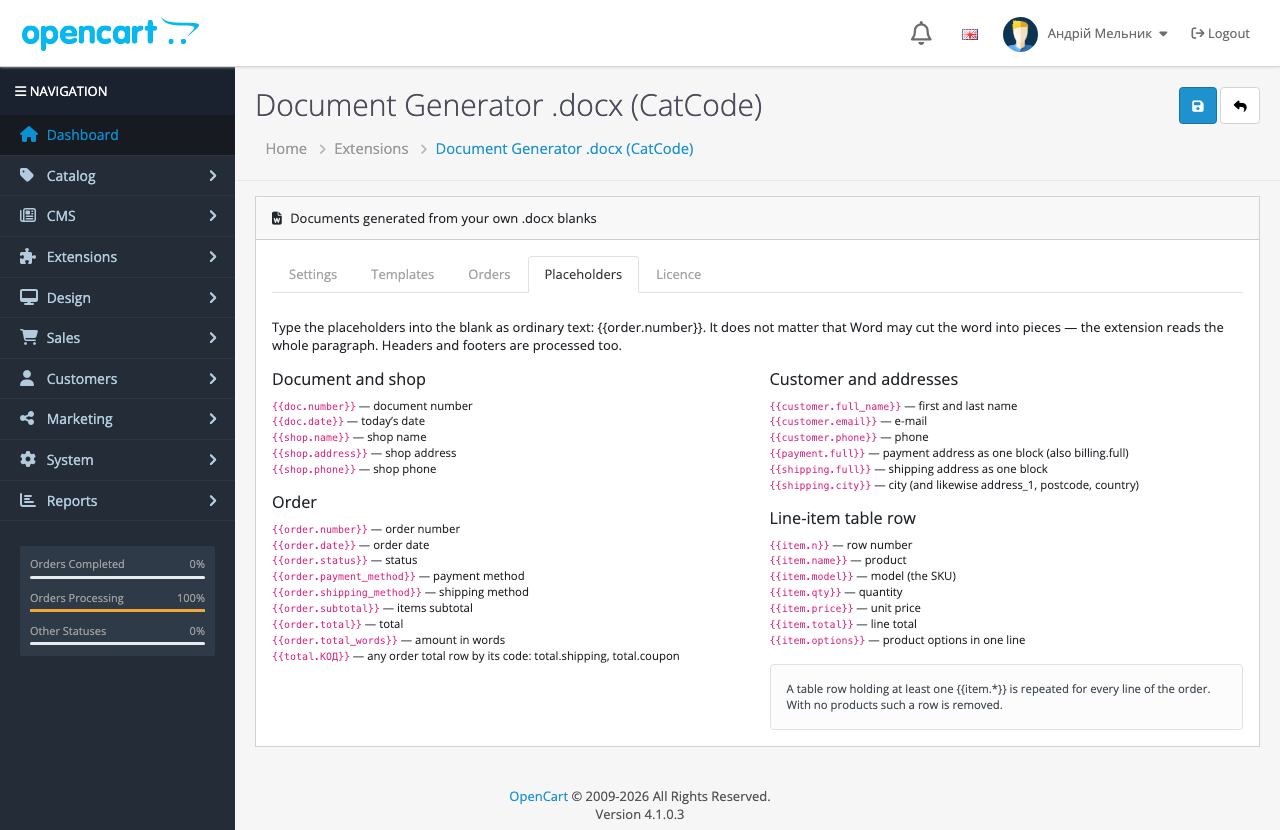
Extensions → Modules → Document Generator .docx. The Templates tab takes a .docx and shows next to each file the placeholders the module found in it. The Placeholders tab is a reference of all groups. The Orders tab is a list with filters by number, customer, status and date, with one button per template on every row.
A table row holding at least one line-item placeholder repeats for every product. The OpenCart placeholders cover the payment and shipping method names, product options and any order total row by its code.
Didn't find the answer? Message us on Telegram and we'll reply within a business day.
 @catcode_support
Setup, compatibility, activation
Almost always a typo in the name. An unknown placeholder simply becomes empty, so check the list of placeholders next to the template: it shows what the module read from the blank.
Inside a text box or a Word field (MERGEFIELD) it is no longer plain text. A placeholder spread over two paragraphs is not collected either. A table nested inside a cell of another table does not work for the line-item row.
No. Turning .docx into PDF on a server needs LibreOffice or a paid service. Word, LibreOffice and Google Docs export PDF themselves.
Not one to one. The placeholder sets differ: OpenCart has order.payment_method, order.invoice, total.CODE and item.model, WooCommerce has order.status_name, order.payment_title, order.items_qty and meta.*. Without an edit the blank will have empty spots.
The template and numbering tables and the storage/cc_docgen folder stay on purpose, so a blank does not vanish on a stray click. They can be removed by hand.
No reviews yet. Be the first.
No questions yet. Ask one — we answer within 24 hours.
We build custom modules for WordPress, WooCommerce, OpenCart and Shopify. Tell us about the task and we'll prepare an estimate.
Order a custom module
—
Charged in UAH; your bank converts it to your currency. EUR price is approximate.

CatCode assistant
Just now


CatCode assistant
Online

I’ll help with your website task
Describe your website task — I’ll find a ready-made module or pass it to a developer for an estimate. Modules, custom features, layout, integrations, speed, migration, technical SEO.
