

Get in touch
WooCommerce

Czech Payments for WooCommerce — GoPay and Comgate: cards, Apple Pay, Google Pay, banks, QR

GoPay and Comgate in one WooCommerce plugin for Czechia and Slovakia: payment on the provider's page, orders confirmed by reading the API, bank transfers not lost. Pro adds refunds, choice at checkout, reservations, a watchdog and a journal.

Download Free
Pro · one-year licence Staging copies are included. The more sites, the cheaper each one
Compatibility
WordPress 6.2+ · WooCommerce · PHP 7.4+ · classic and block checkout · languages: English, Czech, Slovak
Licence
a site + a staging copy, annual
Trial
7 days, no card, one per site
Updated
November 2026
Or all 393 Pro modules with All Access — 4 990 ₴ / year ≈ €98

What Free has,
and what Pro adds

The free version works with no time limit. Pro adds the rest of the features in the table.

Feature Free Pro
GoPay and Comgate, each with its own settings ✔ ✔
Cards, Apple Pay, Google Pay, banks and QR on the provider's page ✔ ✔
Marked paid only after reading the payment from the API ✔ ✔
Amount and currency compared ✔ ✔
A transfer on its way holds the order instead of cancelling it ✔ ✔
No double e-mails or double stock reduction ✔ ✔
Cancelling: a clear text and a new attempt ✔ ✔
Test mode and a connection check ✔ ✔
"Re-check the payment" on the order ✔ ✔
Classic and block checkout, HPOS ✔ ✔
Full and partial refunds from the order — ✔
Banks and wallets right at checkout — ✔
Reserve now, charge later — ✔
Watchdog for unpaid orders — ✔
Payment journal — ✔

What it looks like

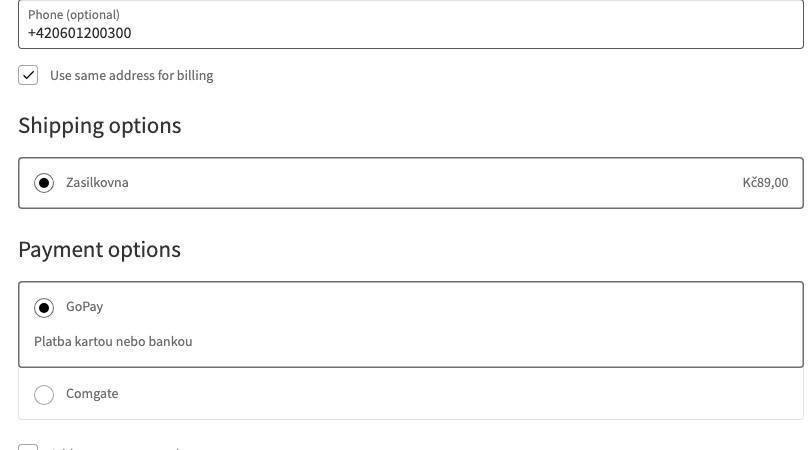
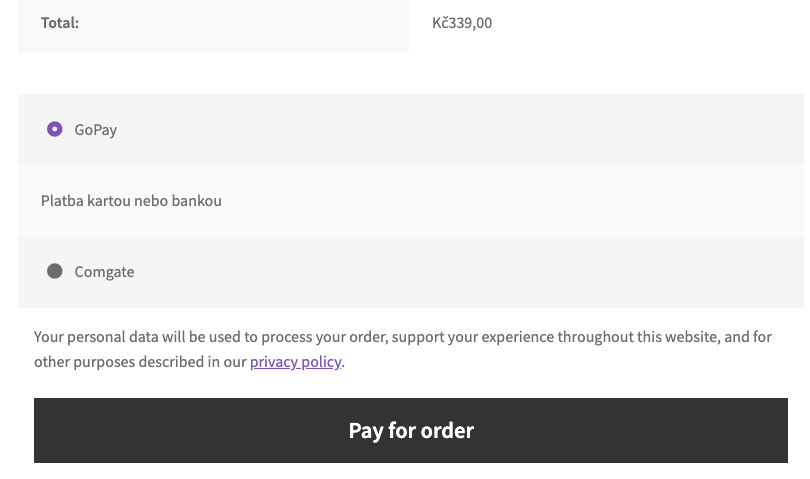
Payment method on the block checkout
GoPay and Comgate on the block checkout.
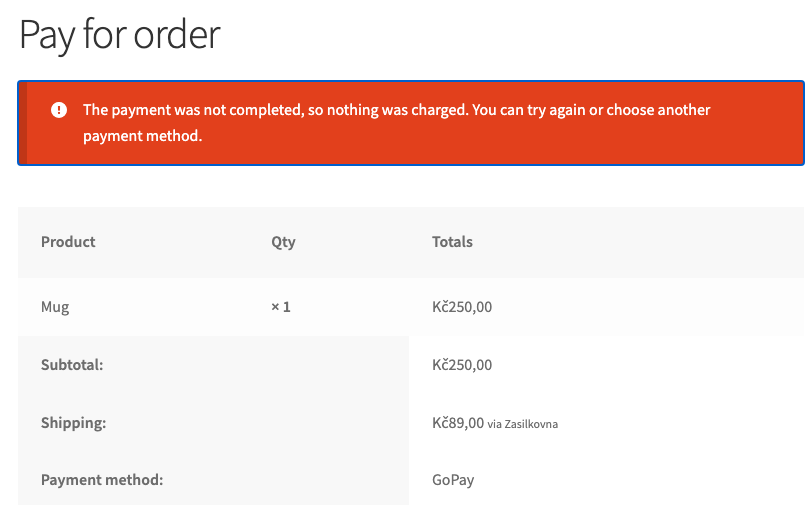
Cancelled payment
Cancelled payment (2)
The buyer sees a clear text and can try again.

Key points

What the buyer sees

At checkout the buyer picks GoPay or Comgate, sees the description under the name and goes to the provider’s page.

What the admin gets

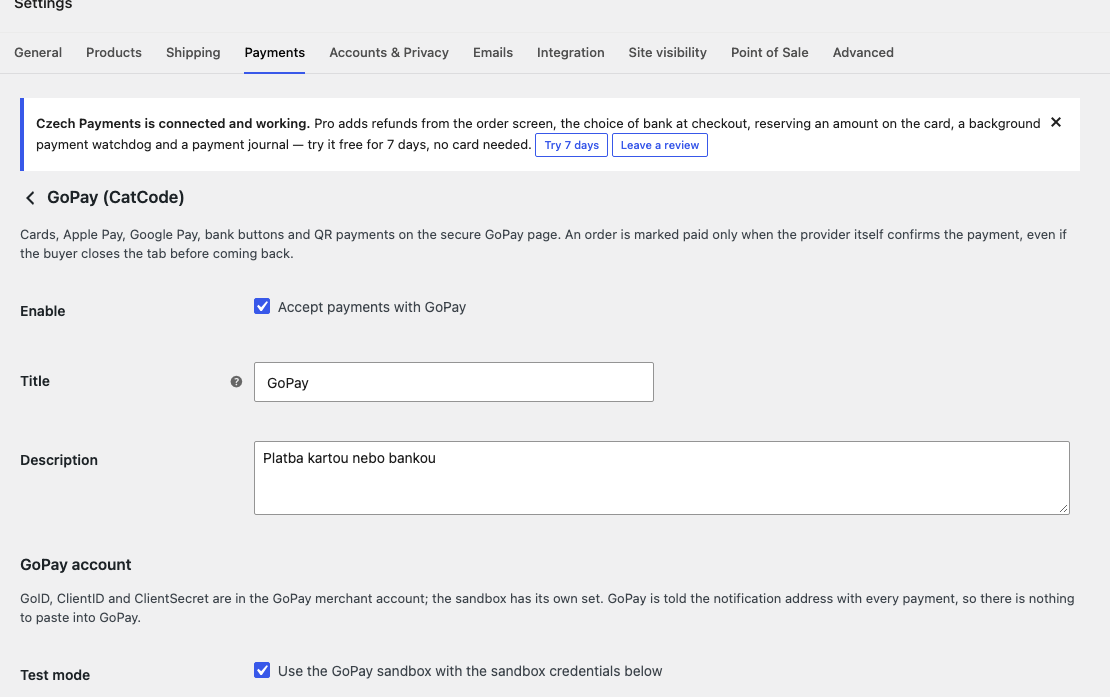
In the settings the check button shows what your account allows and whether the notification address answers.

How much it costs

The base version is free. Pro costs 990 UAH for a one-year licence. A year of updates, technical support and all Pro features.

The trial starts when you ask

A fresh install is the free version, nothing switches on by itself. The “Try Pro for 7 days” button → e-mail → the key right in the window and by e-mail.

One key — a site and a staging copy

Moving the site? Unlink the licence on the old domain and activate it on the new one yourself. A staging copy (staging., dev.) works with the same key and does not take a site slot. For studios — keys for 5 or 25 sites, or unlimited.

Technical requirements

  • WordPress 6.2+, WooCommerce, PHP 7.4+.
  • A contract and keys with GoPay or Comgate.
  • The notification address reachable from outside, not blocked by a firewall.

Version history

v1.0.1 Current November 2026

Saved secrets no longer reach the settings page: the field stays empty with a “saved” mark, and an empty value does not erase them.

v1.0.0 First release November 2026

GoPay and Comgate, confirmation through the API, block checkout, HPOS, test mode.

Frequently bought with Czech Payments

All Access Need more? All modules (393) under one licence, new ones are added automatically. 4 990 ₴≈ €98 Learn more →

Full module description

Czech Payments connects GoPay and Comgate to WooCommerce for shops in Czechia and Slovakia. The buyer pays on the provider’s secure page, and the order becomes paid only after the plugin reads the payment from the provider with your keys.

What the buyer sees

At checkout the buyer picks GoPay or Comgate, sees the description under the name and goes to the provider’s page. If they cancel, they return to the order page with the text that nothing was charged, and can try again or choose another method. If the provider is down, they stay at checkout with a clear message.

What the admin gets

In the settings the check button shows what your account allows and whether the notification address answers. The order has one note about the payment and a re-check action. In Pro a refund goes straight from the order, and an amount above the remainder is refused.

How it works, step by step

  1. Enter the GoPay or Comgate keys and check the connection.
  2. The buyer picks a method and pays on the provider’s page.
  3. The provider sends a notification, the plugin reads the payment.
  4. Amount and currency match, and the order becomes paid.
  5. If no notification came, the payment is read when the buyer returns.

Under the hood

  • For the plugin the return address and the notification body are only a hint.
  • A database lock applies each payment once.
  • Secrets are stored encrypted and never logged.

How to install

  1. Plugins → Add New → Upload Plugin: pick the zip and activate.
  2. WooCommerce → Settings → Payments: enable GoPay or Comgate.
  3. Enter the keys and check the connection.
  4. Make a payment in test mode.
  5. For Pro: paste the key or start the 7-day trial.

The module is not on wordpress.org yet: the free version and Pro are one archive from this page. Without a key it works as the free version.

Questions
about the module

Didn't find the answer? Message us on Telegram and we'll reply within a business day.

@catcode_support Setup, compatibility, activation
Can I enable both?

Yes, each has its own settings, and one Pro key covers both.

What if the buyer closes the tab after paying?

The provider's notification updates the order, and in Pro the watchdog also re-reads unpaid orders.

Will a transfer order be cancelled after an hour?

No, the order waits on hold until the money arrives.

Not quite what you are looking for?

We build custom modules for WordPress, WooCommerce, OpenCart and Shopify. Tell us about the task and we'll prepare an estimate.

Order a custom module