















WooCommerce
Shippo & EasyPost Shipping Labels for WooCommerce — live USPS, UPS, FedEx and DHL rates and labels
Free + Pro
890 UAH/year≈ €18
v1.0.0
 Website auditA PDF report by email in 3 minutesCheck a website
Everyday tasks
Image compressorSize, quality and WebP in bulkQR generatorLink, Wi-Fi, payment to IBANVAT calculator20, 14, 7% and amount in wordsTransliterationOfficial Ukrainian standardWebsite checks
PHP and pluginsPHP version, WordPress, pluginsGoogle Merchant feedFields, prices, GTIN, imagesDomain emailSPF, DKIM, DMARC, blacklistsAI search readinessllms.txt, bots, markupAll 9 toolsEnter at least 2 characters
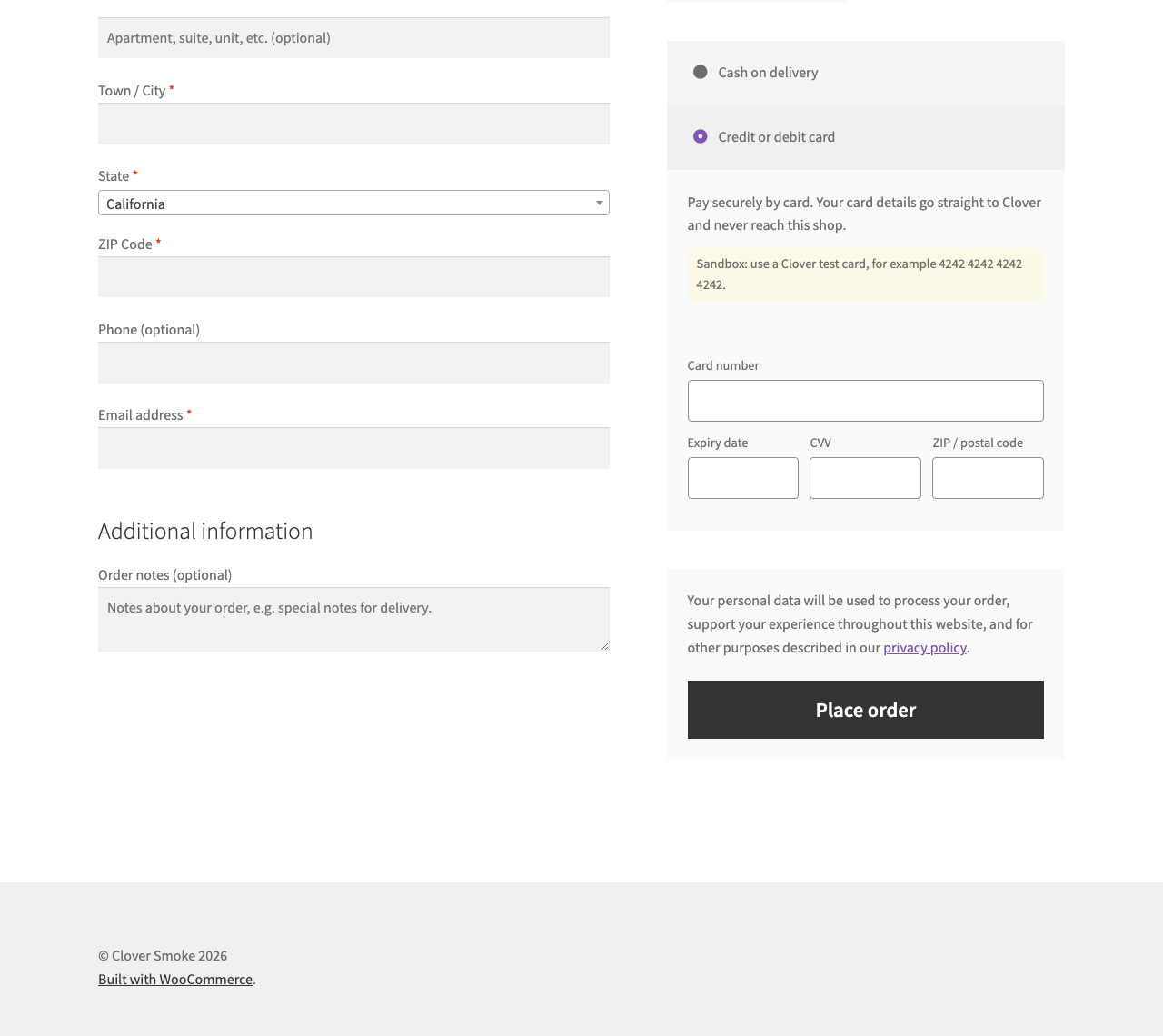
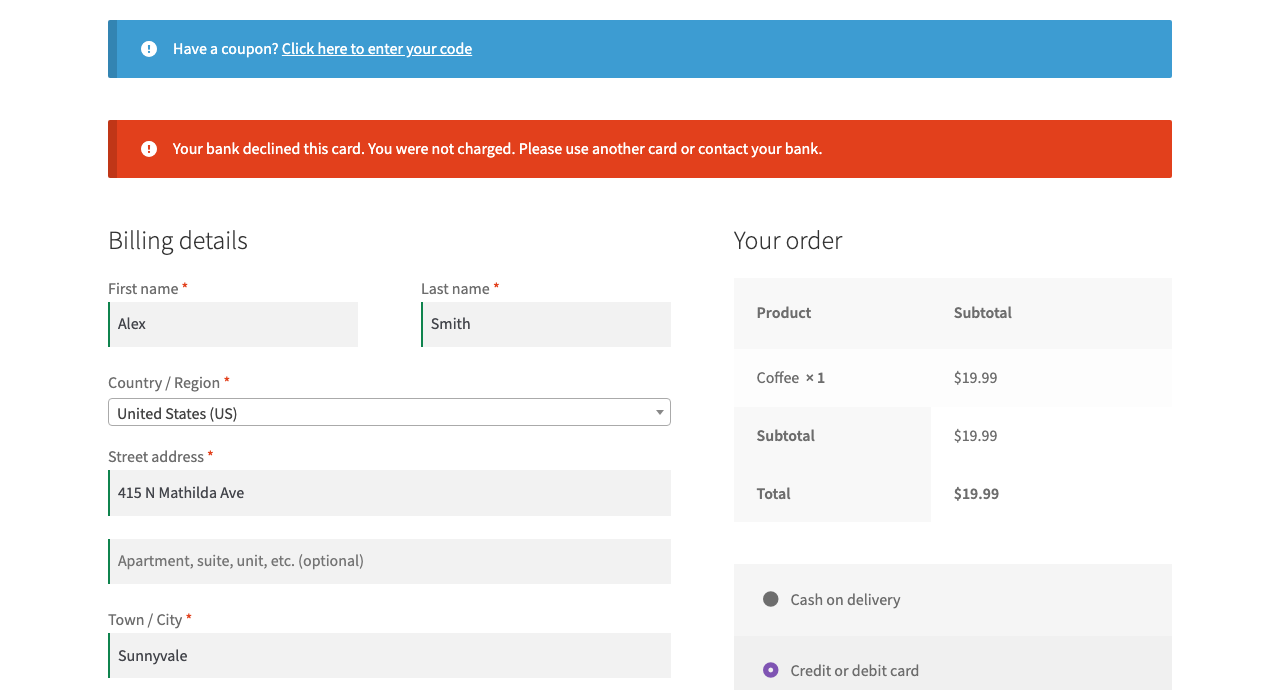
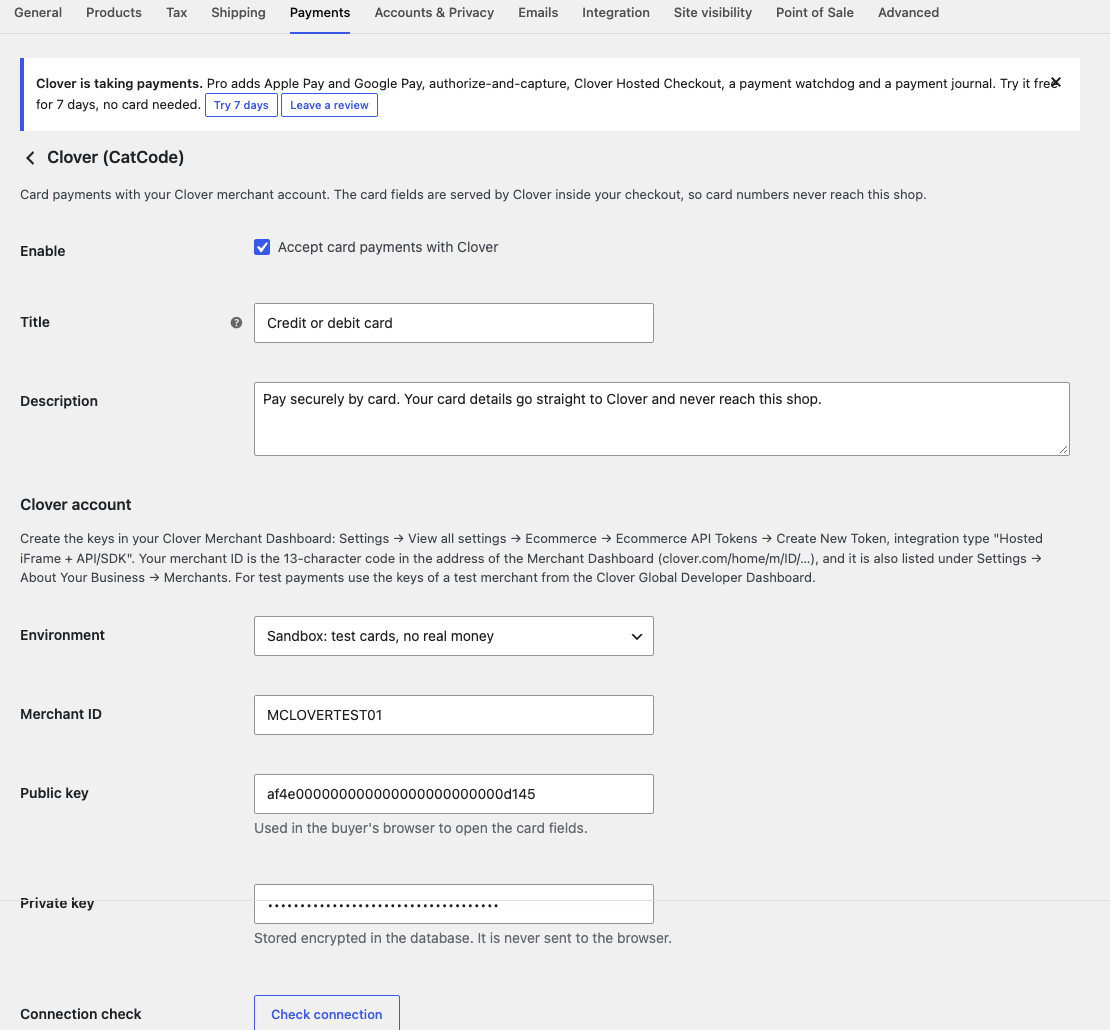
Cards at WooCommerce checkout through Clover fields: card data never reaches the store. A safe payment retry, full and partial refunds. Pro adds Apple Pay, Google Pay, authorize and capture, Hosted Checkout and a journal. Run a sandbox payment first.
The free version works with no time limit. Pro adds the rest of the features in the table.


The buyer picks card payment and sees the Clover fields on the classic or block checkout.

In the settings you enter the Merchant ID, public and private keys, and the check button says what is wrong: a bad key, a sandbox key in Live mode or a private key in the wrong field.

The base version is free. Pro costs 990 UAH for a one-year licence. A year of updates, technical support and all Pro features.

A fresh install is the free version, nothing switches on by itself. The “Try Pro for 7 days” button → e-mail → the key right in the window and by e-mail.

Moving the site? Unlink the licence on the old domain and activate it on the new one yourself. A staging copy (staging., dev.) works with the same key and does not take a site slot. For studios — keys for 5 or 25 sites, or unlimited.
 WordPress 6.2+, WooCommerce 7.0+, PHP 7.4+.A Clover merchant account and Ecommerce API tokens.HTTPS on the site.
Clover fields, refunds, a payment check.


Clover Payments takes cards in WooCommerce through the fields of Clover itself. The buyer types the card right at checkout, and the store gets only a one-time token. The module is for merchants who already have a Clover account.
We have not run a single payment through real Clover. Before you take money, run a test payment in the sandbox.
The buyer picks card payment and sees the Clover fields on the classic or block checkout. If the bank declines, the buyer sees a clear message, the cart stays, and the order can be paid with another card.
In the settings you enter the Merchant ID, public and private keys, and the check button says what is wrong: a bad key, a sandbox key in Live mode or a private key in the wrong field. The private key is stored encrypted.
A payment attempt is written to the order before the request goes to Clover. If the answer is lost, the retry uses the same key, and the check button looks for the payment in Clover without charging again.
The module is not on wordpress.org yet: the free version and Pro are one archive from this page. Without a key it works as the free version.
Didn't find the answer? Message us on Telegram and we'll reply within a business day.
 @catcode_support
Setup, compatibility, activation
No, it is an independent integration. Clover has its own plugin.
No. The fields belong to Clover, and the store gets only a token.
Yes, from the order screen.
Yes, it is a separate module.
No reviews yet. Be the first.
No questions yet. Ask one — we answer within 24 hours.
We build custom modules for WordPress, WooCommerce, OpenCart and Shopify. Tell us about the task and we'll prepare an estimate.
Order a custom module
—
Charged in UAH; your bank converts it to your currency. EUR price is approximate.

CatCode assistant
Just now


CatCode assistant
Online

I’ll help with your website task
Describe your website task — I’ll find a ready-made module or pass it to a developer for an estimate. Modules, custom features, layout, integrations, speed, migration, technical SEO.
