















WooCommerce
India Couriers for WooCommerce — Shiprocket and Delhivery: PIN rates, AWB, labels, NDR
Free + Pro
890 UAH/year≈ €18
v1.0.0
 Website auditA PDF report by email in 3 minutesCheck a website
Everyday tasks
Image compressorSize, quality and WebP in bulkQR generatorLink, Wi-Fi, payment to IBANVAT calculator20, 14, 7% and amount in wordsTransliterationOfficial Ukrainian standardWebsite checks
PHP and pluginsPHP version, WordPress, pluginsGoogle Merchant feedFields, prices, GTIN, imagesDomain emailSPF, DKIM, DMARC, blacklistsAI search readinessllms.txt, bots, markupAll 9 toolsEnter at least 2 characters
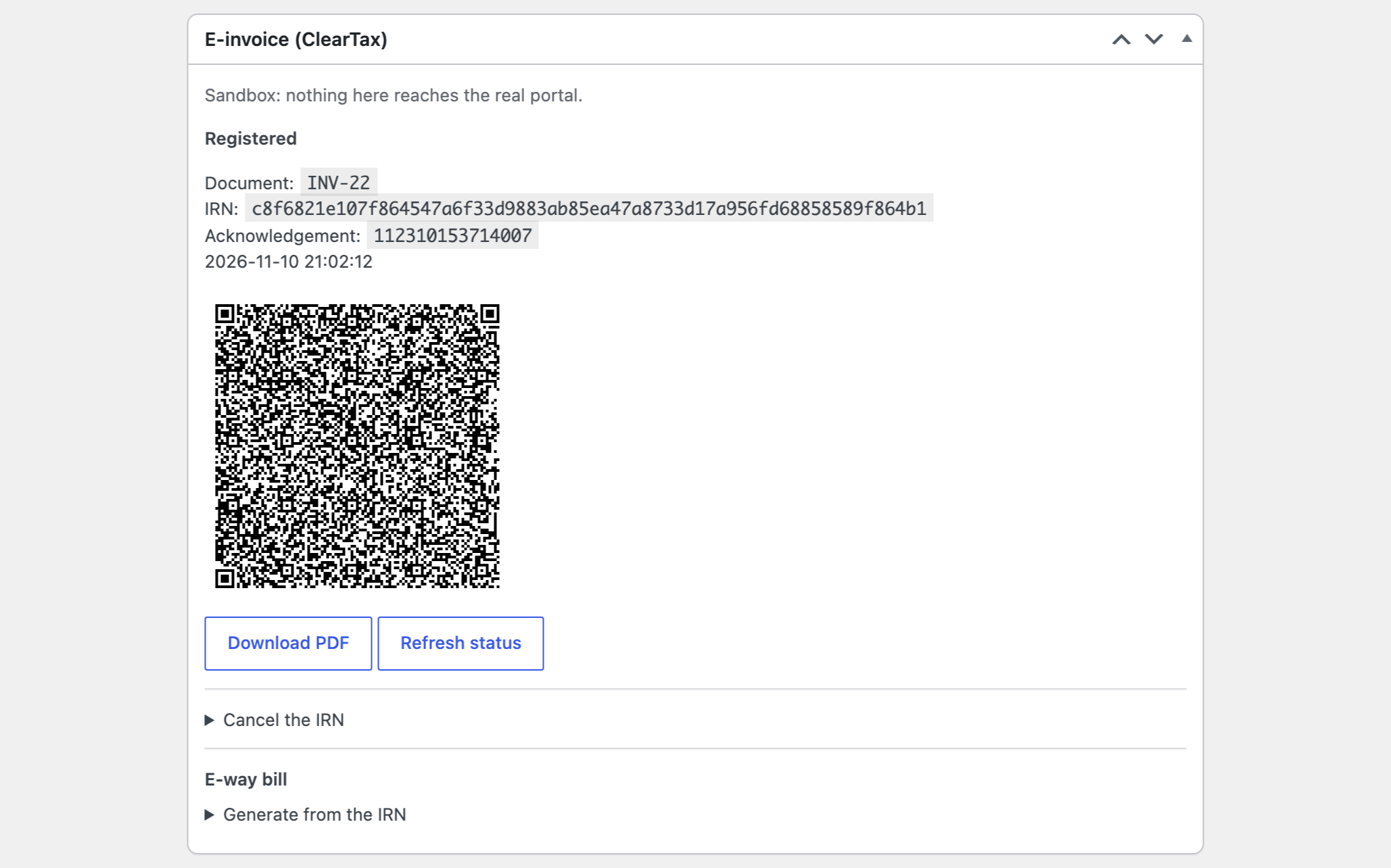
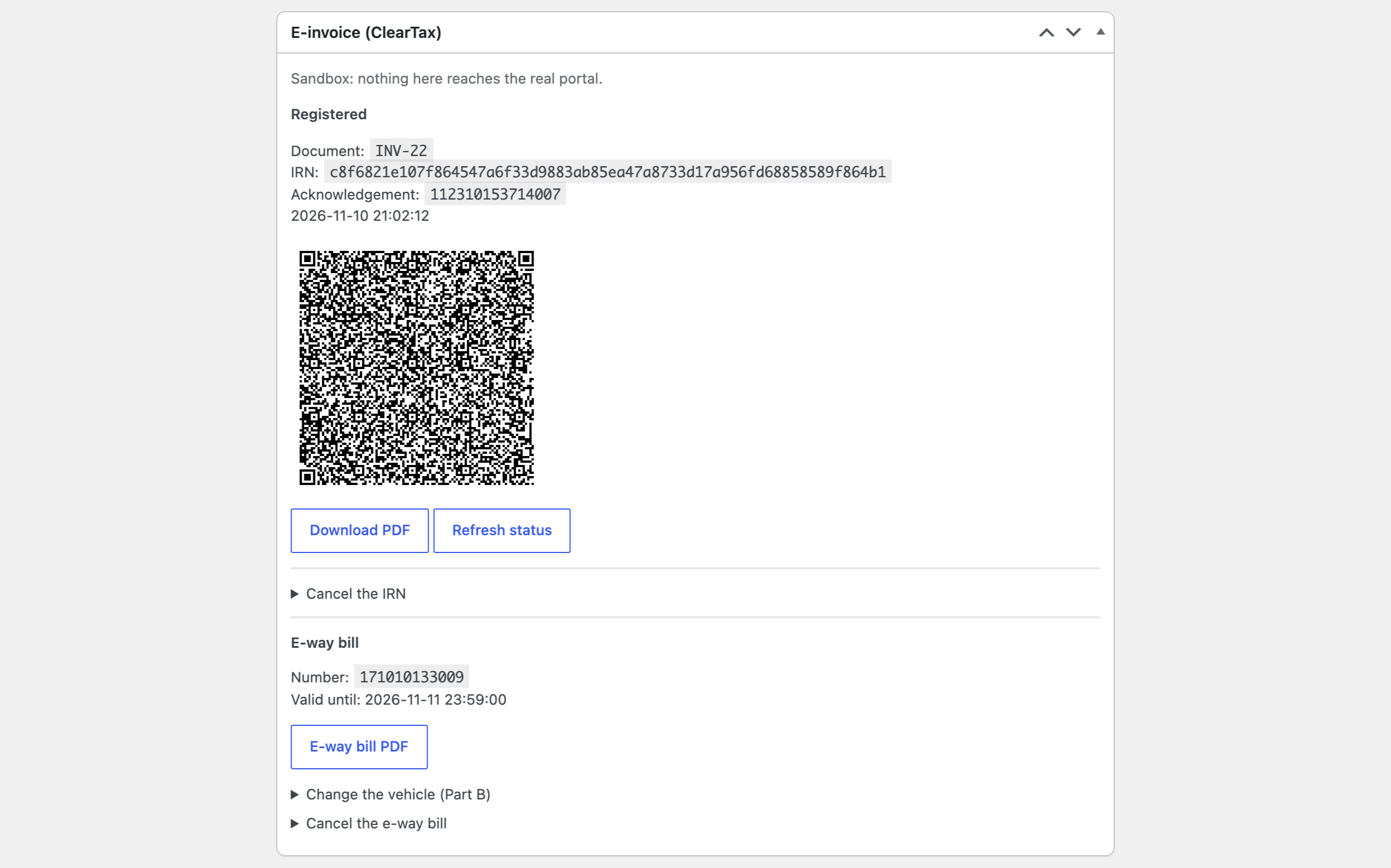
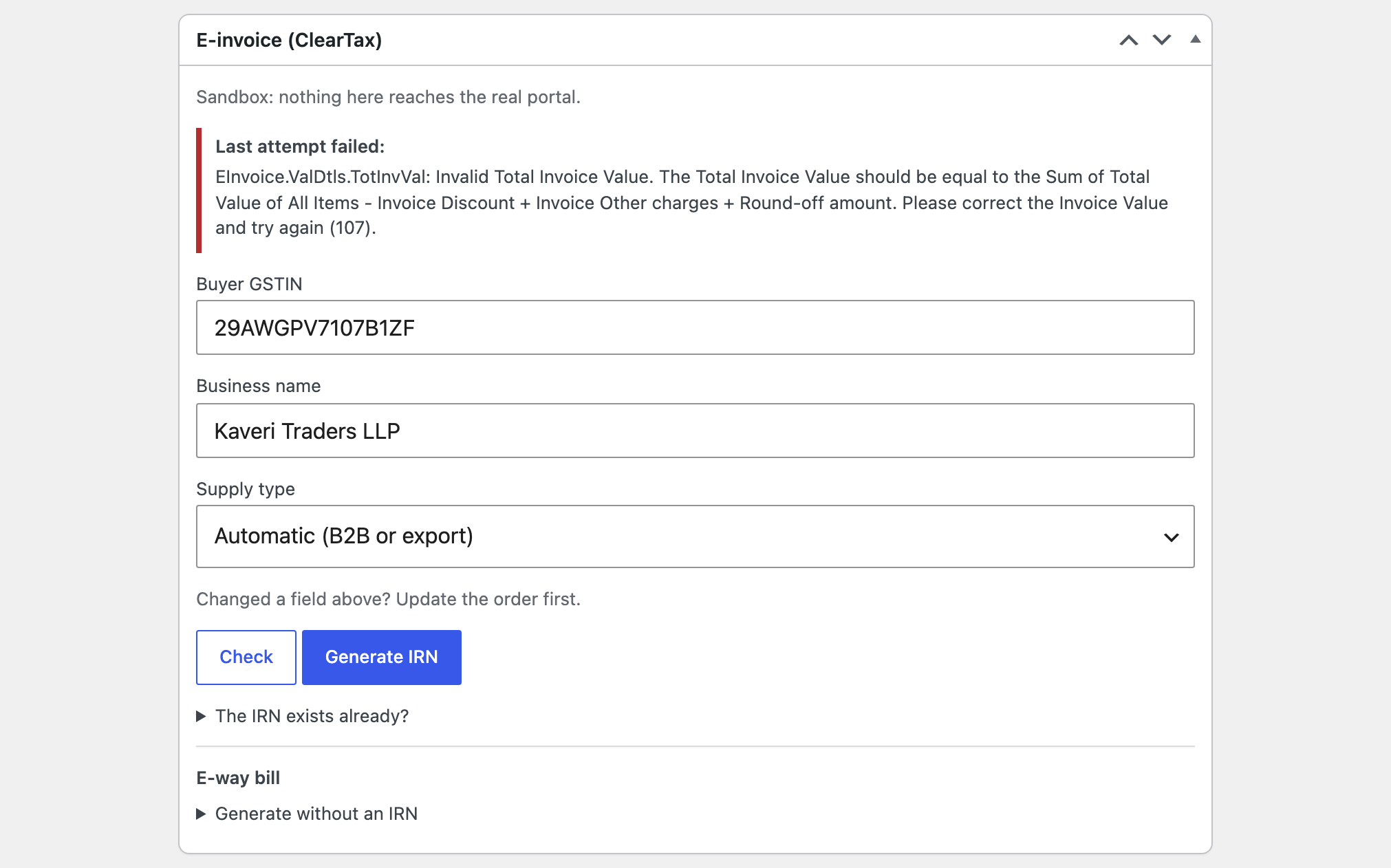
IRN and the signed QR code on a WooCommerce order through your ClearTax account.
The free version works with no time limit. Pro adds the rest of the features in the table.


The “E-invoice (ClearTax)” box on the order screen has a “Check” button: the module looks at the buyer’s GSTIN, the State and PIN code, the HSN or SAC of every line, the document number and the totals, and then runs the validation of ClearTax without registering anything. “Generate IRN” sends the order; the IRN, the acknowledgement number and date and the signed QR code are saved on the order.

The IRN in the background when an order becomes Processing or Completed: a failure never blocks the order, and the reason goes to the order notes and the log.

The base version is free. Pro costs 1290 UAH for a one-year licence. A year of updates, technical support and all Pro features.

A fresh install is the free version, nothing switches on by itself. The “Try Pro for 7 days” button → e-mail → the key right in the window and by e-mail.

Moving the site? Unlink the licence on the old domain and activate it on the new one yourself. A staging copy (staging., dev.) works with the same key and does not take a site slot. For studios — keys for 5 or 25 sites, or unlimited.
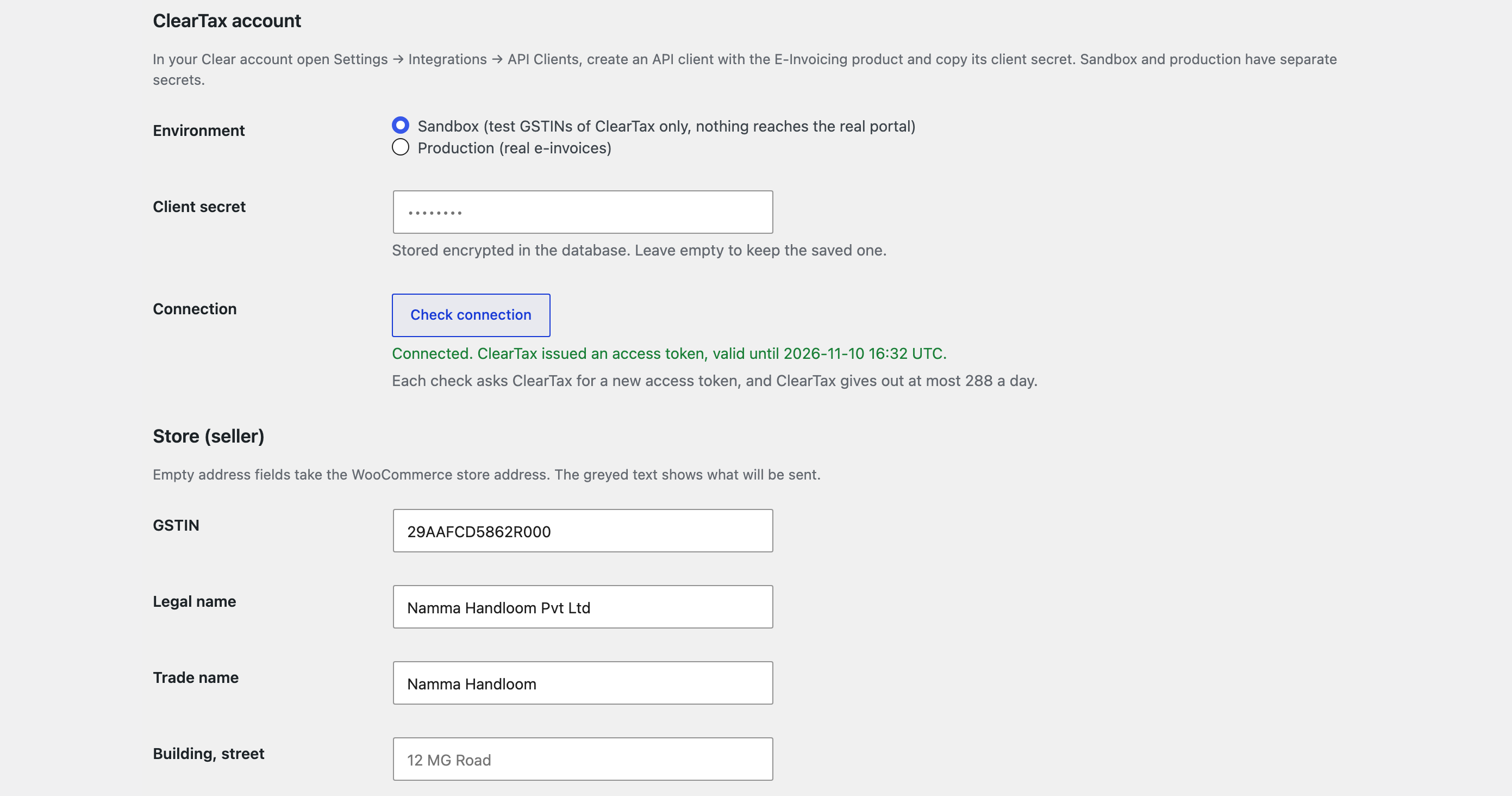
 WordPress 6.4+, WooCommerce 8.9+, PHP 7.4+.A ClearTax (Clear) account with the E-Invoicing product, an API client, and your GSTIN with its portal (NIC) API access added to the workspace.For Pro: Action Scheduler (it ships with WooCommerce).
The document check, the IRN, the acknowledgement number and date, the signed QR code on the order, in the e-mails and in the customer’s account, the PDF, linking an existing IRN, sandbox…
CatCode E-Invoice with ClearTax for WooCommerce sends WooCommerce orders to the E-Invoicing API of ClearTax (Clear) with your own API client and keeps on the order what the portal sends back: the IRN, the acknowledgement number and date and the signed QR code. It is for Indian stores that have to report their B2B invoices to the Invoice Registration Portal. The module interface is in English.
The “E-invoice (ClearTax)” box on the order screen has a “Check” button: the module looks at the buyer’s GSTIN, the State and PIN code, the HSN or SAC of every line, the document number and the totals, and then runs the validation of ClearTax without registering anything. “Generate IRN” sends the order; the IRN, the acknowledgement number and date and the signed QR code are saved on the order. The QR code shows on the order screen, in the order e-mails and on the order page of the customer’s account. You can download the PDF that ClearTax prints, refresh the status and link an IRN that already exists: after a request that got no answer, paste the IRN and the module reads the document back from ClearTax. The supply type (B2B, SEZ, deemed export, export) is worked out from the order and can be set by hand; an order in another currency takes an exchange rate. Sandbox and production are switched in the settings, the client secret is stored encrypted and the access token is reused until it expires.
The IRN in the background when an order becomes Processing or Completed: a failure never blocks the order, and the reason goes to the order notes and the log. A bulk action in the orders list and an “E-invoice” column. Cancel an IRN with the reason. The e-way bill from the IRN or for orders that need no IRN: transporter, vehicle, Part B update, cancellation and the e-way bill PDF. Credit notes: a refund of an order with an IRN is registered as a credit note that points at the invoice, by hand or automatically. The dynamic UPI QR code of ClearTax for B2C orders. A log: every request with its result and, for the error codes ClearTax documents, what to do about it.
The module is not on wordpress.org yet: the free version and Pro are one archive from this page. Without a key it works as the free version.
Didn't find the answer? Message us on Telegram and we'll reply within a business day.
 @catcode_support
Setup, compatibility, activation
No. It is an independent integration made by us; ClearTax and Clear are trademarks of their owner.
Yes. The API client and its secret belong to you, and e-invoices are registered under your GSTIN.
Orders of buyers with a GSTIN (B2B), SEZ supplies, deemed exports and exports. Buyers without a GSTIN (B2C) get no IRN.
No. It reports the amounts the order charged. Set up your tax rates in WooCommerce.
Find the document in ClearTax, copy its IRN and paste it into the field for an existing IRN in the order box.
Yes, in Pro, with the reason, from the order screen. The portal allows it only within 24 hours of the registration.
Pro switches off, the free part keeps working.
No reviews yet. Be the first.
No questions yet. Ask one — we answer within 24 hours.
We build custom modules for WordPress, WooCommerce, OpenCart and Shopify. Tell us about the task and we'll prepare an estimate.
Order a custom module
—
Charged in UAH; your bank converts it to your currency. EUR price is approximate.

CatCode assistant
Just now


CatCode assistant
Online

I’ll help with your website task
Describe your website task — I’ll find a ready-made module or pass it to a developer for an estimate. Modules, custom features, layout, integrations, speed, migration, technical SEO.
