
















WooCommerce
990 UAH644 UAH/year≈ €14
Black November: −35% on all modules until 30 November Black November: −35% until 30 November Choose a module
 Website auditA PDF report by email in 3 minutesCheck a website
Everyday tasks
Image compressorSize, quality and WebP in bulkQR generatorLink, Wi-Fi, payment to IBANVAT calculator20, 14, 7% and amount in wordsTransliterationOfficial Ukrainian standardWebsite checks
PHP and pluginsPHP version, WordPress, pluginsGoogle Merchant feedFields, prices, GTIN, imagesDomain emailSPF, DKIM, DMARC, blacklistsAI search readinessllms.txt, bots, markupAll 9 toolsEnter at least 2 characters

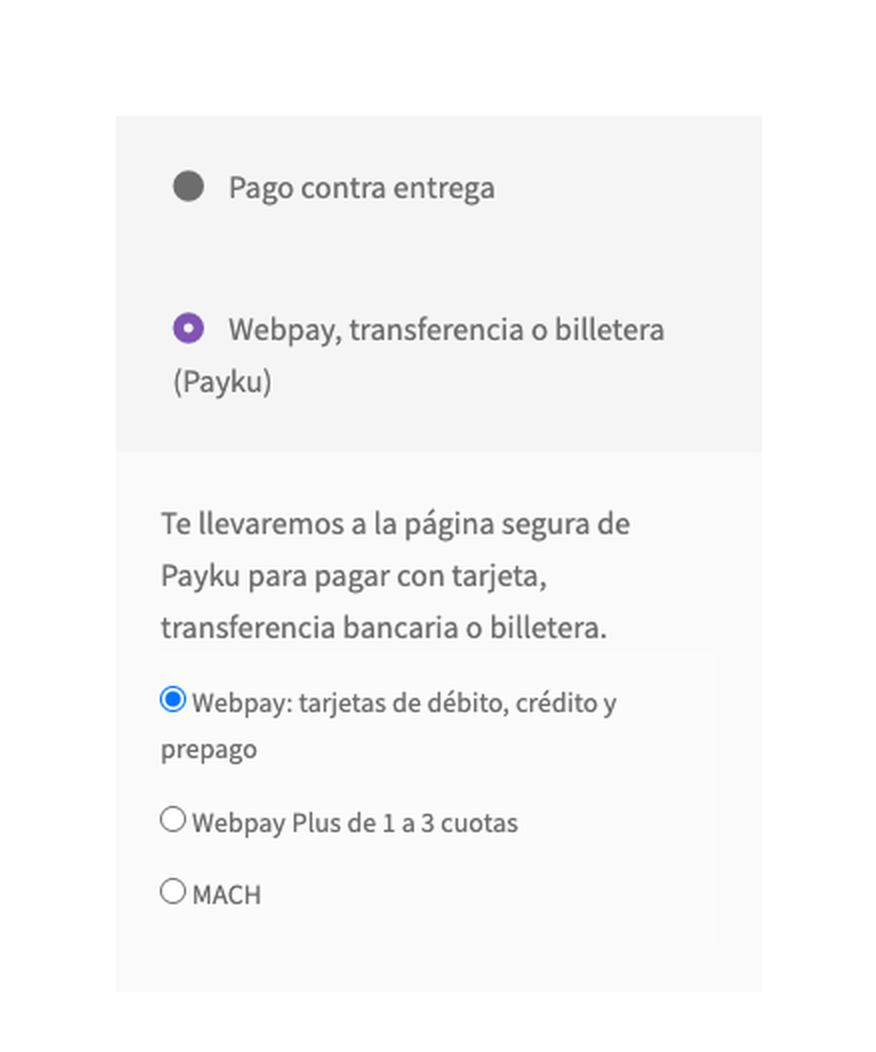
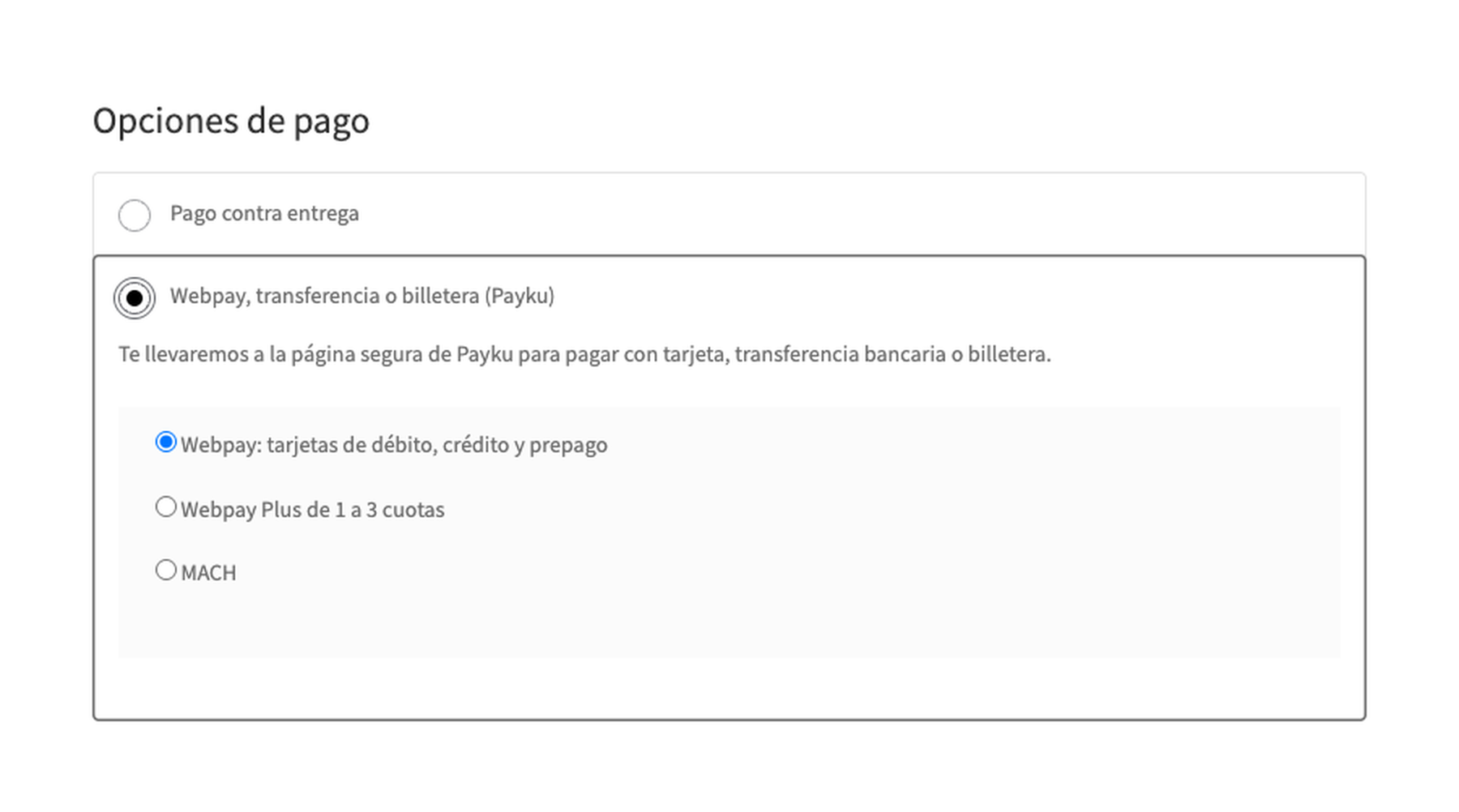
Payment in Chilean pesos through Payku (Webpay, transfers, wallets) at the WooCommerce checkout; Pro adds refunds, a method choice, a settlements report and a log.
The free version works with no time limit. Pro adds the rest of the features in the table.


At the checkout the buyer sees the method “Webpay, transferencia o billetera (Payku)” with your title and description.

Refunds. A full or partial refund right from the order: the request to cancel the transaction is signed with the private token.

A fresh install is the free version, nothing switches on by itself. The “Try Pro for 7 days” button → e-mail → the key right in the window and by e-mail.

Moving the site? Unlink the licence on the old domain and activate it on the new one yourself. A staging copy (staging., dev.) works with the same key and does not take a site slot. For studios — keys for 5 or 25 sites, or unlimited.
 WordPress 6.4+, WooCommerce 8.6+ (HPOS and the block checkout are supported), PHP 7.4+.A Payku account approved for live payments: the public token (and the private token for Pro refunds).Shop currency: the Chilean peso (CLP).
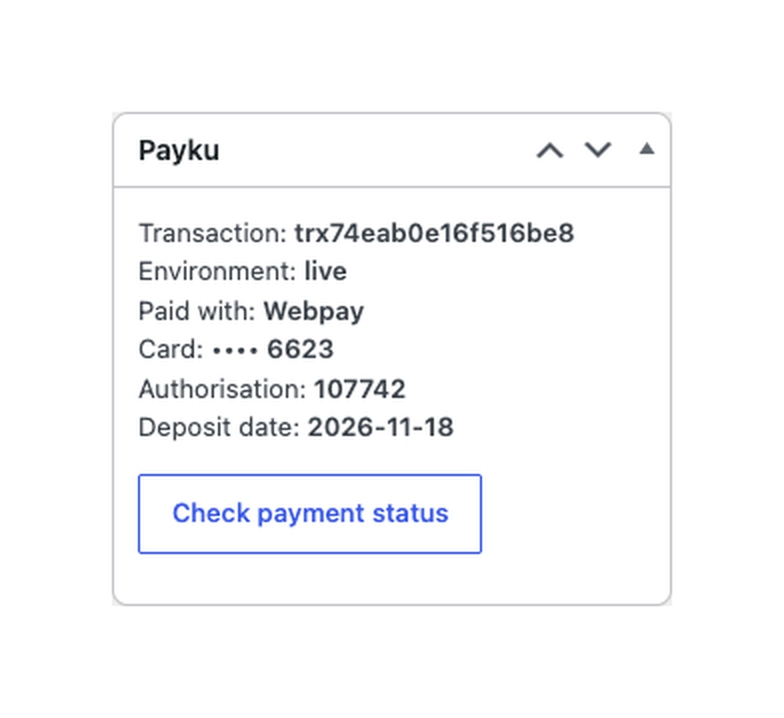
The Payku payment page, the transaction checked on the shop side, the buyer sent back to the payment page, a status check button, classic and block checkout, HPOS.


Payments with Payku for WooCommerce adds payment in Chilean pesos to WooCommerce through the payment page of Payku, a Chilean online payment service. At the checkout the buyer is sent to the Payku page, where they pay with a Webpay card, a bank transfer or a wallet (for example MACH or Tenpo): card and bank details never reach your shop. The module works with your own Payku account.
What you need from Payku. A Payku account approved for live payments: the public token (and the private token for Pro refunds) is in your Payku account under the integration section. The trial and the live environments have different tokens. The shop must work in Chilean pesos (CLP).
At the checkout the buyer sees the method “Webpay, transferencia o billetera (Payku)” with your title and description. After pressing the order button they go to the secure Payku page, choose a card, a transfer or a wallet and pay. The amount goes in whole pesos, together with the order number and the buyer’s e-mail.
The same on the block checkout: the method is available without extra setup, HPOS is supported. The method is shown only for orders in CLP.
The notification Payku sends to the shop is only a signal: the shop reads the transaction from Payku with its own token and marks the order paid when the status is approved, the amount equals the order total in CLP and the transaction is the one of this order. A different amount puts the order on hold. A rejected payment gives a failed order with the reason from Payku, and the buyer comes back to the order payment page with a message; the cart stays and they can pay again.
Repeated, parallel and late notifications do not change the order a second time, and a paid order is never set back. If the notification did not arrive, the buyer coming back from Payku or the “Check payment status” button in the order settles it (Pro adds a background check). The request that creates the payment waits for Payku for 8 seconds at most: if Payku is unreachable, the buyer sees a message and the cart stays.
Refunds. A full or partial refund right from the order: the request to cancel the transaction is signed with the private token. Payku may queue a refund (for example while waiting for funds), and the order note shows the Payku status.
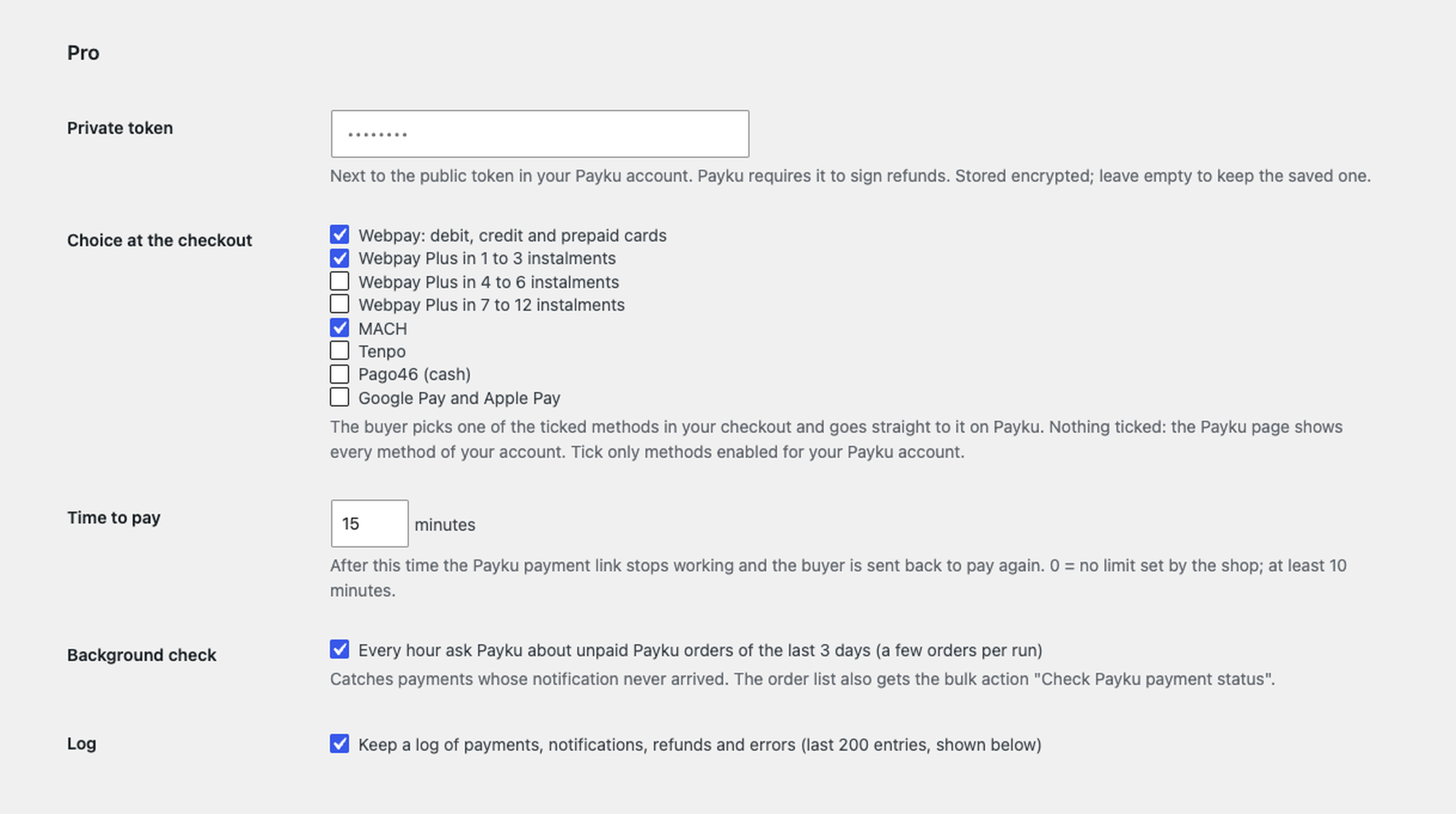
Method choice at your checkout. Tick the methods: Webpay, Webpay Plus in 1–3, 4–6 or 7–12 instalments, MACH, Tenpo, Pago46 or Google Pay and Apple Pay. The buyer picks one of them in your checkout (classic and block) and goes straight to it on Payku. Nothing ticked: the Payku page shows every method of your account.
Time to pay. The Payku link stops working after the minutes you set (10 or more), and the buyer is sent back to pay again. A button on the order screen creates a new payment link for an unpaid order.
Background check. Every hour the module asks Payku about unpaid orders of the last 3 days (10 per run, in a circle) and settles those whose notification was lost. The order list gets the bulk action “Check Payku payment status”.
Settlements report and log. What Payku settled in a range of up to 30 days: the deposit, the fee of each payment and the matching WooCommerce order, on screen and as CSV. The log keeps the last 200 payments, notifications, refunds and errors.
Didn't find the answer? Message us on Telegram and we'll reply within a business day.
 @catcode_support
Setup, compatibility, activation
No, it is an independent integration made by CatCode. Payku is a trademark of its owner; the plugin is not affiliated with or endorsed by Payku.
Yes. Payku has to approve your business for live payments and issues the tokens. The module does not do the sign-up.
It waits for Payku. It moves to Processing when Payku confirms the payment; if the notification did not arrive, press "Check payment status" in the order.
No: every payment carries its own notification address. It is shown on the module screen for reference.
Chilean pesos (CLP) only.
No: the module takes one-off payments on the Payku page.
One key works on two sites: the shop and its development copy.
No reviews yet. Be the first.
No questions yet. Ask one — we answer within 24 hours.
We build custom modules for WordPress, WooCommerce, OpenCart and Shopify. Tell us about the task and we'll prepare an estimate.
Order a custom module
—
Charged in UAH; your bank converts it to your currency. EUR price is approximate.

CatCode assistant
Just now


CatCode assistant
Online

I’ll help with your website task
Describe your website task — I’ll find a ready-made module or pass it to a developer for an estimate. Modules, custom features, layout, integrations, speed, migration, technical SEO.