
















OpenCart
Abandoned Cart Recovery for OpenCart 2.3, 3.x and 4.x
Free + Pro
1 290 UAH≈ €26
v1.2.4
 Website auditA PDF report by email in 3 minutesCheck a website
Everyday tasks
Image compressorSize, quality and WebP in bulkQR generatorLink, Wi-Fi, payment to IBANVAT calculator20, 14, 7% and amount in wordsTransliterationOfficial Ukrainian standardWebsite checks
PHP and pluginsPHP version, WordPress, pluginsGoogle Merchant feedFields, prices, GTIN, imagesDomain emailSPF, DKIM, DMARC, blacklistsAI search readinessllms.txt, bots, markupAll 9 toolsEnter at least 2 characters
Addi, Kueski Pay and Aplazo for OpenCart: pay in instalments in Colombia and Mexico, paid only on the provider's confirmation; Pro adds refunds, a watchdog and a journal. Lifetime licence.
The free version works with no time limit. Pro adds the rest of the features in the table.


Each method shows only in its currency and within its limits: Addi to buyers browsing in COP, Kueski Pay and Aplazo in MXN; Kueski Pay hides above the account limit.

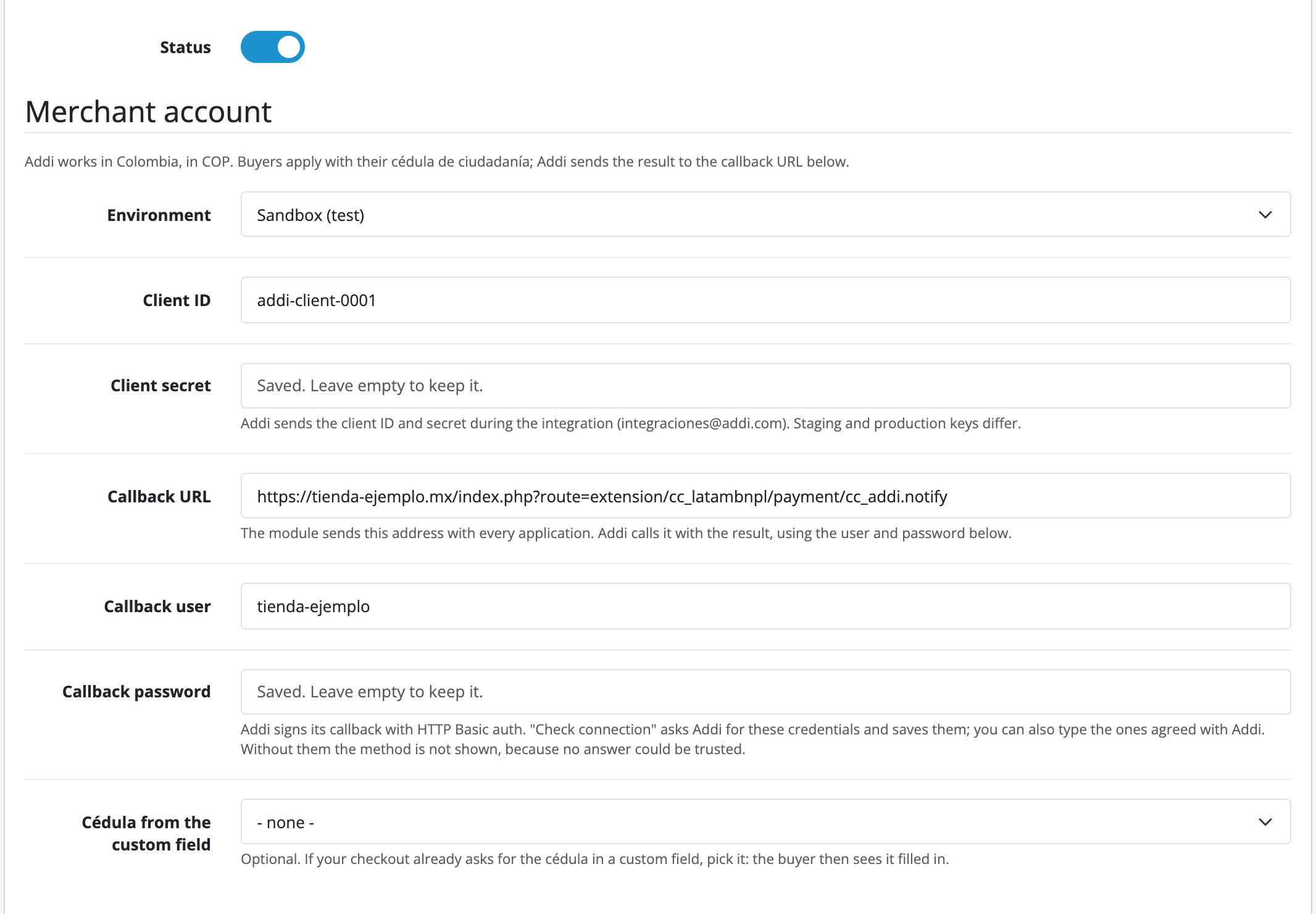
Each provider is a payment method of its own under Extensions → Payments, with the Account, Checkout and “Licence and Pro” tabs: environment, keys, the name and text for the buyer, minimum and maximum order total, geo zone, and the “Paid” and “Paid, needs a check” statuses. “Check connection” checks the keys, reads the Kueski Pay account limits, and for Addi gets the callback user and password from Addi and saves them; you can also type them by hand.

The base version is free. Pro costs 990 UAH, a one-time payment for a lifetime licence.

A fresh install is the free version, nothing switches on by itself. The “Try Pro for 7 days” button → e-mail → the key right in the window and by e-mail.

Moving the site? Unlink the licence on the old domain and activate it on the new one yourself. A staging copy (staging., dev.) works with the same key and does not take a site slot. For studios — keys for 5 or 25 sites, or unlimited.
 OpenCart 4.0.2.0–4.1.x, 3.0.x or 2.3.0.2.Currency: COP for Addi, MXN for Kueski Pay and Aplazo, set up in System → Localisation → Currencies. If the default store currency is different, the method shows to buyers who chose its currency.A merchant account with each provider you want to offer, and its keys: Addi, client ID and client secret; Kueski Pay, the API key (the private key for refunds); Aplazo, Merchant ID and API token.A store on https, reachable from the internet: the providers send the result to the store’s address.
Addi (Colombia), Kueski Pay and Aplazo (Mexico) for OpenCart 4.x, 3.x and 2.3.


Addi, Kueski Pay and Aplazo is an OpenCart module with three buy now, pay later payment methods: Addi for Colombia (COP) and Kueski Pay and Aplazo for Mexico (MXN). The buyer applies on the provider’s page, the shop receives the full amount, and the buyer pays the provider in instalments.
The buyer coming back to the shop proves nothing: an order becomes paid only on Addi’s callback with the agreed user and password, or on the status the module itself reads from the Kueski Pay or Aplazo API. The free version: all three methods, “Check connection”, Kueski Pay limits from the account, decline and waiting pages. Pro: refunds from the order page, asking the provider again, a payment watchdog and a journal. Module languages: English and Spanish.
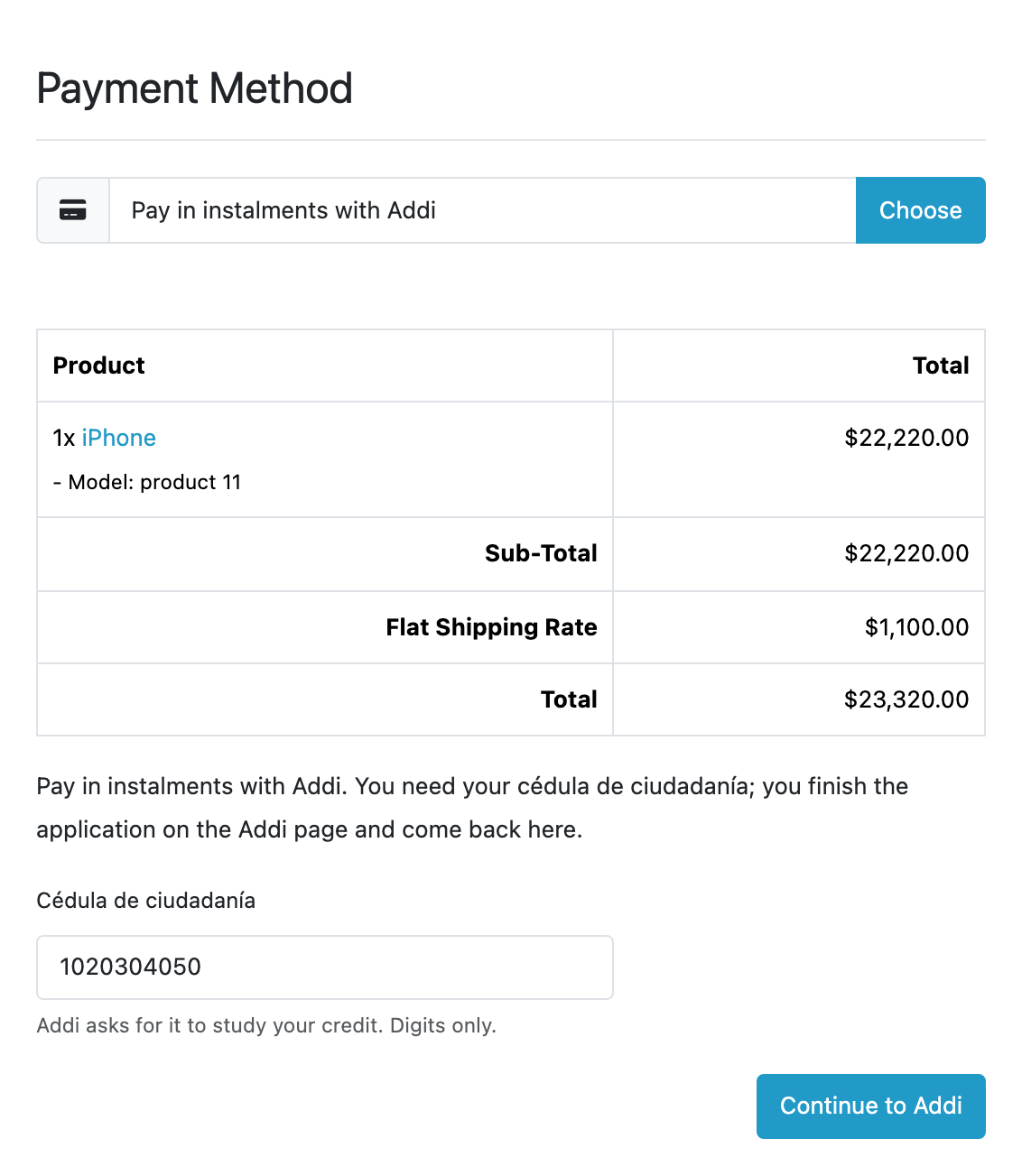
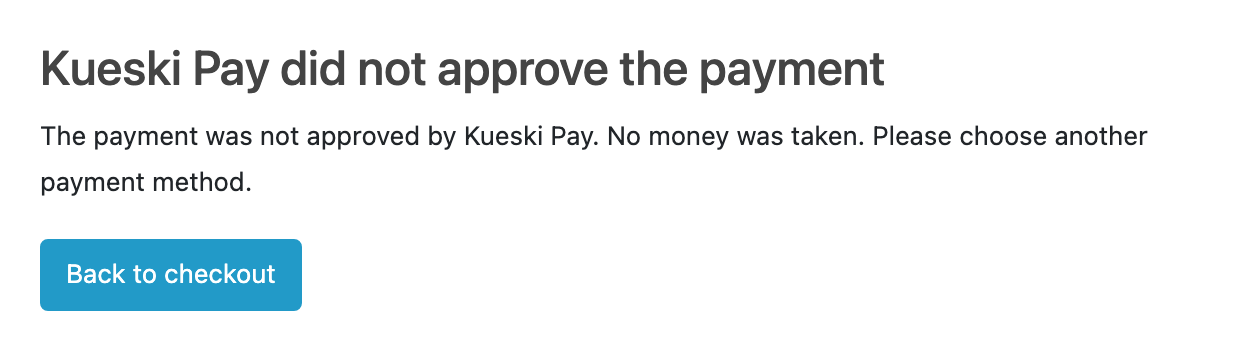
Each method shows only in its currency and within its limits: Addi to buyers browsing in COP, Kueski Pay and Aplazo in MXN; Kueski Pay hides above the account limit. For Addi the buyer types the cédula de ciudadanía in the payment step, or the module takes it from a custom field your checkout already has. After the provider’s page the buyer comes back to the shop; if the confirmation is not there yet, the page says it is waiting and moves on by itself. A decline or a cancellation creates no order: the buyer sees why, nothing was taken, the cart is kept, and they can pay again.
Each provider is a payment method of its own under Extensions → Payments, with the Account, Checkout and “Licence and Pro” tabs: environment, keys, the name and text for the buyer, minimum and maximum order total, geo zone, and the “Paid” and “Paid, needs a check” statuses. “Check connection” checks the keys, reads the Kueski Pay account limits, and for Addi gets the callback user and password from Addi and saves them; you can also type them by hand.
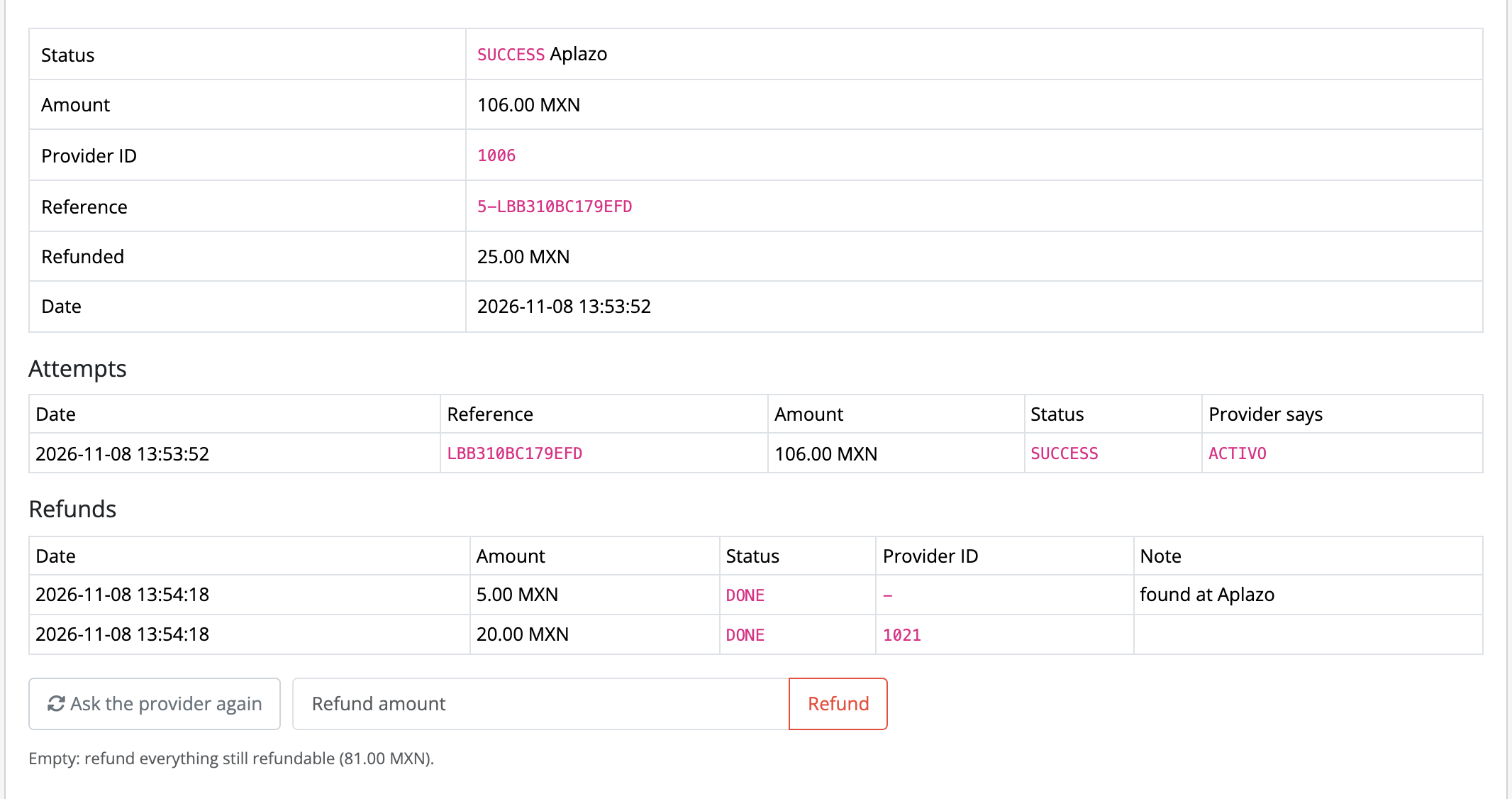
The order has a payment tab: attempts, provider ID, amount, refunds. If the amount, currency or cart does not match, or the order was paid twice, it gets “Paid, needs a check” with the reason in the history. In Pro the same tab makes refunds and asks the provider again; the payment watchdog finds payments of buyers who never came back to the shop and cancels Aplazo loans left unconfirmed for 48 hours. The journal shows the payments of all three methods.
Didn't find the answer? Message us on Telegram and we'll reply within a business day.
 @catcode_support
Setup, compatibility, activation
Addi takes Colombian pesos (COP), Kueski Pay and Aplazo take Mexican pesos (MXN). The currency must be set up in OpenCart; the method shows to buyers who browse the shop in that currency.
Addi tells the result only by callback: check the callback user and password on the Account tab. For Kueski Pay and Aplazo, Pro has "Ask the provider again" in the order and the payment watchdog, which asks the providers by itself.
No. The provider decides the number of payments and their amounts for each buyer.
In Pro: Aplazo and Kueski Pay, full or partial (Kueski needs the private key); Addi cancels the whole credit.
No, it is an independent integration. Addi, Kueski Pay and Aplazo are trademarks of their owners.
Yes, a separate plugin, Pay Later LatAm for WooCommerce.
No reviews yet. Be the first.
No questions yet. Ask one — we answer within 24 hours.
We build custom modules for WordPress, WooCommerce, OpenCart and Shopify. Tell us about the task and we'll prepare an estimate.
Order a custom module
—
Charged in UAH; your bank converts it to your currency. EUR price is approximate.

CatCode assistant
Just now


CatCode assistant
Online

I’ll help with your website task
Describe your website task — I’ll find a ready-made module or pass it to a developer for an estimate. Modules, custom features, layout, integrations, speed, migration, technical SEO.
