Get in touch
  • WordPress
  • Payments
  • v1.0.1

NovaPay for WooCommerce — card payments via internet acquiring

NovaPay plugin for WooCommerce: card payment on the NovaPay page, automatic order confirmation via a signed postback, sandbox. Free — at no cost, Pro — refunds, hold, payment log.

Download Free
Pro · one-year licence The more sites, the less each one costs
Compatibility
WooCommerce 6.0+ · WordPress 6.2+ · PHP 7.4+
Licence
one site, annual
Trial
7 days, no card, one per site
Updated
September 2026
Or all 144 Pro modules with All Access — 4 990 ₴ / year

The module in action — 45 sec

Clear even without sound: Ukrainian subtitles

What Free has,
and what Pro adds

The free version works with no time limit. Pro adds the rest of the features in the table.

Feature Free Pro
Card payment on a secure NovaPay page — the cart is passed into the payment session ✔ ✔
Automatic order confirmation via postback with RSA-SHA256 signature check ✔ ✔
Payment amount checked against the order total ✔ ✔
Status reconciliation with NovaPay when the customer returns to the store ✔ ✔
Sandbox and one-click key check ✔ ✔
Private key stored encrypted in the database ✔ ✔
Classic and block WooCommerce checkout, HPOS compatible ✔ ✔
Refunds to the order's card, full and partial — ✔
Two-step payment with funds on hold, captured on completion — ✔
Payment log with NovaPay status and one-click reconciliation — ✔

What it looks like

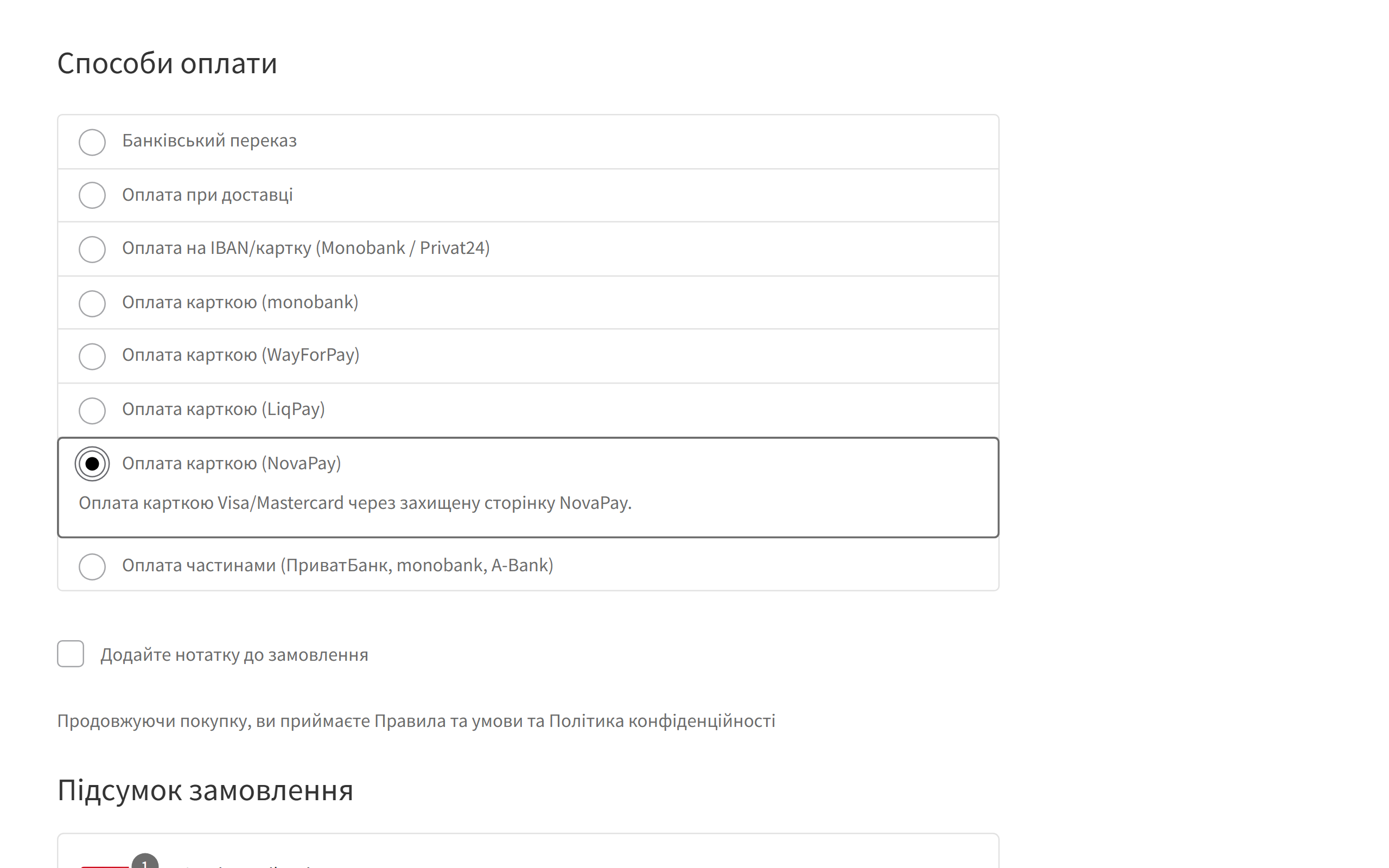
NovaPay payment method on the WooCommerce checkout
A “Card payment (NovaPay)” method appears at checkout. It works in both the classic and the block WooCommerce checkout, on phones too.
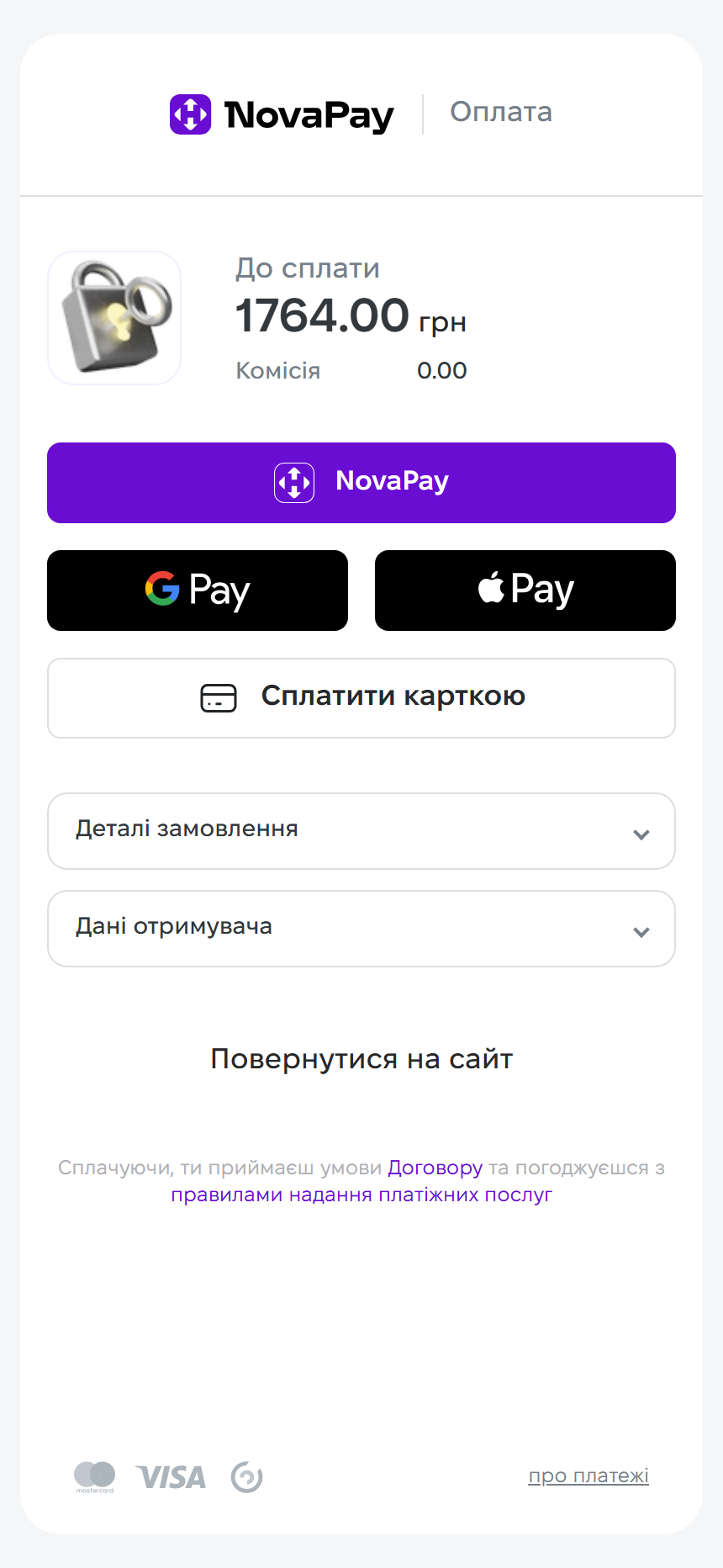
Secure NovaPay payment page
After “Place order” the customer lands on the NovaPay page with the amount due. Card details are entered on NovaPay’s side and never pass through your site.
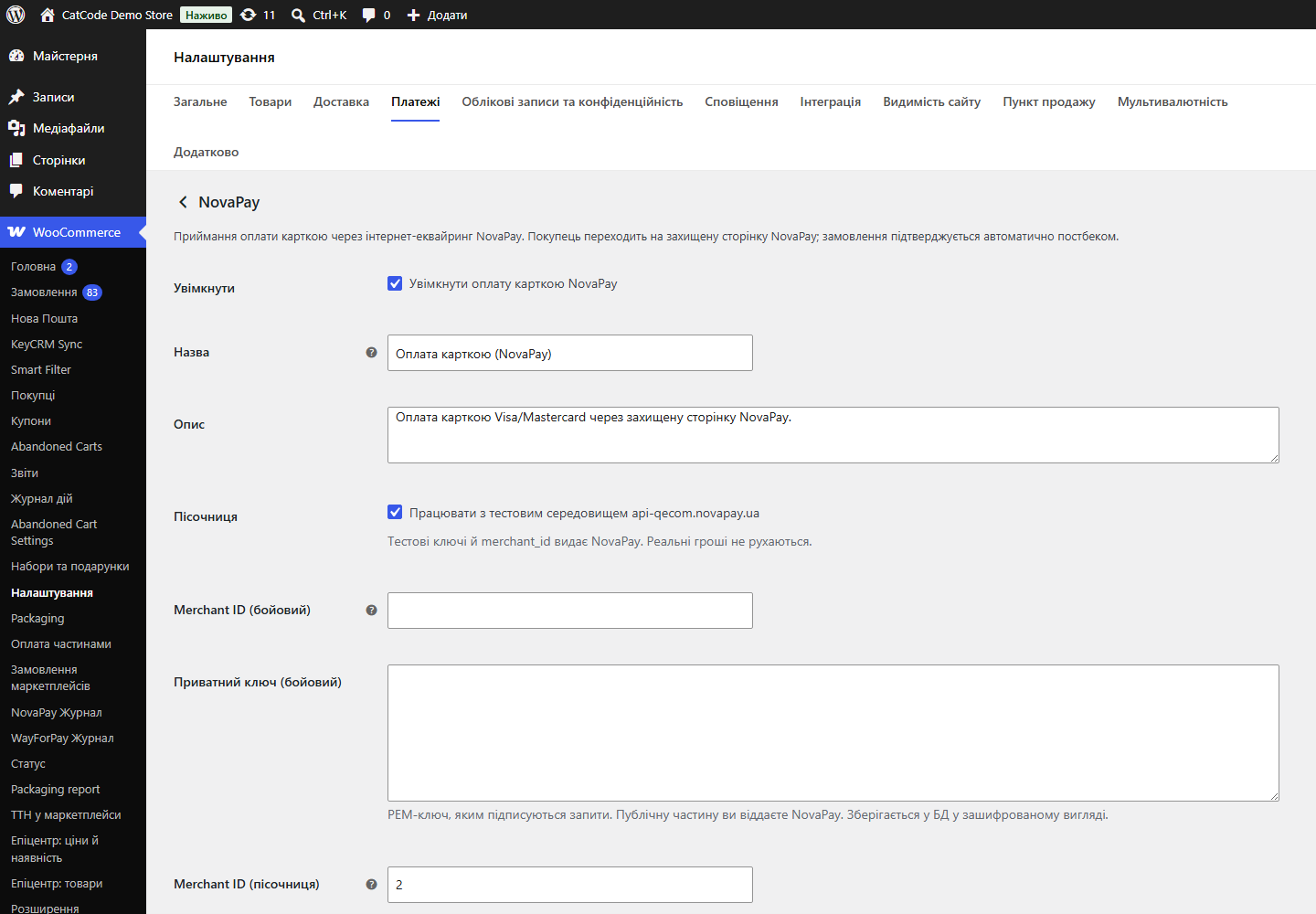
NovaPay settings in WooCommerce
One page under WooCommerce → Settings → Payments → NovaPay: sandbox, merchant id, private key (stored encrypted), NovaPay public key and a key check button.

The trial starts when you ask

A fresh install is the free version, nothing switches on by itself. The “Try Pro for 7 days” button → e-mail → the key right in the window and by e-mail.

One key — one site

Moving the store? Unbind the licence on the old domain and activate it on the new one yourself. If our server is unreachable, Pro keeps working for 14 more days. For studios — keys for 5 or 25 sites, or unlimited.

Technical requirements

  • WooCommerce with classic or block checkout, HPOS compatible
  • WordPress 6.2+ · PHP 7.4+
  • Store currency — hryvnia. NovaPay accepts UAH only, so with any other currency the payment method hides itself and the customer is never charged the wrong amount.
  • A contract with NovaPay for real payments. The sandbox needs test keys, which NovaPay issues on request.

Version history

v1.0.1 Current September 2026

The NovaPay private key is encrypted with AES-256-CBC plus HMAC instead of the old method that hosting antivirus scanners flagged and deleted.

v1.0.0 September 2026

First public release: NovaPay payment session with the cart passed through, postback with RSA signature verification, status reconciliation when the customer returns, sandbox and key check,…

Frequently bought with NovaPay for WooCommerce

4 modules in one order — 40% cheaper than separately

“Store starter” bundle NovaPay Nova Poshta Premium LiqPay Telegram notifications and Viber/SMS for customers Need more — all 144 modules in All Access for 4 990 ₴.
3 490 ₴ / year instead of 5 860 UAH bought separately
Buy the bundle →

Full module description

NovaPay for WooCommerce is a payment plugin that accepts card payments through NovaPay internet acquiring (the payment service of Nova Poshta). The customer goes to a secure NovaPay page, pays by card, and the order in your store is confirmed on its own: NovaPay sends a postback, the plugin verifies its signature and amount and moves the order to “Processing”. No need to reconcile payments in the merchant dashboard by hand.

What the admin gets

  • Sandbox on the NovaPay test environment — you test the integration before any real money moves.
  • “Check keys” — the plugin opens a payment session and closes it right away. If the keys don’t match, you find out in the admin, not from a customer.
  • Statuses that fit your process: which status a paid order moves to and what happens after a refund.
  • Pro payment log: all NovaPay payments in one list — amount, session status in NovaPay and order status, masked card, RRN and one-click status reconciliation.

How it works, step by step

  1. At checkout the customer picks “Card payment (NovaPay)” and places the order.
  2. The plugin creates a payment session in NovaPay and passes the cart: products, shipping and fees, so the payment page shows exactly what is being paid for. Every request is signed with your private key.
  3. The customer pays on the secure NovaPay page.
  4. NovaPay sends a postback to your site. The plugin checks the RSA signature with the NovaPay public key and the amount — an unsigned or forged request is rejected.
  5. The order moves to “Processing” (or the status you chose).
  6. If the postback is late, the status is also pulled from NovaPay when the customer returns to the store. A paid order won’t be left “pending”.
  7. With Pro in hold mode the funds are only blocked on the card and are captured when you move the order to “Completed” — handy when the goods need to be packed or stock checked first. NovaPay keeps the hold for up to 29 days.

Under the hood

  • Signed requests both ways: the store signs requests with its private key, NovaPay signs postbacks with its own. Without a saved NovaPay public key incoming notifications are rejected — so nobody can “pay” an order with a forged request.
  • The private key is stored encrypted in the database, not as plain text.
  • Amount check: the amount from NovaPay is compared with the order total.
  • Fallback status reconciliation when the customer returns — in case the postback was late or lost.
  • A Pro gate that doesn’t brick anything: when the trial ends, only the Pro features stop and accepting payments doesn’t break; after a paid license term ends, Pro keeps working and only updates and support stop.

Installation

  1. Plugins → Add New → Upload Plugin: choose novapay-for-woocommerce-1.0.1.zip and activate it.
  2. Open WooCommerce → Settings → Payments → NovaPay.
  3. For testing, enable “Sandbox” and enter the test merchant id and key from NovaPay.
  4. For real payments, turn the sandbox off, enter the live merchant id, private key and NovaPay public key, save and click “Check keys”.
  5. For Pro: paste the license key from the email you get after payment into the license field, or start the 7-day trial.

Questions
about the module

Didn't find the answer? Message us on Telegram and we'll reply within a business day.

@catcode_support Setup, compatibility, activation
Do I need a contract with NovaPay?

For real payments — yes. For the sandbox, test keys that NovaPay issues on request are enough.

Which currencies are supported?

Hryvnia only. If the store currency is different, the NovaPay method isn't shown, so the customer is never charged the wrong amount.

The customer paid, but the order is still "pending".

Check that the NovaPay public key is saved: without it postbacks are rejected as unsigned. The status is pulled when the customer returns to the store, and with Pro — from the log in one click.

Do card details pass through my site?

No. The card is entered on the NovaPay page; your server only receives a signed notification.

What if I don't want to pay for Pro?

Accepting payments, automatic confirmation and status reconciliation are free with no time limit.

Not quite what you are looking for?

We build custom modules for WordPress, WooCommerce, OpenCart and Shopify. Tell us about the task and we'll prepare an estimate.

Order a custom module