















OpenCart
LiqPay — Card Payments for OpenCart 2.3, 3.x and 4.x
Free + Pro
990 UAH≈ €20
v1.0.12
 Website auditA PDF report by email in 3 minutesCheck a website
Everyday tasks
Image compressorSize, quality and WebP in bulkQR generatorLink, Wi-Fi, payment to IBANVAT calculator20, 14, 7% and amount in wordsTransliterationOfficial Ukrainian standardWebsite checks
PHP and pluginsPHP version, WordPress, pluginsGoogle Merchant feedFields, prices, GTIN, imagesDomain emailSPF, DKIM, DMARC, blacklistsAI search readinessllms.txt, bots, markupAll 9 toolsEnter at least 2 characters

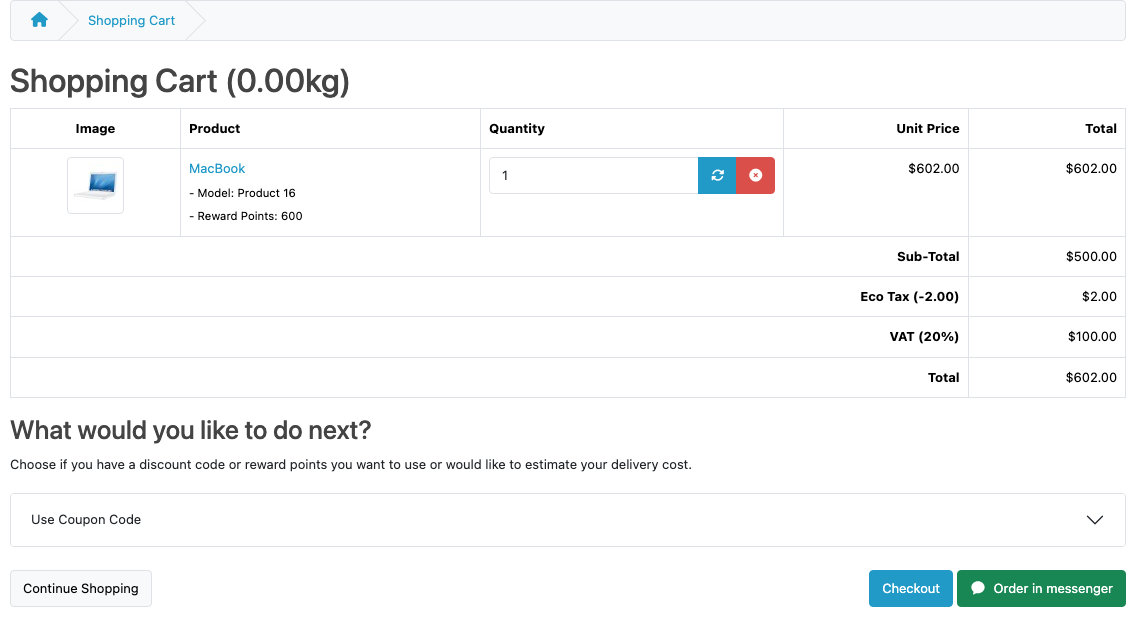
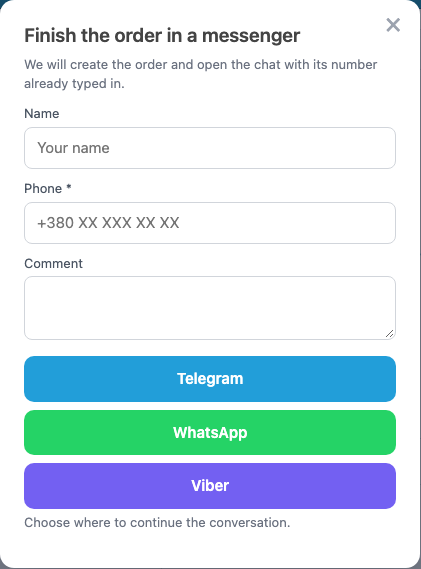
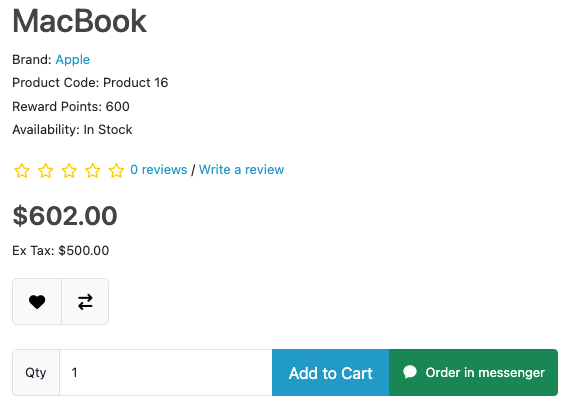
An Order in messenger button in the cart: the shop first creates a real OpenCart order, then gives a chat link with the number, goods and total. Telegram is free. Pro adds WhatsApp, Viber, a button on the product and checkout pages, a mini-form and several managers. Perpetual licence.
The free version works with no time limit. Pro adds the rest of the features in the table.


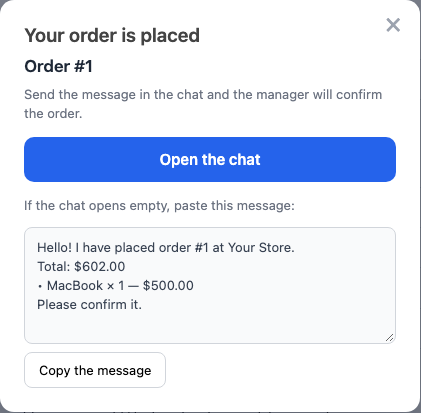
The cart has a messenger button next to checkout. The buyer presses it and sees the order number, an Open the chat button and the message text with a Copy the message button.

The order appears in the admin with the status from the settings, stock moves by OpenCart’s rules, and the history records which messenger it came through.

A fresh install is the free version, nothing switches on by itself. The “Try Pro for 7 days” button → e-mail → the key right in the window and by e-mail.

Moving the site? Unlink the licence on the old domain and activate it on the new one yourself. A staging copy (staging., dev.) works with the same key and does not take a site slot. For studios — keys for 5 or 25 sites, or unlimited.
 OpenCart 4.0.2.3+ and 4.1.x, 3.x or 2.3.0.2. Tested on 4.1.0.3, 4.0.2.3, 3.0.5.0 and 2.3.0.2.Telegram: a public account username. WhatsApp (Pro): a number in international format. Viber (Pro): a number or public account.Theme: tested with the default OpenCart theme.
Before updating to this version, note the settings and the licence key, or replace the files over FTP without uninstalling: later updates keep them.
For OpenCart 4.x, 3.x and 2.3: cart button, Telegram, an order with its number in the message, journal, anti-spam.



Messenger Checkout for OpenCart adds an Order in messenger button to the cart. The shop first creates a real OpenCart order, then gives the buyer a chat link with this order’s number, the goods and the total filled in. The order is in the admin before the first message.
The cart has a messenger button next to checkout. The buyer presses it and sees the order number, an Open the chat button and the message text with a Copy the message button. The cart is then emptied.
In Pro the buyer can give a name and phone and pick a messenger, and the button also appears on the product and checkout pages.
The total in the message includes delivery only if the buyer has already chosen it at checkout. If not, the total has no delivery, and the manager agrees the cost in the chat.
The order appears in the admin with the status from the settings, stock moves by OpenCart’s rules, and the history records which messenger it came through. The journal shows the last 100 such orders, and an e-mail arrives about each new order.
Didn't find the answer? Message us on Telegram and we'll reply within a business day.
 @catcode_support
Setup, compatibility, activation
Only if the buyer has already chosen delivery at checkout. On 2.3, 3.x and 4.0.x a choice in the cart delivery estimate counts too. Otherwise the total has no delivery, and the manager agrees the cost in the chat.
It orders one product at its price: no delivery, coupon or reward points. A product with a required option has no button and goes through the cart.
The window after the order has the message text and a Copy the message button. For a Viber number the pre-filled text is not documented, so do not rely on it there. For a Viber public account it is documented.
If the buyer is not logged in and the mini-form is off, the order carries the shop e-mail. So the OpenCart confirmation letter arrives at the shop address.
The name is Messenger customer, payment and delivery are Agreed in the messenger. The method names can be changed in the settings. The order has no buyer address, the manager asks for it in the chat.
The text is capped at 900 characters, with up to 20 goods in the list. The default text starts with the order number and the total, so a very long cart loses only the end of the list. In your own template (Pro) you set the order, so put the total above the goods.
No. A t.me/+… link does not take pre-filled text, so a public account username is needed.
The 2.3 installer copies files over FTP. Without FTP, copy the upload/ folder from the archive to the store root.
No reviews yet. Be the first.
No questions yet. Ask one — we answer within 24 hours.
We build custom modules for WordPress, WooCommerce, OpenCart and Shopify. Tell us about the task and we'll prepare an estimate.
Order a custom module
—
Charged in UAH; your bank converts it to your currency. EUR price is approximate.

CatCode assistant
Just now


CatCode assistant
Online

I’ll help with your website task
Describe your website task — I’ll find a ready-made module or pass it to a developer for an estimate. Modules, custom features, layout, integrations, speed, migration, technical SEO.
