WordPress
EU VAT Check for WooCommerce — VIES validation of VAT numbers and reverse charge
Free + Pro
990 UAH/year
v1.0.0
Enter at least 2 characters
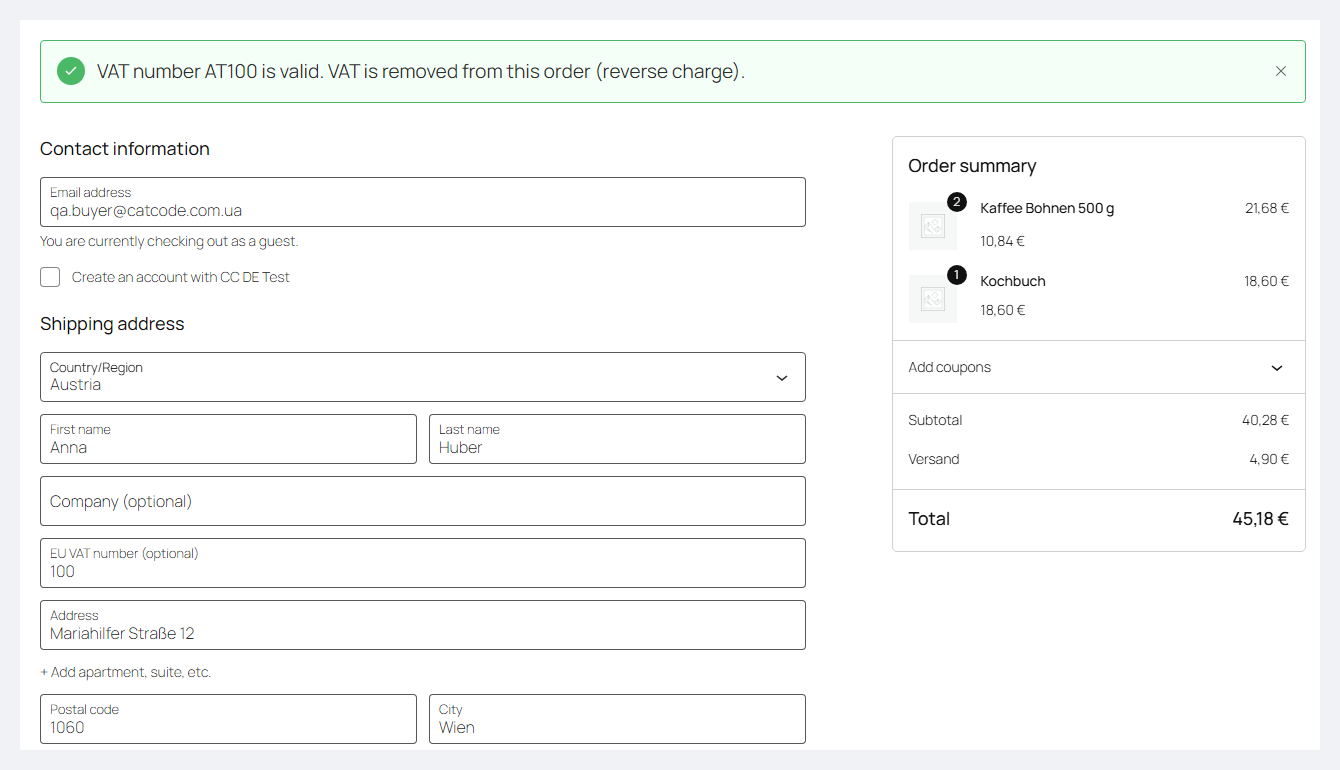
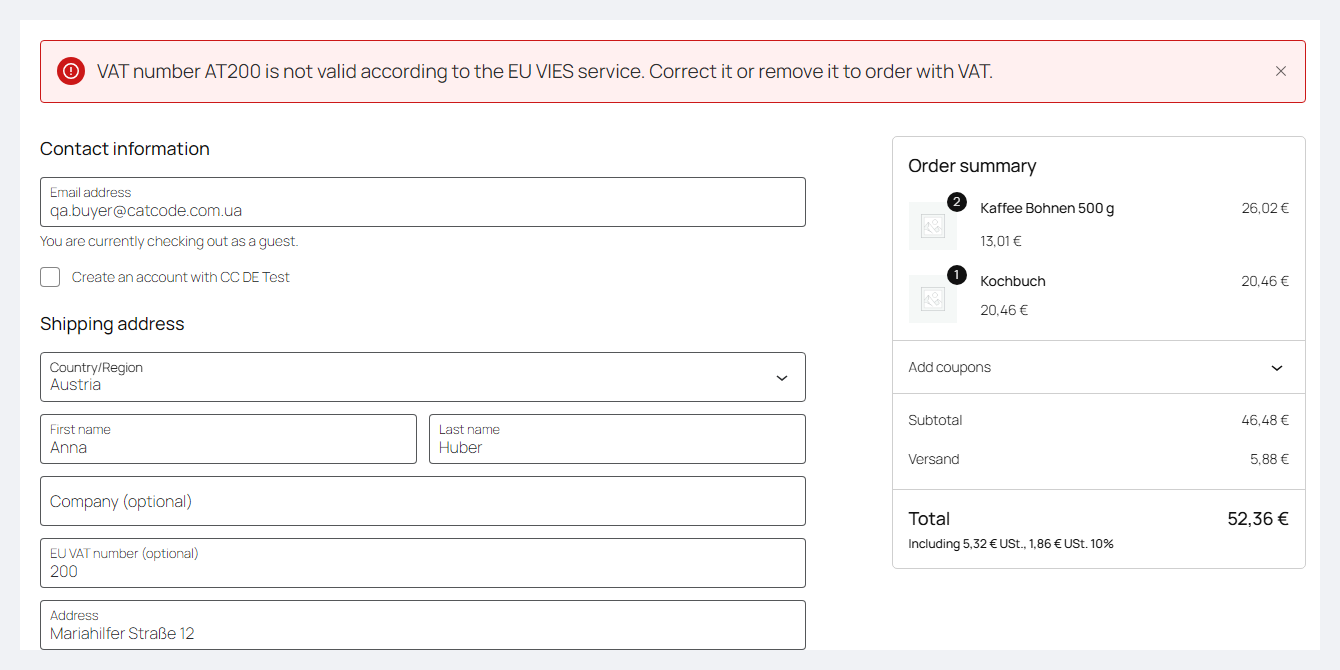
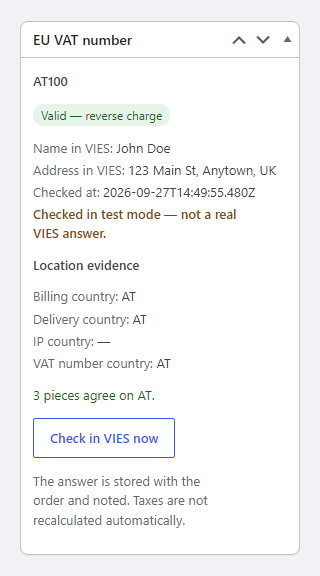
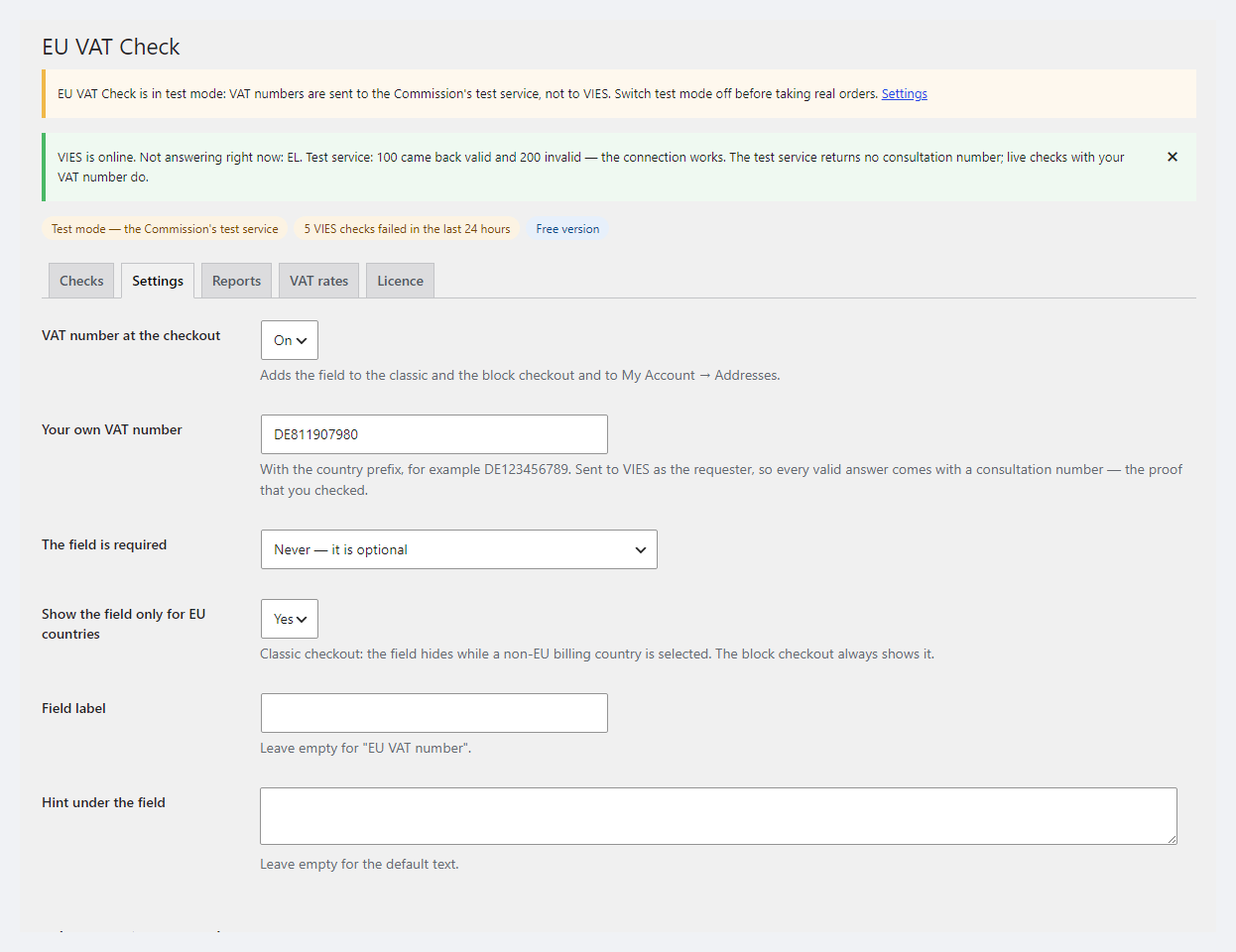
A VAT number field at the WooCommerce checkout, checked against the European Commission's official VIES: reverse charge for valid B2B customers from other EU countries, the consultation number and the VIES answer stored with the order, a check log and a painless move from EU VAT Assistant. Pro — evidence of the customer's location, OSS report and EC Sales List, VAT rates from TEDB, company-name matching.
The free version works with no time limit. Pro adds the rest of the features in the table.



A fresh install is the free version, nothing switches on by itself. The “Try Pro for 7 days” button → e-mail → the key right in the window and by e-mail.

Moving the store? Unbind the licence on the old domain and activate it on the new one yourself. If our server is unreachable, Pro keeps working for 14 more days. For studios — keys for 5 or 25 sites, or unlimited.
 WooCommerce 8.9+ with the classic or block checkout, compatible with HPOS and the legacy order storageWordPress 6.2+ · PHP 7.4+ (the full run was on PHP 8.3)Outgoing HTTPS requests from the server to ec.europa.eu (VIES, and TEDB in Pro)WP-Cron or a system cron — for re-checksDo not run together with another VAT number plugin (the official WooCommerce EU VAT Number, EU VAT Assistant, etc.)Plugin languages: English and German.
VAT number field on the classic and block checkout and in My account; VIES REST API checks with cache and retry; reverse charge with a country check; policies for invalid numbers and an…
4 modules in one order — 40% cheaper than separately



EU VAT Check for WooCommerce adds a VAT number field (VAT ID, USt-IdNr.) to the checkout and checks it against the European Commission’s official VIES service. When a B2B customer from another EU country enters a valid number, the plugin removes VAT under the reverse-charge scheme and stores the VIES answer with its consultation number in the order as proof of the check. It is built as a successor to EU VAT Assistant, which is no longer developed: customer numbers and old orders are picked up automatically.
Honestly about the limits. The plugin decides whether to remove VAT by the general EU B2B scheme: the number is valid, its country matches the billing country, it is not a sale inside the shop’s own country and not a delivery into it. Triangulation, services with a different place of supply, special territories and IOSS are not covered — the decision and reporting stay with the shop and its tax adviser; this is not tax advice. The full checkout run used the European Commission’s official test service; check real customer numbers in the live VIES on your own shop during the trial.
catcode-eu-vat-check-for-woocommerce-1.0.0.zip and activate. If EU VAT Assistant or another VAT number plugin is active — deactivate it.Didn't find the answer? Message us on Telegram and we'll reply within a business day.
 @catcode_support
Setup, compatibility, activation
@catcode_support
Setup, compatibility, activation
It applies the general EU B2B scheme: VAT is removed only for a valid number from another EU country that matches the billing country, and never for a sale inside the shop's own country. Special cases — triangulation, services with a different place of supply, special territories, IOSS — are not covered. The final decision and reporting stay with the shop and its tax adviser; the Pro reports are working figures, not a filing.
The full checkout run used the European Commission's official test service (numbers 100 / 200 / 300 / 301 give valid / invalid / unavailable). "Test the connection" and the member-state status called the live VIES. Real customer numbers in the live VIES within a checkout have not been tested yet — try it on your own shop in the trial; the log shows every VIES answer.
Individual member-state databases go offline regularly. By default VAT is then charged; you can choose "accept and check later" — the order goes through without VAT and the plugin re-checks the number every hour for 3 more days and notes the result. That risk is then the shop's.
Do not run two at once: you would get two decisions about VAT. The classic checkout field uses the same billing_vat_number key as the official WooCommerce EU VAT Number. For EU VAT Assistant the plugin shows a notice to deactivate it and moves the numbers and old orders over.
It is the VIES request number — proof that you checked the number on the day of the sale. For VIES to issue it, enter your shop's own EU VAT number in the settings.
The field, VIES checks, reverse charge, policies, the order record, the notes in e-mails and PDFs, the log and the move from EU VAT Assistant — with no time limit.
No reviews yet. Be the first.
No questions yet. Ask one — we answer within 24 hours.
We build custom modules for WordPress, WooCommerce, OpenCart and Shopify. Tell us about the task and we'll prepare an estimate.
Order a custom module
—

CatCode assistant
Just now


CatCode assistant
Online

I’ll help with your website task
Describe your website task — I’ll find a ready-made module or pass it to a developer for an estimate. Modules, custom features, layout, integrations, speed, migration, technical SEO.
