OpenCart
Returns & Exchanges Manager for OpenCart — product returns and exchanges
Free + Pro
1 290 UAH
v1.0.0
Enter at least 2 characters
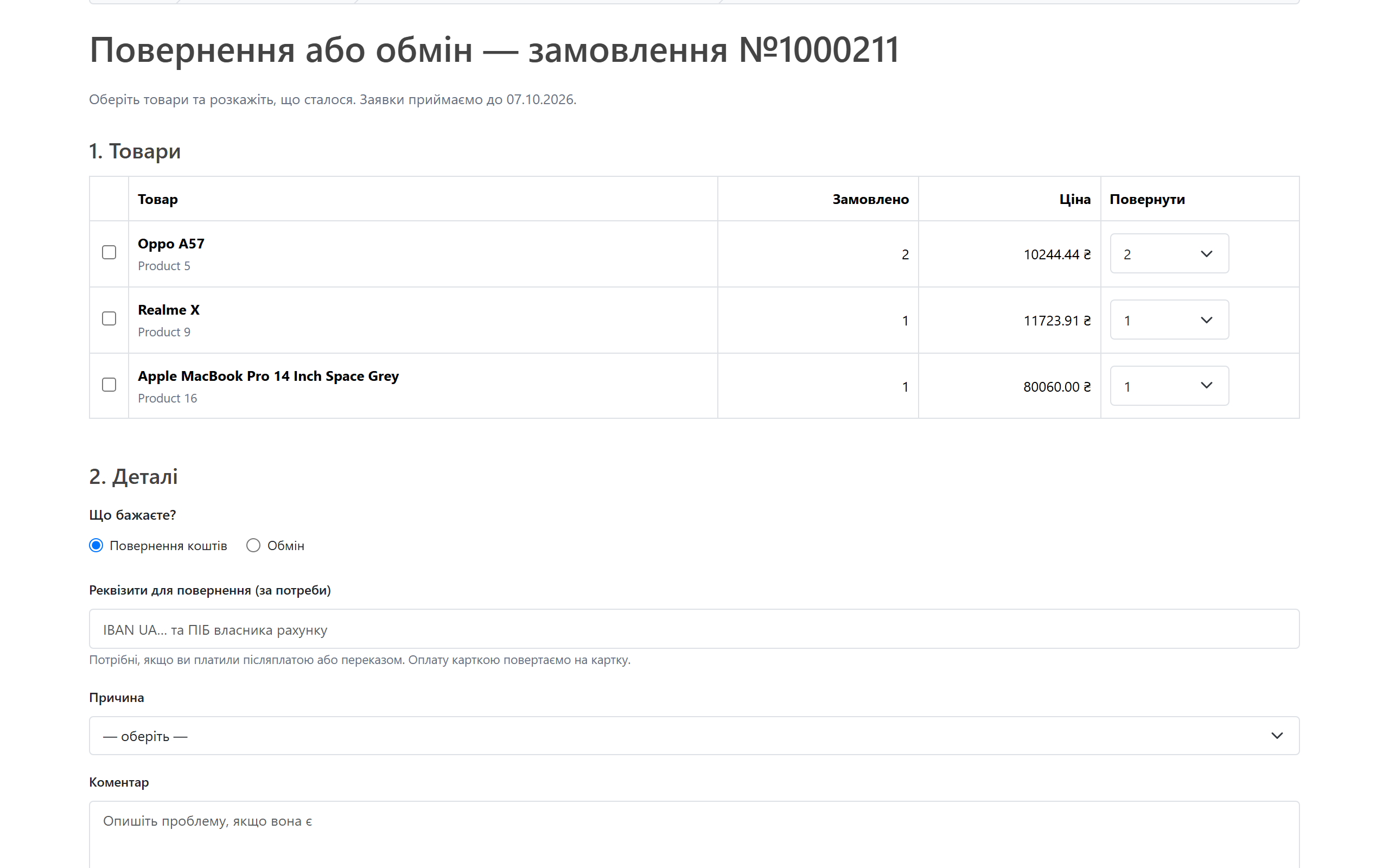
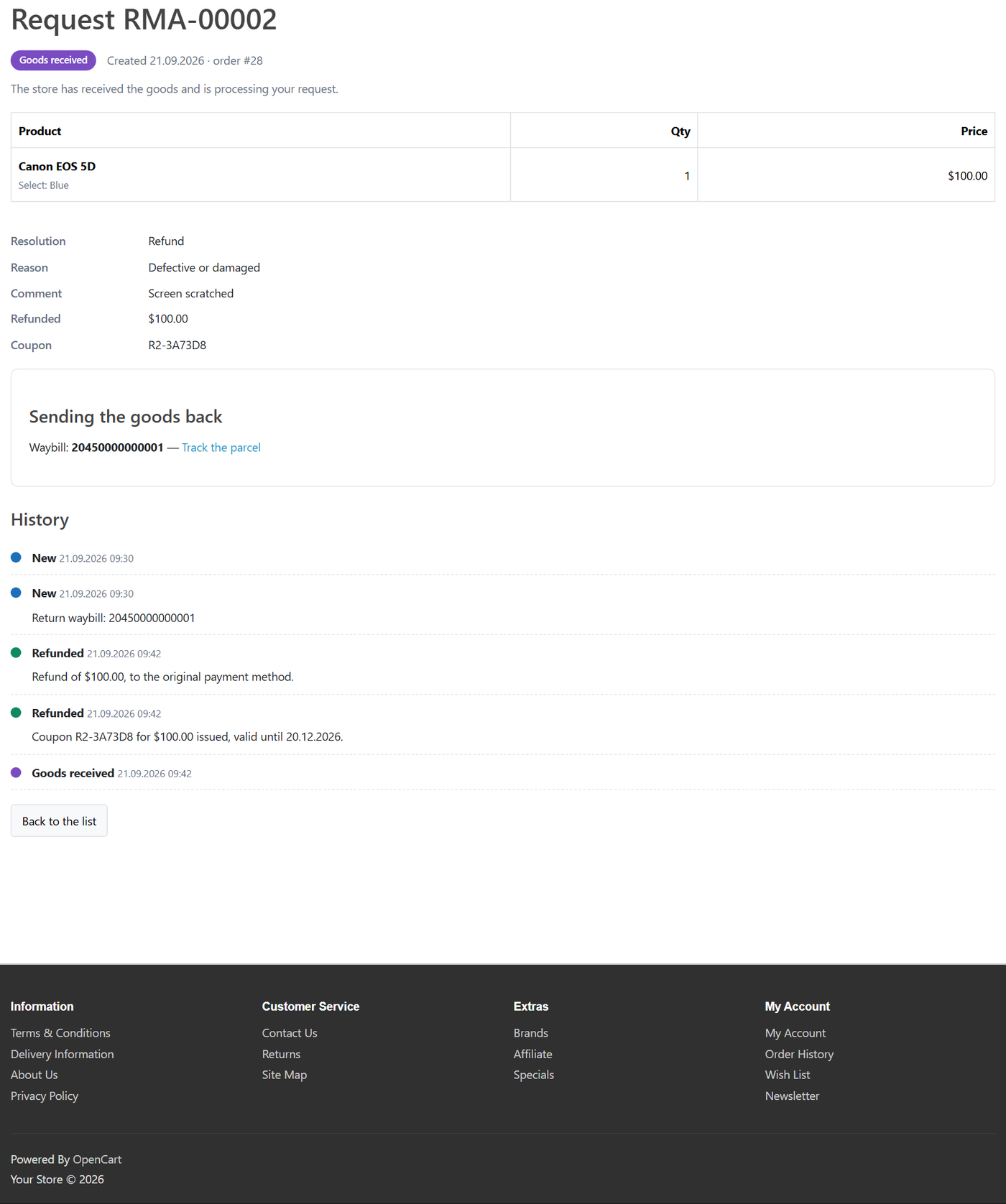
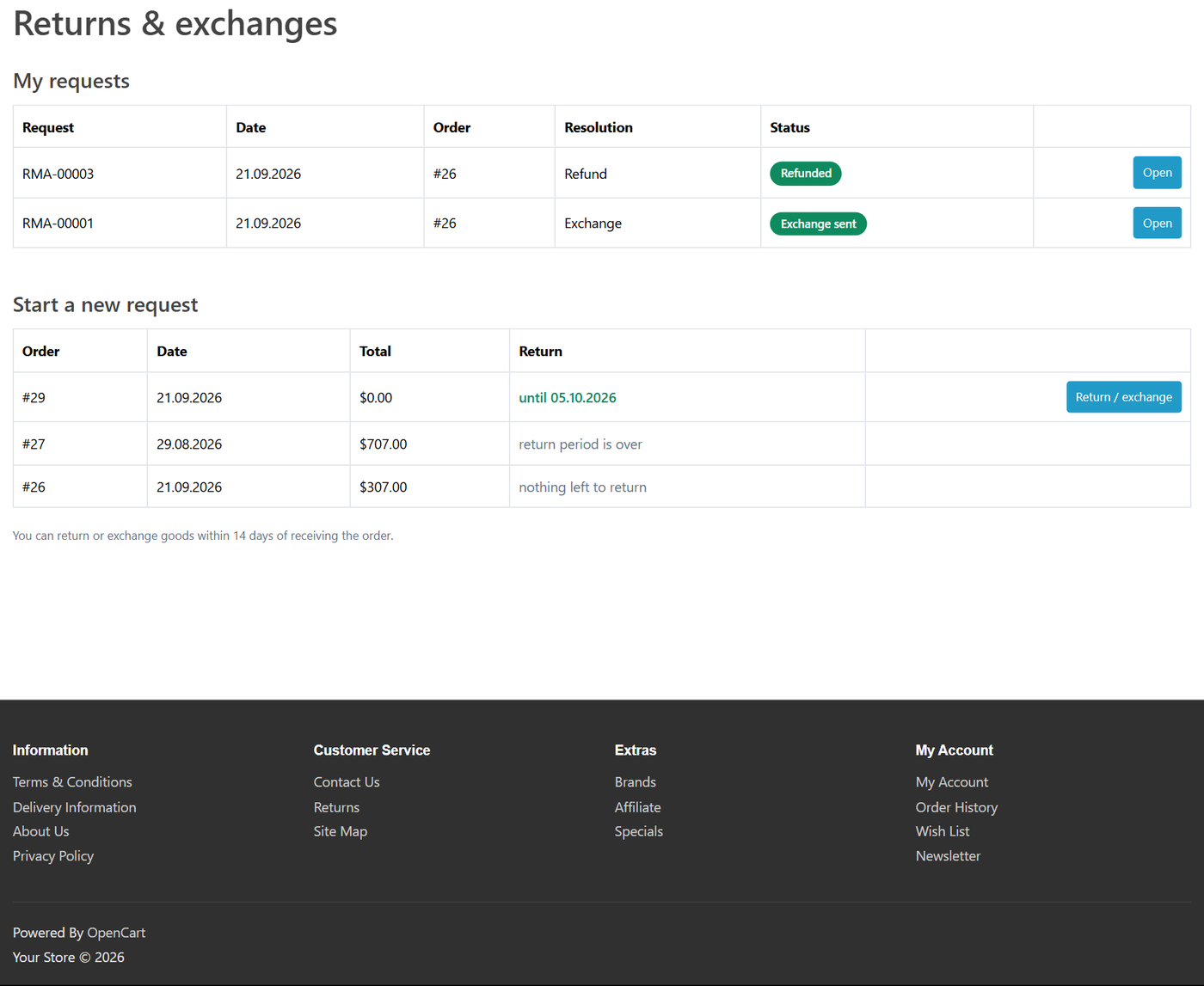
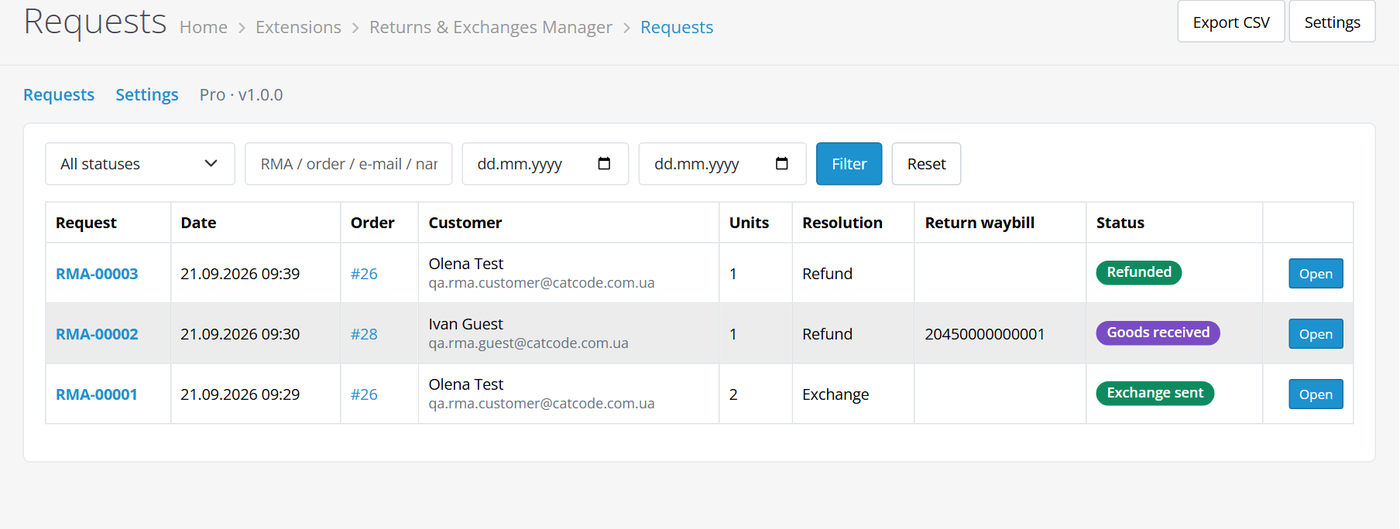
Return and exchange requests instead of the stock OpenCart form: items from the customer's own order, guests by order number plus e-mail or phone, return period, statuses, waybill and e-mails. Pro — photos, refund, coupon and replacement order in one click.
Clear even without sound: Ukrainian subtitles
The free version works with no time limit. Pro adds the rest of the features in the table.



A fresh install is the free version, nothing switches on by itself. The “Try Pro for 7 days” button → e-mail → the key right in the window and by e-mail.

Moving the store? Unbind the licence on the old domain and activate it on the new one yourself. If our server is unreachable, Pro keeps working for 14 more days. For studios — keys for 5 or 25 sites, or unlimited.
 OpenCart 4.0.2 – 4.1.x (tested on 4.1.0.3), 3.0.x (tested on 3.0.5.0) or 2.3.0.2PHP 8.0+ for OpenCart 4, 7.3+ for OpenCart 3, 7.0+ for OpenCart 2.3No core file edits: OpenCart events and own tables onlyLanguages: Ukrainian, Russian, English
Account and guest return and exchange requests, return period, statuses, waybill with tracking, e-mails and order note, stock-form replacement.
4 modules in one order — 40% cheaper than separately



Returns & Exchanges Manager for OpenCart replaces the stock OpenCart returns form with a proper process. The customer picks items and quantities from their own order, gives a reason and says what they want — money back or an exchange. The store works the request through statuses, messages the customer, sees the return waybill and, in Pro, closes the request with one button: refund, coupon or replacement order.
UAH 1,290 — a one-time payment, lifetime licence. No yearly fees: the module and its Pro features stay yours. One licence covers all three builds — OpenCart 4.x, 3.x and 2.3.
Trial first, payment later. A free 7-day Pro trial starts in the module settings with your e-mail, no card needed. A fresh install is the plain Free version; nothing switches on by itself.
cc_returns.ocmod.zip and click “Install”. OpenCart 3: Extensions → Installer → cc_returns-oc3.ocmod.zip, then refresh Modifications. OpenCart 2.3: upload the contents of the upload/ folder from cc_returns-oc2.ocmod.zip to the store root (FTP or the hosting file manager).Didn't find the answer? Message us on Telegram and we'll reply within a business day.
 @catcode_support
Setup, compatibility, activation
@catcode_support
Setup, compatibility, activation
The stock form accepts any order number without checking it, the product as free text and only one per request, with no return period. The module lets the customer pick items and quantities from their own order, checks the period and does not allow claiming the same items twice.
No. OpenCart tables are not changed, and customers can still see their old records. Switch the module off and the stock form works as before.
No — OpenCart has no common refund API across payment modules. The module records the refund on the request and in the order history and can change the order status; you send the money in the payment provider's dashboard or by bank transfer.
Yes: the order number plus the e-mail or phone from that order, in any format (+380…, 067…).
The Pro features switch off; requests and history stay. Buy a licence and Pro comes back — for good.
No reviews yet. Be the first.
No questions yet. Ask one — we answer within 24 hours.
We build custom modules for WordPress, WooCommerce, OpenCart and Shopify. Tell us about the task and we'll prepare an estimate.
Order a custom module
—

CatCode assistant
Just now


CatCode assistant
Online

I’ll help with your website task
Describe your website task — I’ll find a ready-made module or pass it to a developer for an estimate. Modules, custom features, layout, integrations, speed, migration, technical SEO.
