Get in touch
  • WordPress
  • Payments
  • v1.0.1

Bank of Georgia and TBC for WooCommerce — card payments and installments

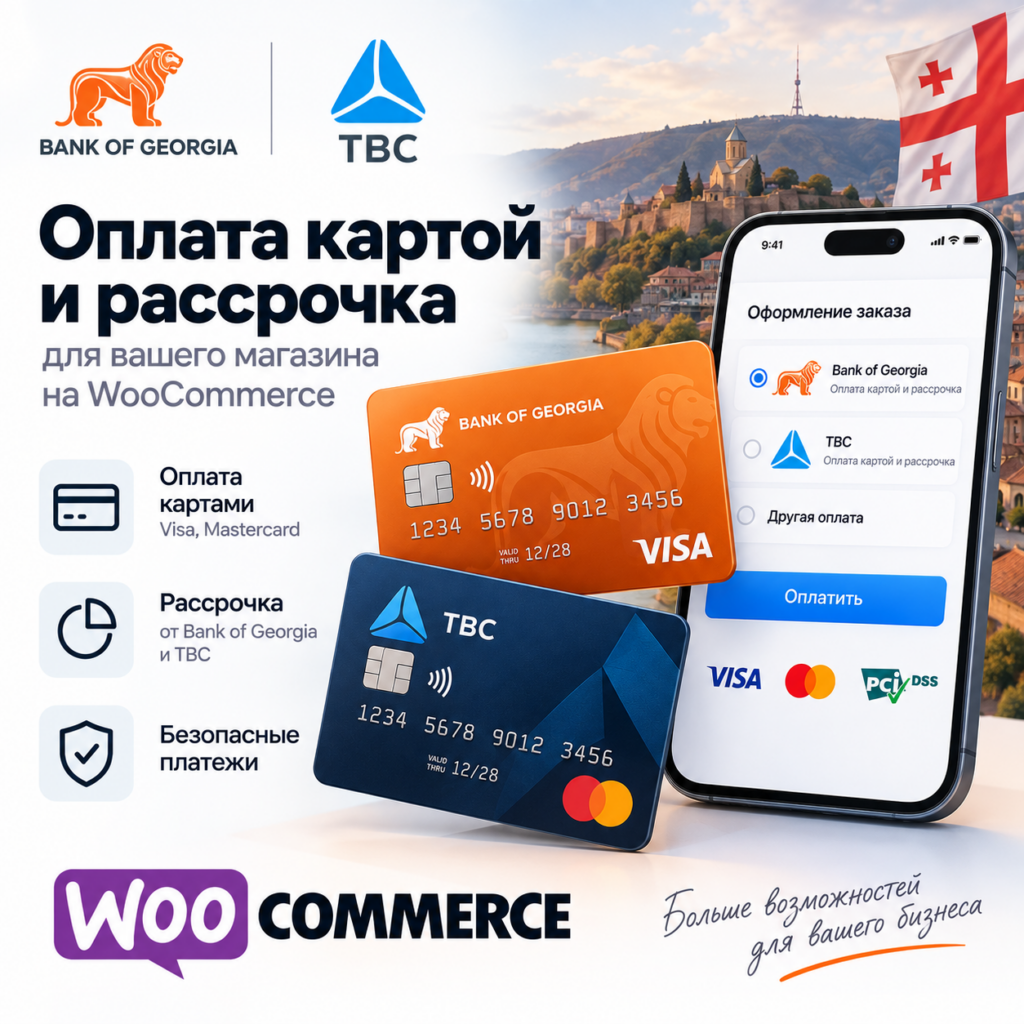
Accept cards, Apple Pay and Google Pay in WooCommerce through Bank of Georgia and TBC E-Commerce: orders are confirmed only after the shop verifies the payment with the bank, BOG callbacks are RSA signature-checked, block checkout and HPOS supported. Pro — installments from both banks, refunds, pre-authorization and a payment journal.

Download Free
Pro · one-year licence The more sites, the less each one costs
Compatibility
WooCommerce 6.0+ · WordPress 6.2+ · PHP 7.4+
Licence
one site, annual
Trial
7 days, no card, one per site
Updated
23 September 2026
Or all 144 Pro modules with All Access — 4 990 ₴ / year

What Free has,
and what Pro adds

The free version works with no time limit. Pro adds the rest of the features in the table.

Feature Free Pro
Card, Apple Pay and Google Pay on the Bank of Georgia and TBC payment pages ✔ ✔
Orders confirmed only after server-side verification with the bank ✔ ✔
Bank of Georgia callbacks with RSA signature checks, TBC callbacks ✔ ✔
Retry-safe payment attempts for one order ✔ ✔
Classic and block checkout, HPOS compatible ✔ ✔
Credentials check without creating a payment ✔ ✔
Encrypted secrets in the database, masked in logs ✔ ✔
BOG internet bank transfer, MR/Plus points, gift cards, Web QR and TBC internet bank login ✔ ✔
Bank of Georgia installments with the bank calculator and BNPL — ✔
TBC installments — ✔
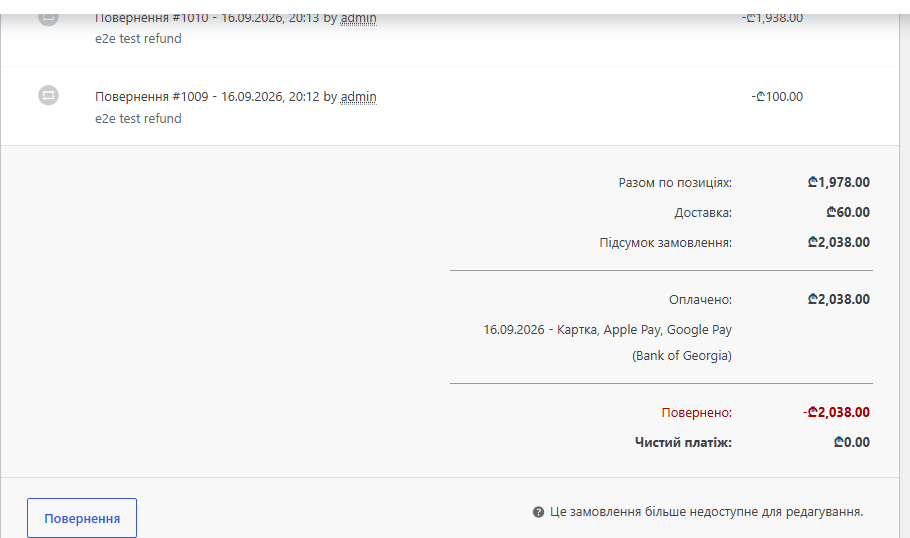
Full and partial refunds from the order screen — ✔
Pre-authorization: "Capture payment" and "Release the blocked amount" — ✔
Payment journal for both banks with a one-click re-check — ✔

What it looks like

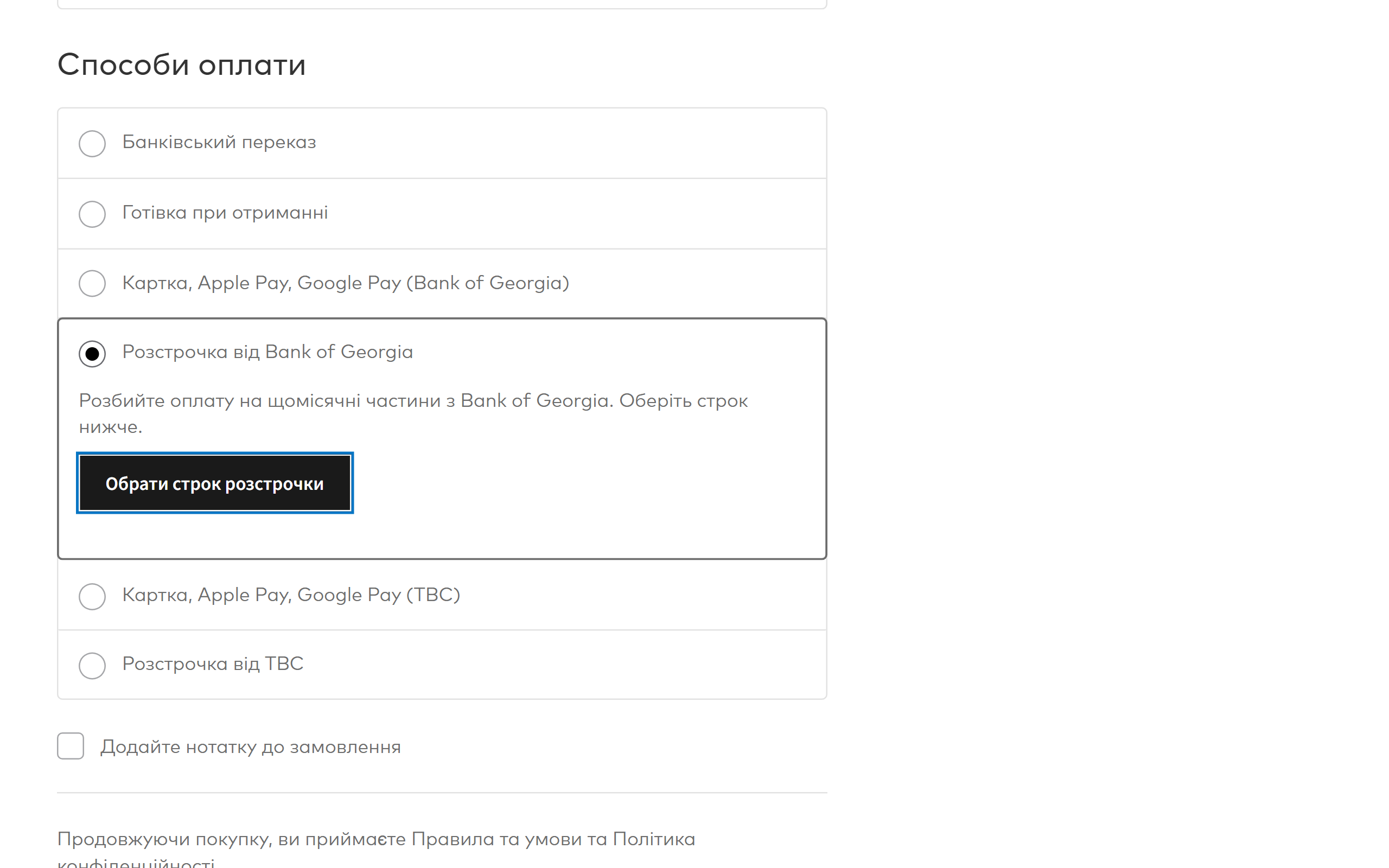
Four Bank of Georgia and TBC payment methods at WooCommerce checkout
Up to four methods appear at checkout: card / Apple Pay / Google Pay from Bank of Georgia and from TBC, plus the two installment methods (Pro). The Bank of Georgia installment shows the bank’s own calculator button right in the list, with a “per month” hint.
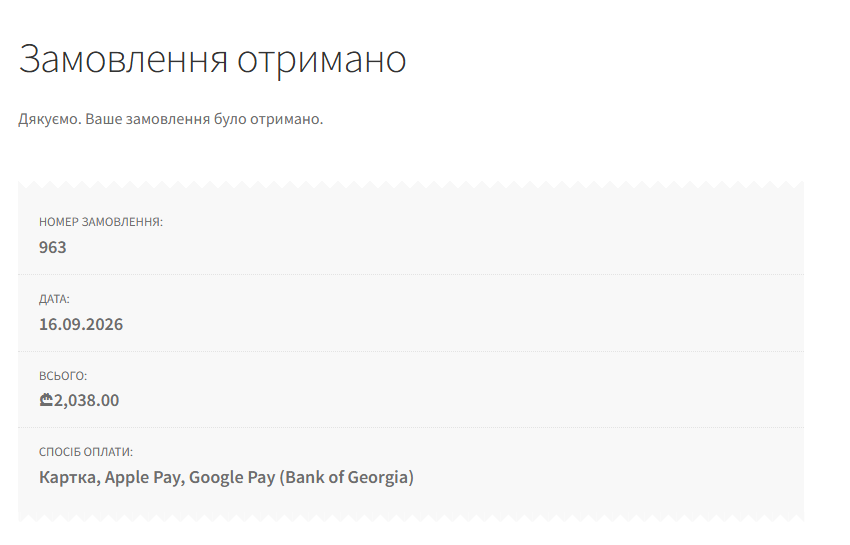
The WooCommerce order received page after a Bank of Georgia payment
After paying, the buyer lands on “Order received”. By then the shop has already asked the bank for the result itself, so the order only shows as paid when the money really went through.
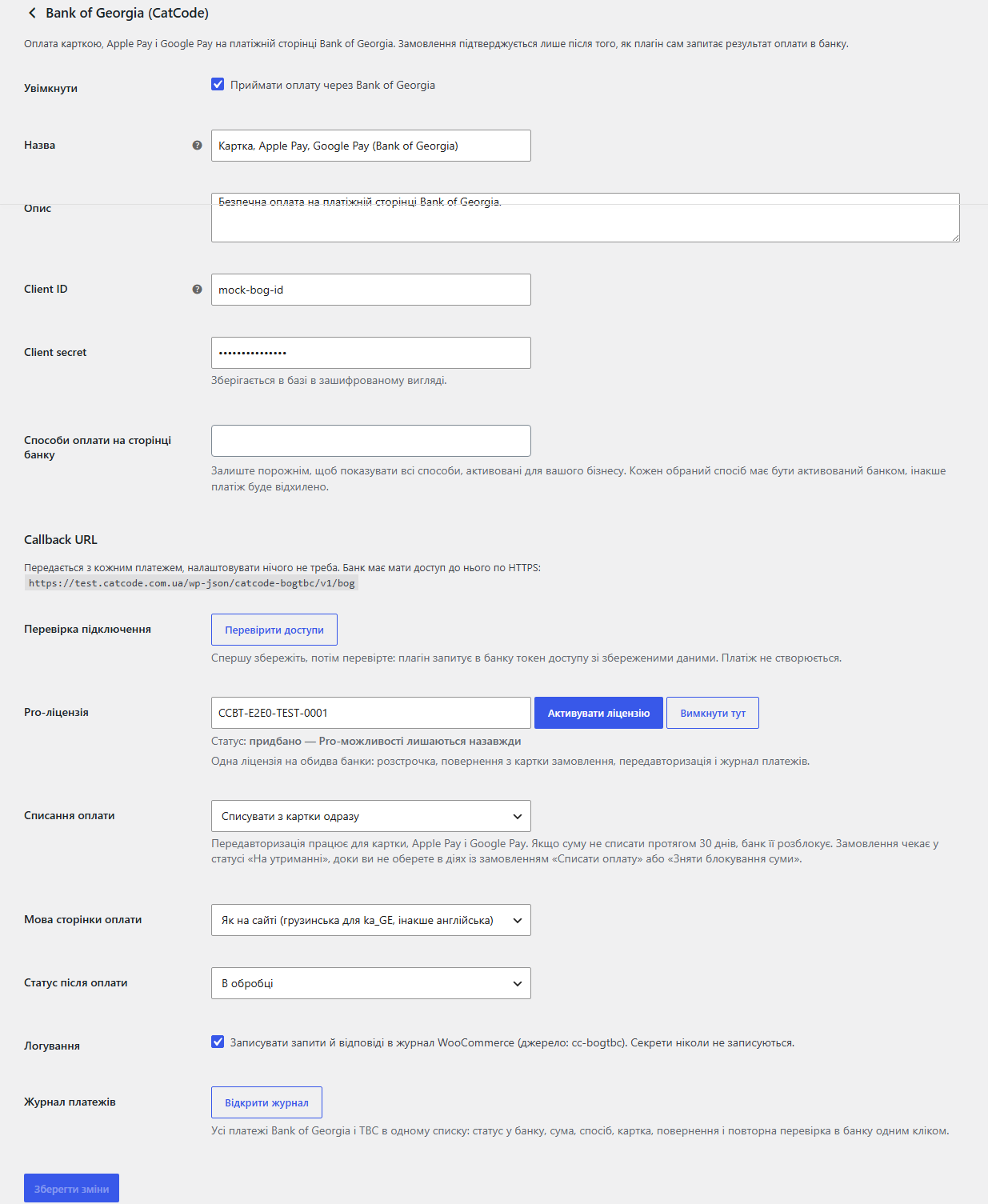
Bank of Georgia settings in WooCommerce
WooCommerce → Settings → Payments → Bank of Georgia (CatCode): client ID and secret, the methods to offer on the bank page, the callback URL, a credentials check, the Pro licence, capture mode, the language of the bank page and the status after payment. The TBC screen is the same, plus the Developer API key field.

The trial starts when you ask

A fresh install is the free version, nothing switches on by itself. The “Try Pro for 7 days” button → e-mail → the key right in the window and by e-mail.

One key — one site

Moving the store? Unbind the licence on the old domain and activate it on the new one yourself. If our server is unreachable, Pro keeps working for 14 more days. For studios — keys for 5 or 25 sites, or unlimited.

Technical requirements

  • WooCommerce 6.0+ with the classic or the block checkout, HPOS compatible
  • WordPress 6.2+ · PHP 7.4+
  • HTTPS on the site: the bank has to reach the callback URL
  • Shop currency: Bank of Georgia — GEL, USD, EUR, GBP; TBC — GEL, USD, EUR; the installments of both banks — GEL only. With any other currency the method hides itself.
  • A contract with the bank: Bank of Georgia — client ID and secret in Business Manager; TBC — client ID, secret and the API key of an app on developers.tbcbank.ge.

Version history

v1.0.1 Current 23 September 2026

Stored secrets and access keys are now encrypted with AES-256-CBC and HMAC instead of the old XOR obfuscation, which some hosting antivirus scanners flagged and deleted.

v1.0.0 First release September 2026

Bank of Georgia and TBC E-Commerce payment methods, orders confirmed only after server-side verification, BOG callbacks with RSA signature checks, TBC callbacks, retry-safe payment…

Frequently bought with Bank of Georgia and TBC for WooCommerce

4 modules in one order — 40% cheaper than separately

“Store starter” bundle Bank of Georgia and TBC Nova Poshta Premium LiqPay Telegram notifications and Viber/SMS for customers Need more — all 144 modules in All Access for 4 990 ₴.
3 490 ₴ / year instead of 5 860 UAH bought separately
Buy the bundle →

Full module description

Bank of Georgia and TBC for WooCommerce is one plugin for both Georgian banks. The buyer pays by card, Apple Pay, Google Pay, from an internet bank or in installments on the bank’s own payment page, and the order in the shop settles by itself. The difference from the usual “redirect and take it on trust”: the plugin trusts neither the buyer’s return nor the bank callback — before it marks an order paid it asks the bank for the payment itself and checks the payment id, the currency and the amount.

What the shop owner gets

  • Four separate payment methods: Bank of Georgia, Bank of Georgia installments, TBC, TBC installments. Each is enabled on its own and has its own checkout title and description.
  • Credentials from the bank dashboard. BOG — client ID and client secret from Business Manager; TBC — client ID and secret from the merchant dashboard plus the API key of your app on developers.tbcbank.ge. Secrets are stored encrypted and never reach the log.
  • “Check credentials” — the plugin asks the bank for an access token with your data and shows the bank’s answer in the admin. No payment is created, so you can check as often as you like.
  • Methods on the bank page — leave empty (the bank shows everything enabled for your business) or pick them: card, Apple Pay, Google Pay, a transfer from the BOG internet bank, MR/Plus points, a gift card; for TBC — card, Apple Pay, Google Pay, TBC internet bank login, Web QR.
  • Order notes: the payment id at the bank, the method, the card mask, the result of every verification and a warning when the amount does not match.
  • Language of the payment page — Georgian for ka_GE and English otherwise, or a fixed one.
  • Status after payment — “Processing” or straight to “Completed”.

How it works, step by step

  1. At checkout the buyer picks a Bank of Georgia or TBC method and places the order. Classic and block checkout both work.
  2. The plugin creates the payment at the bank: the order total and currency, the basket (names, quantities, prices), the order number and the return URLs. A Bank of Georgia installment also carries the chosen plan and term; a TBC installment carries basket lines that always add up to the order total.
  3. The buyer pays on the bank’s page. Card data never passes through your site.
  4. The buyer comes back. The plugin ignores whatever arrived in the URL and asks the bank for the payment status with its own credentials.
  5. Verification. The payment must belong to this order, the currency must match and the amount must be at least the order total. A mismatch does not settle the order: it goes on hold with a note for the manager.
  6. The order moves to “Processing” (or the status you chose), stock is reduced and WooCommerce sends its e-mail.
  7. If the buyer closed the tab, the bank callback does the job. A Bank of Georgia callback is verified against the bank’s RSA signature; a forged one is refused with 401. As a backstop the status is also pulled on the thank-you page.
  8. A retry (the card was declined and the buyer pressed “Pay” again) gets its own attempt id. A late payment of an older attempt still settles the order, and a failed older attempt never breaks an order that is already paid.
  9. If the buyer paid two attempts in two tabs, the plugin does not swap the payment on the order: it adds one note with the id of the second payment you have to refund in the bank dashboard.
  10. With Pro in pre-authorization mode the money is only blocked on the card. The order actions then offer “Capture payment” and “Release the blocked amount”.

How much it costs

UAH 890 — a one-year licence. A year of updates, technical support and all the Pro features for both banks at once.

You can take a longer term right away — the longer it is, the cheaper a year gets:

  • 1 year — UAH 890
  • 2 years — UAH 1,690 (−5%, UAH 845 a year)
  • 3 years — UAH 2,350 (−12%, UAH 783 a year)
  • 4 years — UAH 2,920 (−18%, UAH 730 a year)
  • 5 years — UAH 3,340 (−25%, UAH 668 a year)

There are no automatic charges: you renew by hand and reminders come by e-mail. A purchased licence keeps the Pro features forever — when the term runs out, the shop only stops getting new versions and support. Taking payments keeps working either way.

One key, one domain, and a single licence covers both banks. Moving the shop — switch the licence off on the old domain with “Deactivate here” and activate it on the new one.

Trial first, payment later. The free 7-day Pro trial starts with a button in the plugin settings, no card needed. It never starts by itself: a fresh install is a plain Free version. When the trial ends, only the Pro features switch off.

Under the hood

  • The status comes only from the bank API. The buyer’s return, the callback and the re-check button all lead to one place: a payment details request made with the shop’s credentials. You cannot fake a payment by posting to the site.
  • Bank of Georgia callbacks are signature-checked with SHA256withRSA against the bank’s public key. A forged or broken signature gets 401 and the order does not move.
  • Ownership checks: the payment must have been issued for this exact order (verified both on HPOS and on the legacy order storage), and the currency and amount must match.
  • Protection against double confirmation: the return, the callback and the thank-you page often arrive at the same time. A lock and a re-read of the order guarantee a single “payment received” note and a single stock reduction.
  • Late statuses never roll a payment back: a belated “rejected” from an old attempt will not fail an order that is already paid.
  • The basket always equals the order total. Discounts, coupons and the negative fees of other plugins are spread over product lines only, so a TBC installment does not fail over a rounding difference and the shipping line does not shrink.
  • Secrets are encrypted in the database, masked in logs, and access tokens are not logged at all.
  • Own gateway ids — the plugin does not clash with other BOG or TBC modules if they are installed too.
  • The Pro gate is not a brick: when the trial ends, only the Pro features stop; taking payments stays.

Installation

  1. Plugins → Add New → Upload Plugin: pick catcode-bog-tbc-payments-for-woocommerce-1.0.1.zip and activate it.
  2. WooCommerce → Settings → Payments → Bank of Georgia (CatCode): paste the client ID and client secret from Business Manager, save, press “Check credentials”.
  3. WooCommerce → Settings → Payments → TBC Bank (CatCode): paste the client ID and secret from the TBC merchant dashboard and the Developer API key, save, check the credentials.
  4. Copy the callback URL from the TBC settings screen into the merchant dashboard (Website Management → Callback). For Bank of Georgia the address travels with every payment, so there is nothing to set up.
  5. For Pro: paste the licence key from the e-mail you got after payment, or start the 7-day trial — then switch the installment methods on.

Questions
about the module

Didn't find the answer? Message us on Telegram and we'll reply within a business day.

@catcode_support Setup, compatibility, activation
Do I need contracts with both banks?

No. Enable the bank you have a contract with; the other one simply stays off. One Pro licence covers both banks.

Is there a test mode?

There is no separate switch: both banks issue test or live credentials to a registered business, and you paste whichever you received into the same fields.

The buyer paid but the order is still pending.

The status is checked on the buyer's return, on the thank-you page and on every callback. Check that "Check credentials" passes, that the site is reachable over HTTPS and, for TBC, that the callback URL is saved in the merchant dashboard. With Pro you can ask the bank again from the journal.

Which currencies are supported?

Bank of Georgia — GEL, USD, EUR, GBP; TBC — GEL, USD, EUR; the installments of both banks — GEL only. With any other currency the method hides itself.

How do Bank of Georgia installments work?

The buyer picks the term in the bank's own calculator right at checkout — the plugin loads the official BOG script. The chosen plan travels to the bank with the payment.

Can I refund part of the amount?

Yes, with Pro — straight from the order screen, as many times as you like within the payment. Installments can only be refunded in full: that is what the banks require.

Not quite what you are looking for?

We build custom modules for WordPress, WooCommerce, OpenCart and Shopify. Tell us about the task and we'll prepare an estimate.

Order a custom module