WordPress
Conditional Shipping & Payment Rules for WooCommerce — show shipping and payment methods by condition
Free + Pro
990 UAH/year
v1.0.1
Enter at least 2 characters
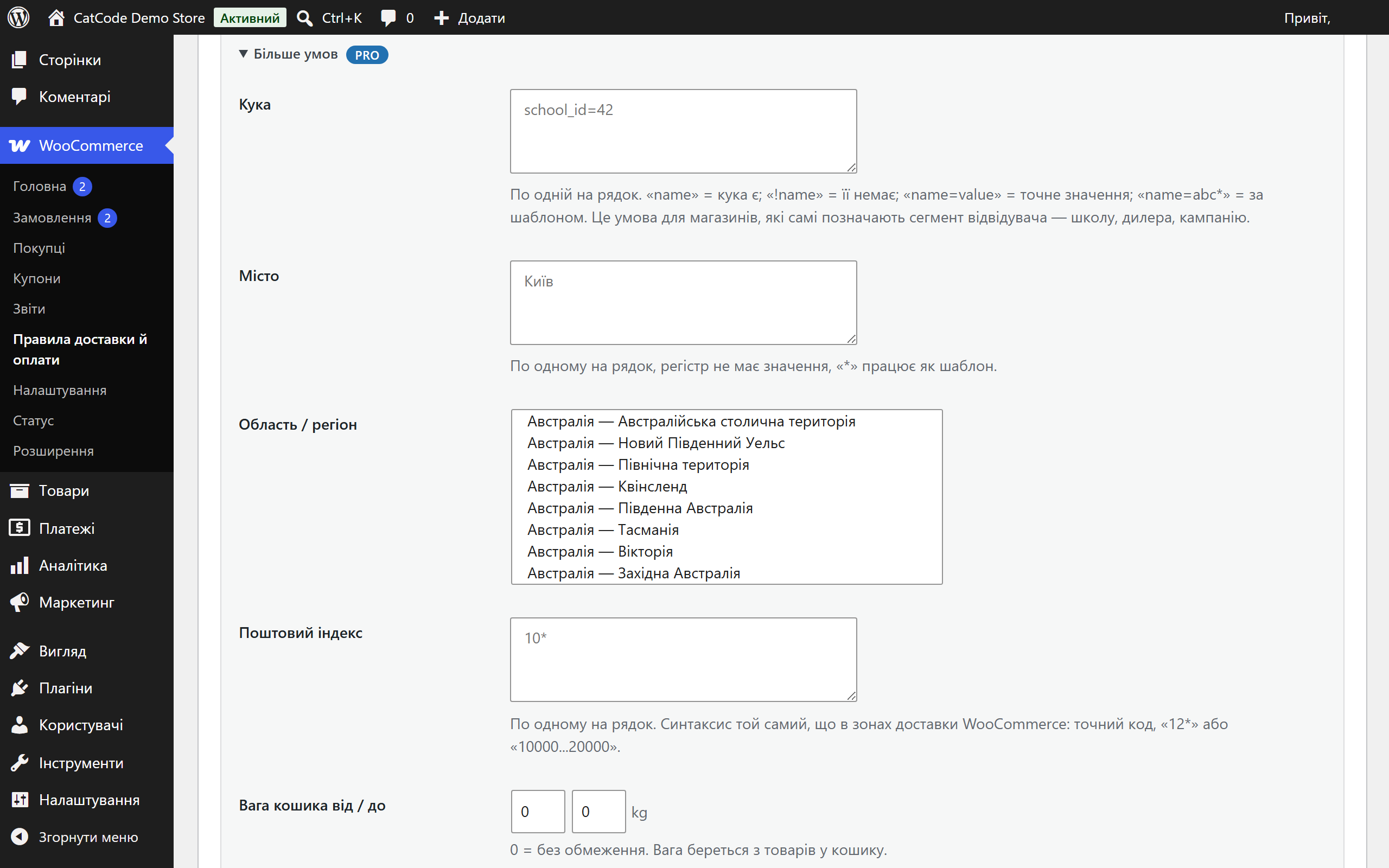

Hide or keep only the shipping methods and payment gateways that fit: by customer role, a site cookie, city, postcode, weight, cart total and cart contents. WooCommerce classic and block checkout.
The free version works with no time limit. Pro adds the rest of the features in the table.


The customer sees nothing special — and that is the point. They simply get a shorter, correct list.

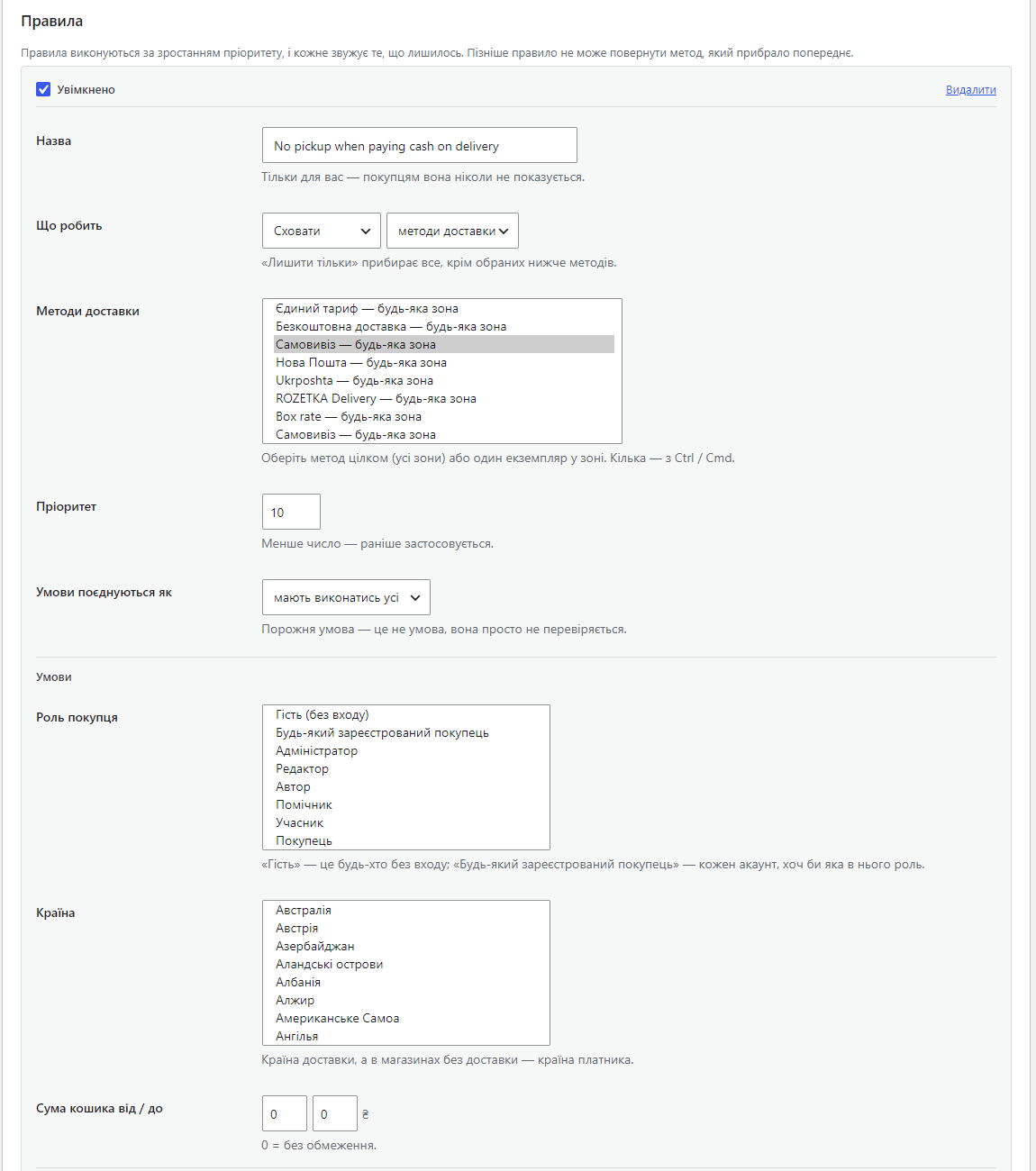
A separate page, WooCommerce → Shipping & payment rules. Each rule is a card: what to do, with which methods, under which conditions.

A fresh install is the free version, nothing switches on by itself. The “Try Pro for 7 days” button → e-mail → the key right in the window and by e-mail.

Moving the store? Unbind the licence on the old domain and activate it on the new one yourself. If our server is unreachable, Pro keeps working for 14 more days. For studios — keys for 5 or 25 sites, or unlimited.
 WooCommerce 6.0+ with the classic or the block checkout, HPOS compatible.WordPress 5.6+ · PHP 7.4+Works with any shipping method and payment gateway registered the standard way: flat rate, local pickup, free shipping, carrier plugins, payment gateways.The plugin does not change shipping prices — it decides which methods are offered. Prices stay with WooCommerce and your table-rate plugin.Tested on WordPress 7.1 and WooCommerce 11.1 and 10.7: classic and block checkout, guest and logged-in customer, orders placed to the end.
The free and Pro versions no longer conflict when installed together, and removing one copy does not erase the rules.
“hide / keep only” rules for shipping methods and payment gateways; conditions by role, cookie, country, state, city, postcode, total, weight, item count, category, product, shipping class,…
4 modules in one order — 40% cheaper than separately



Conditional Shipping & Payment Rules for WooCommerce shows each customer only the shipping methods and payment gateways that actually fit them. WooCommerce offers everything that matches the shipping zone. A real shop needs less than that: no cash on delivery for guests, courier for one city only, no pickup for a heavy basket, one delivery option for wholesale accounts, its own option for a school or a dealer that arrives through its own link.
The plugin turns that into rules you can read: hide (or keep only) these shipping methods or these payment gateways when the cart and the customer look like this.
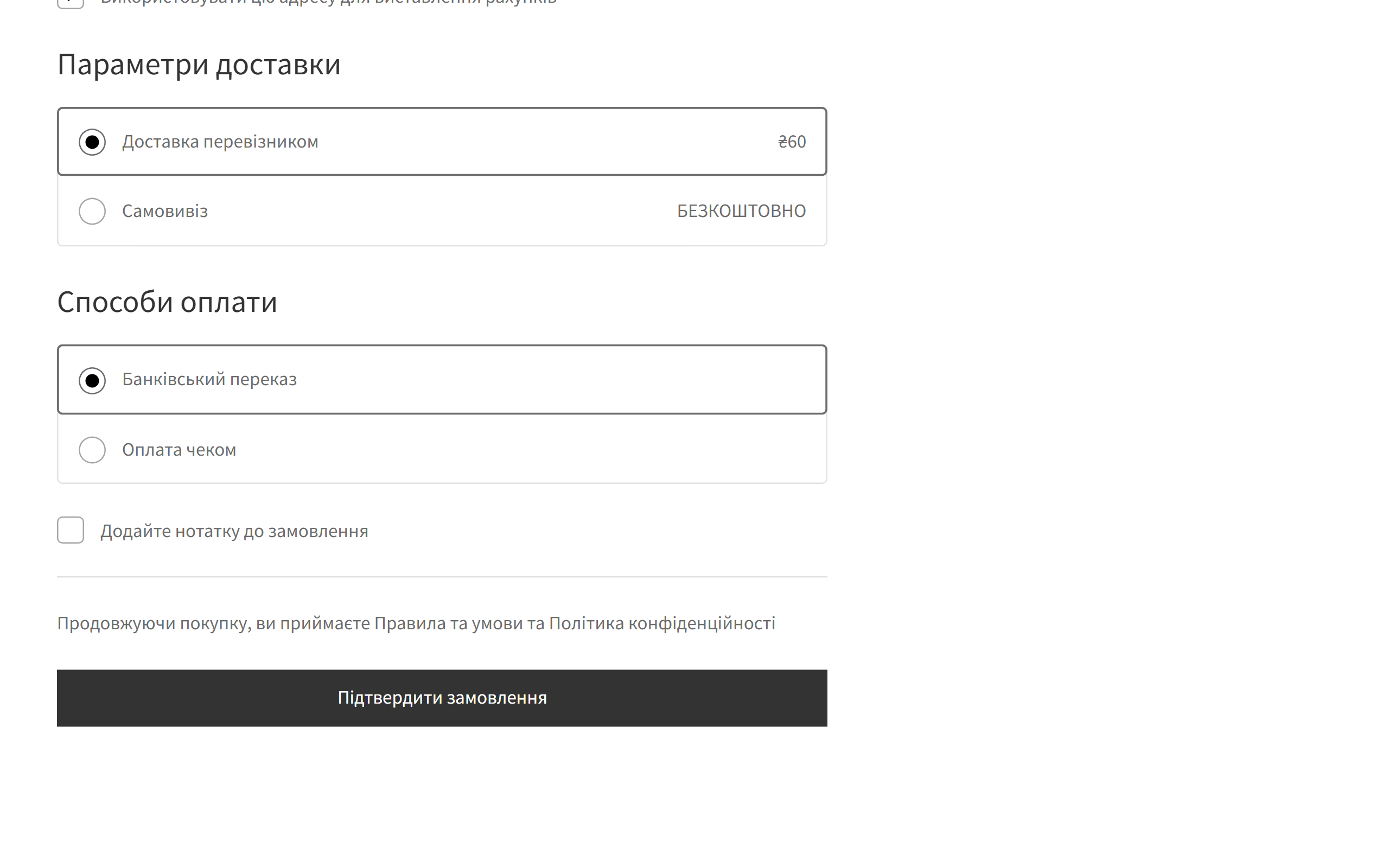
The customer sees nothing special — and that is the point. They simply get a shorter, correct list. They change the city and the shipping list updates without a page reload. They pick the courier and cash on delivery disappears. They pick cash on delivery and local pickup disappears, if that is how you set it up.
A separate page, WooCommerce → Shipping & payment rules. Each rule is a card: what to do, with which methods, under which conditions.
conditional-shipping-and-payment-rules-for-woocommerce-1.0.1.zip and activate it.Didn't find the answer? Message us on Telegram and we'll reply within a business day.
 @catcode_support
Setup, compatibility, activation
@catcode_support
Setup, compatibility, activation
Rules only run on the storefront. Check that the rule is switched on, that the method you picked is the one the zone actually offers, and that the conditions really match your test cart. Switch on the log in the settings and look at WooCommerce → Status → Logs, source "ccsr" — every decision is written there.
Yes. Shipping methods are filtered on the server, so the block checkout gets the same list. Payment gateways are decided on the server too, and the block checkout receives that decision through the Store API. An attempt to pay with a hidden gateway around the page is refused by the server.
"Never leave the checkout with no method at all" is on by default and hands the full list back if the rules empty it. If you switched it off, switch it back on.
Yes, in Pro: "Hide" → "payment gateways" → pick the gateway, then fill in the City condition. Add the country too if the same city name exists elsewhere.
No. It decides which methods are offered; prices stay with WooCommerce and your table-rate plugin.
The first switched-on rule with the basic conditions keeps working. Rules that use Pro conditions are kept but skipped until a licence is active: without its condition such a rule would hide more than you asked.
No reviews yet. Be the first.
No questions yet. Ask one — we answer within 24 hours.
We build custom modules for WordPress, WooCommerce, OpenCart and Shopify. Tell us about the task and we'll prepare an estimate.
Order a custom module
—
