OpenCart
Profit & Cost Reports for OpenCart — profit report and cost of goods
Free + Pro
1 290 UAH
v1.0.1
Enter at least 2 characters
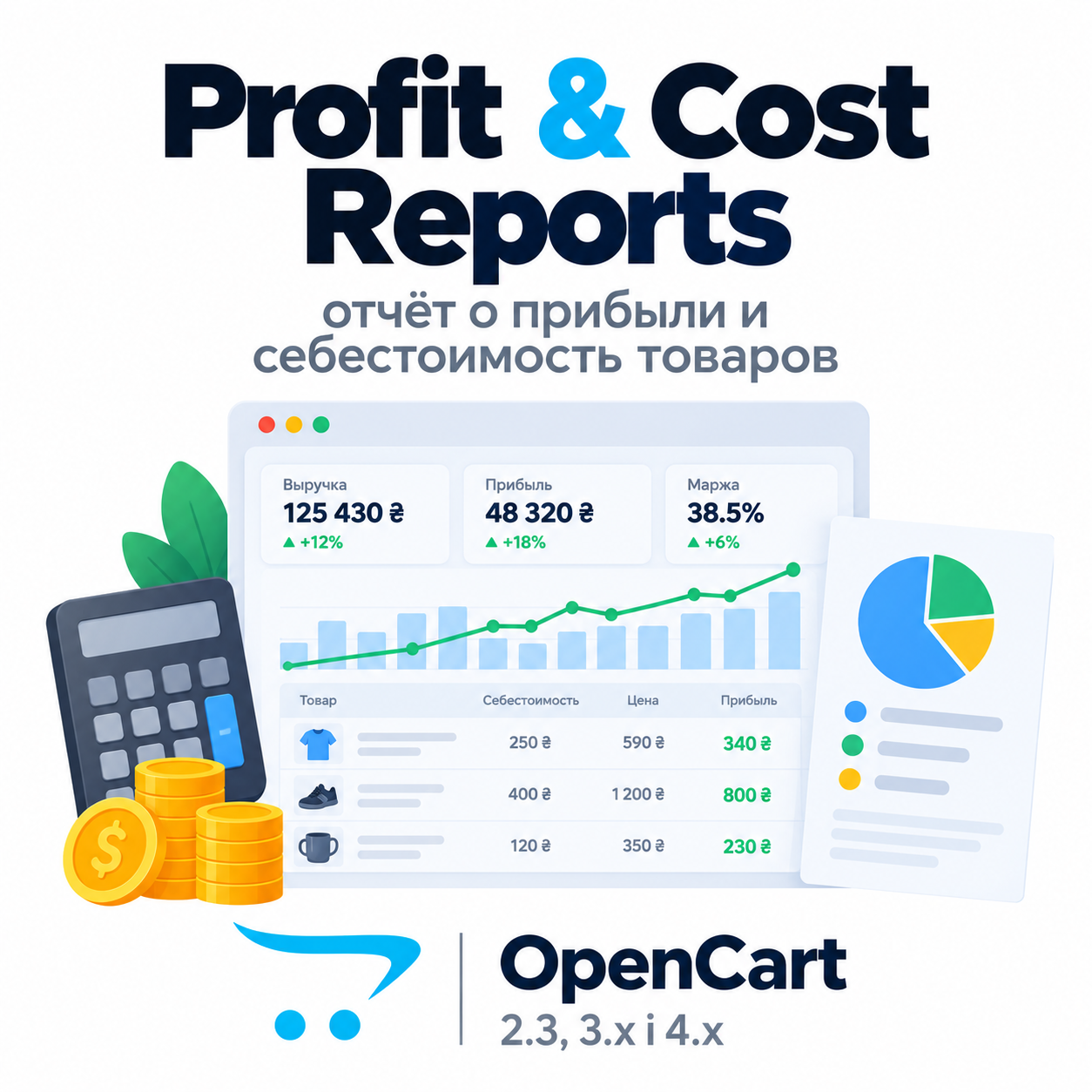
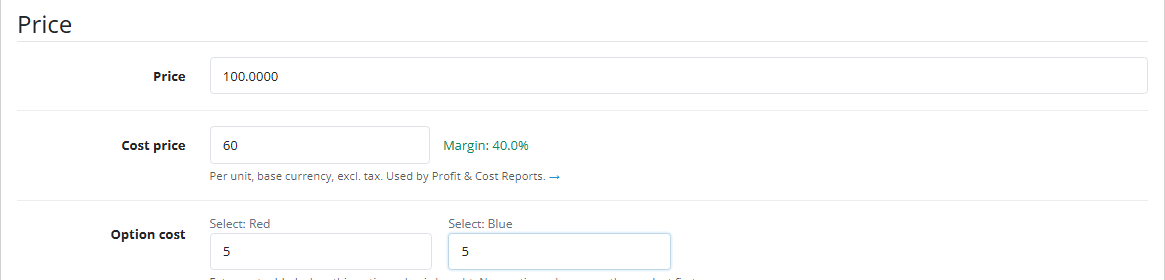
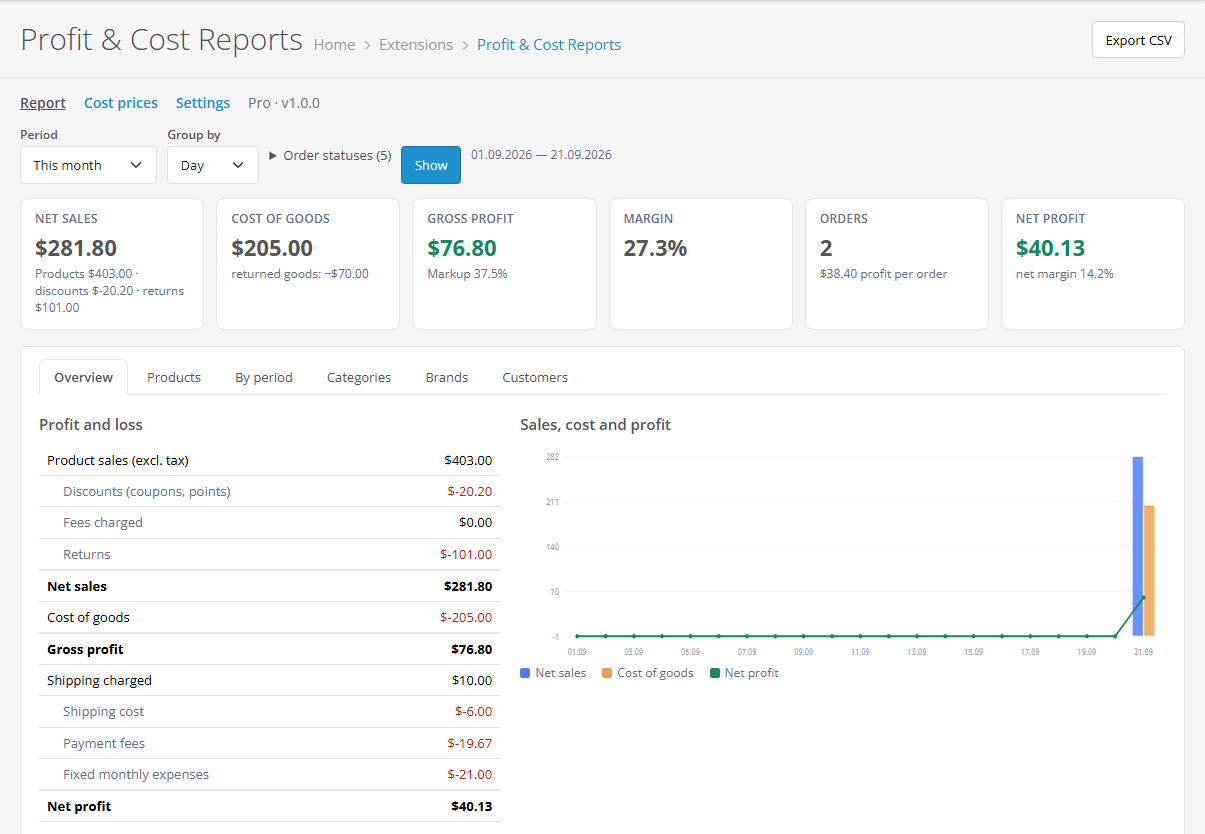

Cost price on the product and on every option value, frozen into each order, and a profit report under Reports. OpenCart 4.x, 3.x, 2.3.
Clear even without sound: Ukrainian subtitles
The free version works with no time limit. Pro adds the rest of the features in the table.



A fresh install is the free version, nothing switches on by itself. The “Try Pro for 7 days” button → e-mail → the key right in the window and by e-mail.

Moving the store? Unbind the licence on the old domain and activate it on the new one yourself. If our server is unreachable, Pro keeps working for 14 more days. For studios — keys for 5 or 25 sites, or unlimited.
 OpenCart 4.0.2 – 4.1.x (tested on 4.1.0.3), 3.0.x (tested on 3.0.5.0) or 2.3.0.2PHP 8.0+ for OpenCart 4, 7.3+ for OpenCart 3, 7.0+ for OpenCart 2.3No core file edits: only OpenCart events and the module’s own tablesLanguages: English, Ukrainian, Russian
The profit report with a currency filter and the cost page with a search open again on the PDO database driver.
For OpenCart 4.x, 3.x and 2.3: cost prices for products and options, snapshots on order lines, a profit report with P&L and the top 20 products, native returns, order page block, cost…
4 modules in one order — 40% cheaper than separately



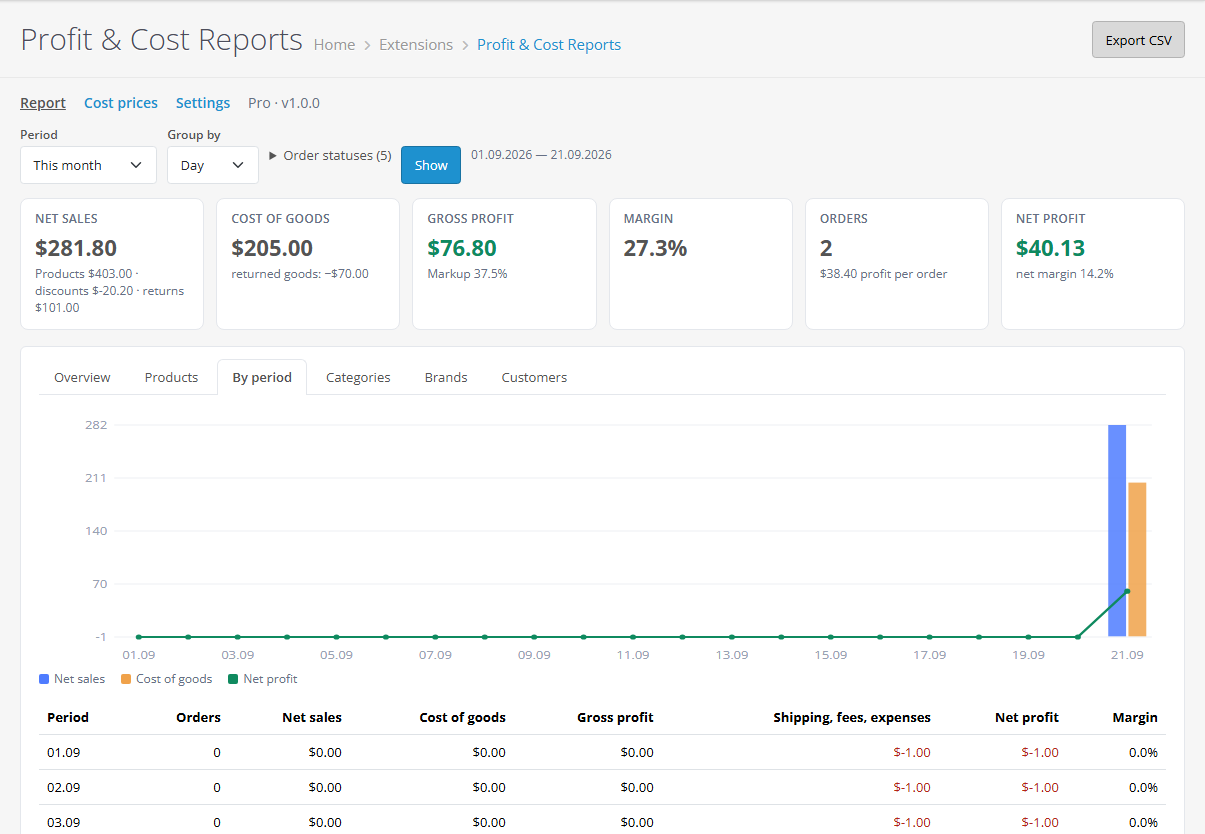
Profit & Cost Reports for OpenCart shows how much the store earned, not just how much it sold. OpenCart knows the selling price but not what the goods cost you. The module adds a cost price to products and option values, freezes it into every order line and builds a report under Reports: net sales excluding tax, cost of goods, gross profit, margin and markup for any period. Builds for OpenCart 4.x, 3.x and 2.3, no core file edits.
Nothing. Costs live in the module’s own tables and never reach the storefront or e-mails. Checkout and product pages stay stock.
cc_profit.ocmod.zip and click Install. OpenCart 3: Extensions → Installer → cc_profit-oc3.ocmod.zip, then refresh Modifications. OpenCart 2.3: upload the contents of the upload/ folder from cc_profit-oc2.ocmod.zip to the store root (FTP or the hosting file manager).Didn't find the answer? Message us on Telegram and we'll reply within a business day.
 @catcode_support
Setup, compatibility, activation
@catcode_support
Setup, compatibility, activation
No. For OpenCart the licence is a one-time payment, forever.
No. Costs live in the module's own tables and appear only in the admin.
They have no frozen cost — the report uses the current one and marks the line as "estimated". Pro can freeze costs into past orders.
No. Only OpenCart events and its own tables; switch it off and the admin is stock.
No reviews yet. Be the first.
No questions yet. Ask one — we answer within 24 hours.
We build custom modules for WordPress, WooCommerce, OpenCart and Shopify. Tell us about the task and we'll prepare an estimate.
Order a custom module
—

CatCode assistant
Just now


CatCode assistant
Online

I’ll help with your website task
Describe your website task — I’ll find a ready-made module or pass it to a developer for an estimate. Modules, custom features, layout, integrations, speed, migration, technical SEO.
