

KeepinCRM Sync — CRM для WooCommerce
Автоматична передача замовлень WooCommerce у CRM KeepinCRM: угода створюється одразу після checkout з клієнтом-лідом, товарами та коментарем. Дедуплікація, повторні спроби, метабокс статусу й журнал синхронізації.
- Сумісність
- WordPress 6.2+, WooCommerce 6.0+
- PHP
- 7.4 і новіший
- Оновлено
- серпень 2026
Що вміє модуль

Як це виглядає
Технічні вимоги
 WordPress 6.2+ (тестовано до 7.0)
- WooCommerce 6.0 або новіше, включно з HPOS (custom order tables)
- PHP 7.4+
- API-токен KeepinCRM — створюється в кабінеті: Налаштування → Профіль компанії → вкладка API (лише власник акаунта). Увага: KeepinCRM віддає API лише на платному тарифі — на безкоштовному будь-який запит повертає «Недоступно на безкоштовному тарифі» (HTTP 402).
Історія версій
Захист від подвійної відправки переведено на лок рівня БД.
Перший публічний реліз: створення угод у KeepinCRM (POST /agreements) після checkout або за статусом-тригером, клієнт-лід із товарами-рядками, маршрутизація…
Повний опис модуля
KeepinCRM Sync для WooCommerce — плагін, який автоматично створює угоду в KeepinCRM на кожне нове замовлення WooCommerce. Клієнт заводиться як лід із ПІБ, email і телефоном, товари стають рядками угоди, коментар покупця потрапляє в CRM — менеджер одразу працює із заявкою, а не передруковує її з адмінки сайту. Працює і з класичним чекаутом, і з Checkout Blocks.
Плагін повністю безкоштовний, код відкритий. Завантажити з GitHub: github.com/catcodestudio/wp-keepincrm-sync. Ліцензія GPLv2 — без ключів, підписок і лімітів на замовлення.
Як це працює — крок за кроком
- Покупець оформлює замовлення — плагін реагує одразу після checkout або при переході замовлення в один із вибраних статусів.
- Збирається угода: клієнт-лід (ПІБ, email, телефон у форматі +380), товари як рядки угоди (jobs) із ціною та кількістю, сума, коментар. Для сплачених онлайн замовлень опційно додається позначка «Оплачено онлайн».
- Дані відправляються в KeepinCRM через REST API — POST /agreements із заголовком X-Auth-Token.
- CRM повертає ID угоди — він зберігається в меті замовлення (_cc_keepincrm_agreement_id). Повторна подія не створить другу угоду.
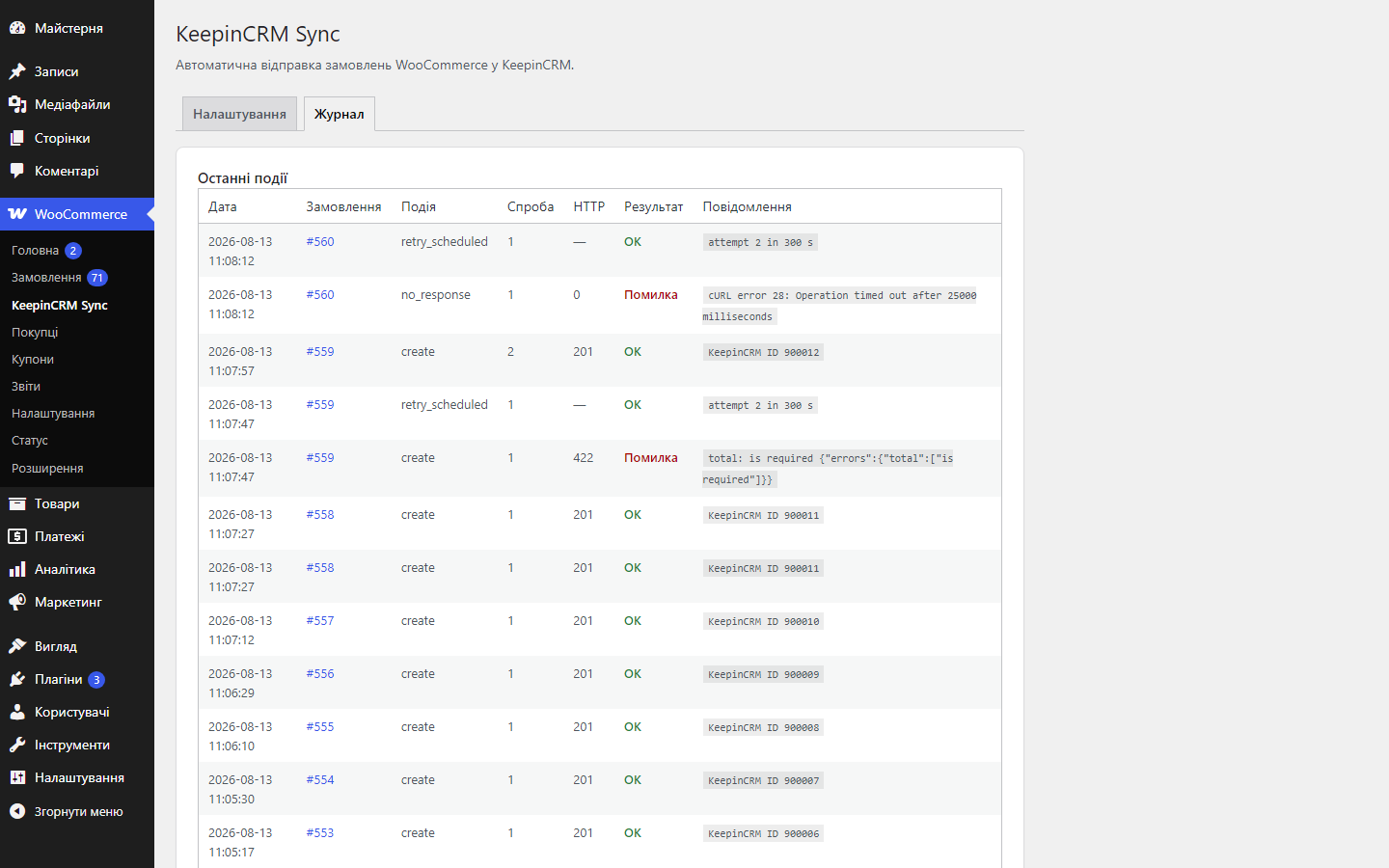
- При збої CRM плагін повторює відправку сам: 3 спроби з паузами 5 хв / 30 хв / 2 год через WP-Cron.
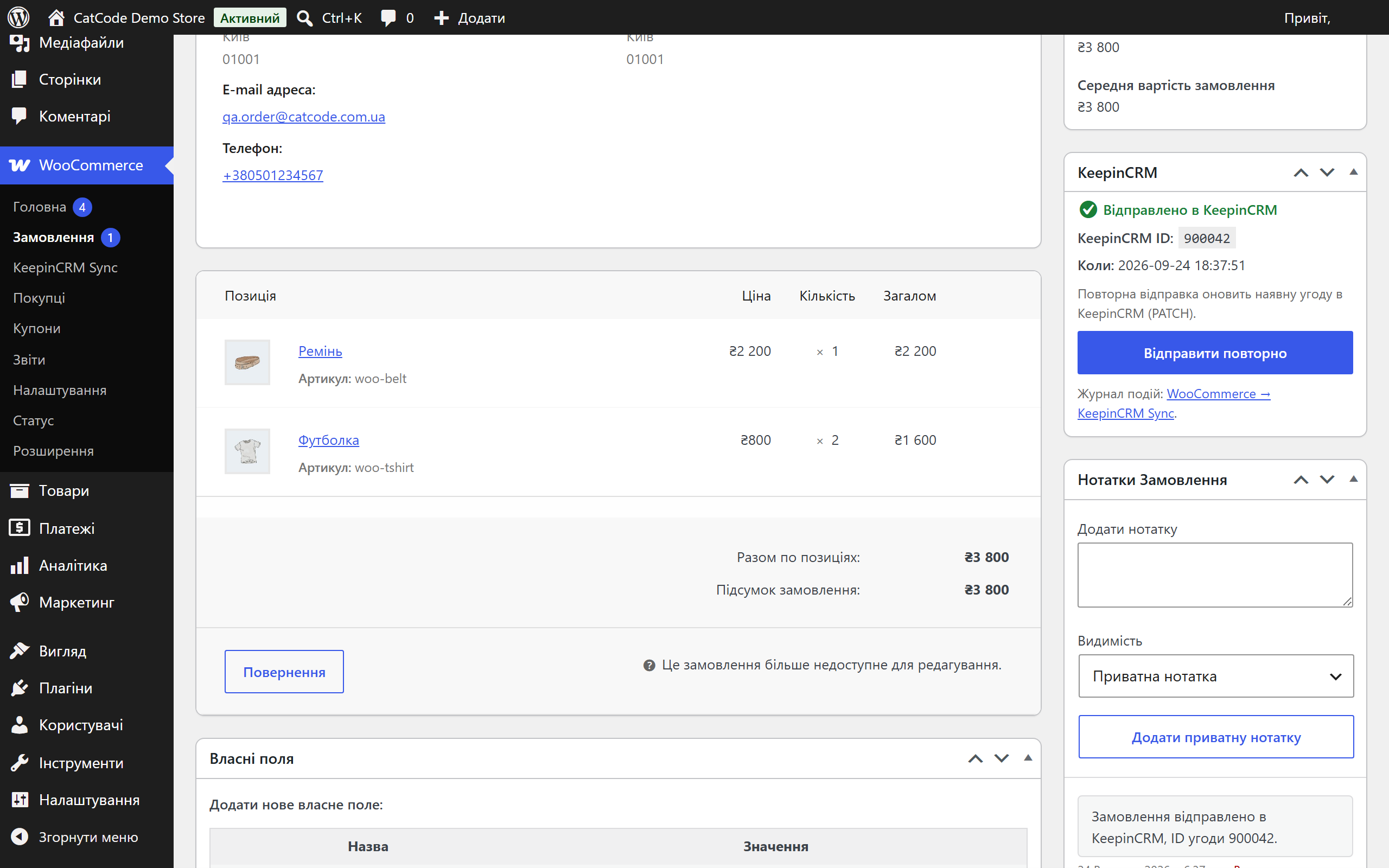
- Менеджер бачить результат у метабоксі замовлення і у вкладці «Журнал» на сторінці налаштувань.
Що під капотом
- API-токен зашифрований у БД — libsodium із HMAC-фолбеком для хостингів без розширення sodium.
- Захист від подвійної відправки — окрім мети замовлення плагін бере лок на рівні БД, тому чекаут, зміна статусу і колбек оплати, що прийшли одночасно, не створять дві угоди.
- Дедуплікація за збереженим ID угоди: перед створенням плагін перевіряє мету замовлення — повторна відправка оновлює наявну угоду (PATCH /agreements/{id}), а не створює нову.
- HPOS-сумісність — робота з замовленнями тільки через WC_Order CRUD, без прямих SQL до постів.
- Нормалізація телефону до E.164 (+380…) перед відправкою в CRM.
- Хуки для розробників: фільтр cc_keepincrm_order_payload (змінити тіло угоди) і екшн cc_keepincrm_order_sent (реакція на успішну відправку).
Як встановити
- Завантажте
catcode-order-sync-with-keepincrm-for-woocommerce-0.2.0.zipі встановіть через Плагіни → Додати новий → Завантажити плагін. - Активуйте у меню «Плагіни».
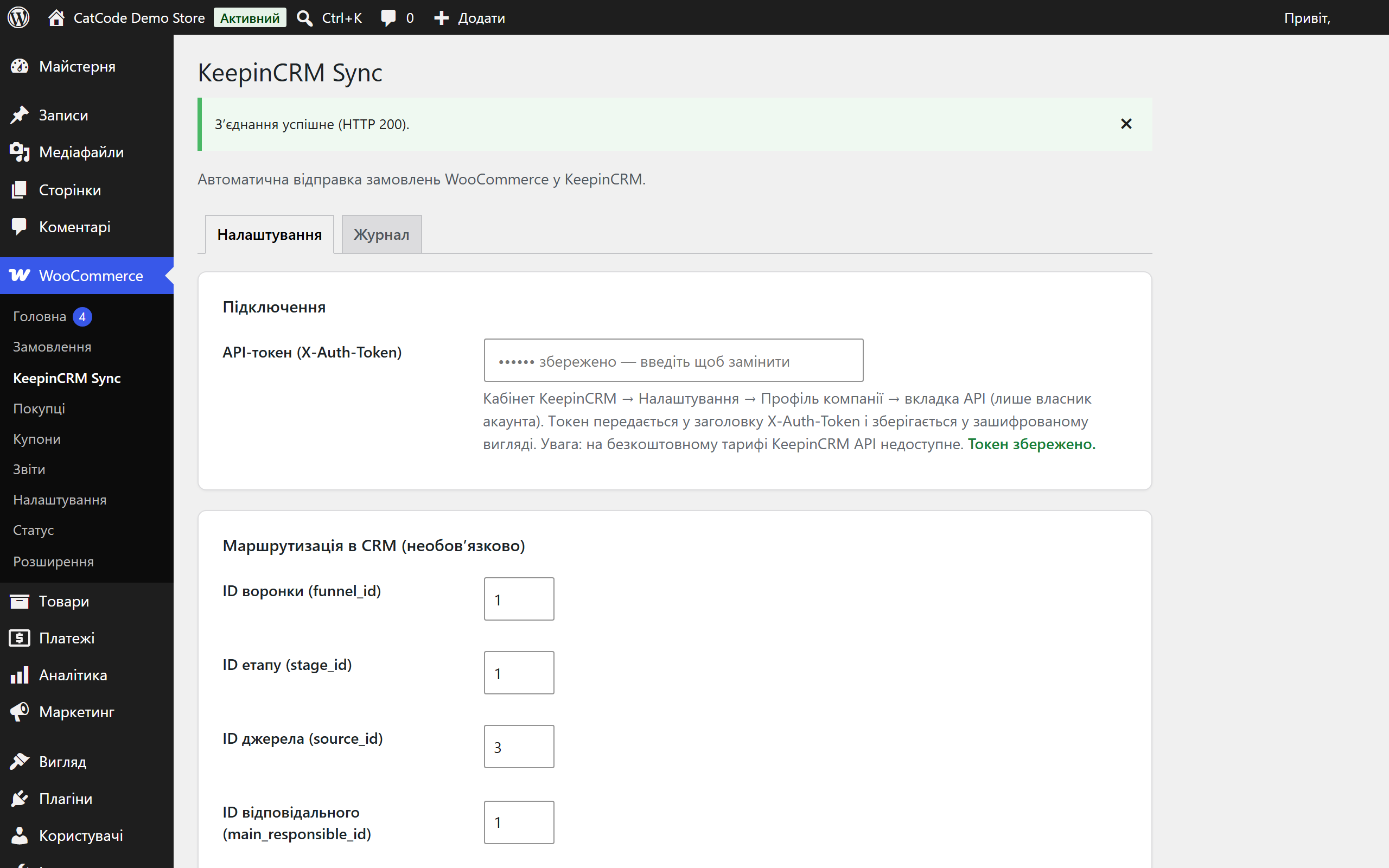
- Відкрийте WooCommerce → KeepinCRM Sync і вставте API-токен із кабінету KeepinCRM (Налаштування → Профіль компанії → вкладка API).
- Натисніть «Перевірити з’єднання» — переконайтесь, що CRM відповідає.
- За бажанням заповніть маршрутизацію (воронка, етап, джерело, відповідальний) і оберіть момент відправки. Збережіть — готово.
Питання
про модуль
Не знайшли відповідь? Напишіть у Telegram — відповімо протягом робочого дня.
 @catcode_support
Налаштування, сумісність, активація
@catcode_support
Налаштування, сумісність, активація
Чи чіпає плагін checkout або тему?
Ні. Він лише слухає події замовлень WooCommerce і шле дані в CRM у фоні. Розмітка чекаута і шаблони теми не змінюються.
Звідки взяти API-токен KeepinCRM?
Кабінет KeepinCRM → Налаштування → Профіль компанії → вкладка API (лише власник акаунта). Токен передається в заголовку X-Auth-Token і зберігається в БД у зашифрованому вигляді.
Замовлення пройшло кілька статусів — буде кілька угод?
Ні. ID угоди зберігається в меті замовлення, а перед відправкою плагін бере лок на рівні БД: повторна подія оновить наявну угоду, а не створить дубль.
Що робить кнопка «Відправити повторно» в метабоксі?
Якщо замовлення ще не в CRM — створює угоду (POST /agreements). Якщо вже відправлене — оновлює її актуальними даними через PATCH /agreements/{id}.
Чи можна направляти угоди в конкретну воронку?
Так. У налаштуваннях є необов'язкові поля: ID воронки, етапу, джерела та відповідального працівника — угоди створюватимуться одразу з цією прив'язкою.
Що буде після видалення плагіна?
Видалення (не деактивація) прибирає налаштування із зашифрованим токеном і таблицю журналу. ID угод у замовленнях лишаються навмисно — саме вони не дають повторному встановленню створити другу копію старого замовлення в CRM.
CRM відповідає «Недоступно на безкоштовному тарифі» — що робити?
Це відповідь самої KeepinCRM (HTTP 402), а не помилка плагіна: API доступне лише на платному тарифі. Підключіть тариф або тріал у кабінеті й повторіть перевірку з'єднання.
А якщо CRM не відповіла зовсім (таймаут)?
У KeepinCRM немає зовнішнього ID на угодах, тому плагін не може перепитати, чи заявка дійшла. Таку спробу він позначає в журналі як no_response і виводить попередження в метабоксі замовлення — перед повторною відправкою варто глянути в CRM.
Поки що жодного відгуку. Будьте першим.
Поки питань немає. Запитай — ми відповімо протягом 24 годин.
Не той варіант, що шукаєте?
Робимо кастомні модулі під WordPress, WooCommerce, OpenCart і Shopify. Розкажіть про задачу — підготуємо оцінку.
Замовити кастомний модуль
Купівля модуля
—



