

KeyCRM Sync — CRM для WooCommerce
Безкоштовний плагін синхронізації WooCommerce з KeyCRM: замовлення потрапляють у CRM одразу після оформлення, без дублів і ручного перенесення. Ретраї при збоях, метабокс у замовленні, журнал, HPOS.
- Сумісність
- WordPress 6.2+, WooCommerce 6.0+
- PHP
- 7.4 і новіший
- Оновлено
- 27 серпня 2026
Модуль у роботі — 39 секунд
Без звуку теж зрозуміло: субтитри українською
Що вміє модуль

Як це виглядає
Технічні вимоги
 WordPress 6.2+
- WooCommerce 6.0+
- PHP 7.4+
- API-ключ KeyCRM — кабінет KeyCRM → Налаштування → API
Історія версій
У списку плагінів з’явилось посилання «Налаштування» — після активації плагін ховався в підменю WooCommerce, і здавалось, що нічого не встановилось.
Полагоджено кнопку «Відправити повторно» в метабоксі замовлення.
Оновлення з версій до 0.1.1 більше не «губить» магазин.
Усі версії (7)
Опис і ключові слова в каталозі WordPress.org — українською.
Вихідні рядки коду переведено на англійську (вимога каталогу WordPress.org), додано повний вбудований український переклад.
Публікація в офіційному каталозі WordPress.org.
Перший публічний реліз: експорт замовлень у KeyCRM (checkout і статуси-тригери), дедуплікація через source_uuid, ретраї 5 хв / 30 хв / 2 год, метабокс у замовленні з повторною відправкою,…
Повний опис модуля
KeyCRM Sync для WooCommerce — плагін, який автоматично передає кожне замовлення WooCommerce у KeyCRM: з покупцем, товарами, доставкою і оплатою. Відправка спрацьовує одразу після оформлення (класичний checkout і Checkout Blocks) або при переході замовлення у вибраний вами статус. Менеджери працюють у CRM, а не перемикаються між адмінкою магазину і табличками — і жодного ручного перенесення замовлень.
Плагін опубліковано в офіційному каталозі WordPress.org — встановлюється прямо з адмінки: wordpress.org/plugins/catcode-order-sync-with-keycrm-for-woocommerce.
Плагін повністю безкоштовний. Код відкритий на GitHub: github.com/catcodestudio/wp-keycrm-sync. Без обмеження за кількістю замовлень, без щомісячних списань і без прив’язки до сторонніх сервісів — потрібен лише API-ключ з вашого кабінету KeyCRM.
Як це працює — крок за кроком
- Покупець оформлює замовлення у вашому магазині — через класичний checkout або Checkout Blocks.
- Плагін збирає payload: покупець, товари, доставка, оплата. Телефон нормалізується у формат +380, нульові позиції пропускаються.
- Відправка у KeyCRM через POST /order — одразу після оформлення або коли замовлення переходить у вибраний вами статус (наприклад «В обробці»).
- KeyCRM повертає ID замовлення — він зберігається в меті
_catcode_keycrm_order_id, тому дублікатів не буде навіть при повторних спрацюваннях. - Якщо CRM недоступна — плагін сам повторить спробу за 5 хв / 30 хв / 2 год через WP-Cron, без налаштування крона на хостингу.
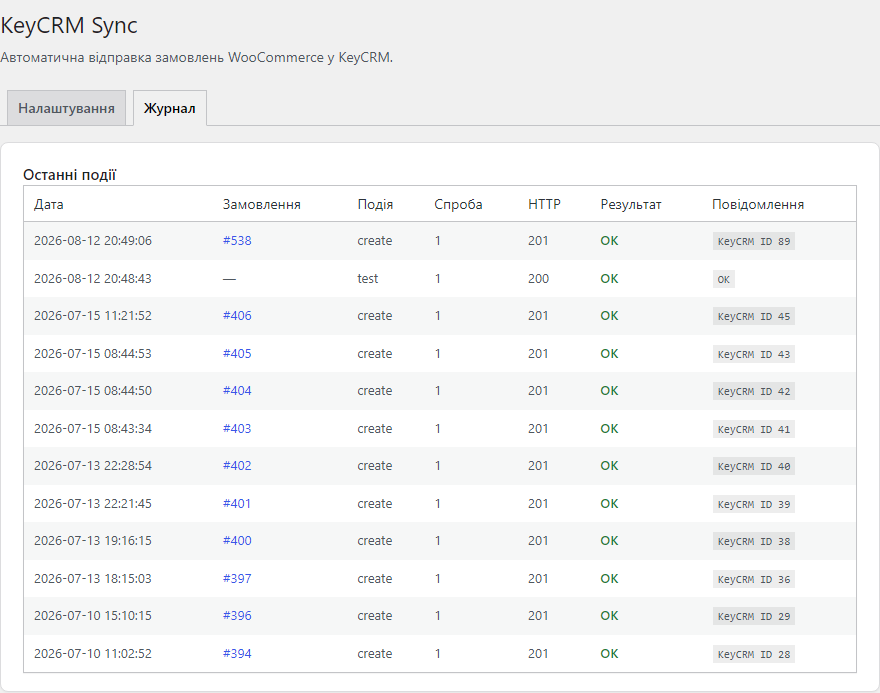
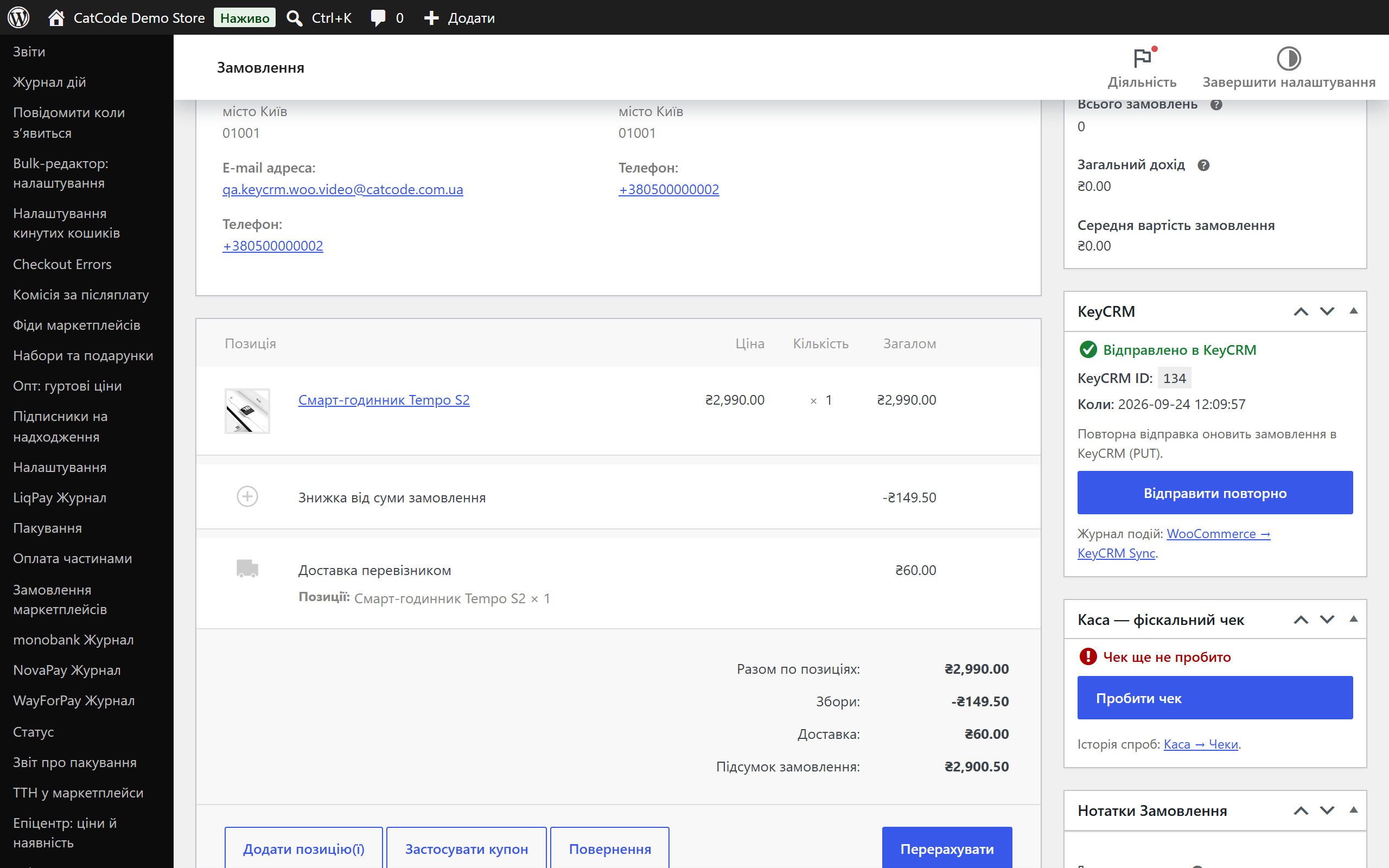
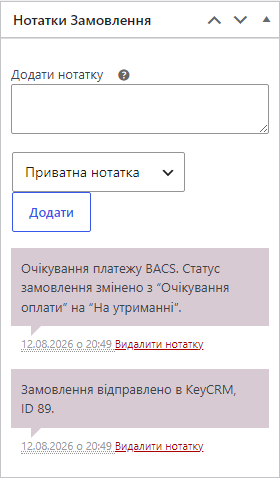
- Менеджер бачить результат у метабоксі замовлення і в журналі подій.
Що під капотом
- Дедуплікація на двох рівнях: плагін передає
source_uuid = wc-{id}і зберігає KeyCRM ID у меті замовлення — дублікатів не створюється ні на боці плагіна, ні на боці CRM. - API-ключ зашифрований у БД — libsodium з HMAC-фолбеком; у відкритому вигляді ключ не зберігається.
- Сумісність з HPOS (High-Performance Order Storage) — робота з замовленнями виключно через WC_Order CRUD.
- Передача статусу оплати: оплачене замовлення створюється в CRM одразу з платіжним записом «оплачено» (опційно).
- Хуки для розробників: фільтр
catcode_keycrm_order_payload(модифікація даних перед відправкою) і екшенcatcode_keycrm_order_sent(сторонні інтеграції).
Як встановити
- У адмінці: Плагіни → Додати новий → знайдіть «CatCode Order Sync with KeyCRM» і натисніть «Встановити». Або завантажте
catcode-order-sync-with-keycrm-for-woocommerce-0.1.7.zipвручну. - Активуйте плагін у списку плагінів.
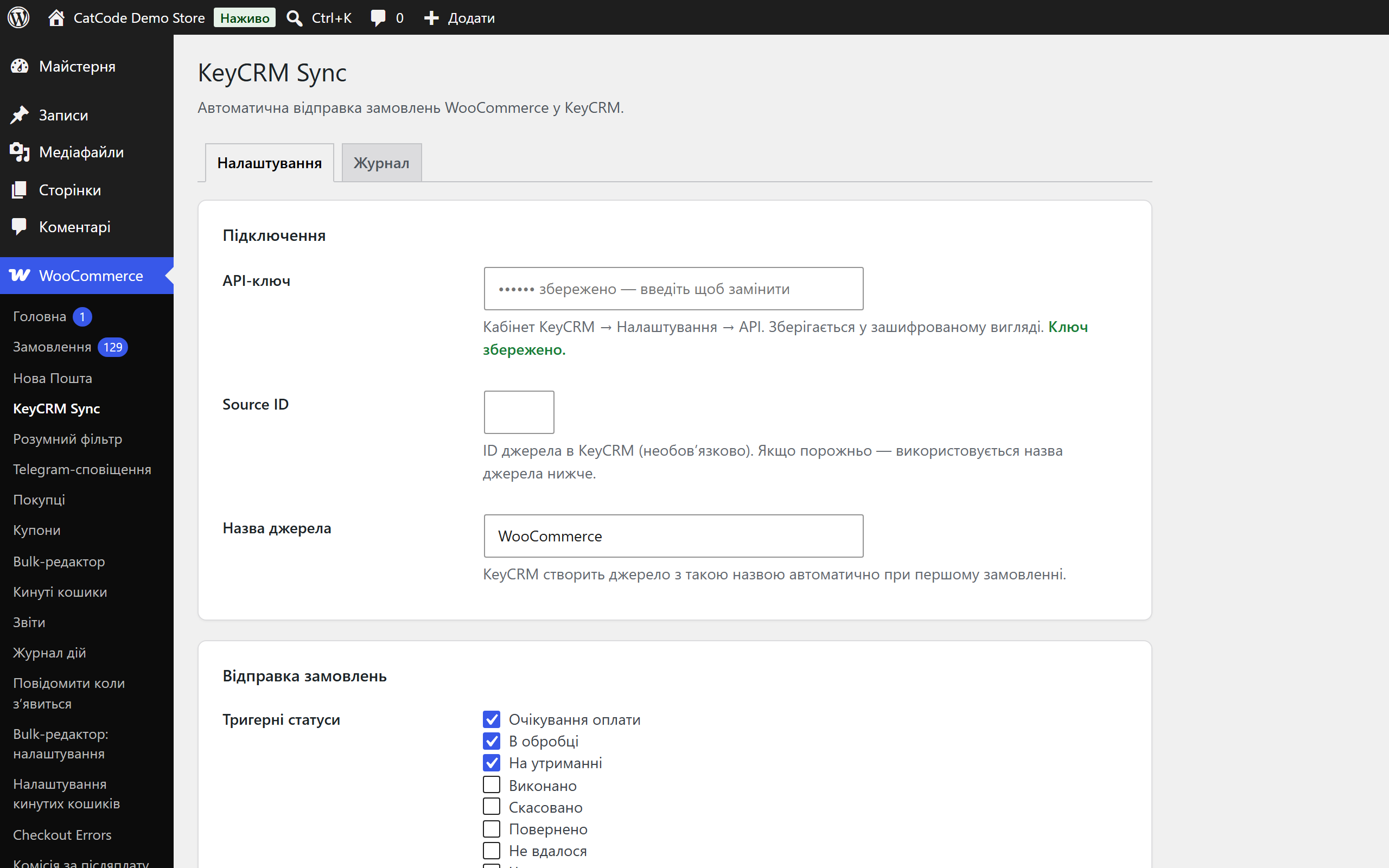
- Перейдіть у WooCommerce → KeyCRM Sync і вставте API-ключ з кабінету KeyCRM.
- Натисніть «Перевірити з’єднання» — переконайтеся, що зв’язок з CRM працює.
- Оберіть тригер відправки (одразу після оформлення або конкретні статуси) і збережіть налаштування.
Питання
про модуль
Не знайшли відповідь? Напишіть у Telegram — відповімо протягом робочого дня.
 @catcode_support
Налаштування, сумісність, активація
@catcode_support
Налаштування, сумісність, активація
Чи змінює плагін мій checkout або тему?
Ні. Плагін працює з подіями замовлень «за лаштунками» — вигляд checkout-у і теми не змінюється. Підтримуються і класичний checkout, і Checkout Blocks.
Це справді безкоштовно і без лімітів?
Так. Плагін безкоштовний, з відкритим кодом, без обмеження за кількістю замовлень і без щомісячних списань.
Чи створяться дублікати, якщо статус замовлення зміниться ще раз?
Ні. KeyCRM ID зберігається в меті замовлення, а в CRM передається source_uuid — повторне спрацювання оновить існуюче замовлення, а не створить нове.
Що буде, якщо KeyCRM тимчасово недоступна?
Замовлення не загубиться: плагін автоматично повторить відправку за 5 хв / 30 хв / 2 год (до 3 спроб). Статус видно в метабоксі, звідки можна надіслати вручну.
Що робить кнопка «Відправити повторно»?
Якщо замовлення ще не в KeyCRM — створить його. Якщо вже відправлене — частково оновить свіжими даними через PUT /order/{id}.
Що залишиться після видалення плагіна?
Налаштування видаляються, а журнал синхронізації і KeyCRM ID у замовленнях зберігаються — на випадок аудиту. Замовлення в самій CRM не чіпаються.
Поки що жодного відгуку. Будьте першим.
Поки питань немає. Запитай — ми відповімо протягом 24 годин.
Не той варіант, що шукаєте?
Робимо кастомні модулі під WordPress, WooCommerce, OpenCart і Shopify. Розкажіть про задачу — підготуємо оцінку.
Замовити кастомний модуль
Купівля модуля
—



