
OpenCart
Product Page Tweaks for OpenCart 2.3, 3.x and 4.x — the “Add to Cart” button when out of stock, “Price on request”, “Ask a question”
Free + Pro
1 290 UAH
v1.0.0
Enter at least 2 characters

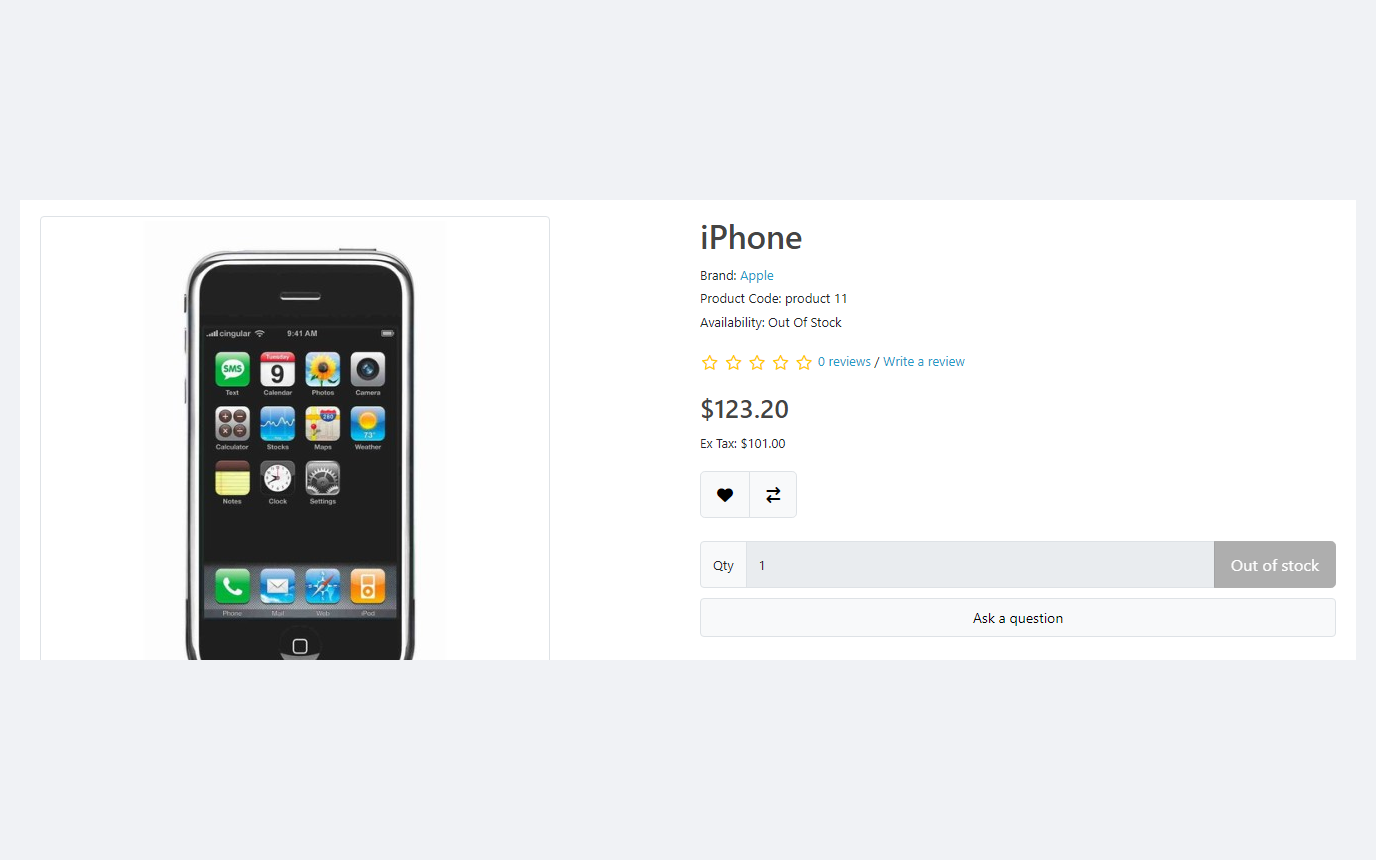
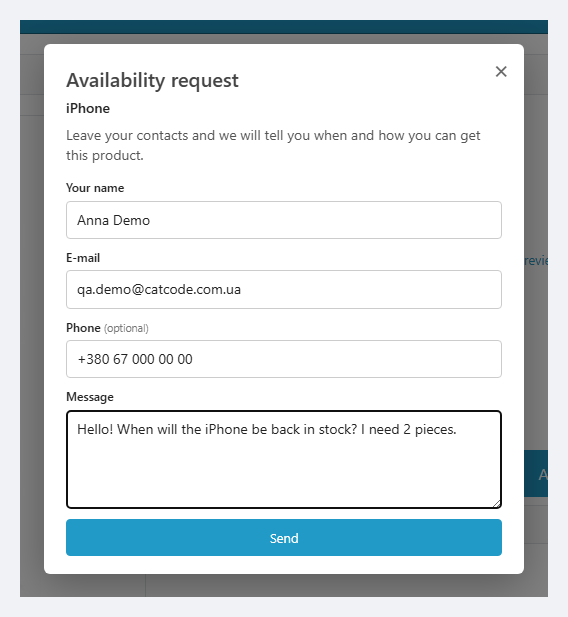
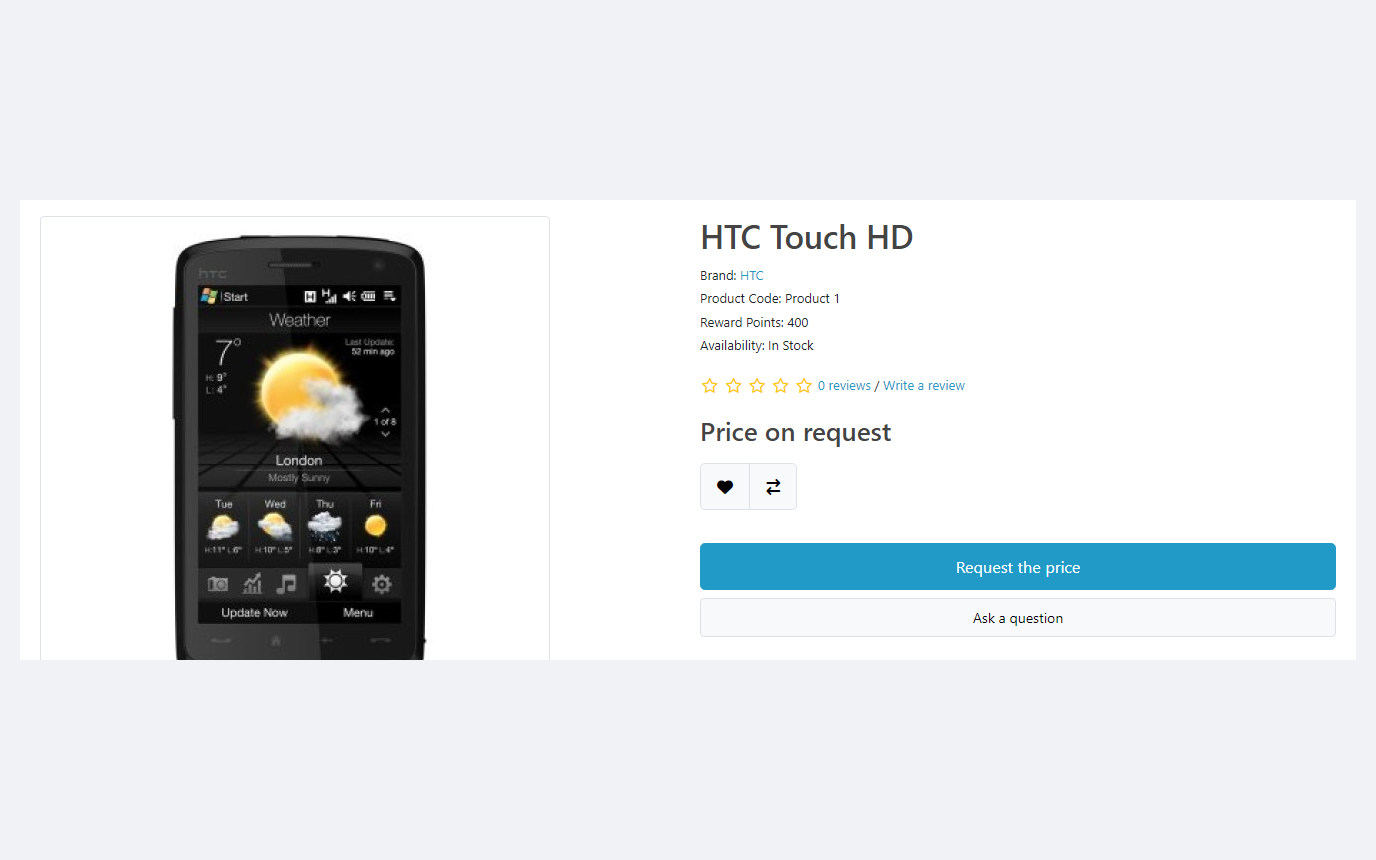
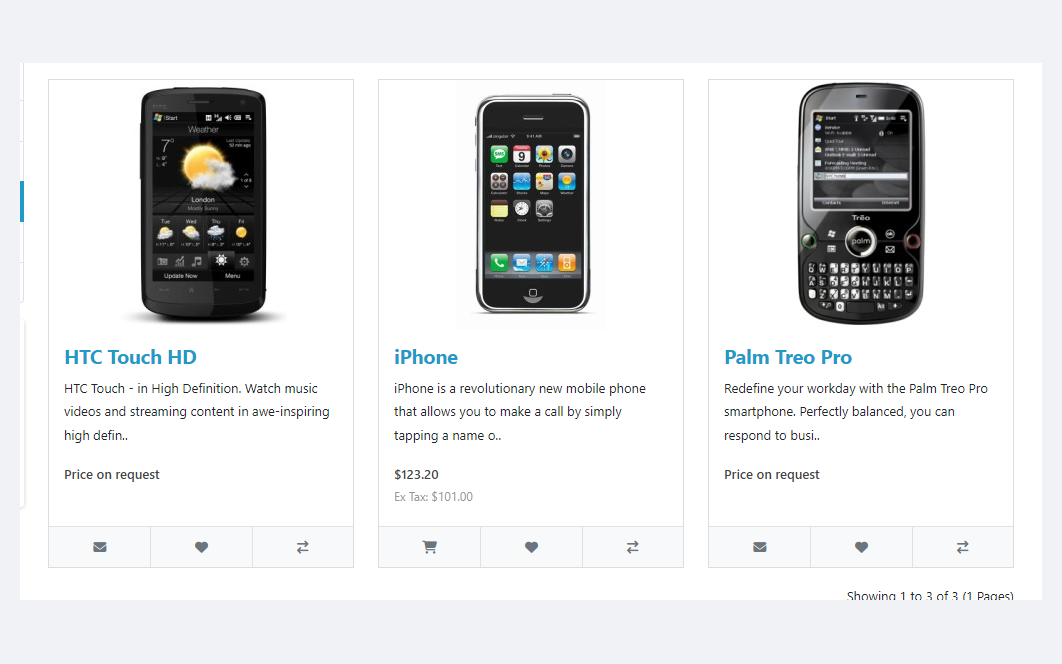
Three OpenCart product page micro-modules in one: what the "Add to Cart" button does when a product is out of stock (disabled with a label, hidden, or "Ask about availability"), "Price on request" instead of the price with a request form, and an "Ask a question" button with spam protection and an e-mail to the shop. The cart refuses such products too. Pro — the same on product cards in every list, a "Sold out" badge, sold-out option values, price on request by categories and manufacturers, and a request journal. Lifetime licence.
The free version works with no time limit. Pro adds the rest of the features in the table.



A fresh install is the free version, nothing switches on by itself. The “Try Pro for 7 days” button → e-mail → the key right in the window and by e-mail.

Moving the store? Unbind the licence on the old domain and activate it on the new one yourself. If our server is unreachable, Pro keeps working for 14 more days. For studios — keys for 5 or 25 sites, or unlimited.
 OpenCart 4.0.2.0+ and 4.1.x — archive cc_pptweaks.ocmod.zip (don’t rename it: OpenCart 4 takes the extension code from the file name)OpenCart 3.x — archive cc_pptweaks-oc3.ocmod.zip; OpenCart 2.3.0.2 — cc_pptweaks-oc2.ocmod.zipPHP 7.0+ (tested on 7.0, 8.1 and 8.3)Configured shop mail for request e-mails (without it the request is still saved and the admin shows a warning)Languages: admin and storefront in English, Ukrainian and Russian; other shop languages get English, and the storefront texts can be translated in the settings
For OpenCart 4.0.2+ / 4.1, 3.x and 2.3.
4 modules in one order — 40% cheaper than separately



Product Page Tweaks for OpenCart — three popular product page improvements in one module: what the “Add to Cart” button does when a product is out of stock, “Price on request” instead of the price, and an “Ask a question” button. No core edits and no OCMOD — built on OpenCart events, for 4.x, 3.x and 2.3. Customers don’t add to the cart what you don’t have, and instead of leaving they send a request that reaches you by e-mail.
Honestly about testing. The module has been tested end to end in local shops on OpenCart 4.1.0.3, 4.0.2.3, 3.0.5.0 and 2.3.0.2 with the default themes: installation through the standard installer, every button mode, the cart refusal, price on request in lists, the form with spam protection and the e-mail in the mailbox, the Pro features, uninstalling, and next to CatCode One Page Checkout. We have not tested the button changes in third-party themes (Journal, Unishop, etc.) — the cart guard and the price label work there, while the button’s look depends on the theme markup. Check it on your theme in the 7-day Pro trial.
On a phone the form opens at full width with no horizontal scrolling.
Requests are stored in the database and deleted automatically after the set number of days. In Free the admin shows the last 20; Pro gives the full journal: type (question, price, availability), status, search, filters, deletion and CSV export.
cc_pptweaks.ocmod.zip → “Install”. OpenCart 3: the same with cc_pptweaks-oc3.ocmod.zip. OpenCart 2.3: copy the contents of the upload/ folder from cc_pptweaks-oc2.ocmod.zip to the shop root.Didn't find the answer? Message us on Telegram and we'll reply within a business day.
 @catcode_support
Setup, compatibility, activation
@catcode_support
Setup, compatibility, activation
The module treats a product as sold out when its quantity is 0 or less and disables the button by default. So right after installing, look at the statistics line under the setting: it shows how many zero-stock products you have now and how many of them will fall under the rule. For made-to-order sales choose the "Leave as is" mode, leave the matching stock statuses (for example, "Pre-Order") unticked, or add the products to the "Always buyable" list. Products with "Subtract Stock: No" are left alone by default.
It is tested on the default OpenCart 4.x, 3.x and 2.3 themes. The price label and the cart guard work at the data and server level, so they apply in any theme. Changing the button itself (disable, hide, replace) finds it by the usual OpenCart markup — we have not tested this in third-party themes (Journal, Unishop, etc.), and if a theme draws the button its own way, the button may stay in place, although the cart still refuses the product. Check it on your theme in the 7-day trial — and write to us if something is off.
Everywhere OpenCart prints the price: the product page, categories, search, specials, manufacturers, modules, related products, compare, wish list. Prices that other modules print from their own queries (SEO structured data, product feeds, quick view, their own one-click buttons) are not changed.
The module blocks new additions to the cart. A product added earlier checks out by the regular OpenCart rules — the "Stock Checkout" setting.
Name, e-mail, phone (if enabled), message, product and IP address. Requests are deleted automatically after the set number of days (365 by default); if needed, enable the consent checkbox in the form. When the module is uninstalled, OpenCart deletes both the settings and the requests table.
The OpenCart 2.3 installer needs FTP, so it is easier to copy the contents of the upload/ folder from the archive to the shop root and then install the module under Modules.
No reviews yet. Be the first.
No questions yet. Ask one — we answer within 24 hours.
We build custom modules for WordPress, WooCommerce, OpenCart and Shopify. Tell us about the task and we'll prepare an estimate.
Order a custom module
—

CatCode assistant
Just now


CatCode assistant
Online

I’ll help with your website task
Describe your website task — I’ll find a ready-made module or pass it to a developer for an estimate. Modules, custom features, layout, integrations, speed, migration, technical SEO.
