OpenCart
Ukrposhta International for OpenCart — Ukrposhta shipping abroad with the rate in the cart and CN22/CN23 declarations
Free + Pro
890 UAH
v1.0.1
Enter at least 2 characters
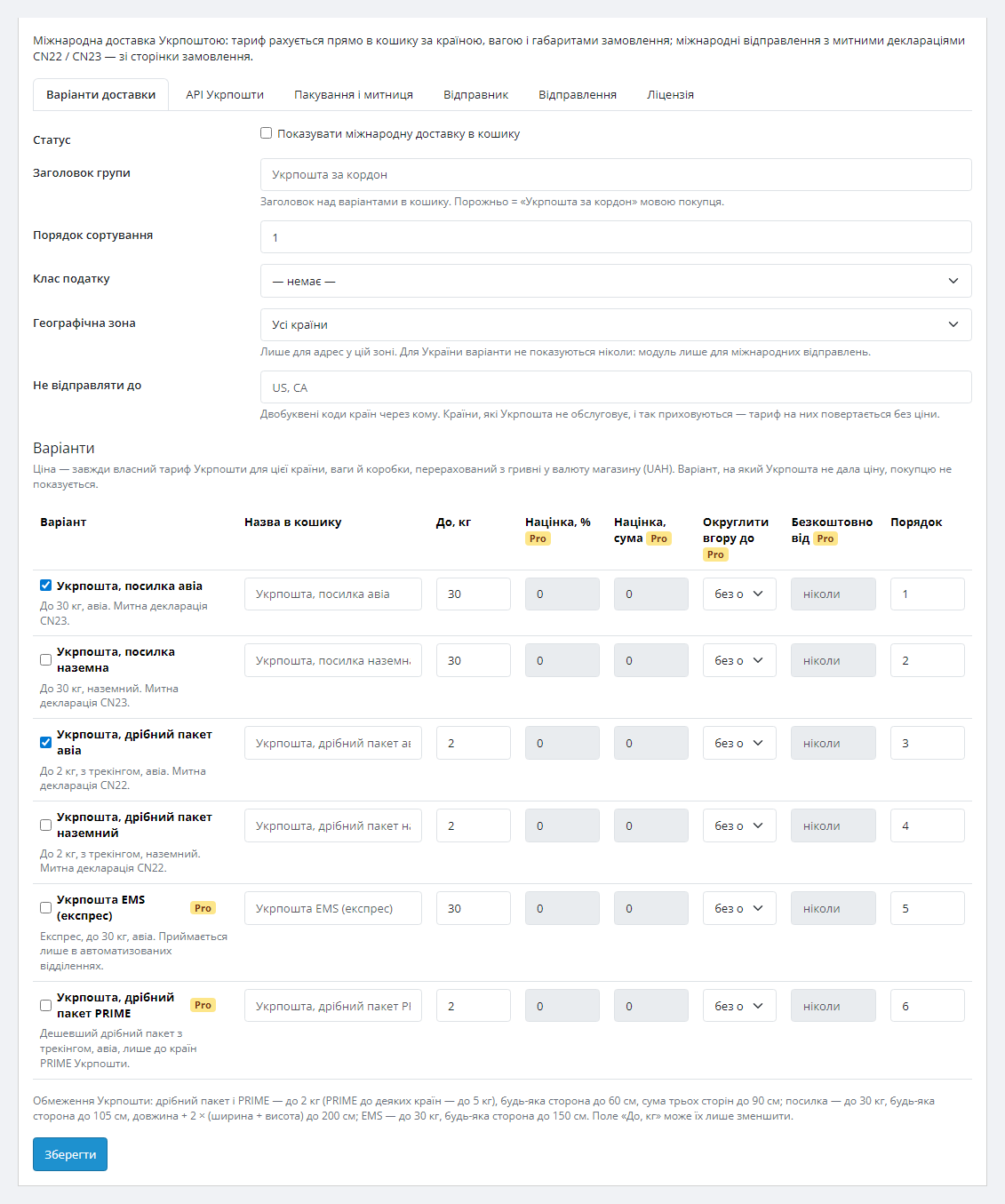
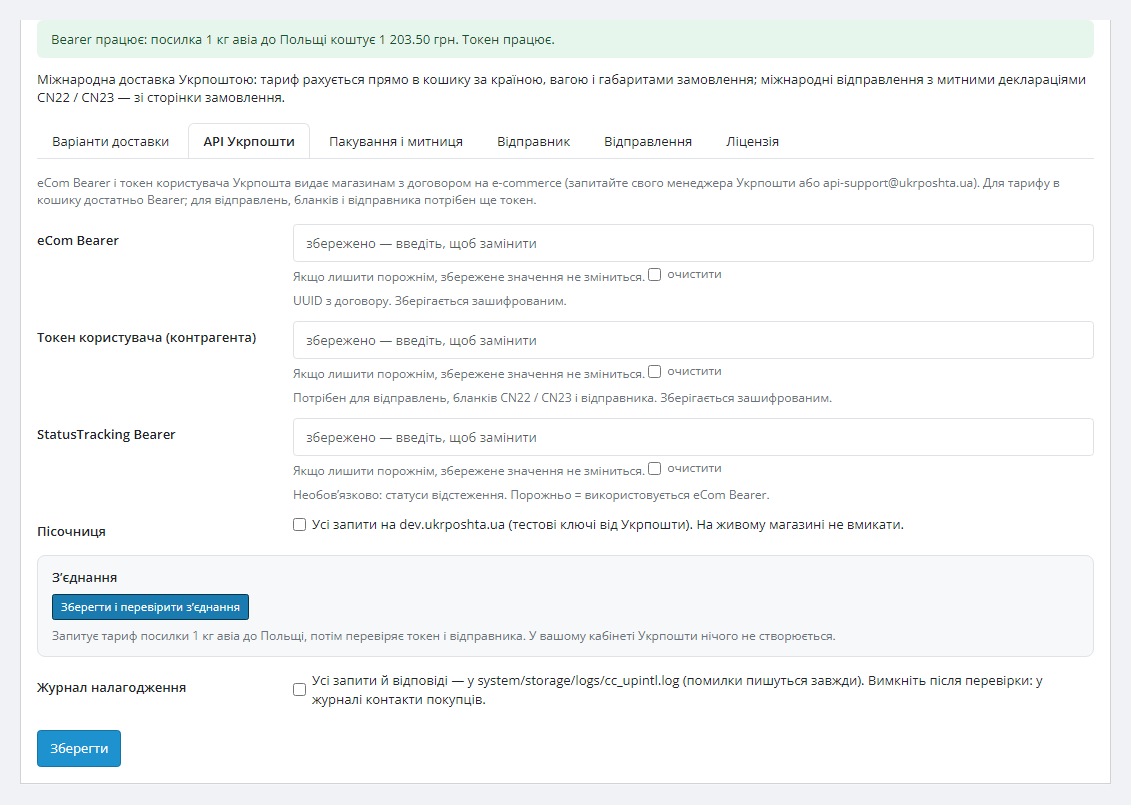
Ukrposhta shipping abroad in OpenCart 4, 3 and 2.3: Ukrposhta's rate in the cart by country, weight and size — parcel and small packet, by air or surface. Shipments from the order page with CN22/CN23 customs declarations, forms and tracking. Pro — EMS, PRIME, markup, automatic shipments.
The free version works with no time limit. Pro adds the rest of the features in the table.



A fresh install is the free version, nothing switches on by itself. The “Try Pro for 7 days” button → e-mail → the key right in the window and by e-mail.

Moving the store? Unbind the licence on the old domain and activate it on the new one yourself. If our server is unreachable, Pro keeps working for 14 more days. For studios — keys for 5 or 25 sites, or unlimited.
 OpenCart 4.0.2.0+ and 4.1.x (tested on 4.1.0.3 and 4.0.2.3 with the PDO database driver), 3.x (tested on 3.0.5.0), 2.3.0.2 · PHP 7.0+ (tested on 7.0 and 8.3) with cURL.A contract with Ukrposhta for international shipments and eCom API keys with international access.UAH as a currency in the store (at least with a rate): Ukrposhta prices in UAH, without the rate the options do not show.OpenCart 4: phone at checkout — show it and make it required (Settings → Option): Ukrposhta does not accept an international shipment without a phone number.OpenCart 4 and the Pro status sync: in a store with UAH as the default currency the stock cron job “currency” (ECB, which has no UAH) stops the core scheduler — switch it off or call the module’s secret URL from the Shipments tab.OpenCart 2.3: the installer copies files over FTP; without FTP copy the upload/ folder from the archive to the store root by hand.US — only with 10-digit HS codes on the products or a default code.
An update no longer resets the settings: after uninstalling and installing again the tokens, the sender and the licence key come back.
For OpenCart 4, 3 and 2.3: parcel and small packet with the Ukrposhta rate in the cart, the US rate with HS codes, a sender in Ukrposhta, international shipments from the order page with…
4 modules in one order — 40% cheaper than separately



Ukrposhta International for OpenCart — international shipping with Ukrposhta, with the rate right in the cart. The customer enters an address abroad — and at the delivery step sees the “Ukrposhta abroad” group: a parcel and a small packet, by air or surface, with the price Ukrposhta calculated for their country, the cart weight and the box. The manager creates the international shipment from the order page, prints the CN22 or CN23 customs declaration and the label and sees the status — no manual calculator and no Ukrposhta cabinet. One licence covers OpenCart 4, 3 and 2.3. For WooCommerce there is a separate version — Ukrposhta International for WooCommerce.
What you need. A contract with Ukrposhta for international shipments and eCom API keys with international access: the eCom Bearer for the rate in the cart, the user token for the sender, shipments and forms. Your Ukrposhta manager or api-support issues the keys; without them the group does not appear in the cart. Honestly about testing: the module is built on Ukrposhta’s official international shipments API documentation (edition of 23.07.2026) and run on clean OpenCart 4.1, 4.0.2, 3.0 and 2.3 with answers in the format of that documentation; it has not yet run on a live Ukrposhta contract. Try it with your keys in the 7-day Pro trial — if Ukrposhta answers differently from the documentation, we will fix it promptly.
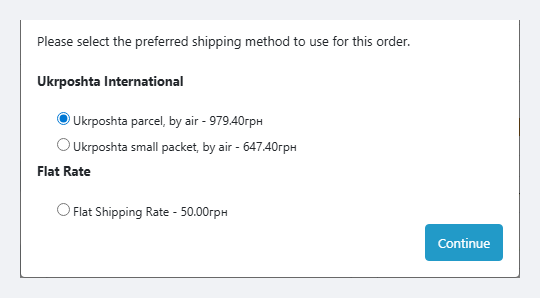
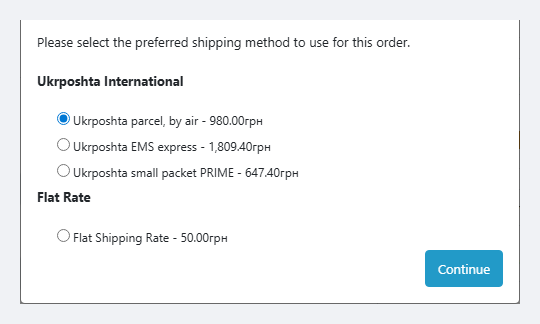
At the delivery step the customer sees the “Ukrposhta abroad” group with the options you switched on and that Ukrposhta accepts for their country: a parcel and a small packet, by air or surface. The price is Ukrposhta’s own rate for their country, the cart weight and the box, converted from UAH to the store currency. An option Ukrposhta gave no price for is not shown: for example, Ukrposhta does not take small packets to Poland — so only the parcel is left there. For addresses in Ukraine the group never appears.
Rates for all options are requested at once and cached for 6 hours, so a repeated delivery step does not wait for Ukrposhta. If Ukrposhta does not answer in time, the cart does not ask it again for 5 minutes and does not slow down the checkout.
UAH 890 — a lifetime licence. One payment, no yearly fees: Pro features, module updates and technical support. One key fits the builds for OpenCart 4, 3 and 2.3.
One key — one domain. Moving the shop — release the licence on the old domain on the Licence tab and activate it on the new one.
Trial first, payment later. The 7-day free Pro trial starts with a button on the Licence tab, no card needed. It never starts by itself: a fresh install is the plain Free version. After the trial only the Pro features switch off; the rate in the cart and the shipments keep working.
/international/delivery-price of the Ukrposhta eCom API for every enabled option in parallel (curl_multi); answers are cached for 6 hours, a “not available” refusal for 12.cc_upintl_shipment (shipments) and cc_upintl_kv (rate cache and a settings copy).cc_upintl_kv table (the settings copy with the encrypted tokens, the sender and the licence key) and the cc_upintl_shipment table (shipment history) stay: the next install brings the settings back, so an update does not reset them. To remove everything, turn on “Remove all module data when the module is uninstalled” on the Ukrposhta API tab (off by default): then the uninstall drops both tables, the settings and the module log.cc_upintl.ocmod.zip and click Install. Do not rename the file — its name is the extension code.cc_upintl-oc3.ocmod.zip.cc_upintl-oc2.ocmod.zip; without FTP — copy upload/ from the archive to the store root.Didn't find the answer? Message us on Telegram and we'll reply within a business day.
 @catcode_support
Setup, compatibility, activation
@catcode_support
Setup, compatibility, activation
A contract for international shipments and eCom API keys with access to international services: the eCom Bearer for the rate in the cart, the user (counterparty) token for the sender, shipments and forms. Your Ukrposhta manager or api-support issues them. Without the keys the "Ukrposhta abroad" group does not appear in the cart.
The module is built on Ukrposhta's official international shipments API documentation (edition of 23.07.2026) and tested on clean OpenCart 4.1, 4.0.2, 3.0 and 2.3 with answers in the format of that documentation. It has not yet run on a live Ukrposhta contract. The module shows Ukrposhta's errors in Ukrposhta's own words (Ukrposhta's answer in the admin, details in the cc_upintl.log log), so try it with your keys in the 7-day Pro trial — if Ukrposhta answers differently, we will fix it promptly.
For the US Ukrposhta prices only together with the goods: every product needs a 10-digit HS code in the field you chose in the settings (for example, MPN), or a default code. Without the code there are no US options.
They work side by side without errors, but if international shipping is on in the old module, a customer abroad sees two Ukrposhta groups with different prices. Switch that option off in the old module: it stays for branches in Ukraine, this one is for shipping abroad.
OpenCart 4 does not ask for a phone at checkout by default, and Ukrposhta does not accept an international shipment without one. Turn the phone on: store settings → Option → show the telephone and make it required. The module settings screen warns you when the phone is off.
The OpenCart 2.3 installer copies files over FTP. Without FTP copy the contents of the upload/ folder from the archive to the store root by hand — the module does not patch the core, no modification refresh is needed.
By default Extensions → Shipping → Uninstall removes the events and cron jobs, while the cc_upintl_kv table (the settings copy with the encrypted tokens, the sender and the licence key) and the cc_upintl_shipment table (shipment history, tracking numbers) stay in the database. So an update (uninstall and install again) does not reset the settings. To remove everything, turn on "Remove all module data when the module is uninstalled" on the Ukrposhta API tab, save and uninstall: both tables, the settings and the log are gone.
The parcel and small packet with the Ukrposhta rate in the cart, shipments with CN22/CN23, forms and statuses stay free with no time limit.
No reviews yet. Be the first.
No questions yet. Ask one — we answer within 24 hours.
We build custom modules for WordPress, WooCommerce, OpenCart and Shopify. Tell us about the task and we'll prepare an estimate.
Order a custom module
—

CatCode assistant
Just now


CatCode assistant
Online

I’ll help with your website task
Describe your website task — I’ll find a ready-made module or pass it to a developer for an estimate. Modules, custom features, layout, integrations, speed, migration, technical SEO.
