
OpenCart
Option Specials for OpenCart — a special price on a single option value
Free + Pro
990 UAH
v1.1.1
Enter at least 2 characters

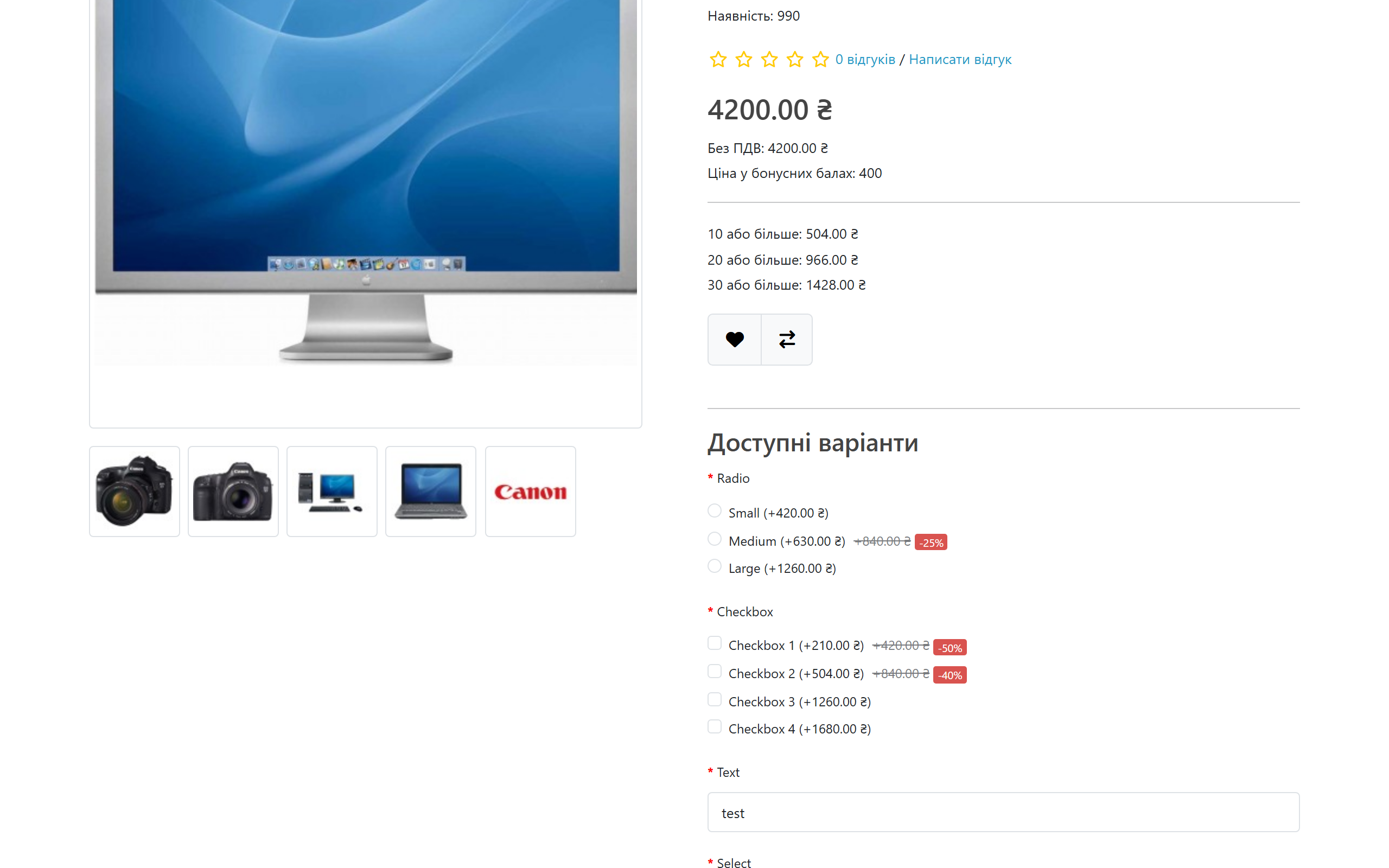
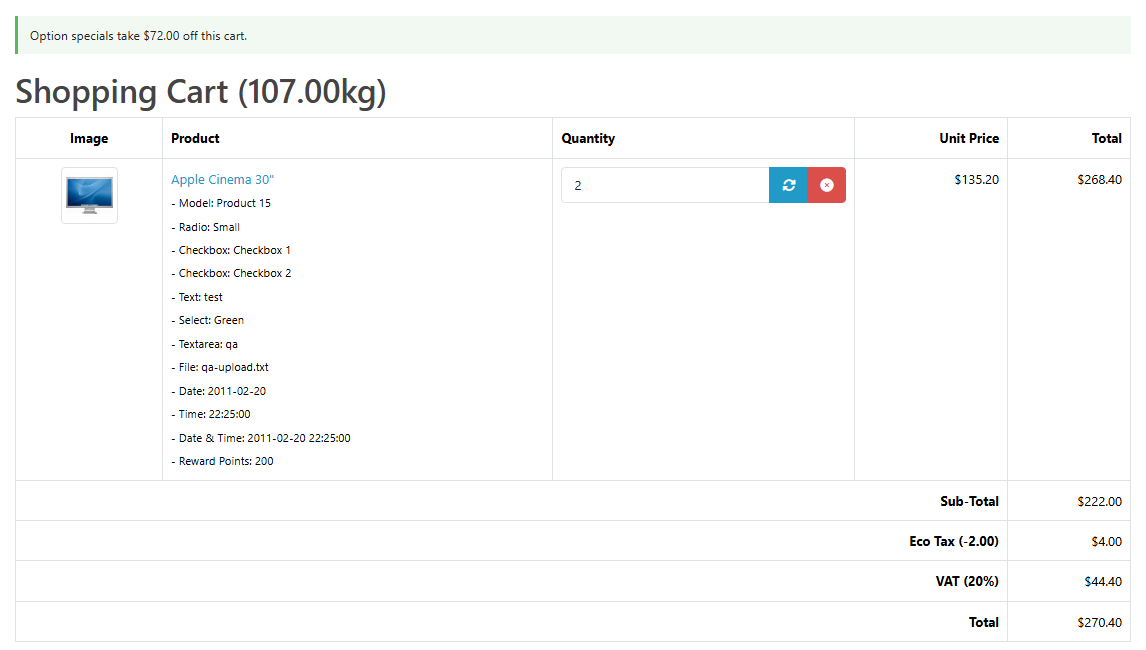
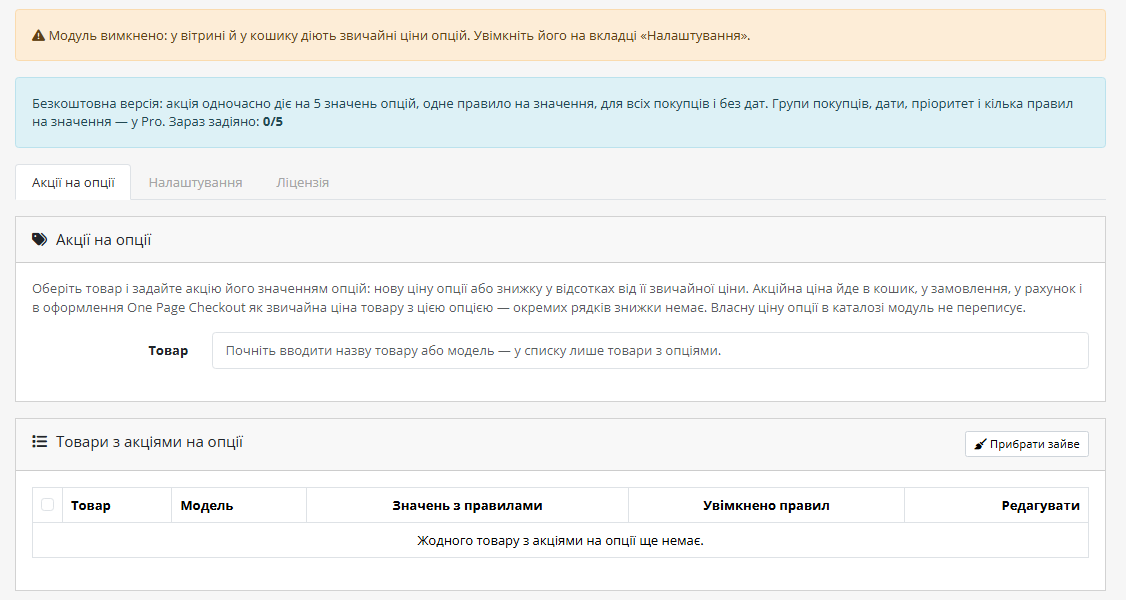
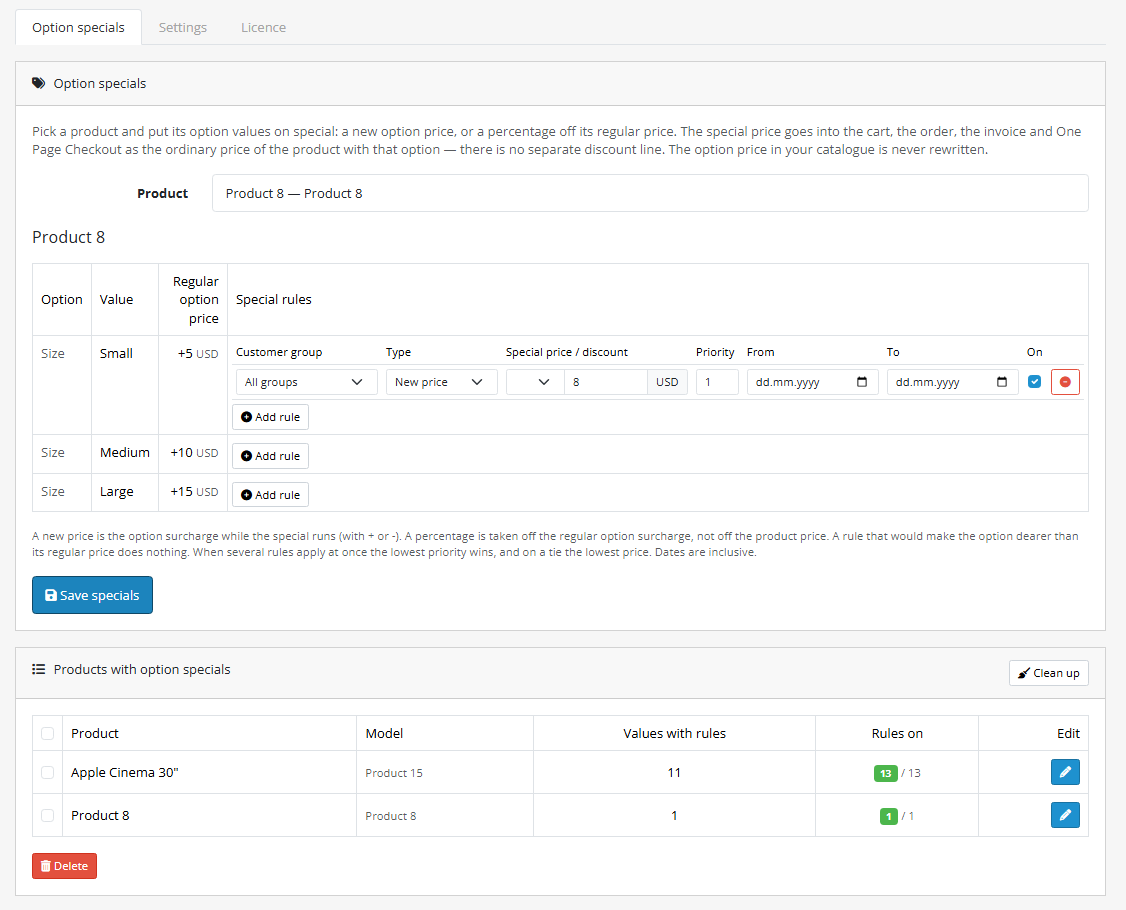
A special on one option value in OpenCart 4, 3 and 2.3: "256 GB" on sale while "128 GB" keeps its usual price. A new surcharge or a percentage off, the old price struck through and a -N% badge on the product page, and in the cart and the order the special price sits right in the product line. The base version is free; Pro adds customer groups, dates and priority, with a lifetime licence.
The free version works with no time limit. Pro adds the rest of the features in the table.


Extensions → Modules → Option Specials, three tabs: “Option specials”, “Settings” and “Licence”.

The base version is UAH 0 and not time-limited: specials on 5 option values at a time, for every customer, without dates.

A fresh install is the free version, nothing switches on by itself. The “Try Pro for 7 days” button → e-mail → the key right in the window and by e-mail.

Moving the store? Unbind the licence on the old domain and activate it on the new one yourself. If our server is unreachable, Pro keeps working for 14 more days. For studios — keys for 5 or 25 sites, or unlimited.
 OpenCart 4.0.2 – 4.1.x (tested on 4.1.0.3 and 4.0.2.3), 3.0.x (tested on 3.0.5.0) or 2.3.0.2.PHP as your OpenCart version requires: the 2.3 build was tested on PHP 7.0, the 3.x build on 8.2, the 4.x build on 8.3.Database: MySQL/MariaDB with the mysqli or PDO driver (both tested).The standard OpenCart cart class. If another extension has replaced it with its own, Option Specials does not swap the cart: the special is visible on the product page, but the cart charges the regular price. Likewise, an OCMOD modification that rewrites the option value query in the cart can switch the special off in the cart.Theme. The old price and the badge are added to OpenCart’s standard option markup; tested on the default themes of 4.x, 3.x and 2.3, not on custom themes. If a theme heavily changes the option markup, the struck-through price and the badge may not appear; the special price in the cart and the order does not depend on the theme.
First public release for OpenCart 4.x, 3.x and 2.3.
4 modules in one order — 40% cheaper than separately



Option Specials for OpenCart puts a special on a single option value. A “128 GB” phone sells at its usual price while “256 GB” is on sale; a T-shirt is cheaper in red than in other colours; gift wrapping is free this week. Out of the box OpenCart cannot do this: its special changes the price of the whole product, and an option surcharge in the product form is always one fixed number.
A special is set on an option value in one of two ways: a new surcharge (with + or −) or a percentage off the regular surcharge. On the product page the shopper sees the new price, the old one struck through and a -N% badge, and in the cart and the order the special price sits right in the product line — no separate “discount” line — so taxes, the total, the invoice and the amount paid match what the shopper saw. The module does not edit OpenCart core files and never rewrites option prices in your catalogue. One licence, three builds: OpenCart 4.x, 3.x and 2.3.
Extensions → Modules → Option Specials, three tabs: “Option specials”, “Settings” and “Licence”.
Pro is UAH 990, one payment, lifetime licence. No yearly payments. One licence for one domain covers all three builds — OpenCart 4.x, 3.x and 2.3. Moving the shop to another domain — click “Detach” on the Licence tab of the old shop and activate the key on the new one.
Trial first, payment later. A free 7-day Pro trial starts with a button on the Licence tab, one trial per shop. When it ends only the Pro rules switch off — they stay in the admin marked “Pro only”, and simple specials keep working.
product_option_value.price is never rewritten, so removing the module returns the shop to regular prices with no clean-up in the catalogue.system/library/cc_optspecial/feed.php returns, for a list of option values, the same special price the cart charges. Our Market Feeds does not use it yet — that is planned.cc_optspecial.ocmod.zip (do not rename the archive) and click “Install”. OpenCart 3: Extensions → Installer → cc_optspecial-oc3.ocmod.zip, then Extensions → Modifications → Refresh. OpenCart 2.3: the 2.3 installer does not copy files without a configured FTP, so upload the contents of the upload/ folder from cc_optspecial-oc2.ocmod.zip to the shop root with your hosting file manager — no FTP setup in OpenCart needed.Didn't find the answer? Message us on Telegram and we'll reply within a business day.
 @catcode_support
Setup, compatibility, activation
@catcode_support
Setup, compatibility, activation
A standard special changes the price of the whole product: every size, colour and capacity gets cheaper by the same amount. Option Specials puts a special on one option value — only "256 GB" or only the red colour — and the other values keep their usual price.
It reaches the order. The special price becomes the ordinary price of the product line with that option: the cart, taxes, the total, the order in the admin, the invoice and the mini-cart all use it without a separate discount line. Checked with real orders on OpenCart 4.1, 4.0.2, 3.0 and 2.3.
No. The regular option surcharge in the product form stays as it is; the module only substitutes the special one when the cart is calculated. Disable or remove the module and the shop charges the regular prices right away.
Rules with customer groups, dates or several prices per value stay where they are, marked "Pro only", and simply stop applying. Simple rules (for everyone, no dates) keep working within the 5-value limit. Buy a licence and everything switches back on — nothing has to be entered again.
Honestly: not yet. Product-level feeds (Rozetka, Prom, Hotline) take the product price, which an option special does not change, so they show no mismatch. But feeds with a separate entry per option value (Google Merchant and Meta in our Market Feeds module) still show the regular price of that value. Feed support is planned; the module already has an interface that returns the special price of a value for a feed.
If another extension has replaced the OpenCart cart class with its own, Option Specials leaves the cart alone so as not to break someone else's logic: the product page shows the special, but the cart charges the regular price. Check it on your shop during the 7-day trial and let us know if that is the case; the module admin does not warn about such a conflict yet.
Yes, because the module does not add its own line to the totals — it changes the price of the product line itself. Checked on demo shops together with our Cart Discounts (the discount is calculated from the already reduced sum), Product Bundles and One Page Checkout.
Yes, rules are shared by all stores of one OpenCart installation. Per-store rules are not available yet.
The base version is free. Pro costs UAH 990 once; the OpenCart licence is lifetime, with no yearly payments. One licence for one domain covers all three builds.
No reviews yet. Be the first.
No questions yet. Ask one — we answer within 24 hours.
We build custom modules for WordPress, WooCommerce, OpenCart and Shopify. Tell us about the task and we'll prepare an estimate.
Order a custom module
—

CatCode assistant
Just now


CatCode assistant
Online

I’ll help with your website task
Describe your website task — I’ll find a ready-made module or pass it to a developer for an estimate. Modules, custom features, layout, integrations, speed, migration, technical SEO.
