WordPress
Postcode Delivery Zones for WooCommerce — delivery zones by postcode, minimum order and delivery windows
Free + Pro
990 UAH/year
v1.0.1
Enter at least 2 characters
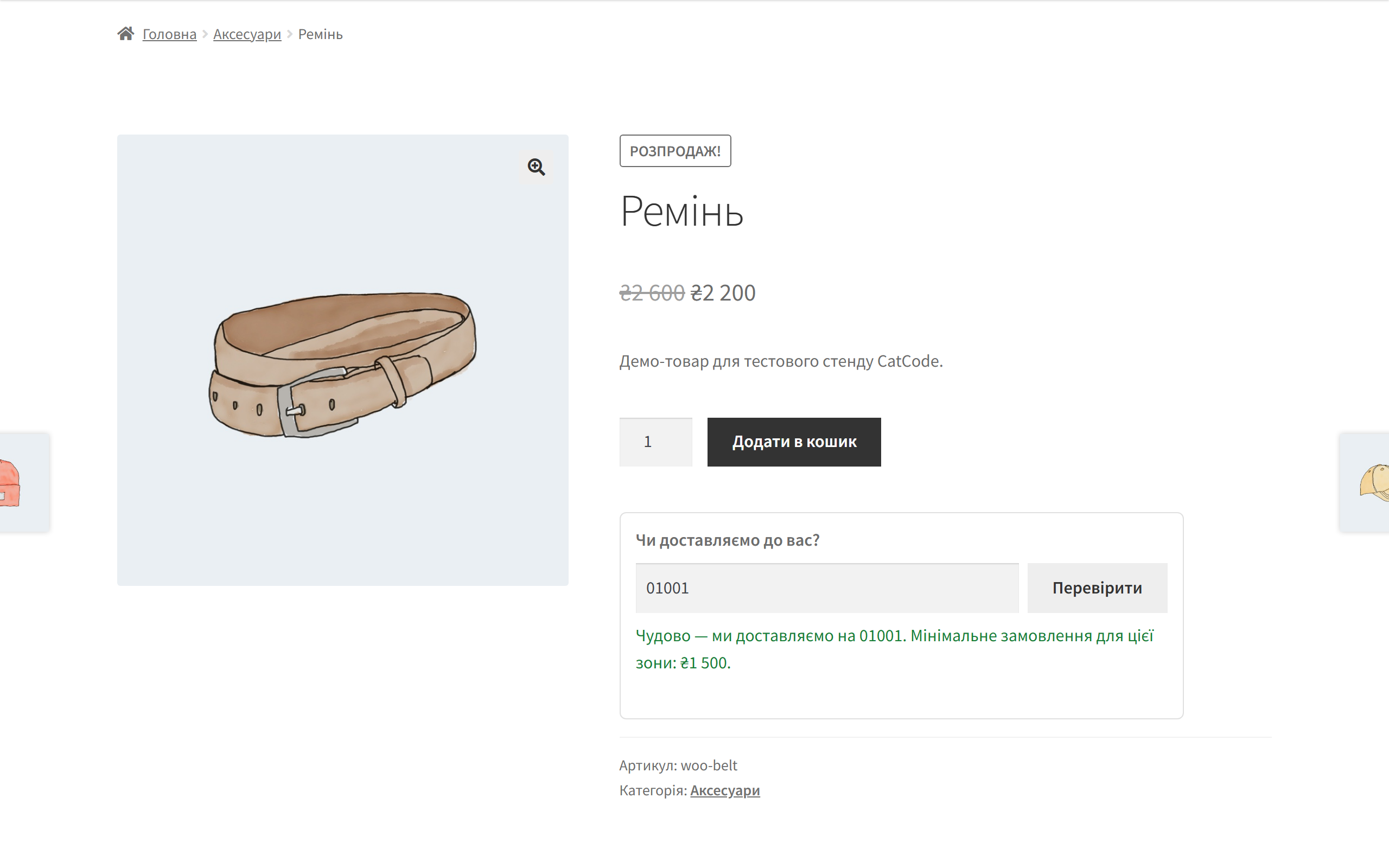
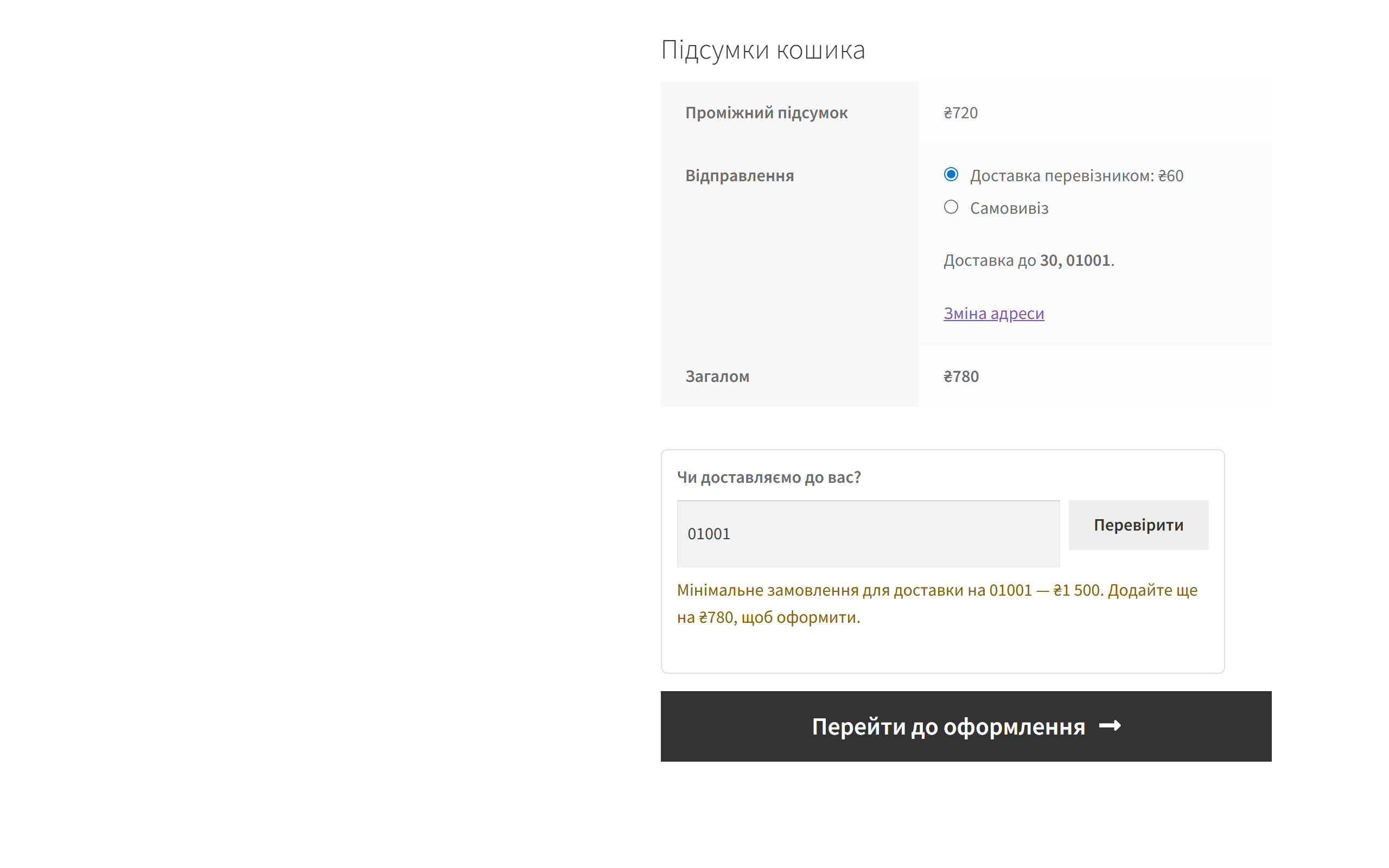
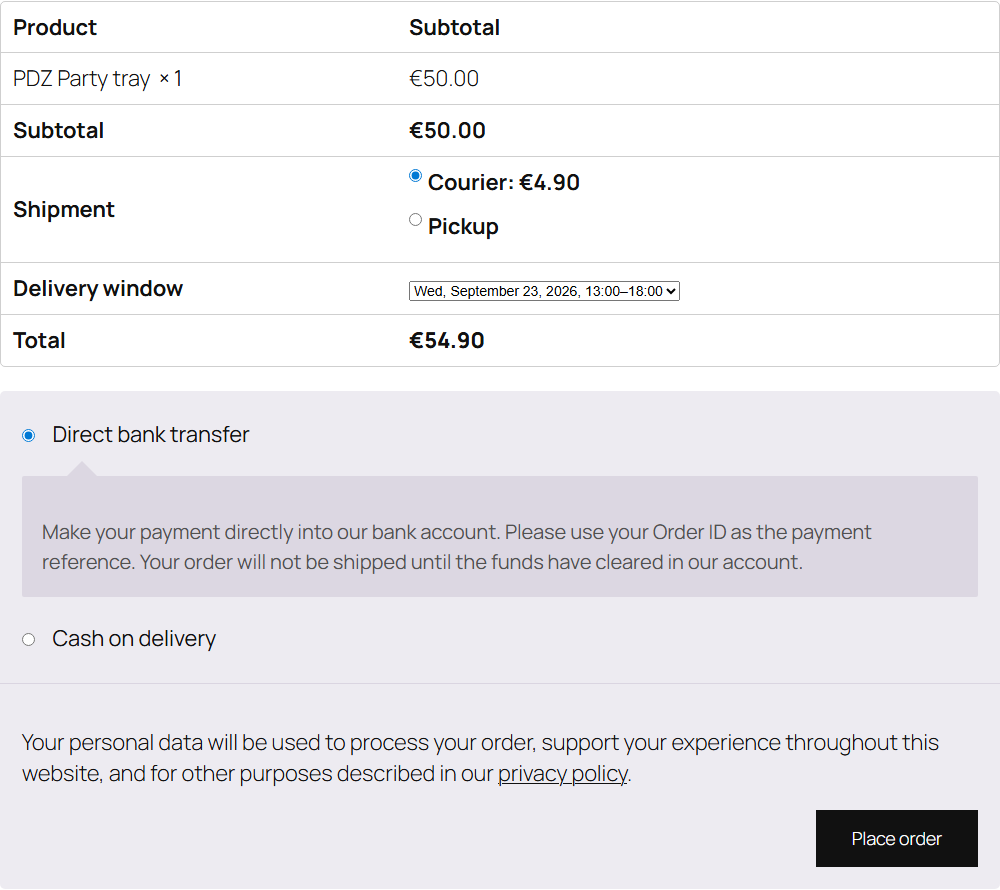
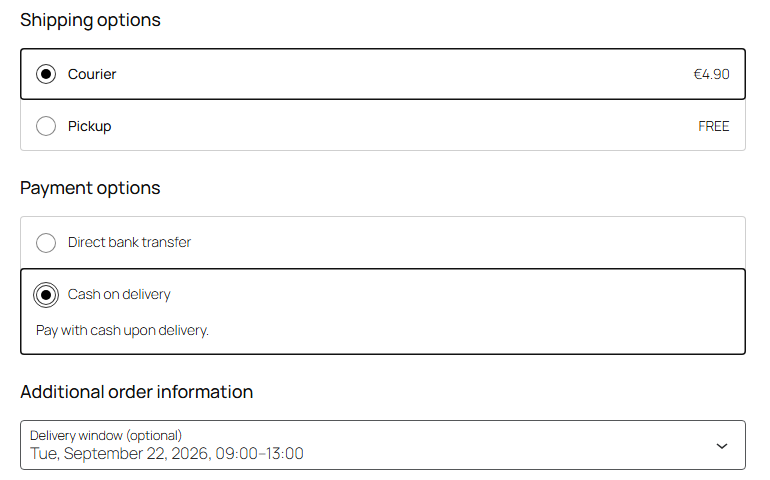
Delivery zones by postcode: "Do we deliver to you?" on the product page, a minimum order per zone and delivery windows with a per-slot limit. WooCommerce classic and block checkout.
The free version works with no time limit. Pro adds the rest of the features in the table.



A fresh install is the free version, nothing switches on by itself. The “Try Pro for 7 days” button → e-mail → the key right in the window and by e-mail.

Moving the store? Unbind the licence on the old domain and activate it on the new one yourself. If our server is unreachable, Pro keeps working for 14 more days. For studios — keys for 5 or 25 sites, or unlimited.
 WooCommerce 8.0+ with the classic or block checkout, HPOS compatible. Delivery windows in the block checkout need WooCommerce 8.9+ (Additional Checkout Fields API).WordPress 6.2+ · PHP 7.4+The shipping price is still calculated by WooCommerce shipping zones and methods — the plugin decides whether you deliver to a postcode and from what order value, not how much it costs.Tested on WordPress 7.1 and WooCommerce 11.1: classic and block checkout, local pickup, minimum order, outside the zone, windows with a per-slot limit.
Pro: on the legacy order storage (HPOS off) a delivery window with an orders-per-slot limit counted every order in the store instead of the orders booked for that window, so such windows…
Postcode zones, the widget on the product page, in the cart and as a shortcode, a zone minimum order, blocking orders outside the zones; Pro.
4 modules in one order — 40% cheaper than separately



Postcode Delivery Zones for WooCommerce is a plugin for stores that deliver themselves: groceries, flowers, bakeries, furniture, catering. You don’t deliver “nationwide” — you deliver to a list of postcodes, with a minimum order that depends on distance, on certain days and at certain hours. WooCommerce shipping zones can calculate a price, but they won’t tell a customer on the product page whether you deliver to them at all, and they won’t stop a €9 order going somewhere with a €40 minimum. This plugin covers exactly that.
The core version is free. Up to three zones with their own postcodes and minimum order, a “Do we deliver to you?” check on the product page and in the cart, and blocking orders to postcodes outside your zones — no license and no time limit. Pro adds unlimited zones, delivery windows with date and time, an order limit per slot and CSV import and export of postcodes.
If the postcode is outside every zone, no order is created and the customer sees your text (“Sorry, we don’t deliver to 99999 yet”). You can pick a softer mode instead: the message is shown, but the order can still be placed. The minimum order always applies — a minimum you can get around isn’t a minimum. Local pickup is never blocked by a zone: customers who collect can check out with any postcode.
[postcode_delivery_check] — the same widget on any page: the home page, the footer, your Delivery page.woocommerce_after_checkout_validation for the classic one and woocommerce_checkout_validate_order_before_payment for the block one.postcode-delivery-zones-for-woocommerce-1.0.1.zip and activate it.Didn't find the answer? Message us on Telegram and we'll reply within a business day.
 @catcode_support
Setup, compatibility, activation
@catcode_support
Setup, compatibility, activation
No. WooCommerce zones calculate the shipping price. The plugin decides whether you deliver to a postcode at all and what the minimum order is there.
Yes. The check runs on the server in both checkouts: while the total is below the zone minimum no order is created, and the customer sees how much is missing.
The first enabled zone in the list. Put the narrower zone higher.
The order goes through: local pickup is not blocked by a zone. This setting can be turned off.
The first three zones keep working with the minimum and the widget. Other zones and delivery windows are kept and come back with a license. After a paid license term ends Pro keeps working — only updates and support stop.
No reviews yet. Be the first.
No questions yet. Ask one — we answer within 24 hours.
We build custom modules for WordPress, WooCommerce, OpenCart and Shopify. Tell us about the task and we'll prepare an estimate.
Order a custom module
—

CatCode assistant
Just now


CatCode assistant
Online

I’ll help with your website task
Describe your website task — I’ll find a ready-made module or pass it to a developer for an estimate. Modules, custom features, layout, integrations, speed, migration, technical SEO.
