Get in touch
  • WordPress
  • Sales and conversion
  • v1.0.0

Omnibus Price History for WooCommerce — lowest price in the 30 days before a discount

The lowest price in the last 30 days next to every discount — an Omnibus Directive (Art. 6a) requirement for stores in the EU.

Download Free
Pro · one-year licence The more sites, the less each one costs
Compatibility
WooCommerce 7.0+ · WordPress 6.2+ · PHP 7.4+
Licence
one site, annual
Trial
7 days, no card, one per site
Updated
September 2026
Or all 144 Pro modules with All Access — 4 990 ₴ / year

What Free has,
and what Pro adds

The free version works with no time limit. Pro adds the rest of the features in the table.

Feature Free Pro
Log of every price change of products and variations: editor, quick and bulk edit, REST, CSV import, scheduled sales ✔ ✔
The lowest 30-day price is locked in when a discount starts, previous sales included ✔ ✔
Note on the product page and in the selected variation ✔ ✔
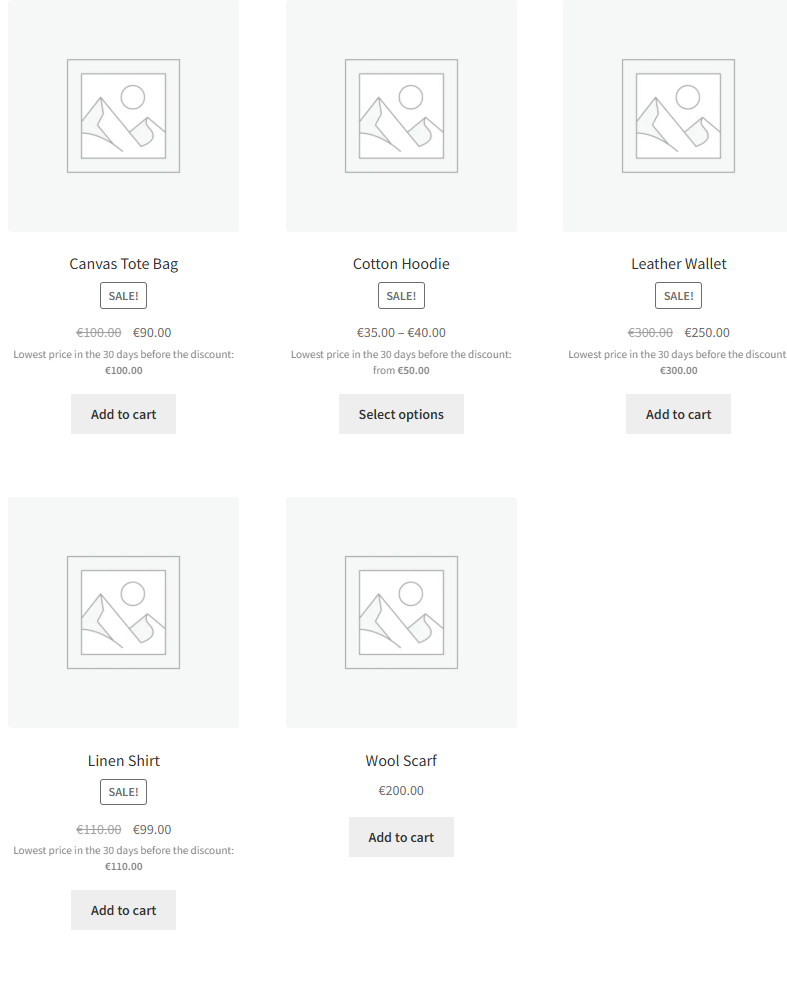
Note in the shop, categories, search and product blocks, "from" for variable products ✔ ✔
History import from the "Omnibus — show the lowest price" plugin (iWorks) ✔ ✔
Your own note text with {days} and {price}, shortcode [ccoph_prior_price] ✔ ✔
Classic and block themes, HPOS, pl/de/ro translations ✔ ✔
Log retention 400 days up to 10 years
Country rules: period longer than 30 days, progressive discounts 6a(5), new products 6a(4), category exceptions 6a(3) — ✔
CSV report for inspections: current discounts and the price log for any dates — ✔
Discount check: struck-through price above the real minimum — ✔
History chart and table in the editor, "Prior price" column in the product list — ✔

What it looks like

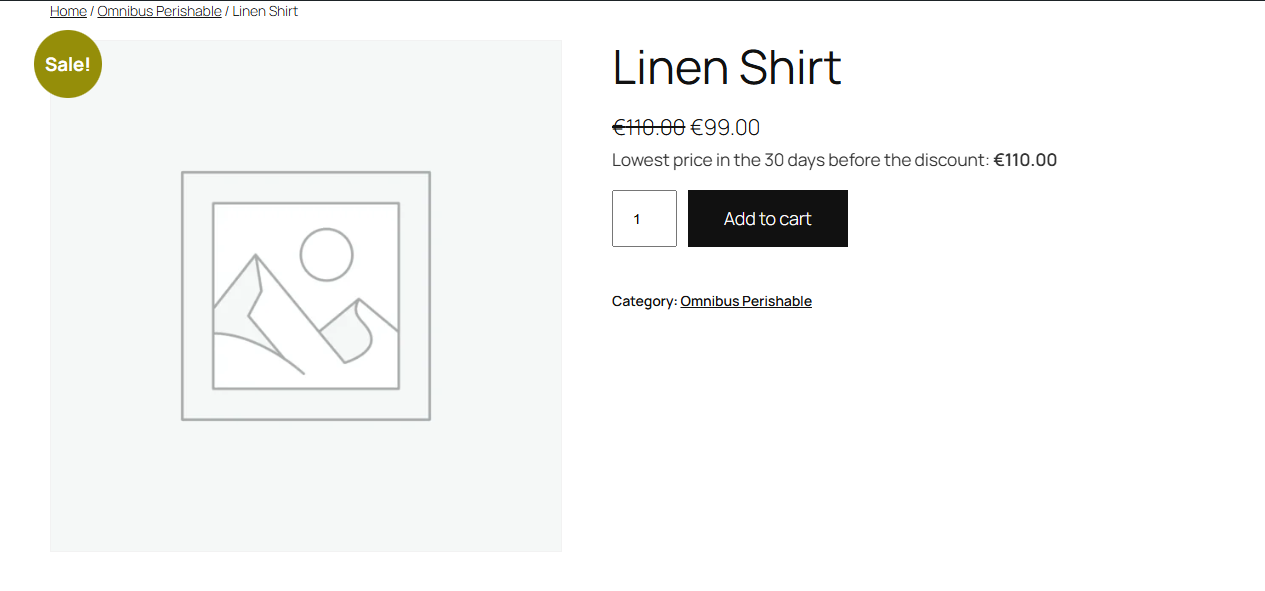
Note with the lowest price in the last 30 days on a WooCommerce product page in a block theme
Under the sale price — “Lowest price in the 30 days before the discount”. Block theme Twenty Twenty-Five: the plugin appends the note to the price HTML, so both classic templates and product blocks print it.
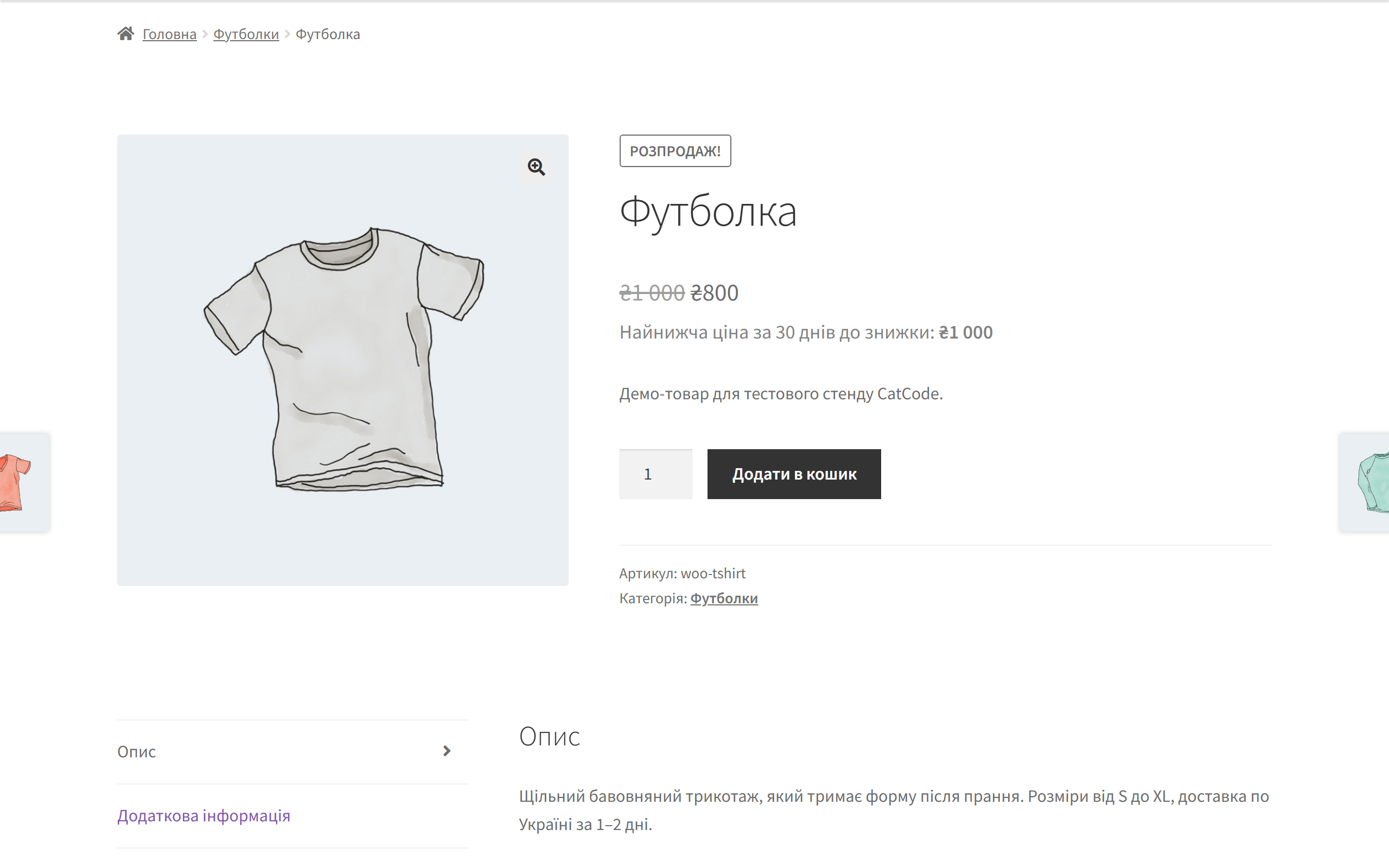
Omnibus note in the classic Storefront theme
Classic Storefront theme — the same note. The price is shown with the same taxes as the price next to it.
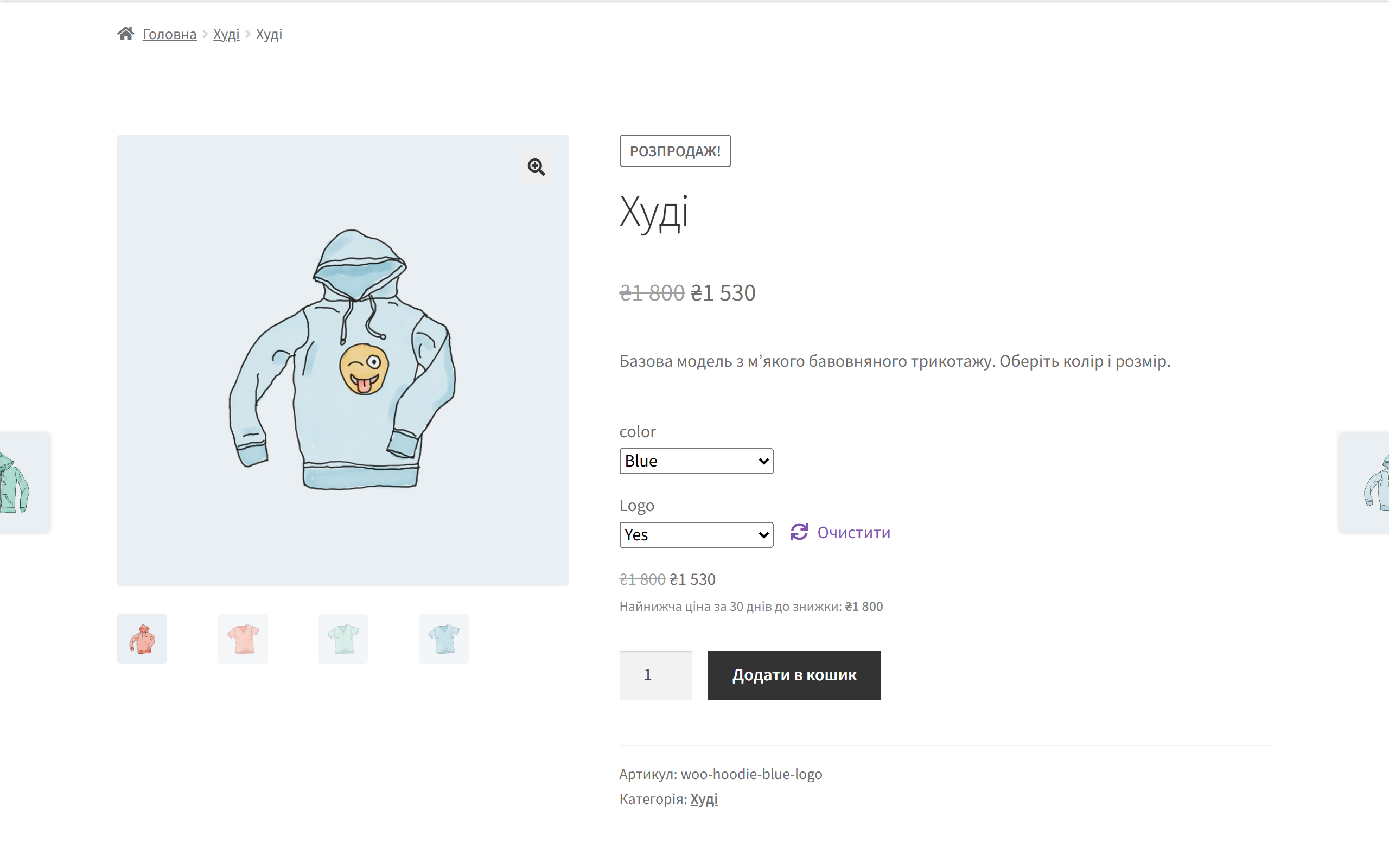
Note for the selected product variation
Variable product: once a variation is selected, its own price before the discount is shown. Even when all variations cost the same and WooCommerce hides the variation price, the note stays.

The trial starts when you ask

A fresh install is the free version, nothing switches on by itself. The “Try Pro for 7 days” button → e-mail → the key right in the window and by e-mail.

One key — one site

Moving the store? Unbind the licence on the old domain and activate it on the new one yourself. If our server is unreachable, Pro keeps working for 14 more days. For studios — keys for 5 or 25 sites, or unlimited.

Technical requirements

  • WooCommerce 7.0+ (tested on 11.1), classic and block themes, HPOS compatible
  • WordPress 6.2+ · PHP 7.4+
  • Languages: English, Polish, German, Romanian

Version history

v1.0.0 Current September 2026

Price log of products and variations, locking in the lowest 30-day price when a discount starts, the note on the product page, in variations and listings, history import from iWorks…

Frequently bought with Omnibus Price History for WooCommerce

4 modules in one order — 40% cheaper than separately

“Store starter” bundle Omnibus Price History Nova Poshta Premium LiqPay Telegram notifications and Viber/SMS for customers Need more — all 144 modules in All Access for 4 990 ₴.
3 490 ₴ / year instead of 5 860 UAH bought separately
Buy the bundle →

Full module description

Omnibus Price History for WooCommerce is a plugin that records every price change of products and variations and shows the lowest price from the 30 days before each discount right next to it. That is exactly what the Omnibus Directive requires: Article 6a of Directive 98/6/EC, as amended by Directive (EU) 2019/2161, has applied in every EU country since 28 May 2022. For a store selling to Poland, Germany, Romania or any other EU country, a struck-through price without the “price before the discount” is a direct violation that gets fined.

The core version is free. The price log, the note on the product page, in the selected variation and in every listing (shop, categories, search, product blocks), and importing the history from the “Omnibus — show the lowest price” plugin all work without a license and without a time limit. Pro adds national country rules (a period longer than 30 days, progressive discounts, new products, exceptions for perishable goods), a CSV report for inspections, a discount check and a price history chart in the product editor.

What the admin gets

  • The first price snapshot of all products and variations is taken in the background right after activation; after that every change is logged at the moment it is saved: editor, quick and bulk edit, REST API, CSV import, scheduled sales.
  • A daily reconciliation catches prices written to the database bypassing WooCommerce (importers, syncs).
  • History import from the “Omnibus — show the lowest price” plugin (iWorks) — one button, and sales already running get the correct price before the discount.
  • In the product editor you see the locked-in price before the discount, the sale start date and whether the history for the period is complete.
  • Shortcode [ccoph_prior_price] for page builders that print the price without WooCommerce’s price HTML.

How it works, step by step

  1. You set a sale price (right away or with a start date).
  2. When the discount starts, the plugin takes the lowest price applied during the 30 days before it, including previous sale prices — as the European Commission guidance (2021/C 526/02) requires.
  3. That price is locked in for the whole sale and does not “slide” into the discount itself day by day.
  4. The discount got deeper — that is a new discount with a new prior price. Only where a country allows progressive discounts (Art. 6a(5)) is the price before the first step kept — that is a Pro toggle.
  5. The discount ends — the note disappears and the product simply has its price again.

Under the hood

  • A separate log table — one row per price state change, without bloating product metadata. Old records are purged daily, except the one still in effect at the start of the period.
  • The price before the discount is locked in when the sale starts (section 2.1 of the European Commission guidance), not recalculated on every page view.
  • Honest about incomplete history: if a sale was already running before the plugin was installed, the note shows the regular price (or nothing — your choice), and the product editor says so plainly.
  • A Pro gate that doesn’t brick anything: when the trial ends, only Pro features stop; after a paid license term ends, Pro keeps working and only updates and support stop.
  • Deleting the plugin removes the table, settings, meta fields and cron. Deactivation keeps the log — it’s your evidence for an inspection.

How to install

  1. Plugins → Add New → Upload Plugin: choose omnibus-price-history-for-woocommerce-1.0.0.zip and activate it.
  2. The plugin takes the first price snapshot by itself. If the “Omnibus — show the lowest price” plugin was installed, click “Import the history” in WooCommerce → Omnibus.
  3. Check the note text and where it is shown, then save.
  4. For Pro: paste the license key from the email you get after payment, or start the 7-day trial, and switch on your country’s rules.

Questions
about the module

Didn't find the answer? Message us on Telegram and we'll reply within a business day.

@catcode_support Setup, compatibility, activation
Is this legal advice?

No. The plugin applies Article 6a literally; check the national options against the law of the countries you sell to.

A sale was running before the plugin was installed.

There is no history from before installation: the regular price or nothing is shown — your choice. History from iWorks Omnibus can be imported with one button.

Prices are changed by an import directly in the database.

The daily reconciliation picks up discounted products changed bypassing WooCommerce.

What happens when the license expires?

Nothing gets switched off: Pro features, the price log and the storefront note keep working — only updates and support stop.

Will deleting the plugin remove the data?

Deactivation keeps the log. Deleting removes the table, settings and meta fields.

Not quite what you are looking for?

We build custom modules for WordPress, WooCommerce, OpenCart and Shopify. Tell us about the task and we'll prepare an estimate.

Order a custom module