OpenCart
Portmone for OpenCart — card, Apple Pay and Google Pay payments
Free + Pro
890 UAH
v1.0.0
Enter at least 2 characters
Take card, Apple Pay and Google Pay payments in OpenCart 2.3, 3.x and 4.x through Portmone.com: an order is confirmed only after a status request to Portmone, JSON and XML notifications, underpayment protection. Pro — payment journal, refunds and two-stage payments.
The free version works with no time limit. Pro adds the rest of the features in the table.



A fresh install is the free version, nothing switches on by itself. The “Try Pro for 7 days” button → e-mail → the key right in the window and by e-mail.

Moving the store? Unbind the licence on the old domain and activate it on the new one yourself. If our server is unreachable, Pro keeps working for 14 more days. For studios — keys for 5 or 25 sites, or unlimited.
 OpenCart 2.3.0.x, 3.0.x or 4.0.2 – 4.1.x; PHP 7.0+ for 2.3, and whatever version your OpenCart requires for 3.x and 4.x.The PHP cURL extension and outgoing HTTPS requests from the server.The site reachable from the internet over HTTPS (no basic auth) so that Portmone notifications arrive.Cart currency: UAH, USD, EUR, GBP, PLN or KZT.A contract with Portmone.com: Payee ID, shop login and password. The signature key is needed only when Portmone enabled request signing for your store.
For OpenCart 2.3, 3.x and 4.x.
4 modules in one order — 40% cheaper than separately



CatCode Portmone is a Portmone.com payment module for OpenCart 2.3, 3.x and 4.x. The shopper pays by card, Apple Pay or Google Pay on the Portmone payment page, and the order in your store moves to a paid status on its own. The difference from the usual “redirect and take it on trust”: the module trusts neither the shopper’s return nor the notification — before marking an order paid it asks Portmone for the status itself and checks the amount.
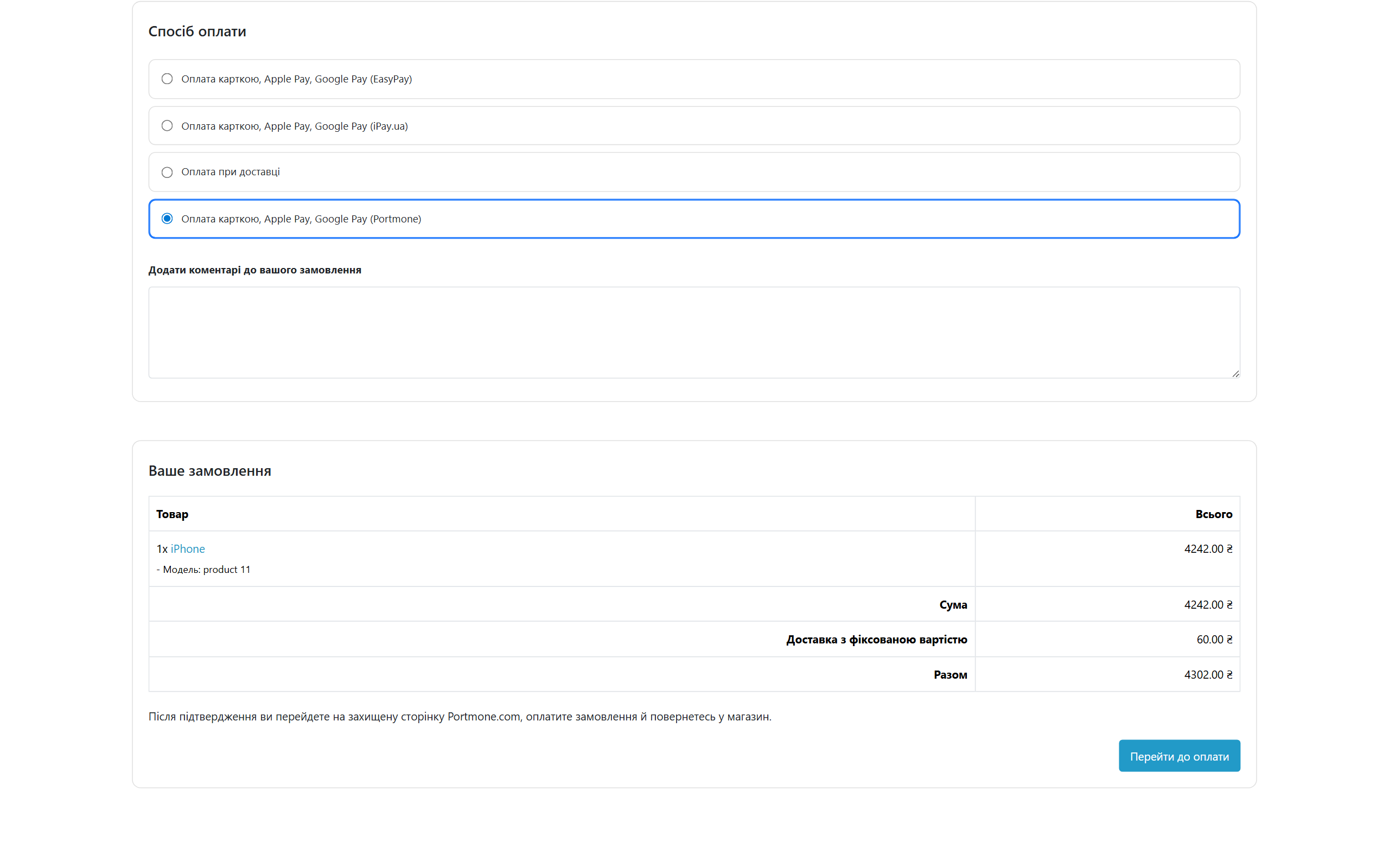
At checkout it is an ordinary payment method, “Card, Apple Pay, Google Pay (Portmone)”. The shopper confirms the order and clicks “Pay” — the module creates an invoice in Portmone and opens the payment page.
After the payment Portmone sends the shopper back to the store. The module ignores whatever arrives in the URL or the POST body and asks Portmone for the status using the shop login and password. If the payment went through, the shopper lands on the order confirmation page; if not, the order gets the failed-payment status, the products go back into the cart and a prompt to try again appears on top.
A repeat attempt goes to Portmone under a new number, and the module closes the previous invoice with closeInvoice so that a single order cannot be paid twice. If the shopper has already paid and presses “Back”, they land on the success page instead of a second payment.
The method is shown only for the currencies Portmone accepts: UAH, USD, EUR, GBP, PLN and KZT. If the shopper switches the store to another currency, Portmone hides itself.
result request and decides what happened to the money from that answer only.result request with the shop login and password. A forged request to your site changes nothing.cc_portmone: the official Portmone module can sit next to it — the settings and tables are separate.cc_portmone.ocmod.zip and click Install. Then Extensions → Payments → “Portmone — card, Apple Pay, Google Pay” → Install → Edit.cc_portmone-oc3.ocmod.zip, refresh the modifications, then Extensions → Payments → Portmone → Install.upload/ folder from cc_portmone-oc2.ocmod.zip into the store root. Then Extensions → Payments → Portmone → Install.Didn't find the answer? Message us on Telegram and we'll reply within a business day.
 @catcode_support
Setup, compatibility, activation
@catcode_support
Setup, compatibility, activation
No. Payments, notifications and status and amount checks work in the free version with no time limit.
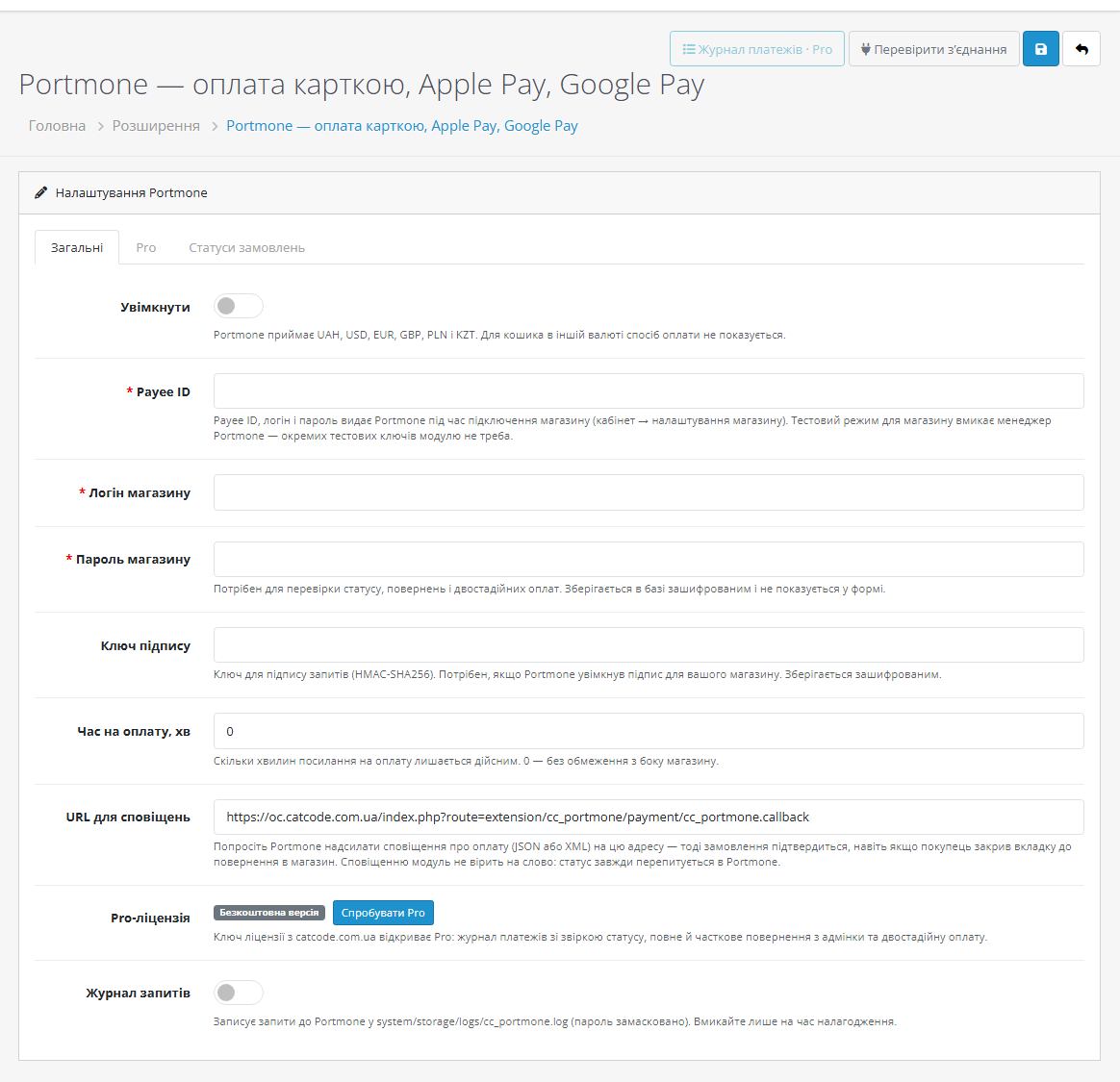
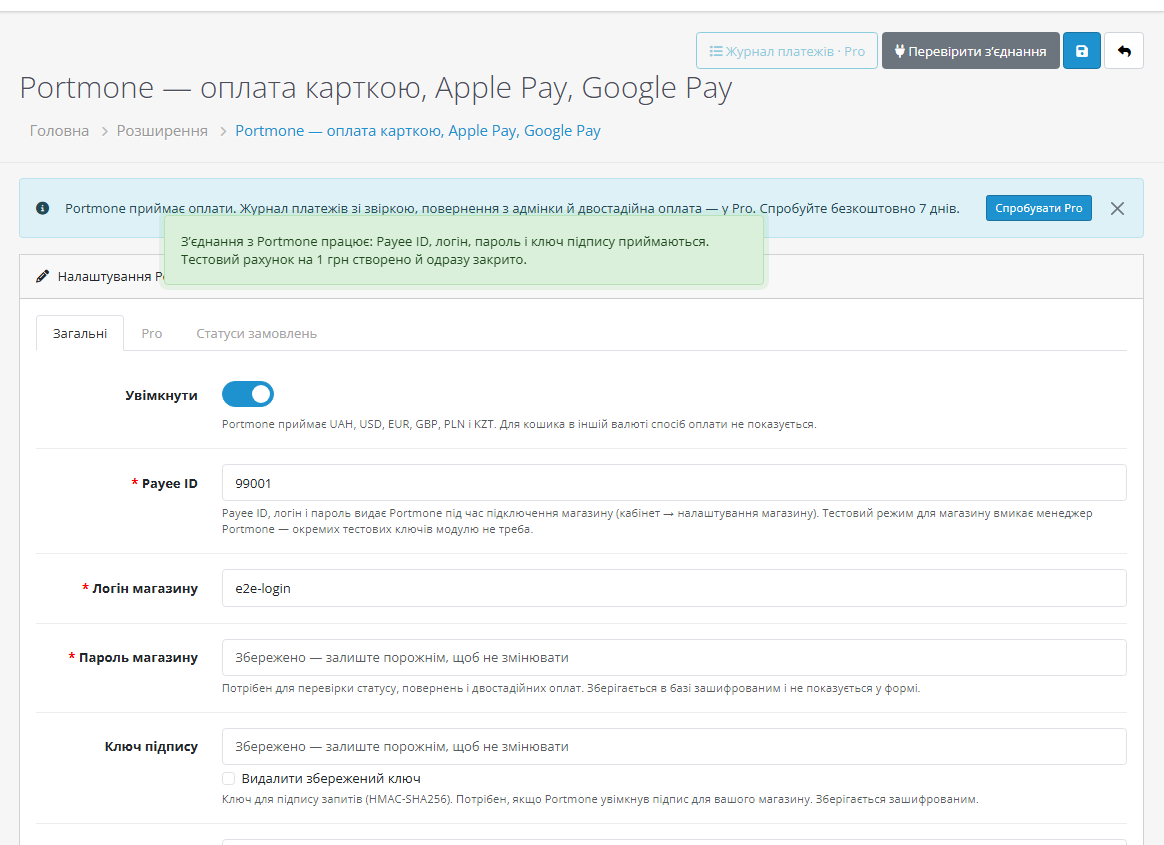
Yes. The Payee ID, shop login and password are issued by Portmone when your store is connected. Test mode for the store is switched on by your Portmone manager — the module needs no separate test keys.
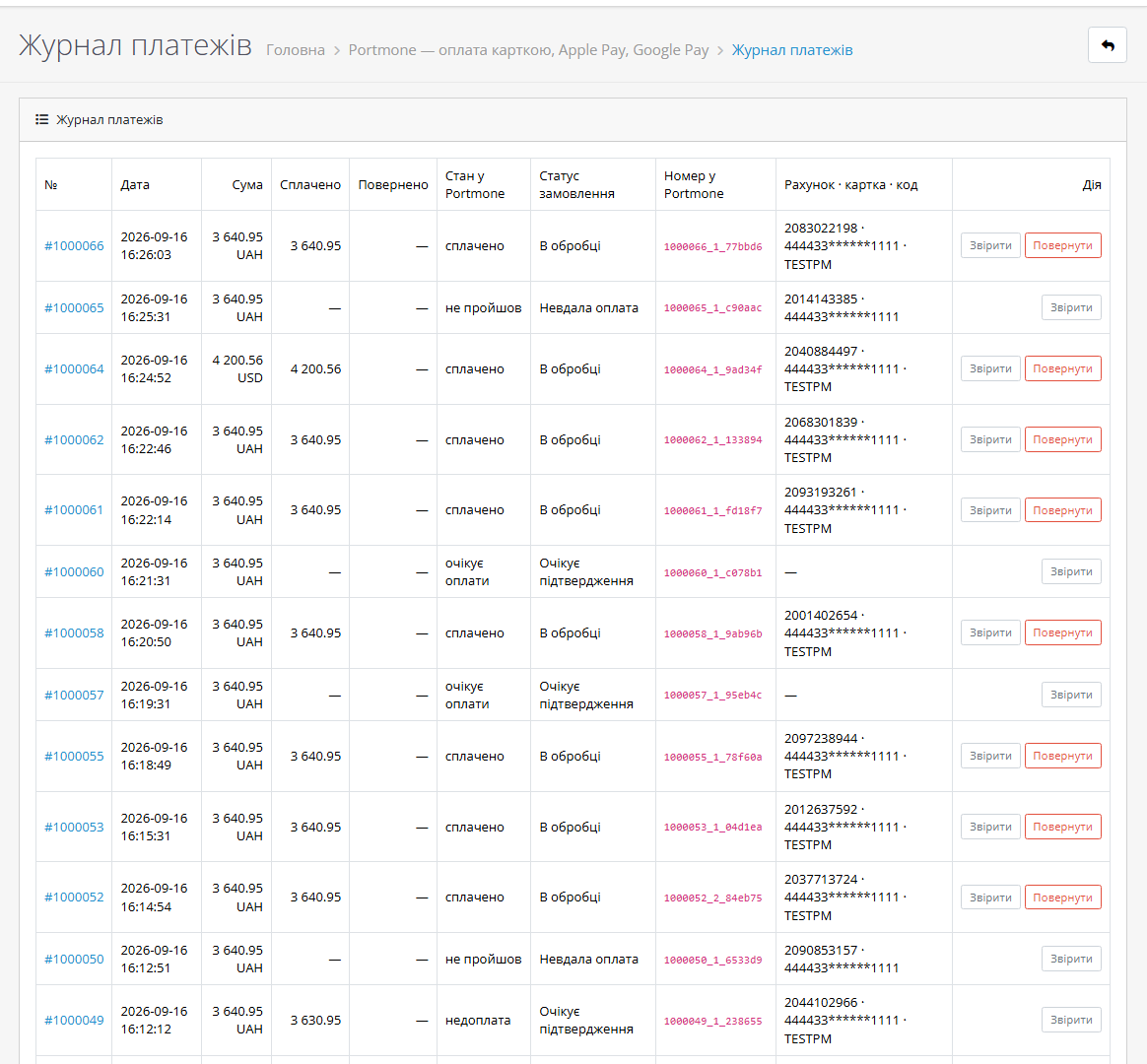
The status is checked when the shopper returns and on every notification. Make sure "Test connection" passes and that Portmone sends notifications to the address from the settings. With Pro you can sync the status from the journal in one click.
No. The card is entered on the Portmone page; your server only receives a notification, and the status is taken from Portmone.
No, the modules use different extension codes and separate settings. It is still worth showing only one of them at checkout.
With Pro, yes — from the payment journal: several partial refunds, and the remainder in one click. Portmone recommends refunding no earlier than 24 hours after the payment.
No. An OpenCart licence is perpetual: you pay once.
No reviews yet. Be the first.
No questions yet. Ask one — we answer within 24 hours.
We build custom modules for WordPress, WooCommerce, OpenCart and Shopify. Tell us about the task and we'll prepare an estimate.
Order a custom module
—

CatCode assistant
Just now


CatCode assistant
Online

I’ll help with your website task
Describe your website task — I’ll find a ready-made module or pass it to a developer for an estimate. Modules, custom features, layout, integrations, speed, migration, technical SEO.
