WordPress
Кинуті кошики для WooCommerce
Free + Pro
990 грн/рік
v1.3.1
 All Access4 990 ₴ на рік
 Аудит сайтуPDF-звіт на пошту за 3 хвилиниПеревірити сайт
Для щоденних задач
Стиснення фотоРозмір, якість і WebP пачкоюГенератор QRПосилання, Wi-Fi, оплата на IBANКалькулятор ПДВ20, 14, 7 % і сума прописомТранслітераціяЗа постановою КМУ № 55Перевірки сайту
PHP і плагіниВерсія PHP, WordPress, плагіниФід Google MerchantПоля, ціни, GTIN, фотоПошта доменуSPF, DKIM, DMARC, чорні спискиГотовність до AI-пошукуllms.txt, боти, розміткаУсі 9 інструментівВведіть щонайменше 2 символи
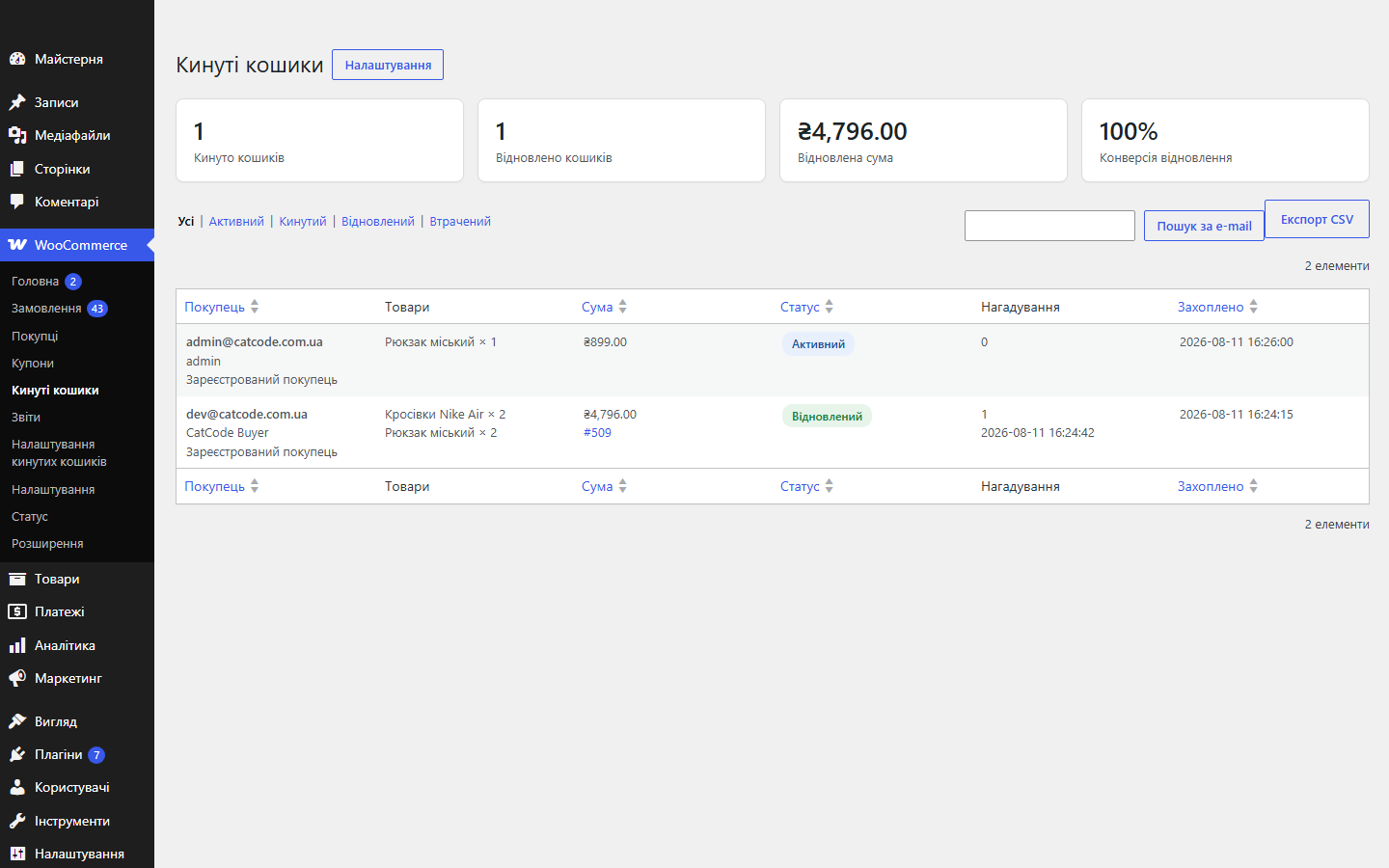
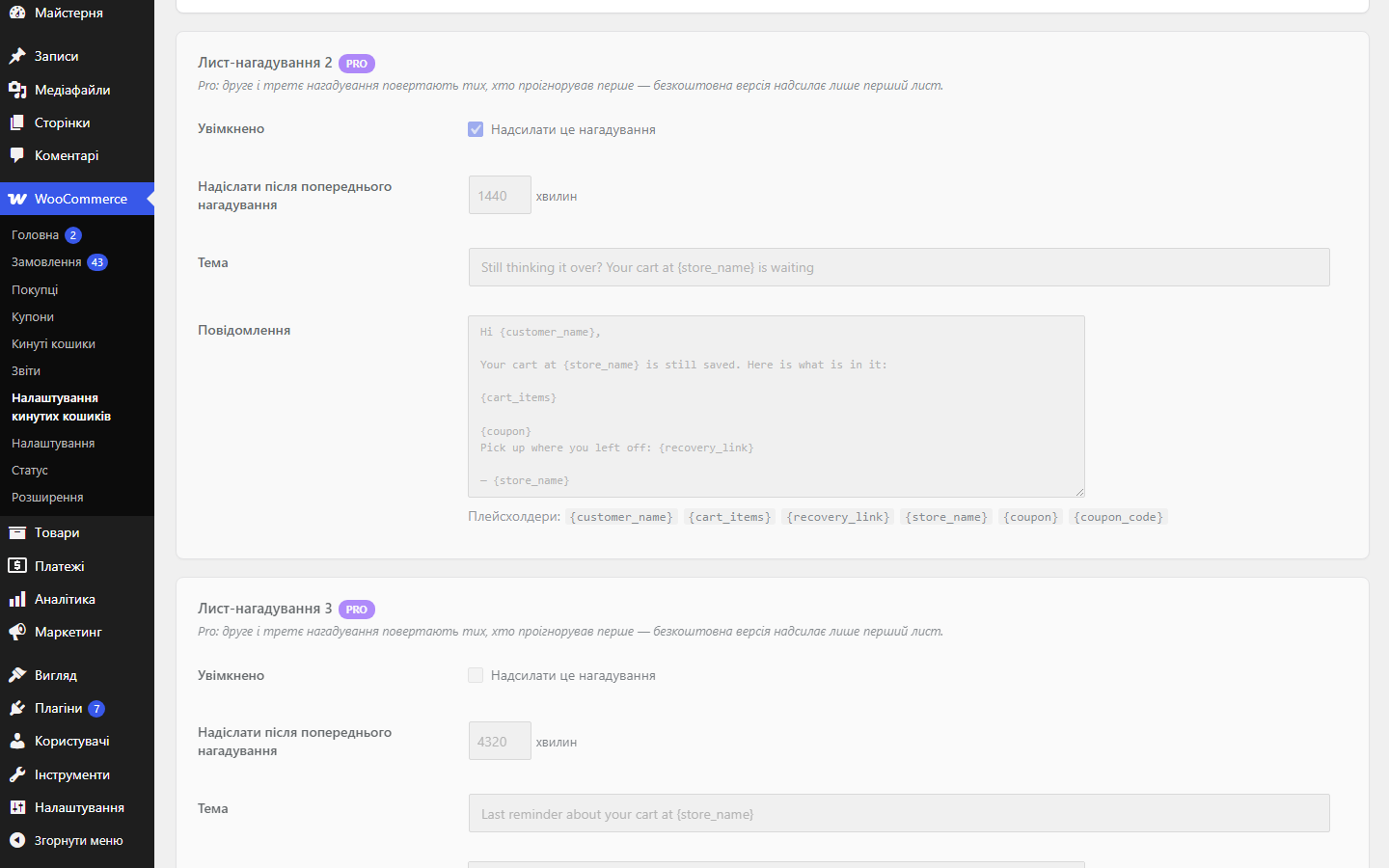
Захоплення кинутих кошиків у WooCommerce і повернення покупця листом-нагадуванням із посиланням-відновленням у 1 клік. Статуси кошиків і статистика відновлення в адмінці. Pro — ланцюжок до 3 листів, персональні купони, Telegram і експорт CSV.
Без звуку теж зрозуміло: субтитри українською
Безкоштовна версія працює без обмеження в часі. Pro додає решту функцій з таблиці.


Багато покупців на оформленні лишають лише телефон, а e-mail не вводять зовсім.

Кинутий кошик — це не завжди «передумав». Частина покупців доходить до оформлення, впирається в червоне повідомлення і йде.

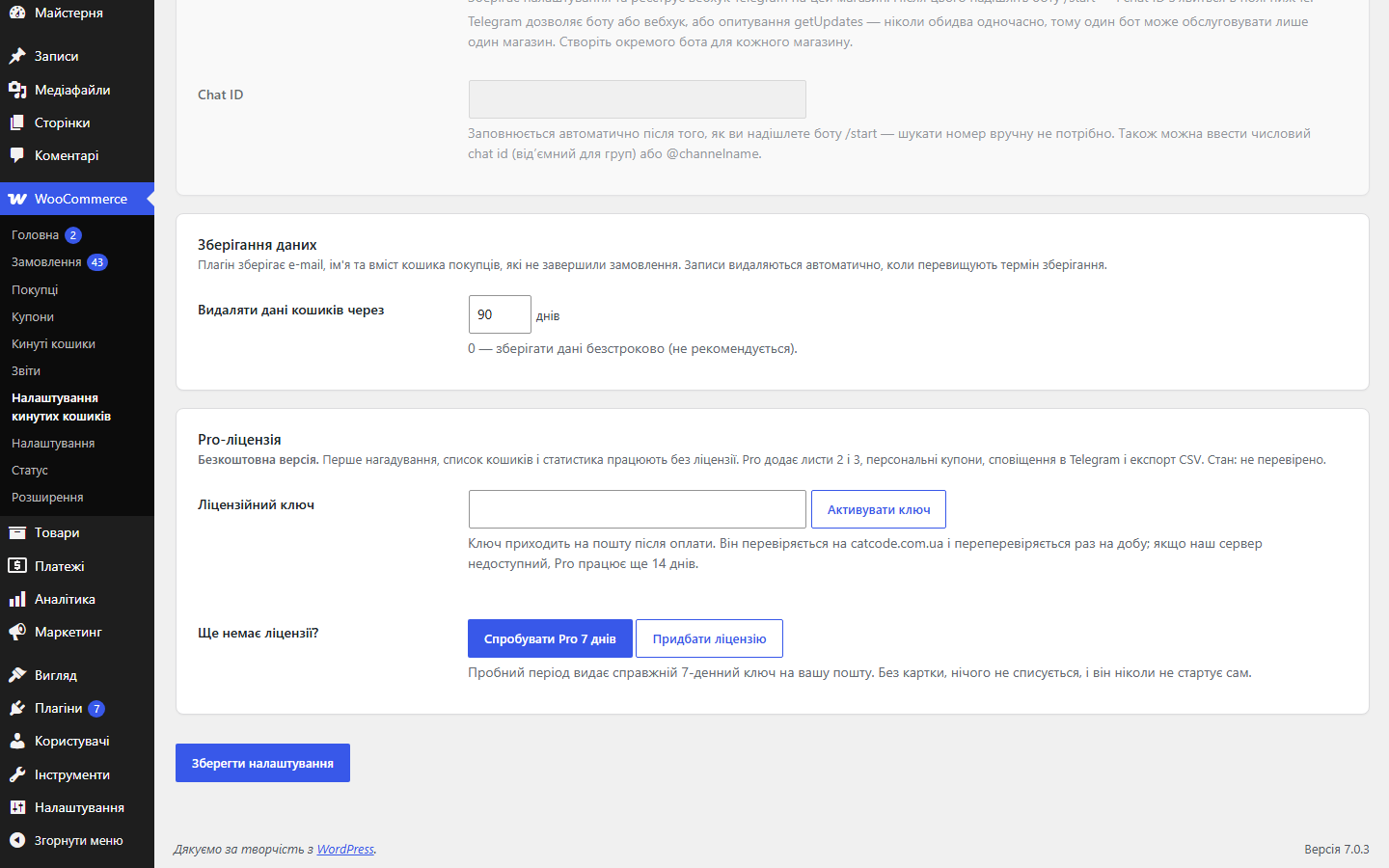
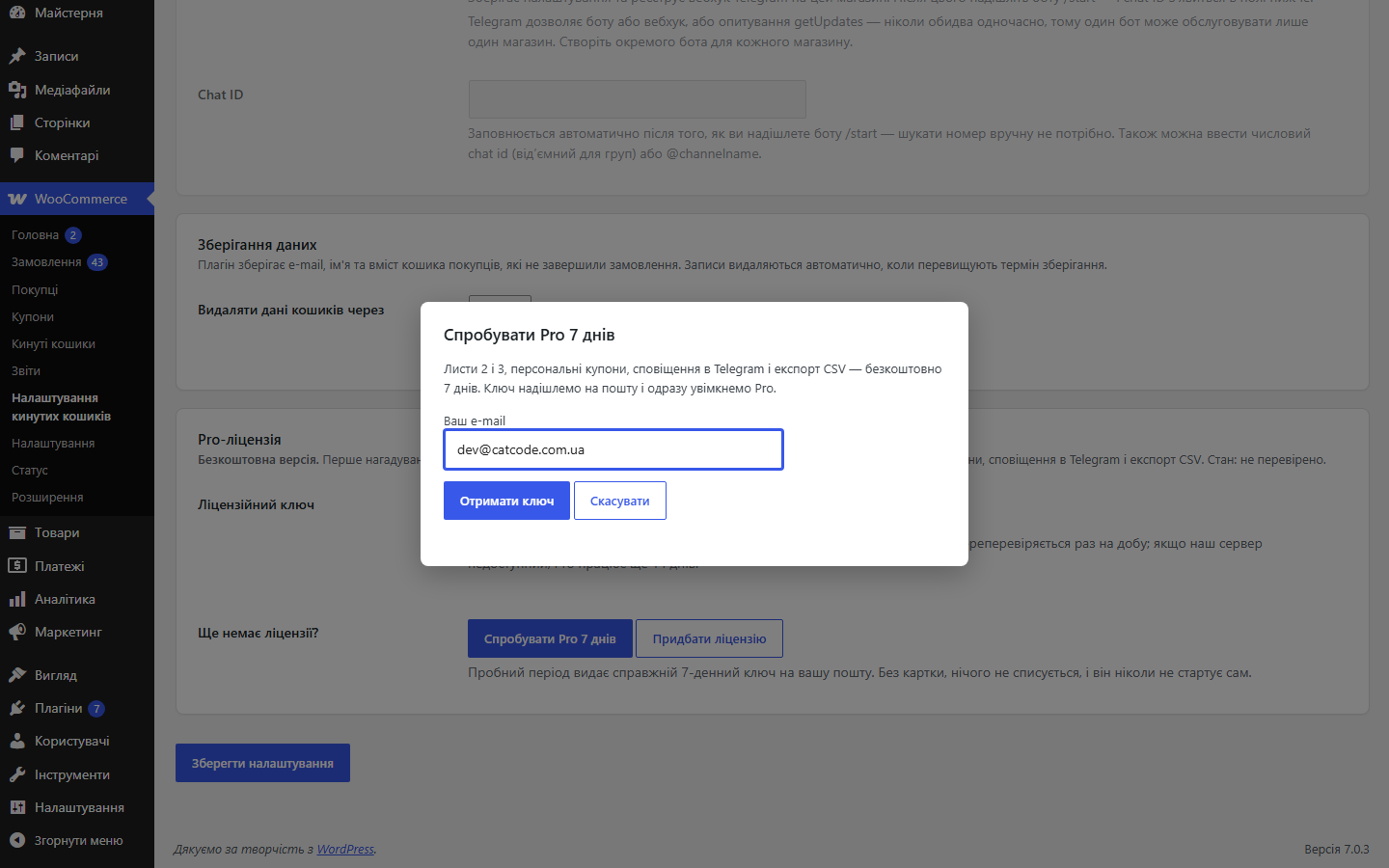
Свіжий інстал — безкоштовна версія, нічого не вмикається само. Кнопка «Спробувати Pro 7 днів» → e-mail → ключ одразу у вікні і листом.

Переносите магазин — відв’яжіть ліцензію на старому домені й активуйте на новому самі. Для студій — ключі на 5, 25 сайтів або без обмежень.
 WooCommerce 6.0+ (класичний і блоковий чекаут, HPOS)WordPress 6.2+PHP 7.4+Робочий WP-Cron — або системний cron, що викликає wp-cron.php
Посилання відновлення кошика більше не згорає від поштового сканера.
Новий звіт «Помилки чекауту»: плагін записує, що саме зупинило покупця на оформленні.
Оновлення Pro-версії більше не приходять з wordpress.org: WordPress не запропонує замінити її безкоштовною копією з тією самою назвою плагіна.
Куплена ліцензія лишається вашою: Pro-функції працюють і після завершення строку ліцензії.
Pro: нагадування у Viber або SMS через TurboSMS для покупців, які лишили на оформленні лише телефон (класичний і блоковий чекаут).
Pro більше не вмикається сам: свіжий інстал = безкоштовна версія, поки власник не запустить тріал або не активує ключ.
Захоплення кошиків, кинуті/відновлені статуси, лист-нагадування з одноразовим посиланням, список кошиків зі статистикою, чистка даних; Pro.
4 модулі одним замовленням — на 40% дешевше, ніж окремо



Кинуті кошики для WooCommerce — плагін, який фіксує кошики, покинуті до оформлення замовлення, і повертає покупця листом-нагадуванням із персональним посиланням. Один клік — і всі товари знову в кошику, а адреса в чекауті вже заповнена. Кошики залогінених клієнтів записуються одразу, гостьові — щойно покупець ввів e-mail у чекауті.
Багато покупців на оформленні лишають лише телефон, а e-mail не вводять зовсім. У Pro такий кошик теж повертається: через заданий час покупець отримує одне коротке повідомлення у Viber з посиланням на збережений кошик, а якщо Viber на номері немає або повідомлення не доставлено — SMS. Надсилання йде через ваш акаунт TurboSMS, тож ціна повідомлення — за вашим тарифом.
Плагін пише один раз на кошик і не пише вночі: тихі години задаються в налаштуваннях, повідомлення, яке припало на ніч, піде зранку. Посилання у Viber/SMS окреме від посилання в листі, тож одне не скасовує інше. Перед запуском можна перевірити баланс і надіслати собі тестове повідомлення просто з адмінки.
Кинутий кошик — це не завжди «передумав». Частина покупців доходить до оформлення, впирається в червоне повідомлення і йде. З версії 1.3.0 плагін записує саме ці моменти: що не пройшло перевірку, яку помилку повернула платіжка, що впало в браузері — і скільки покупців після цього так і не оформили замовлення.
У звіті чотири типи записів: заповнення форми — з назвою поля, яке не пройшло перевірку; оплата — відмова шлюзу разом із назвою способу оплати; JavaScript — помилка скрипта на сторінці чекауту, за якою зазвичай видно конфлікт теми чи стороннього плагіна; інше — наприклад, прострочена сесія. Працюють обидва чекаути: класичний перехоплюється на сервері, блоковий — через невдалі відповіді Store API, а те, що браузер показав ще до відправлення форми, надсилає скрипт плагіна.
Персональних даних у логу немає. Імена, e-mail і довгі номери в тексті помилки маскуються, зберігаються лише саме повідомлення, код, поле, адреса сторінки без параметрів і короткий підпис браузера. Запис можна вимкнути повністю або лишити тільки серверну частину, без браузерної. Ліміти — не більше 5 повідомлень на один перегляд сторінки і 300 на годину для всього магазину. Рядки чистяться за вашим періодом зберігання і в будь-якому разі живуть не довше 180 днів, а «Стерти персональні дані» в інструментах WordPress прибирає їх разом із кошиком.
У безкоштовній версії звіт показує останні 7 днів. Pro додає періоди 30 і 90 днів, «Деталі» по кожній помилці — останні 20 випадків зі сторінкою, браузером, способом оплати, самим кошиком (e-mail, статус, сума) і відміткою, чи було врешті замовлення, — та експорт у CSV.
{customer_name}, {cart_items}, {recovery_link}, {store_name}.hash_equals(), токен одноразовий і прибирається з адресного рядка одразу після відновлення кошика.catcode_abandoned_cart_scan) позначає кинуті кошики й шле листи, щоденне (catcode_abandoned_cart_cleanup) закриває прострочені кошики й чистить дані за періодом зберігання.update_order_review, блоковий шле e-mail у власний REST-маршрут плагіна щойно поле заповнене.api.turbosms.ua, одне повідомлення на кошик з окремим одноразовим токеном.Не знайшли відповідь? Напишіть у Telegram — відповімо протягом робочого дня.
 @catcode_support
Налаштування, сумісність, активація
@catcode_support
Налаштування, сумісність, активація
Якщо покупець додав товари й не оформив замовлення протягом заданого вами часу. Далі спрацьовує лист-нагадування.
Гостьовий кошик фіксується, щойно покупець ввів email у чекауті, навіть якщо замовлення не завершив.
Список своїх товарів і посилання, яке одним кліком повертає кошик і підставляє дані в чекаут.
Кількість і затримку між листами ви налаштовуєте самі.
Так, у плагіні є статистика відновлених кошиків і сум.
Поки що жодного відгуку. Будьте першим.
Поки питань немає. Запитай — ми відповімо протягом 24 годин.
Робимо кастомні модулі під WordPress, WooCommerce, OpenCart і Shopify. Розкажіть про задачу — підготуємо оцінку.
Замовити кастомний модуль
—

Помічник CatCode
Щойно


Помічник CatCode
Онлайн

Допоможу із задачею по сайту
Опишіть задачу по сайту — підберу готовий модуль або передам розробнику з оцінкою. Модулі, доробки, верстка, інтеграції, швидкість, перенесення, технічне SEO.
