

OneBox Sync — синхронізація замовлень для WooCommerce
Автоматична відправка замовлень WooCommerce у OneBox OS: процес-замовлення з клієнтом і товарами створюється в CRM одразу після checkout. Дедуплікація, повторні спроби, журнал подій, зашифровані доступи.
- Сумісність
- WordPress 6.2+, WooCommerce 6.0+
- PHP
- 7.4 і новіший
- Оновлено
- 13 серпня 2026
Що вміє модуль

Як це виглядає
Технічні вимоги
 WordPress 6.2+ (тестовано до 7.0)
- WooCommerce 6.0 або новіше
- PHP 7.4+
- OneBox OS з компонентом «API v2» (1b.app → Додатки → API-сервіси) та REST API логіном/паролем співробітника (Користувачі і співробітники → картка співробітника)
Історія версій
Полагоджена кнопка «Відправити повторно» в метабоксі.
Перший публічний реліз: відправка замовлень у OneBox OS через API v2 (token/get + order/set), подвійна дедуплікація (externalid + мета), прив’язка товарів до каталогу, маршрутизація за…
Повний опис модуля
OneBox Sync для WooCommerce — плагін, який після кожного checkout автоматично створює у OneBox OS процес-замовлення з клієнтом, телефоном, адресою доставки та списком товарів. Менеджер відкриває готову заявку в CRM замість того, щоб переносити дані із замовлення WooCommerce руками — і жоден ордер не губиться між сайтом і OneBox.
Як це працює — крок за кроком
- Покупець оформлює замовлення — плагін підтримує і класичний чекаут, і Checkout Blocks.
- Плагін авторизується в OneBox: отримує токен через POST
/api/v2/token/get/(токен кешується й оновлюється автоматично) і надсилає замовлення через POST/api/v2/order/set/на домен вашого OneBox. - Клієнт і товари мапляться на CRM: clientname/clientemail/clientphone/clientaddress плюс масив products із прив’язкою до каталогу OneBox — каталожні товари знаходяться за артикулом (SKU) або створюються автоматично. Доставка — окремим рядком, тож сума процесу сходиться з сумою замовлення.
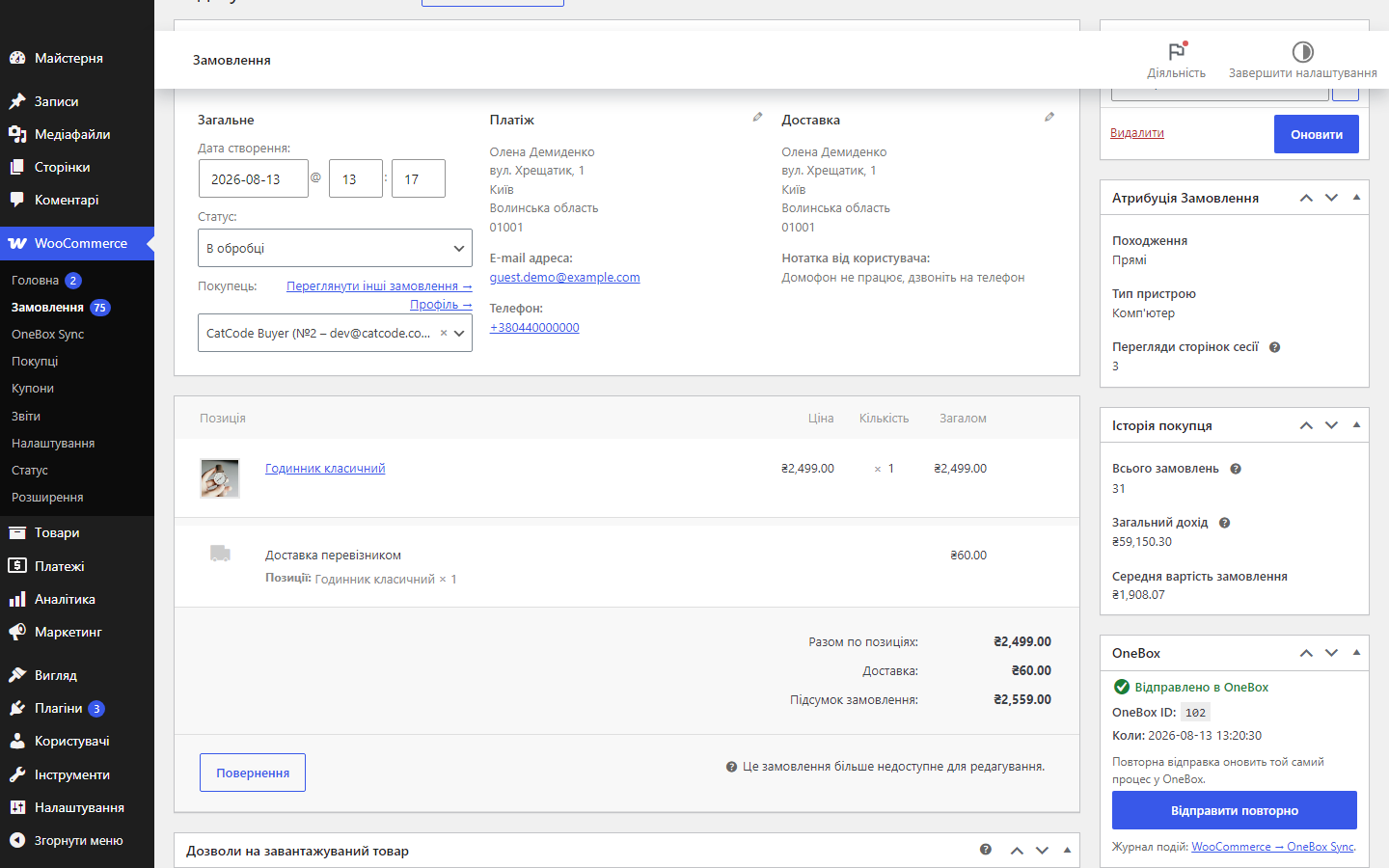
- OneBox повертає ID процесу — він зберігається у меті
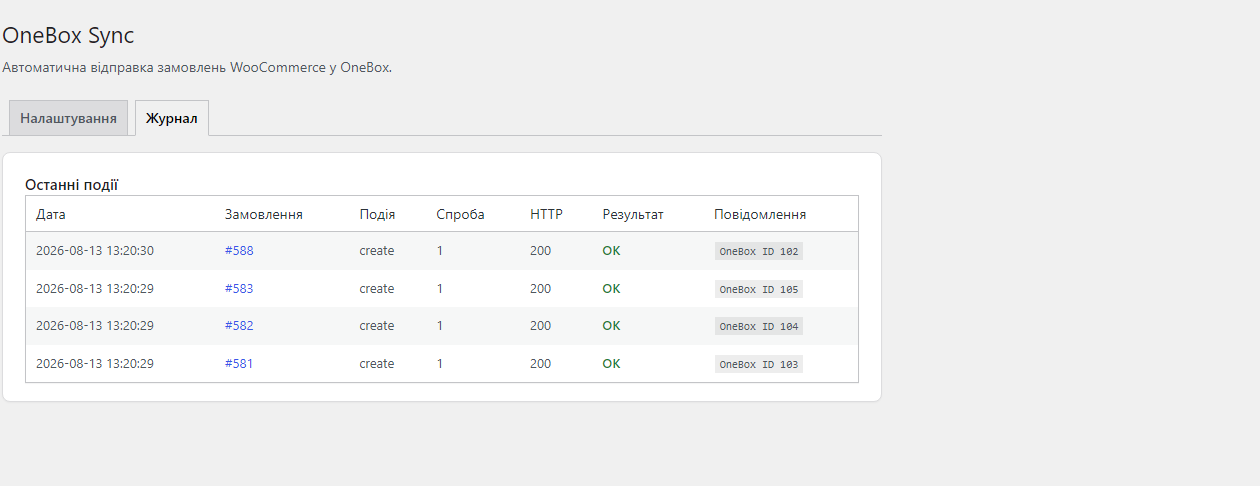
_cc_onebox_order_id; додатково передається externalidwc-{id}, тому дублі виключені подвійно. - Якщо OneBox недоступний — WP-Cron повторює відправку: до 3 спроб — повтор через 5 хв, потім через 30 хв. Сплачені онлайн замовлення отримують у коментарі процесу позначку «✅ Оплачено онлайн» (COD і офлайн-методи не позначаються).
Що під капотом
- Подвійна дедуплікація: externalid
wc-{id}дає upsert на боці OneBox, а збережений ID процесу в меті замовлення блокує повторне створення з боку плагіна. - Лок на рівні БД — якщо хук чекауту, зміна статусу і колбек платіжки прилітають на одне замовлення одночасно, у OneBox піде рівно один запит на створення (перевірено 24 паралельними запитами на 3 замовлення).
- Спроба без відповіді не дублює угоду — якщо OneBox не відповів (таймаут), замовлення позначається, а перед повтором плагін питає CRM за externalid (POST
/order/get/) і підхоплює вже створений процес. - API-пароль зашифрований у БД — libsodium з HMAC-фолбеком; токен доступу кешується і поновлюється автоматично.
- Нормалізація телефону до E.164 (+380…) — номери в CRM приходять в єдиному форматі.
- HPOS-сумісність (custom order tables) — робота із замовленнями виключно через WC_Order CRUD.
- Розширюваність: фільтр
cc_onebox_order_payloadдозволяє змінити дані перед відправкою, хукcc_onebox_order_sent— виконати свій код після успішної синхронізації.
Як встановити
- Встановіть у OneBox компонент «API v2» (1b.app → Додатки → API-сервіси) і задайте співробітнику логін та пароль у картці (Користувачі і співробітники → Логін, пароль, права доступу).
- Завантажте
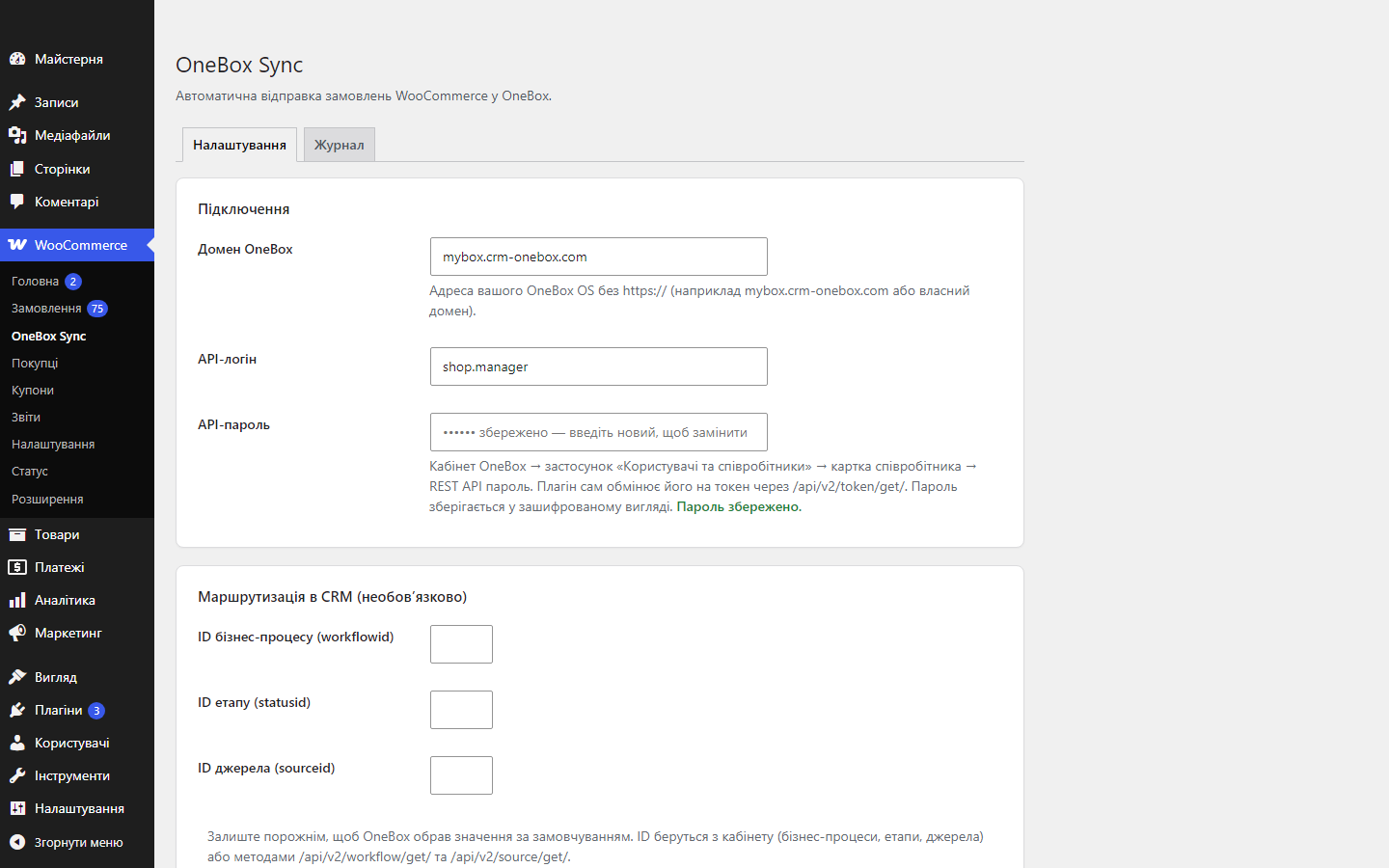
catcode-order-sync-with-onebox-for-woocommerce-0.2.0.zipчерез Плагіни → Додати новий → Завантажити плагін і активуйте. - Відкрийте WooCommerce → OneBox Sync та вкажіть домен вашого OneBox, API-логін і API-пароль.
- Натисніть «Перевірити з’єднання» — плагін отримає токен і список бізнес-процесів.
- За потреби вкажіть ID бізнес-процесу, етапу і джерела (порожні поля = перший бізнес-процес автоматично) та збережіть.
- Зробіть тестове замовлення — у OneBox з’явиться процес-замовлення.
Питання
про модуль
Не знайшли відповідь? Напишіть у Telegram — відповімо протягом робочого дня.
 @catcode_support
Налаштування, сумісність, активація
@catcode_support
Налаштування, сумісність, активація
Звідки взяти API-логін і пароль?
Кабінет OneBox OS → застосунок «Користувачі та співробітники» → картка співробітника → REST API пароль. Логін — логін цього співробітника. Плагін сам обмінює їх на токен через /api/v2/token/get/.
Чи створюються дублі при повторній зміні статусу?
Ні. Плагін передає externalid wc-{id} — OneBox сам оновлює знайдений процес — і додатково звіряє збережений OneBox ID у меті замовлення.
Що робить кнопка «Відправити повторно»?
Якщо замовлення ще не в OneBox — створює процес. Якщо вже відправлене — оновлює той самий процес актуальними даними: товари оновлюються, а не дублюються.
Чи чіпає плагін checkout або тему?
Ні. Уся робота відбувається на сервері через хуки замовлень — фронтенд, тема і сторінка оформлення не змінюються.
Що буде, якщо в товару немає збігу в каталозі OneBox?
Плагін передає товари з прив’язкою до каталогу (productinfo: назва, артикул, externalid) — товар знаходиться за артикулом або створюється в каталозі автоматично.
Що буде, якщо OneBox зовсім не відповість?
Замовлення позначається як «спроба без відповіді», і перед повтором плагін питає OneBox, чи немає там уже процесу з таким externalid. Якщо є — підхоплює його ID і пише нотатку в замовленні; другий процес не створюється.
Що буде після видалення плагіна?
Процеси в OneBox і самі замовлення залишаться. Плагін прибирає свою таблицю журналу, налаштування й залишкові локи, а службову мету з ID процесу лишає навмисно — саме вона не дає повторно відправити старі замовлення після перевстановлення.
Поки що жодного відгуку. Будьте першим.
Поки питань немає. Запитай — ми відповімо протягом 24 годин.
Не той варіант, що шукаєте?
Робимо кастомні модулі під WordPress, WooCommerce, OpenCart і Shopify. Розкажіть про задачу — підготуємо оцінку.
Замовити кастомний модуль
Купівля модуля
—



