OpenCart
Оплата частинами ПриватБанк, monobank і A-Bank для OpenCart 2.3, 3 і 4
Free + Pro
1 490 грн
v1.2.6
 All Access4 990 ₴ на рік
 Аудит сайтуPDF-звіт на пошту за 3 хвилиниПеревірити сайт
Для щоденних задач
Стиснення фотоРозмір, якість і WebP пачкоюГенератор QRПосилання, Wi-Fi, оплата на IBANКалькулятор ПДВ20, 14, 7 % і сума прописомТранслітераціяЗа постановою КМУ № 55Перевірки сайту
PHP і плагіниВерсія PHP, WordPress, плагіниФід Google MerchantПоля, ціни, GTIN, фотоПошта доменуSPF, DKIM, DMARC, чорні спискиГотовність до AI-пошукуllms.txt, боти, розміткаУсі 9 інструментівВведіть щонайменше 2 символи
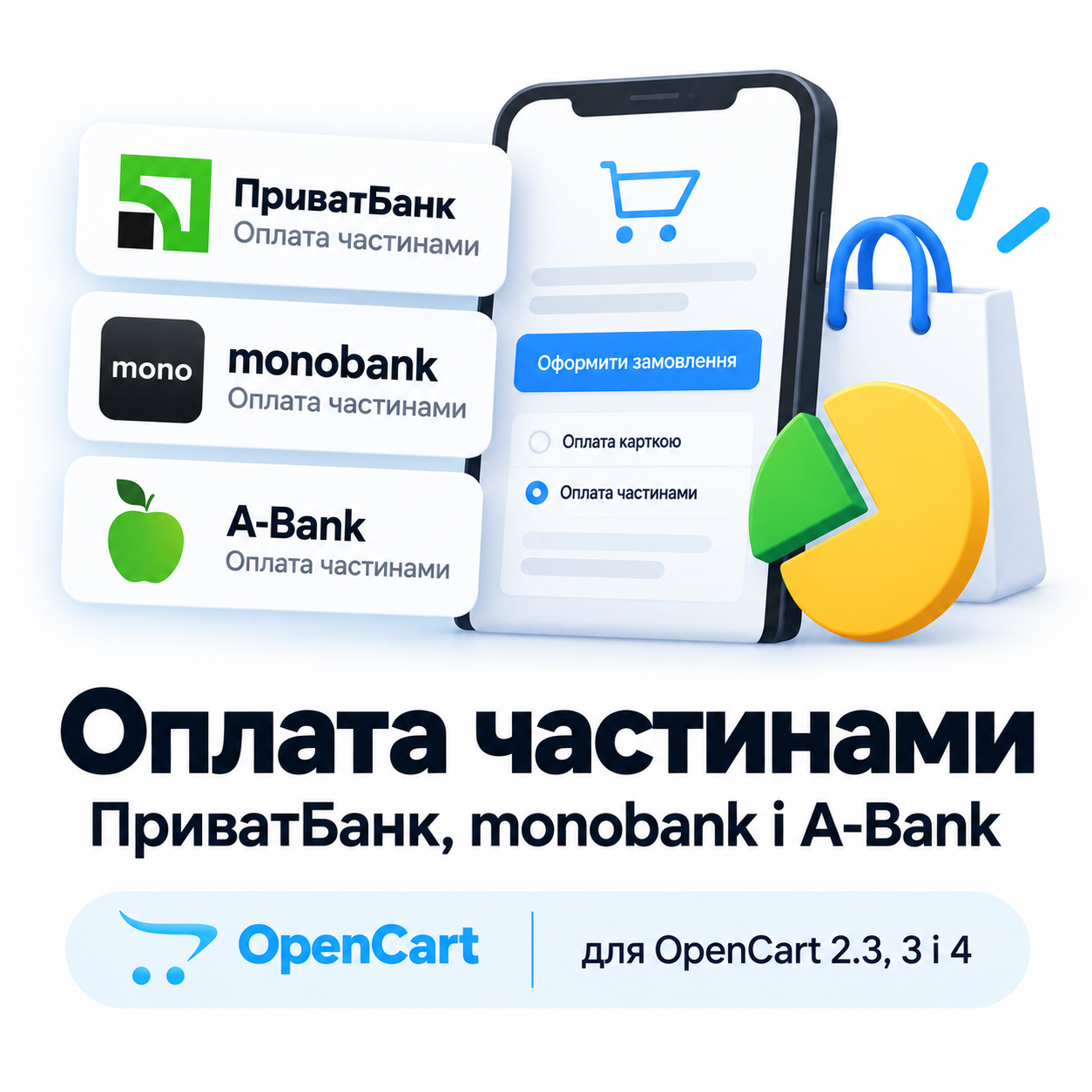
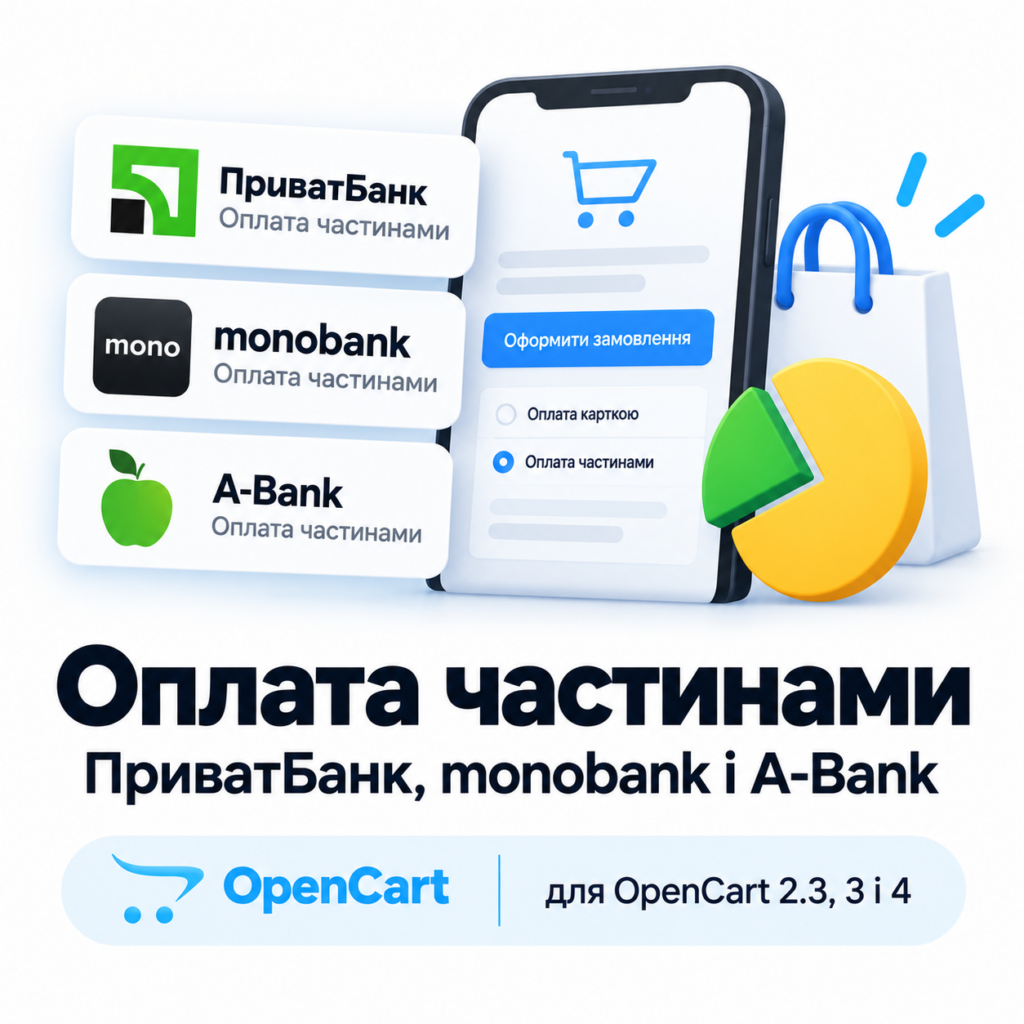
Покупець ділить замовлення на 2–25 щомісячних платежів на сторінці ПриватБанку, а магазин отримує всю суму від банку (у програмі PB — частинами протягом строку). Безкоштовна версія приймає оплати з перевіркою підпису, звіркою статусу з банком і тестовим режимом; Pro додає журнал заявок, вибір кількості платежів покупцем і резерв із підтвердженням.
Без звуку теж зрозуміло: субтитри українською
Безкоштовна версія працює без обмеження в часі. Pro додає решту функцій з таблиці.


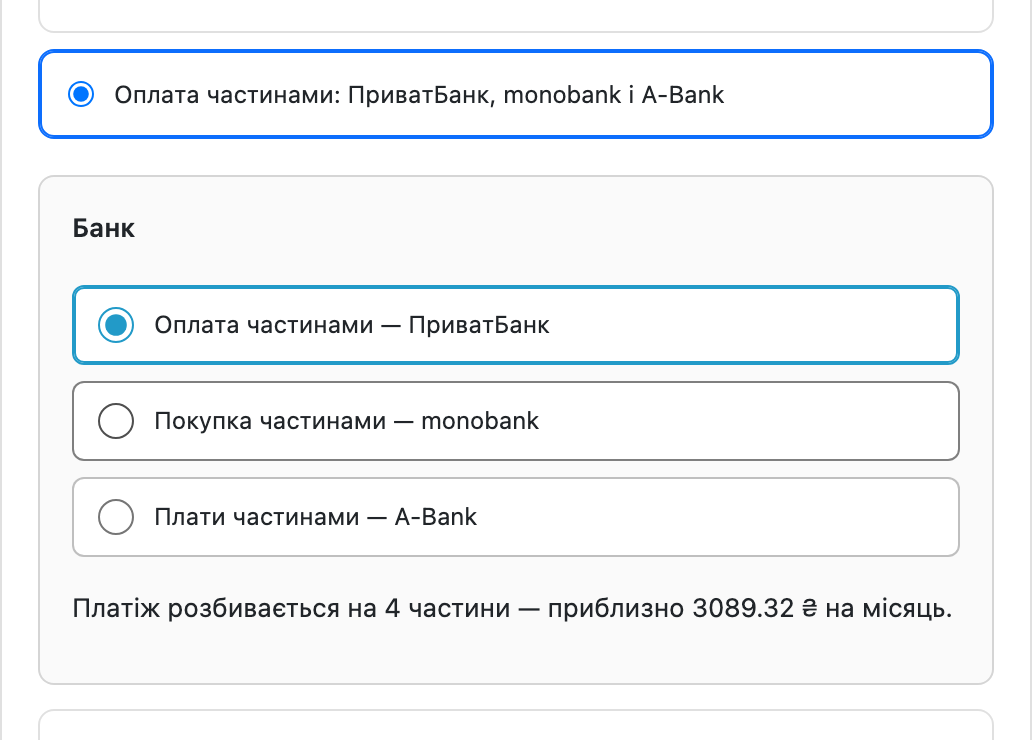
У списку способів оплати з’являється «Оплата частинами» з переліком банків, які ви ввімкнули.

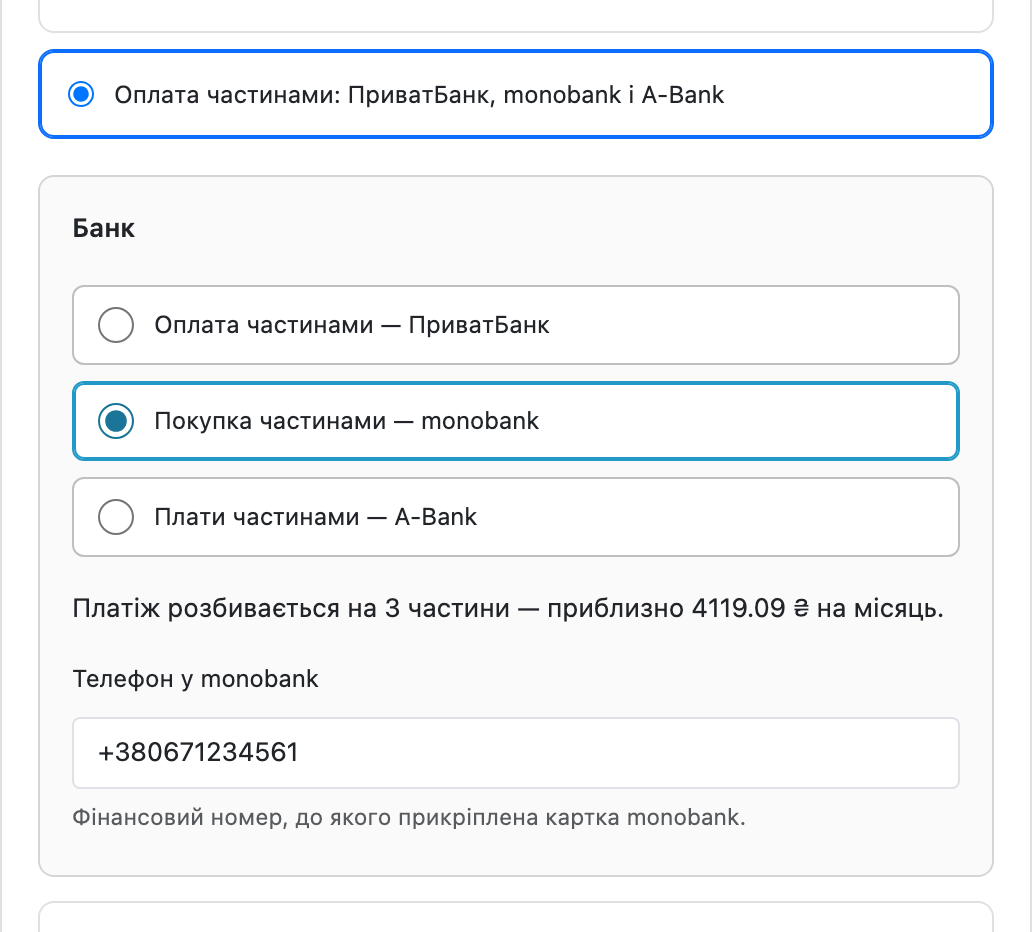
У monobank покупець ділить замовлення на 3–25 платежів і підтверджує покупку прямо в застосунку, без переходу на сторінку банку.

Третій банк працює так само, як monobank: покупець обирає A-Bank, вказує номер телефону, на який відкритий рахунок, і підтверджує заявку в застосунку Abank24.

Свіжий інстал — безкоштовна версія, нічого не вмикається само. Кнопка «Спробувати Pro 7 днів» → e-mail → ключ одразу у вікні і листом.

Переносите магазин — відв’яжіть ліцензію на старому домені й активуйте на новому самі. Для студій — ключі на 5, 25 сайтів або без обмежень.
 OpenCart 2.3.0.x, 3.0.2 – 3.0.5.0 або 4.0.2 – 4.1.x, PHP 7.0 – 8.3, cURL, договір «Оплата частинами» або «Миттєва розстрочка» з ПриватБанком, «Покупка частинами» з monobank або «Плати частинами» з A-Bank — за тими банками, які хочете приймати (для тестових режимів договір не потрібен). Встановлення штатне: Адмін → Розширення → Інсталятор → Завантажити, далі активація у списку способів оплати.
Опис ліцензії в архіві модуля: один ключ — два сайти, магазин і тестова копія.
Куплена ліцензія для OpenCart працює безстроково.
(для OpenCart 3 і 2.3 — 1.2.4).
OpenCart 4.1: у банк ішла сума попереднього кроку.
ПриватБанк більше не відхиляє заявку, коли в замовленні є купон чи знижка («product price should be no less than 0.01»).
Виправлено підписи програм ПриватБанку в налаштуваннях усіх збірок (OpenCart 4, 3 і 2.3): платник комісії був указаний навпаки.
Паролі й ключі банків у налаштуваннях тепер шифруються AES-256 з перевіркою HMAC замість XOR.
A-Bank «Плати частинами» третім банком у всіх збірках (OpenCart 4, 3 і 2.3).
Оплата частинами ПриватБанку з вибором кількості платежів, перевірка підпису, звірка статусу з банком, резерв із підтвердженням, журнал заявок, тестовий режим на пісочниці банку.
4 модулі одним замовленням — на 40% дешевше, ніж окремо



Оплата частинами ПриватБанк, monobank і A-Bank додає в OpenCart один спосіб оплати, у якому покупець сам обирає банк. ПриватБанк веде його на свою сторінку і дає 2–25 платежів, monobank і A-Bank не ведуть нікуди: запит у застосунку банку, підтвердження — і покупець уже на сторінці подяки. Магазин отримує всю суму від банку — одразу, а в програмі ПриватБанку PB («Гроші в періоді») частинами протягом строку. Є три збірки: для OpenCart 4.0.2 – 4.1.x, 3.0.2 – 3.0.5.0 і 2.3.0.x; функціональність однакова, відрізняється лише пакет.
У списку способів оплати з’являється «Оплата частинами» з переліком банків, які ви ввімкнули. Поруч показано, скільки приблизно виходить на місяць — сума рахується від підсумку замовлення разом із доставкою, а не від вартості товару. З ПриватБанком після підтвердження покупець потрапляє на сторінку банку, входить у Приват24 і оформлює розстрочку; магазину повертається результат.
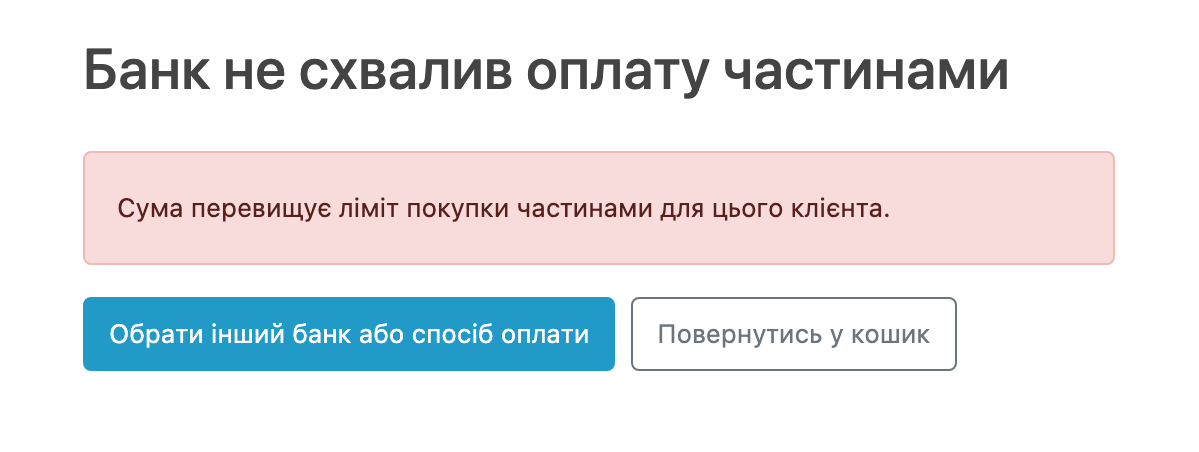
Спосіб оплати показується лише тоді, коли банк його справді прийме: валюта — гривня, а сума замовлення — в межах, які приймає хоча б один увімкнений банк (ПриватБанк — 300–50 000 грн, monobank і A-Bank — від 1 грн). Якщо кошик виходить за ці межі, метод не з’являється взагалі — покупець не витрачає час на оплату, яку банк відхилить.
У monobank покупець ділить замовлення на 3–25 платежів і підтверджує покупку прямо в застосунку, без переходу на сторінку банку. Магазин тим часом показує сторінку очікування, яка сама доводить замовлення до фінального статусу — покупцю не треба нічого оновлювати вручну.
Підпис кожного сповіщення ПриватБанку й monobank перевіряється — сповіщення з неправильним підписом відхиляється. Крім того, модуль сам запитує стан заявки в банку: для ПриватБанку — коли покупець повертається в магазин, для monobank і A-Bank — поки відкрита сторінка очікування. Повторне сповіщення нічого не дублює, а вже оплачене замовлення не можна відправити в банк удруге.
Третій банк працює так само, як monobank: покупець обирає A-Bank, вказує номер телефону, на який відкритий рахунок, і підтверджує заявку в застосунку Abank24. Магазин чекає на своїй сторінці й сам доводить замовлення до результату, а якщо номер не належить клієнту банку або заявку відхилено — покупець одразу бачить зрозумілу причину.
A-Bank не підписує свої сповіщення, тому модуль сприймає їх лише як сигнал: отримавши сповіщення, він сам запитує стан заявки в банку і змінює замовлення тільки за цією відповіддю. Підроблений запит «оплачено» нічого не змінить.
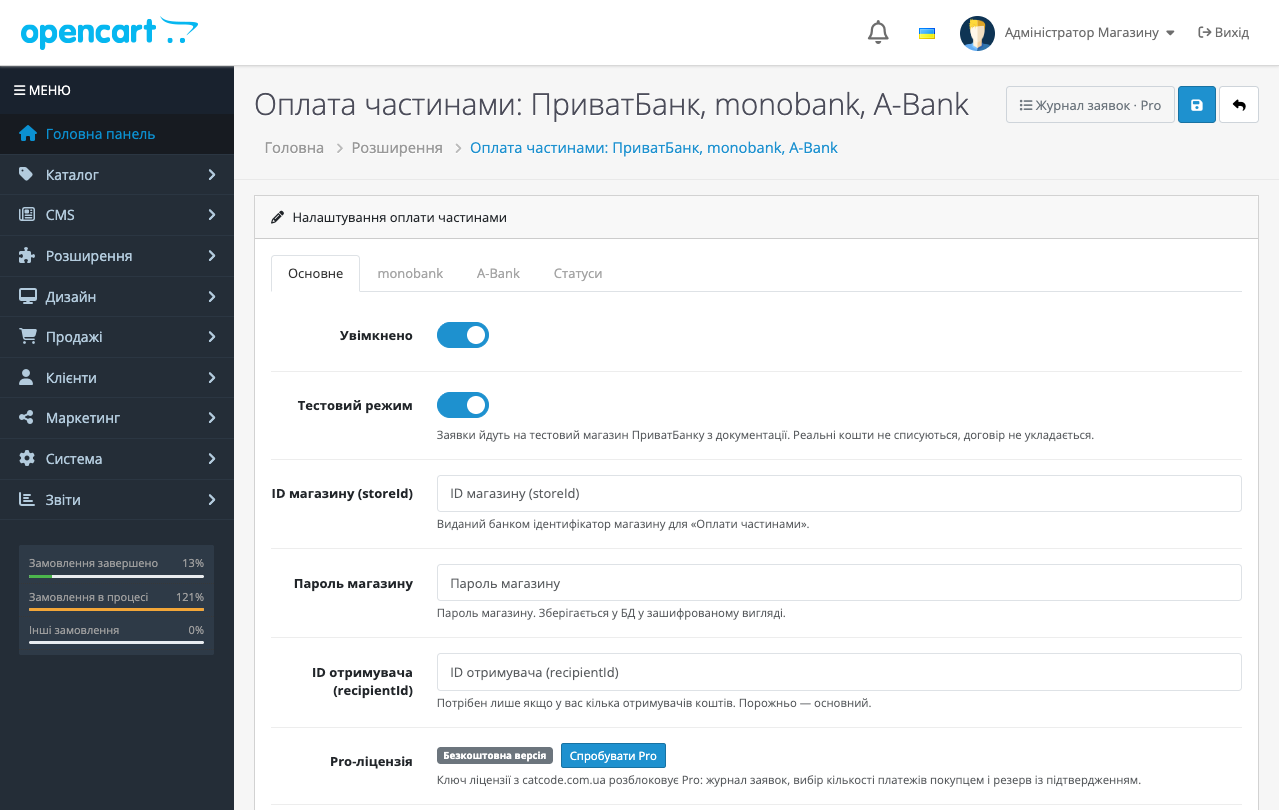
У налаштуваннях обирається програма, під яку у вас укладений договір: II — миттєва розстрочка, комісію платить покупець; PP — оплата частинами, комісію платить магазин, сума надходить одразу; PB — оплата частинами з грошима в періоді, комісію платить магазин, сума надходить частинами протягом строку; IA — акційна миттєва розстрочка, комісію ділять навпіл магазин і покупець. Окремо задається кількість платежів за замовчуванням, а в Pro — верхня межа, у рамках якої покупець сам обирає термін на чекауті.
Банк повідомляє результат двома шляхами: сповіщенням на ваш сайт і поверненням покупця. Модуль не вірить жодному з них на слово — кожне сповіщення ПриватБанку й monobank перевіряється підписом (сповіщення A-Bank підпису не має і лише запускає запит стану в банку), а після повернення покупця статус заявки додатково запитується у банку. Тому підроблене сповіщення не зробить замовлення оплаченим, а загублене — не залишить оплачене замовлення в «очікує оплати».
Статуси замовлення налаштовуються окремо: очікує оплати, оплачено, суму зарезервовано, відхилено. Повторне сповіщення нічого не дублює, а вже оплачене замовлення не можна відправити в банк удруге.
Якщо товар ще треба перевірити на складі, увімкніть резерв: банк утримує суму, а списує її лише після того, як ви переведете замовлення в статус «оплачено» або натиснете «Списати» в журналі. Не підтвердили — резерв знімається, покупець нічого не платить.
Кожна заявка зберігається: замовлення, номер заявки в банку, сума, кількість платежів, статус банку й повідомлення. З журналу можна оновити статус із банку, списати або скасувати резерв ПриватБанку, а для monobank і A-Bank — підтвердити видачу товару, відхилити заявку чи оформити повернення.
Увімкніть тестовий режим — і заявки підуть на тестовий магазин ПриватБанку з офіційної документації. Реальні кошти не списуються, договір не укладається, але весь шлях — створення заявки, сторінка банку, сповіщення, статуси — проходиться повністю. Зручно перевірити інтеграцію ще до підписання договору з банком. Для monobank є публічна пісочниця, а в A-Bank — тестовий магазин банку; він працює з реальним застосунком Abank24, тож номер покупця має бути клієнтом A-Bank.
«Оплата частинами» ПриватБанку — найзвичніший для українського покупця спосіб купити дорожче, ніж він планував сьогодні. Магазин при цьому нічого не кредитує: всю суму виплачує банк — одразу, а в програмі PB частинами протягом строку.
Складність не в самій кнопці, а в тому, що буває після неї: сповіщення від банку може не дійти, покупець може закрити вкладку, а замовлення має закритись коректно в будь-якому з цих сценаріїв.
1. Залийте архів через «Розширення → Установник розширень» і встановіть модуль.
2. Введіть реквізити з договору: для ПриватБанку — ID магазину, пароль і програму, для monobank — store-id і ключ, для A-Bank — ідентифікатор магазину, ключ, торгову точку й адресу API від банку.
3. Увімкніть тестовий режим і проведіть замовлення на пісочниці банку.
4. Вимкніть тестовий режим — можна приймати.
Не знайшли відповідь? Напишіть у Telegram — відповімо протягом робочого дня.
 @catcode_support
Налаштування, сумісність, активація
@catcode_support
Налаштування, сумісність, активація
Так. Для ПриватБанку — договір «Оплата частинами» або «Миттєва розстрочка» (банк видає ID магазину й пароль), для monobank — договір «Покупка частинами» (store-id і секретний ключ). Для тестових режимів договір не потрібен: у ПриватБанку й monobank є публічні пісочниці, у A-Bank — тестовий магазин банку. Для A-Bank потрібен договір «Плати частинами» (ідентифікатор магазину, секретний ключ, торгова точка).
ПриватБанк перекидає покупця на свою сторінку. monobank не перекидає нікуди: покупець отримує пуш у застосунку, а магазин показує сторінку очікування, яка сама доводить замовлення до успіху, щойно банк відповість.
Одразу після схвалення заявки — банк списує перший платіж і магазину виплачується вся сума. Розстрочка стає активною після того, як магазин підтвердить видачу товару: кнопкою в журналі або автоматично за обраним статусом замовлення.
У ПриватБанку залежить від програми: у II («Миттєва розстрочка») — покупець, у PP («Оплата частинами») і PB («Оплата частинами. Гроші в періоді») — магазин, в IA («Миттєва розстрочка. Акційна») — навпіл, 50/50. У monobank комісію платить магазин, для покупця розстрочка без переплат; комісію з покупця банк бере лише тоді, коли той сам збільшує кількість платежів понад ті, що дав магазин.
Модуль не покладається на сповіщення: після повернення покупця (ПриватБанк) або під час очікування (monobank) він сам запитує стан заявки в банку, тож оплачене замовлення не залишиться в статусі «очікує оплати».
Ні. ПриватБанк підписує сповіщення паролем магазину, monobank — HMAC-SHA256 за секретним ключем. З невірним підписом сповіщення відхиляється з кодом 400 і нічого не змінює.
У ПриватБанку — ні, це обмеження банку, і модуль просто не показує цей банк. У monobank верхньої межі немає, ліміт визначає банк для конкретного покупця.
Так, у ліцензію входять збірки для всіх трьох гілок OpenCart, і всі три банки в кожній.
Покупець вводить номер телефону й підтверджує заявку в застосунку Abank24, магазин чекає на своїй сторінці. A-Bank не підписує сповіщення, тому модуль на сповіщення не покладається: він сам запитує стан заявки в банку й змінює замовлення лише за відповіддю банку.
Поки що жодного відгуку. Будьте першим.
Поки питань немає. Запитай — ми відповімо протягом 24 годин.
Робимо кастомні модулі під WordPress, WooCommerce, OpenCart і Shopify. Розкажіть про задачу — підготуємо оцінку.
Замовити кастомний модуль
—

Помічник CatCode
Щойно


Помічник CatCode
Онлайн

Допоможу із задачею по сайту
Опишіть задачу по сайту — підберу готовий модуль або передам розробнику з оцінкою. Модулі, доробки, верстка, інтеграції, швидкість, перенесення, технічне SEO.
