Inglewood Pawn Shop — lead-gen лендинг ломбарду з фото-quote через CF7 + EN/ES
Single-page WP-лендинг ломбарду в Лос-Анджелесі з CF7 multi-file upload, EN/ES bilingual і live Google Reviews

Inglewood Pawn Shop (юридична назва — Inglewood Jewelry and Loan) — фізична ломбардна точка з 1994 року на 10721 Hawthorne Blvd, Inglewood, CA 90304 (Лос-Анджелес, поруч з аеропортом LAX). Сайт inglewoodpawnshop.net — це не e-commerce каталог forfeited-айтемів і не дефолтний пошуковий лендинг. Це single-page lead-gen інструмент, чий головний KPI — фотозаявка з мобільного телефону клієнта: «Опишіть річ + завантажте 2-3 фото з телефону → отримайте quote без візиту в магазин». Тема — кастомна pawnwp (не Elementor і не Astra), збудована з нуля під цей функціональний потік.
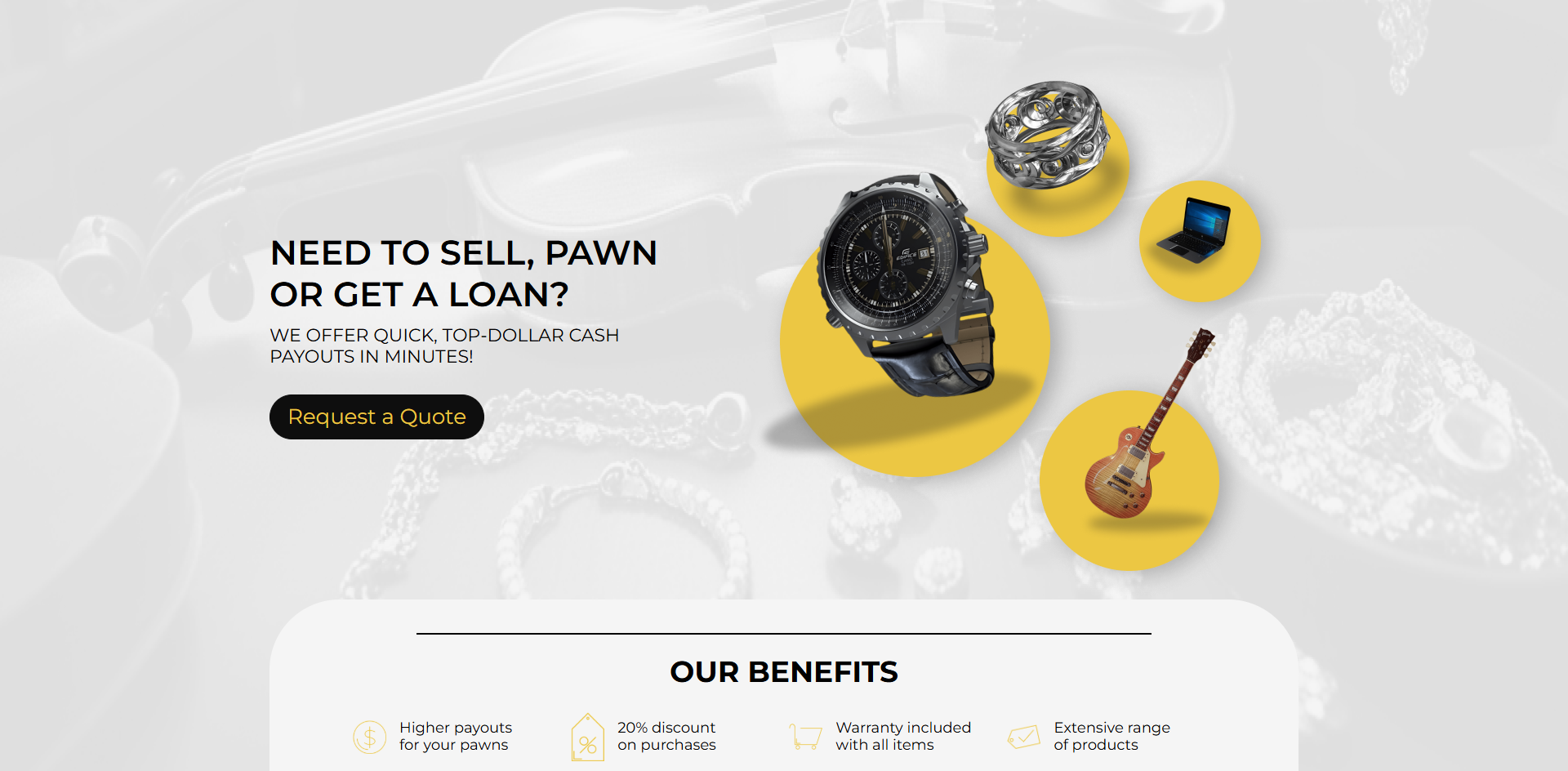
Hero як візуальна таксономія асортименту, а не як слоган
Перший екран — split-layout: ліворуч заголовок «Need to sell, pawn or get a loan?», лід «We offer quick, top-dollar cash payouts in minutes!» і єдина чорна CTA «Request a Quote». Праворуч — не стокова промо-картинка, а композиція з чотирьох плаваючих жовтих кружків: годинник (watch), каблучка (ring), ноутбук (laptop), електрогітара (guitar). Це не декор — це візуальна taxonomy того, що приймає ломбард, зчитувана за 1 секунду без читання тексту секції «We accept everything of value» нижче. Фон — приглушена монохромна сцена з лежачою скрипкою, перлами і ювелірними виробами — підсвічує «high-value» позиціонування (не плазма за $50, а Steinway, Rolex, діаманти).
«About Inglewood PAWNSHOP» — позиціонування 30-річним стажем, не низькою ставкою
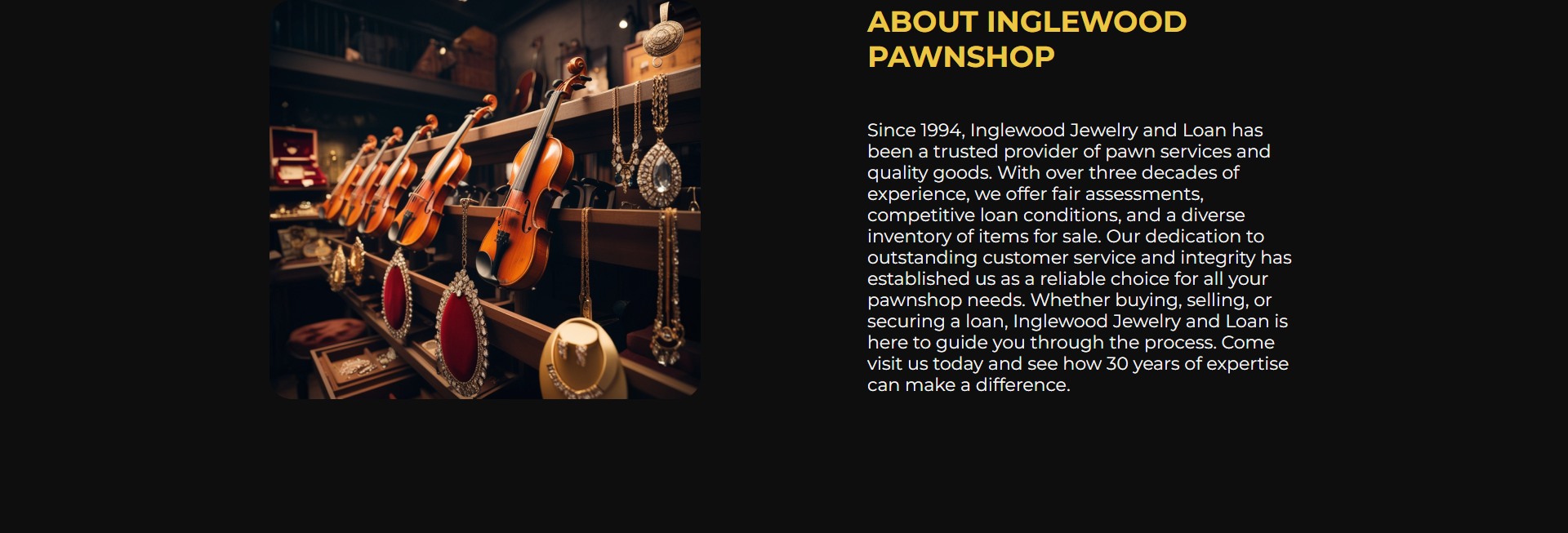
Секція «About» — темна, з ліво-розміщеним фото вітрини магазина (скрипки, гітари, біжутерія) і єдиним абзацом тексту праворуч, що відкривається фразою «Since 1994, Inglewood Jewelry and Loan has been a trusted provider…». Жодних цифр про ставку відсотка, жодних «найкращих умов в LA», жодних обіцянок. Замість цього — 30 років стажу, «fair assessments», «competitive loan conditions», «diverse inventory of items for sale». Це класичний US-pawn-shop positioning: ломбардна індустрія сильно регульована (state licensing, ledger reporting до поліції, ID verification на кожному угоді), і реклама конкретних ставок — комплаєнс-ризик. Тривалість роботи — найбезпечніший і найсильніший трастовий сигнал.
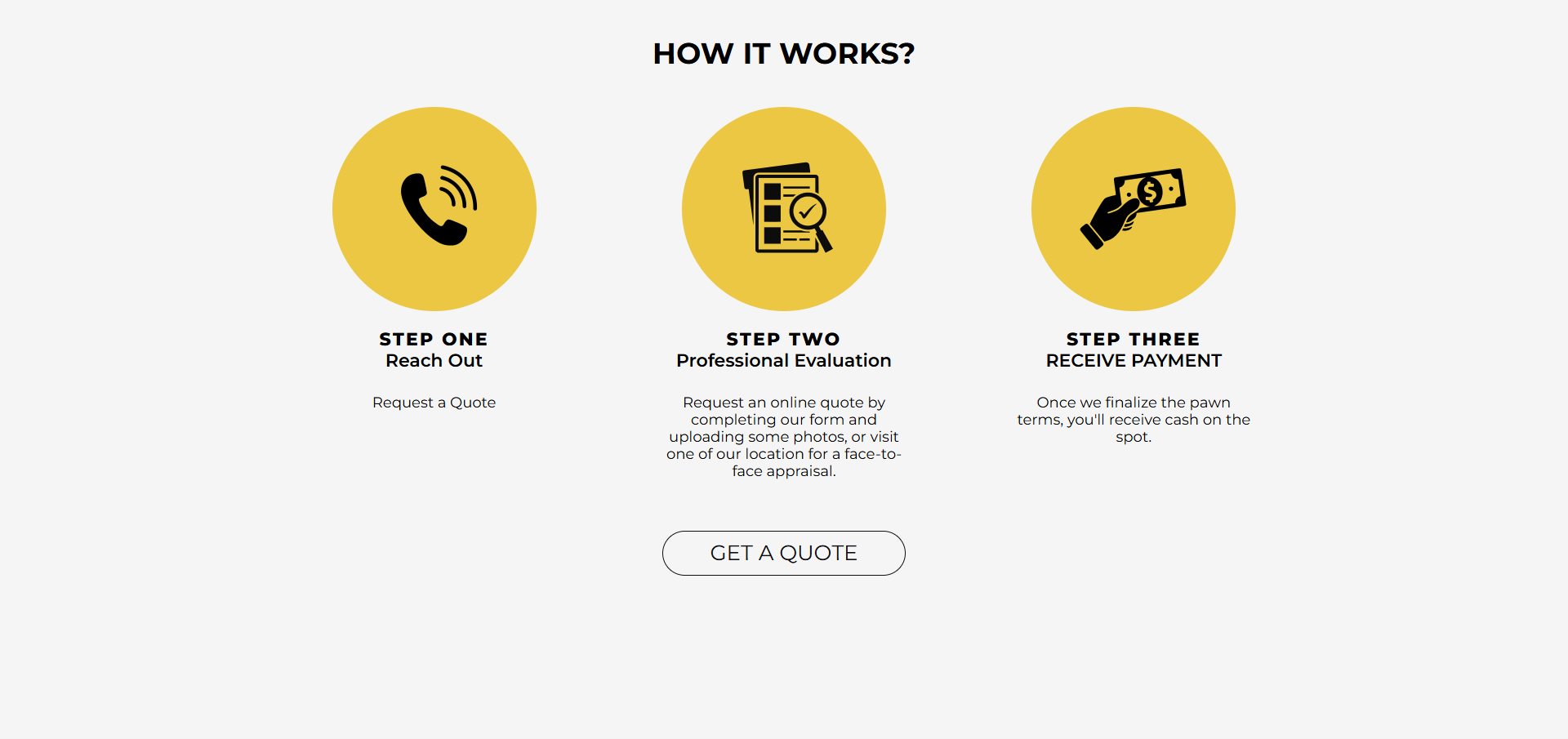
«HOW IT WORKS» — 3-крокова воронка з мінімальним friction до фотозаявки
Процес показано як 3 жовті кружки з чорними іконками: Step One «Reach Out» (телефонна іконка, підпис «Request a Quote»), Step Two «Professional Evaluation» (іконка планшета з чек-листом, підпис «Request an online quote by completing our form and uploading some photos, OR visit one of our location for a face-to-face appraisal»), Step Three «RECEIVE PAYMENT» (рука з купюрою, підпис «Once we finalize the pawn terms, you’ll receive cash on the spot»). Кінцевий CTA-кнопка «GET A QUOTE» під 3-кроком — обведена тонкою лінією у pill-формі, не залита кольором: візуально «менш агресивна» ніж hero-CTA, бо клієнт вже скролив через 2 секції довіри.
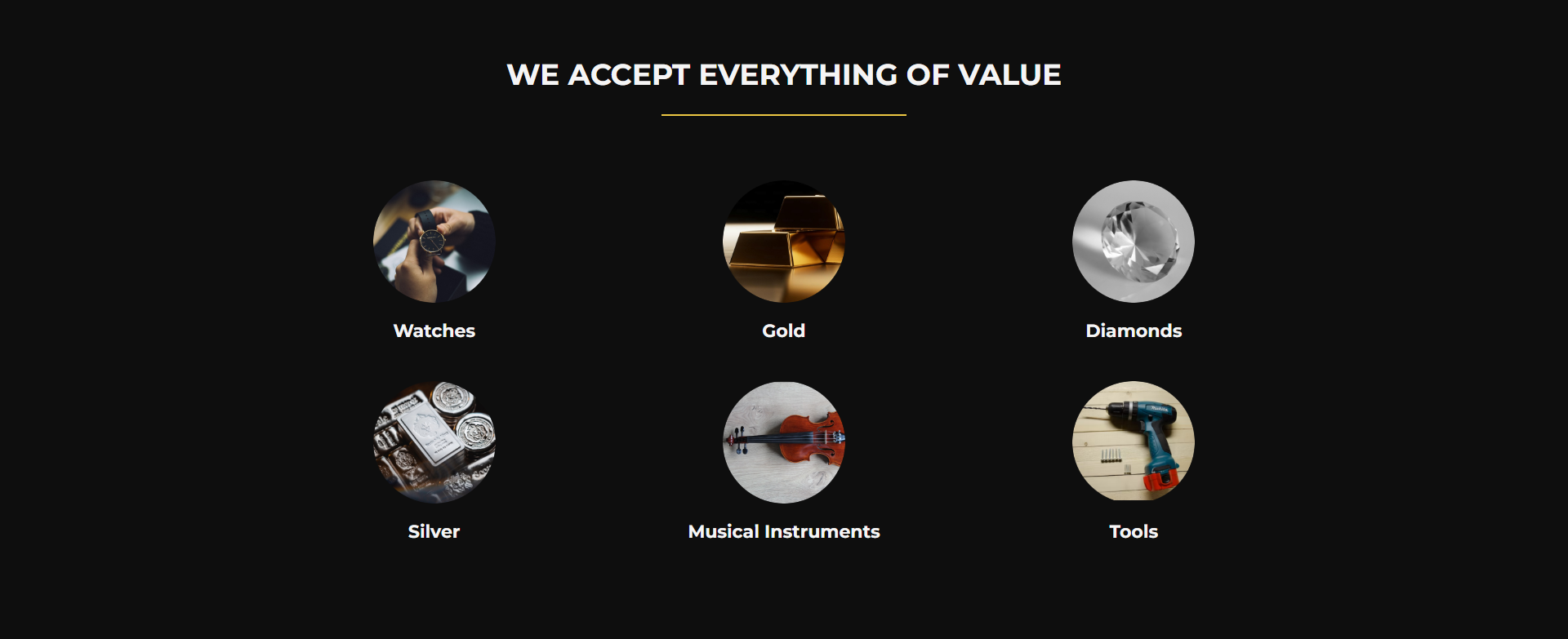
«We accept everything of value» — 6 категорій як SEO + первинна кваліфікація ліда
Темна секція з заголовком жовтою лінією-роздільником і 6 круглих фото-іконок у 3×2 grid: Watches, Gold, Diamonds, Silver, Musical Instruments, Tools. Кожна іконка — реальне фото категорії на чорному тлі (годинниковий цех з лупою, штабель золотих злитків, ограновані діаманти, срібні монети у руці, скрипка з арфою, шуруповерт на верстаку). Категорії покривають 80%+ типового pawn-inventory без вузької специфікації. Цей блок також виконує SEO-функцію — кожен заголовок («Watches in Inglewood», «Gold pawn LA», «Musical instruments pawn Inglewood») — потенційний long-tail entry для людей які гуглять конкретну категорію.
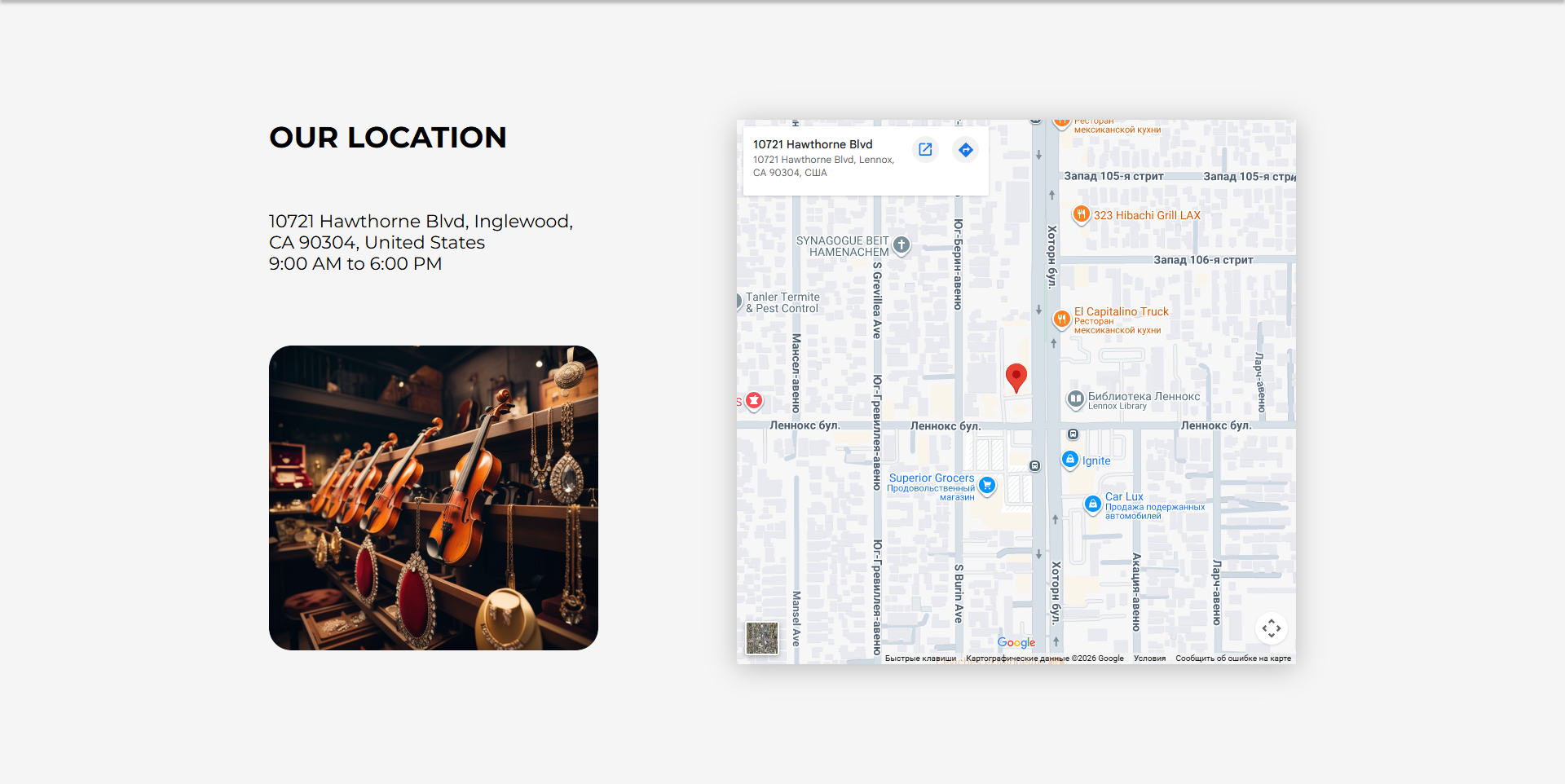
«Our Location» — фото вітрини + Google Maps embed з вшитим геокодом
Секція «Our Location» — два стовпці: ліворуч адреса 10721 Hawthorne Blvd, Inglewood, CA 90304, United States, години роботи 9:00 AM to 6:00 PM і повторне фото вітрини з ювелірними виробами; праворуч — Google Maps iframe-embed з червоним піном на конкретному будинку, оточений довколишніми бізнесами (323 Hibachi Grill LAX, El Capitalino Truck, Lennox Library, Superior Grocers). Iframe-URL містить параметри !1sru!2sua — це означає, що карта рендерить підписи на російській і regional-bias за Україною, що цікавий артефакт: оригінальний embed-URL був згенерований кимось з UA/RU locale налаштуваннями і не перегенерувався під en-US.
Reviews — реальні Google Reviews через Widget for Google Reviews, не моковані відгуки
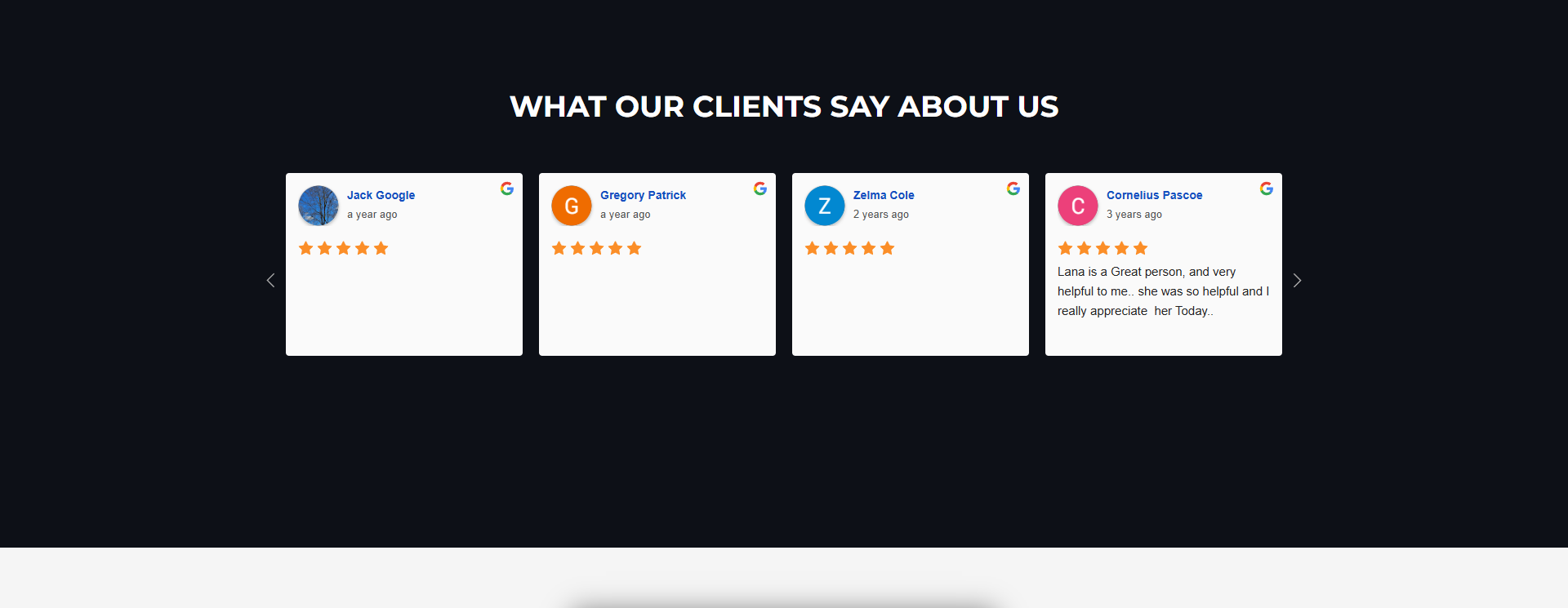
Секція «What our clients say about us» — слайдер з 6+ карток відгуків. Кожна картка містить аватар автора, ім’я-лінк на профіль автора у Google Maps (maps/contrib/106818415512214249635/reviews), мітку «a year ago» / «2 years ago», 5-зіркову оцінку і текст відгуку. У верхньому правому куті кожної картки — кольорова G-літера Google. Це не CF7-моки і не WordPress-comments — це реальні відгуки, що тягнуться з Google Places API через плагін «Widget for Google Reviews» (версія 4.1). Слайдер працює на slick-carousel з кнопками-стрілками для перегортання. Лід-сигнал: магазин не маскує негативні відгуки (фільтр на 5 зірок не активний), серед видимих — є відгуки 3-річної давнини, що показує тяглість збору соц-доказу.
«Looking to Sell Items?» — Contact Form 7 з multiline-file-upload як головна конверсійна точка
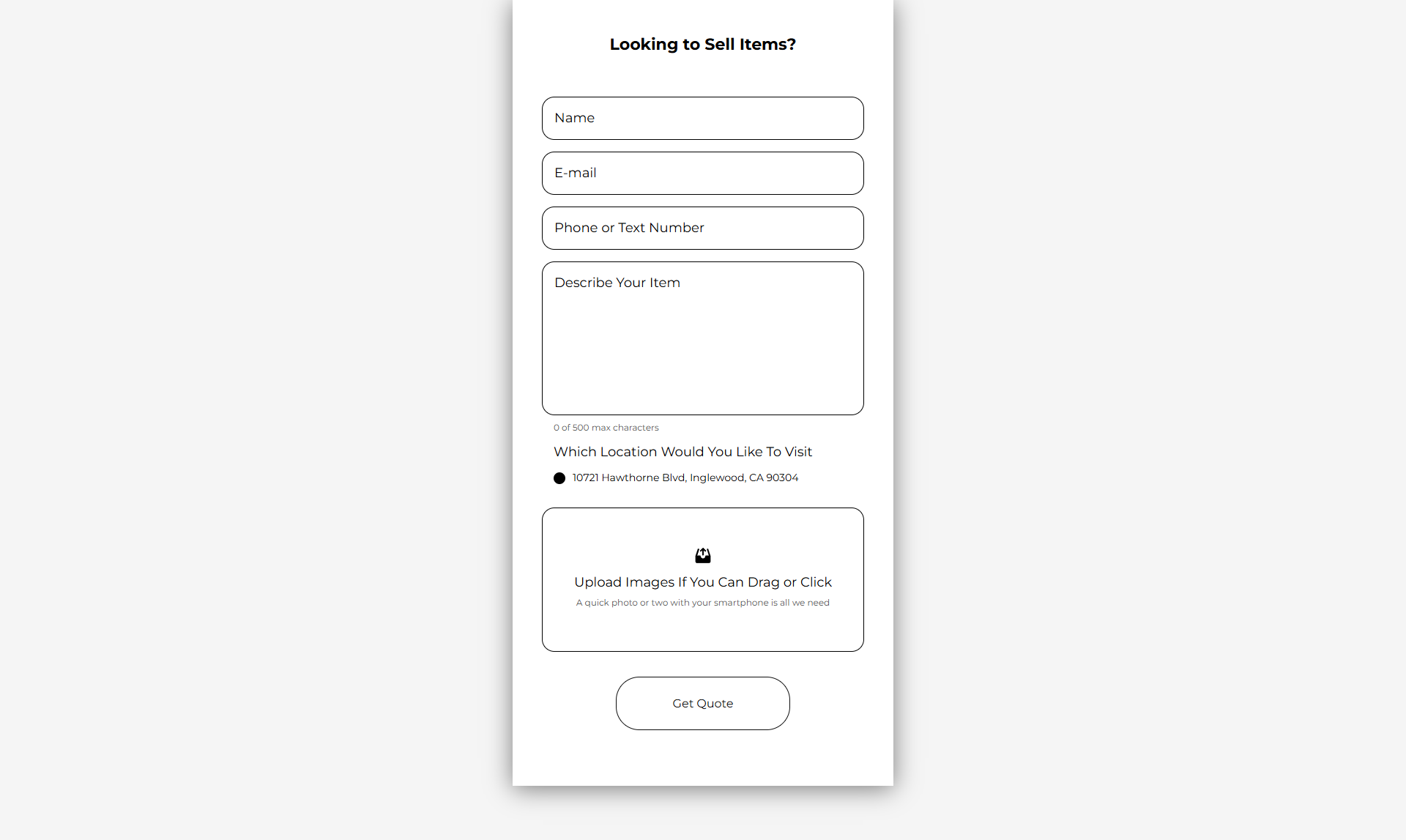
Форма-блок займає окрему секцію з заголовком «Looking to Sell Items?» і складається з 4 текстових полів (Name, E-mail, Phone or Text Number, Describe Your Item з лічильником «0 of 500 max characters»), radio-вибору локації (Which Location Would You Like To Visit → 10721 Hawthorne Blvd, Inglewood, CA 90304 — наразі лише одна локація, але radio-структура готова під розширення), і — головне — drag-and-drop файлового аплоадера: «Upload Images If You Can Drag or Click. A quick photo or two with your smartphone is all we need». Це не дефолтний CF7-file-field, а плагін «Multiline Files for Contact Form 7» (версія 7.0) — він дозволяє завантажити декілька файлів за один drop-action, що критично для ювелірки (потрібні фото фронт+бек+марка+пошкодження) і музичних інструментів (фото грифа+корпуса+маркетеру).
EN/ES bilingual через WP Multilang — Inglewood demographics як технічний вибір
У шапці праворуч від nav-меню — мовний перемикач En / Es. Активна мова — англійська, клік на Es веде на /es/ з тим самим лейаутом, але з повністю перекладеним контентом і відповідною ES-формою. Плагін — WP Multilang (версія 2.4.10), не WPML і не Polylang — рідкісний вибір для US-сайтів, але легкий і безкоштовний. Це не «маркетингова забаганка»: за US Census 2020, неінкорпороване Lennox-комюніті (де фізично знаходиться магазин по ZIP 90304) має ~91% Hispanic/Latino населення, і сусідній Inglewood — близько 50%. Без ES-версії сайт відрізав би більшу половину локального ринку. ES — не secondary мова, а primary для local-SEO.
Sticky floating call-button — pawn-shop-specific mobile UX pattern
На всіх сторінках, на всіх breakpoints, у правому нижньому куті — зелений floating circle з білою телефонною іконкою, який — клік-to-call на tel:+13106800776. Ця кнопка персистує під час scroll і не приховується ні на mobile, ні на desktop. Це — pawn-shop-specific UX-pattern: для значної частини аудиторії (старші клієнти, люди з low-tech опитом, або просто «треба прямо зараз спитати»), телефонний дзвінок — не fallback, а primary channel. Сайт навмисне не приховує телефон у nav або футтері — він завжди на екрані, поруч з палцем на мобільному.
Стек, інтеграції, технічні рішення
- WordPress + кастомна тема
pawnwp— не Elementor, не Astra-builder, не пейдж-білдер. Це shortest-path-from-mockup-to-prod: розмітка пишеться один раз, контент-блоки чесно prefixed (main-wrap__content,services,about,how,contacts,reviews,form), стилі компілюються в єдинийstyle.min.css. - Contact Form 7 5.9.8 + Multiline Files for Contact Form 7 7.0 — головна форма quote-request з drag-and-drop multi-upload (плагін zl-multiline-files додає JS-overlay поверх дефолтного CF7-file-input з прев’юшками-thumbnail-ами завантажених файлів і клієнтсайд-валідацією).
- WP Multilang 2.4.10 — EN/ES bilingual через
/es/-prefix у URL, без окремих доменів і без cookie-redirect. Перемикач — компонентswitcher-blockу nav-bar. - Widget for Google Reviews 4.1 — pull відгуків з Google Places API за Place ID бізнесу, рендер у slick-carousel з 6+ карток. Періодичний refresh через WP-cron, fallback на кеш якщо API недоступне.
- Slick-carousel 1.8.1 (CDN jsdelivr) — для reviews-слайдера; зайва залежність для одного компонента, але вибір на користь stability над bundle-size.
- jQuery 3.7.1 + jquery-migrate 3.4.1 — стандартний WP-bundle, потрібен для CF7 і slick. Migrate-warnings присутні у console.
- Google Maps embed — статичний iframe-URL з вшитим Place ID і координатами (без JS-API і без квоти). Локалізація карти випадково rs:ru/ua замість en:us — артефакт генерації embed-URL з не-US локалі.
- Google Fonts: Montserrat (100..900, нормальний + курсив) — preloaded через
fonts.googleapis.com/css2з повним weight-range, що означає latest-style вибір без оптимізації під конкретні weights.
Архітектурна суть проекту — single-page WP з custom theme, де всі складні UX-частини (multi-file upload, EN/ES перемикач, Google reviews carousel, embedded map) винесено у standalone-плагіни замість писати власні. Це робить тему легкою (один style.min.css, один app.min.js), а критичні бізнес-механіки — оновлюваними окремо від коду теми.