Get in touch
  • WordPress
  • Payments
  • v1.0.2

iyzico Checkout for WooCommerce — card payments in Turkey with instalments

Accept card payments in WooCommerce through iyzico: 3D Secure, instalments, server-side signature verification, V3 webhooks, HPOS and the block checkout. Pro adds refunds, instalment control and a payment journal.

Download Free
Pro · one-year licence The more sites, the less each one costs
Compatibility
WooCommerce 6.0+ · WordPress 6.2+ · PHP 7.4+
Licence
two sites, annual
Trial
7 days, no card, one per site
Updated
13 October 2026
Or all 178 Pro modules with All Access — 4 990 ₴ / year

What Free has,
and what Pro adds

The free version works with no time limit. Pro adds the rest of the features in the table.

Feature Free Pro
Card payment on iyzico's secure page: 3D Secure, instalments (taksit), iyzico wallet ✔ ✔
Server-side result verification: HMAC-SHA256 signature, token, basket, currency and amount ✔ ✔
iyzico V3 webhook with signature verification: the order is confirmed even if the customer closed the tab ✔ ✔
Fraud review and amount mismatch: the order goes On hold with an explanation, not Paid ✔ ✔
The basket always equals the order total: discounts, shipping and rounding are balanced ✔ ✔
T.C. Kimlik No field at checkout with checksum validation ✔ ✔
Classic and block WooCommerce checkout, HPOS compatible ✔ ✔
iyzico sandbox and a one-click key check ✔ ✔
Languages: Turkish, Ukrainian, English ✔ ✔
Refunds from the order screen: partial and full, same-day cancellation — ✔
Instalment control and the instalment fee as a line on the order — ✔
iyzico payment journal with one-click re-check — ✔

What it looks like

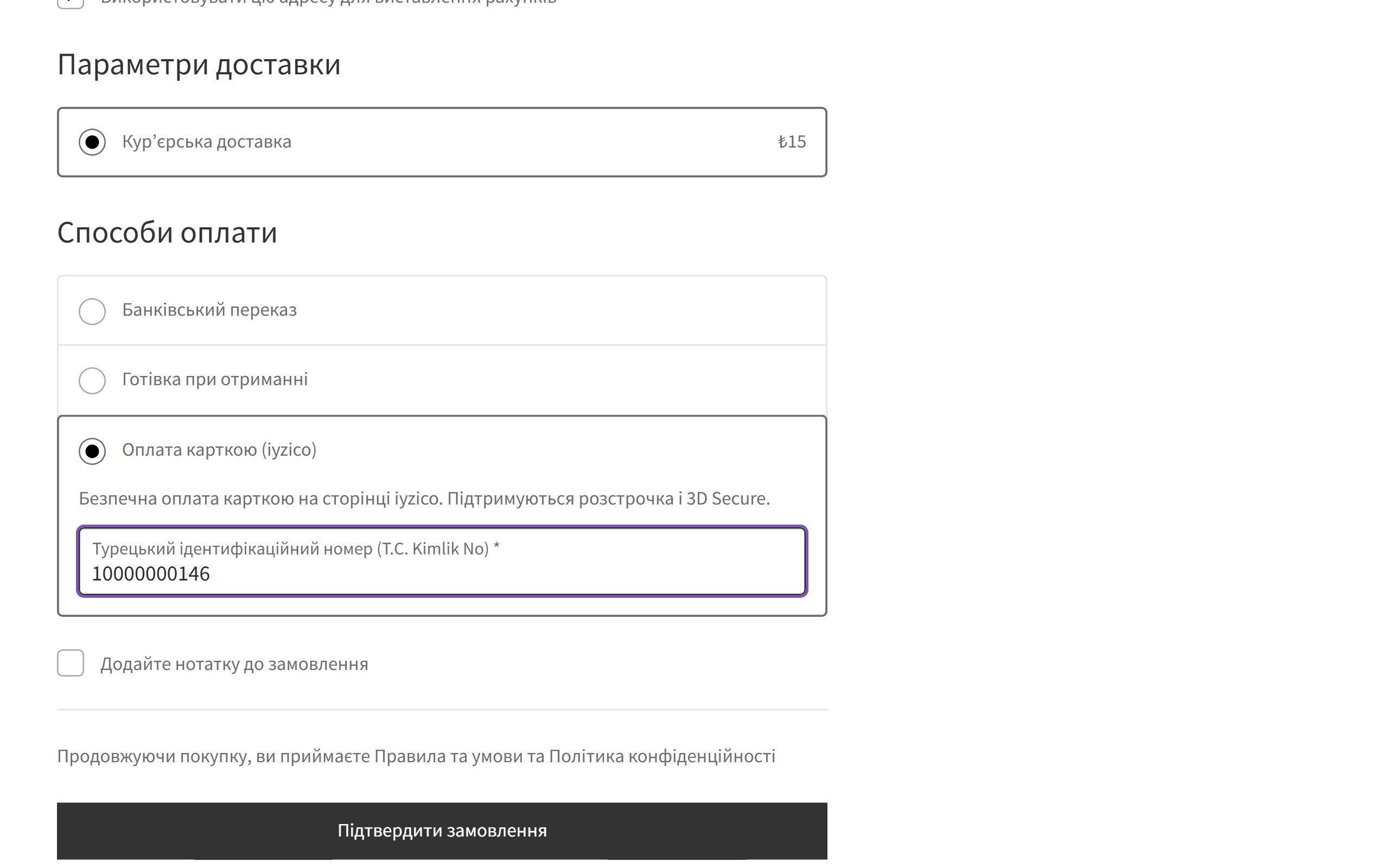
iyzico payment method in the WooCommerce block checkout
"Card payment (iyzico)" appears at checkout ("Kredi / banka kartı" in Turkish). It works in both the block and the classic checkout; if needed, a T.C. Kimlik No field with checksum validation sits under the payment method.
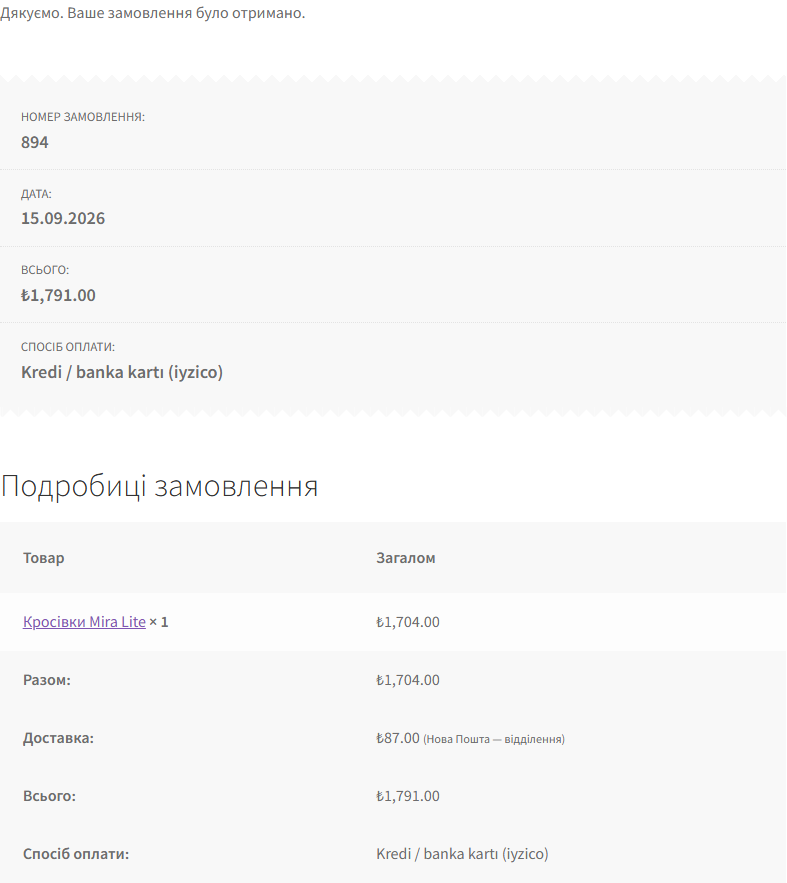
Thank-you page after paying with iyzico
After paying on the iyzico page the customer returns to the store and the order is already paid: the plugin has asked iyzico for the result and checked the signature before showing the thank-you page.
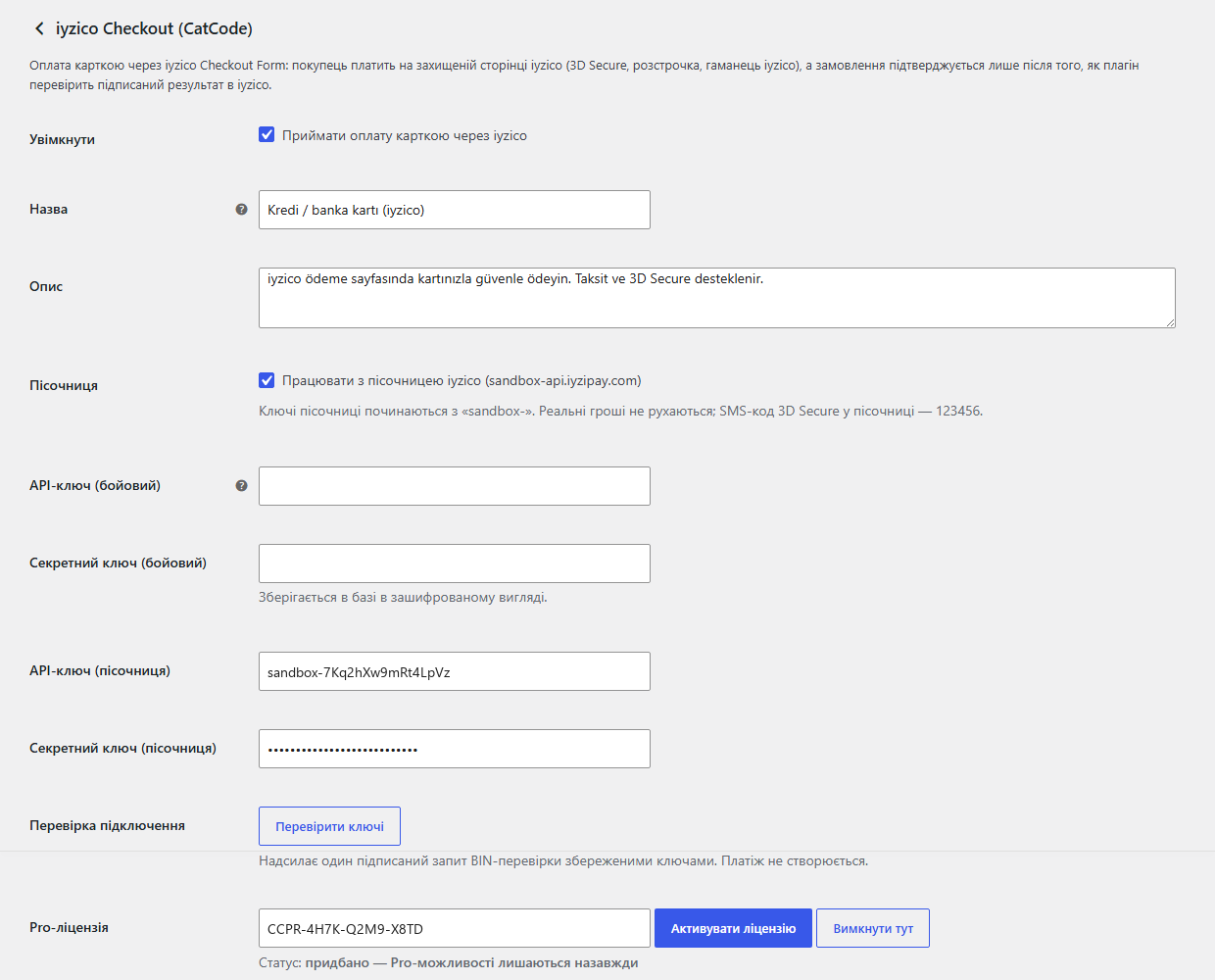
iyzico Checkout settings in WooCommerce
WooCommerce → Settings → Payments → iyzico Checkout: sandbox, API keys (the secret key is stored encrypted), the T.C. Kimlik No field, payment page language, instalments, the webhook URL and a key check button.

The trial starts when you ask

A fresh install is the free version, nothing switches on by itself. The “Try Pro for 7 days” button → e-mail → the key right in the window and by e-mail.

One key — two sites

Moving the store? Unbind the licence on the old domain and activate it on the new one yourself. For studios — keys for 5 or 25 sites, or unlimited.

Technical requirements

  • WooCommerce 6.0+ with the classic or block checkout, HPOS compatible
  • WordPress 6.2+ · PHP 7.4+
  • Store currency: TRY, USD, EUR, GBP, NOK, CHF, RUB or IRR. For any other currency the payment method hides itself.
  • An iyzico merchant account for real payments. For the sandbox, free sign-up at sandbox-merchant.iyzipay.com.

Version history

v1.0.2 Current 13 October 2026

Sites where every language has a URL prefix (Polylang): after paying, the buyer comes back to the thank-you page instead of “Page not found”.

v1.0.1 18.09.2026

Stored access keys are now encrypted with AES-256-CBC and HMAC instead of the old XOR obfuscation, which some hosting antivirus scanners flagged and deleted.

v1.0.0 First release September 2026

Iyzico Checkout Form with server-side signature verification, V3 webhooks, fraud-review status, balanced basket, T.C.

Frequently bought with iyzico Checkout for WooCommerce

4 modules in one order — 40% cheaper than separately

“Store starter” bundle iyzico Checkout Nova Poshta Premium Mono Acquiring Telegram notifications and Viber/SMS for customers Need more — all 178 modules in All Access for 4 990 ₴.
2 390 ₴ / year instead of 4 060 UAH bought separately
Buy the bundle →

Full module description

iyzico Checkout for WooCommerce is a payment plugin for stores that sell in Turkey through iyzico. The customer pays by card on iyzico’s secure page with 3D Secure and instalments (taksit), and the order is confirmed only after your server has asked iyzico for the result itself and checked its signature, amount, currency and basket. Not the customer’s browser, not a URL parameter, but a signed response from iyzico.

Why another iyzico plugin. The official iyzico plugin for WooCommerce runs on 10,000 sites and is rated 1.7 out of 5: reviews complain about HPOS incompatibility, a white screen after updates and orders that get stuck without a status. We built the plugin around four things that must always work: server-side payment verification, a webhook for when the tab is closed, HPOS and the block checkout.

What the admin gets

  • iyzico sandbox — you test the integration on test keys before any real money moves.
  • “Check keys” — one signed request to iyzico without creating a payment. You find out about wrong keys in the admin, not from a customer.
  • iyzico fraud review: a payment under review puts the order On hold with a “do not ship” note. Once iyzico approves it, the webhook moves the order to paid.
  • Pro refunds from the order screen: a full refund on the day of payment goes through as a cancellation (nothing shows on the customer’s statement), partial refunds are spread across basket items, keeping track of how much has already been refunded.
  • Pro instalments: choose which options (tek çekim, 2, 3, 6, 9, 12 taksit) the payment page offers and, if you like, add the instalment fee to the order as a separate line.

How it works, step by step

  1. At checkout the customer chooses card payment via iyzico and places the order.
  2. The plugin creates a Checkout Form in iyzico: customer, addresses, basket. Basket items always add up to the order total to the cent (discounts, shipping and rounding are balanced), so iyzico never rejects the request over an amount mismatch. The request is signed with IYZWSv2 (HMAC-SHA256), and iyzico’s response is verified by its signature.
  3. The customer pays on the iyzico page: 3D Secure, instalments, iyzico wallet.
  4. iyzico sends the customer back with a token. The plugin does not trust that token: it finds the order by number and key, asks iyzico for the result with the stored token and checks the signature, token, basket ID, currency and amount.
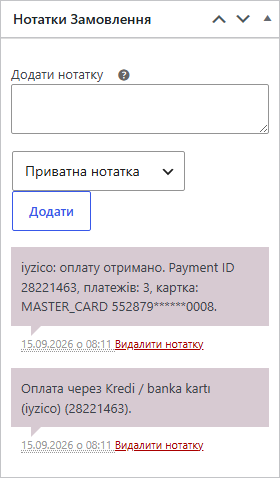
  5. The order moves to Processing (or Completed) with the Payment ID, instalments and card in a note.
  6. If the customer closed the tab, iyzico sends a webhook signed with X-IYZ-SIGNATURE-V3. The plugin checks the signature and asks for the result the same way — the order won’t be left pending.
  7. A callback and a webhook arriving together won’t record the payment twice: the result is applied under a database-level lock.

Under the hood

  • Server-side result verification: the HMAC-SHA256 signature of iyzico’s response (paymentStatus, paymentId, currency, basket, conversationId, amounts, token) is checked against your secret key.
  • The token from the browser is never used for confirmation — only the one stored when the payment was created.
  • V3 webhook with signature verification; an unsigned or forged request gets 401 and changes nothing.
  • Idempotency: a paid or refunded order is never rolled back by a late response, and double confirmation is blocked at the database level.
  • Refund accounting per item transaction: iyzico never receives a request for more than the remaining balance.
  • T.C. Kimlik No is not stored on the order or written to the log — it is only passed on to iyzico.
  • Secret keys are encrypted in the database and never reach the log.
  • Translations: Turkish, Ukrainian, English.

How to install

  1. Plugins → Add New → Upload Plugin: choose catcode-iyzico-checkout-for-woocommerce-1.0.2.zip and activate it.
  2. WooCommerce → Settings → Payments → iyzico Checkout (CatCode).
  3. Paste the API key and secret key from the iyzico dashboard → Settings → Merchant Settings (for testing, the sandbox keys with the sandbox- prefix).
  4. Click “Check keys” and save.
  5. Copy the webhook URL at the bottom of the settings into the iyzico dashboard → Merchant Notifications.
  6. For Pro: paste your licence key or start the 7-day trial.

Questions
about the module

Didn't find the answer? Message us on Telegram and we'll reply within a business day.

@catcode_support Setup, compatibility, activation
Do I need an iyzico account?

For real payments, yes — an iyzico merchant account. For testing, the free sandbox is enough.

My store doesn't ask for a T.C. Kimlik No.

iyzico requires the number on every payment. By default the plugin sends a placeholder that iyzico accepts; you can enable the field at checkout.

Why is the order On hold?

iyzico is holding the payment for fraud review, or the response failed the signature or amount check. The reason is in the order note.

Does card data pass through my site?

No. The card is entered on the iyzico page.

What if I don't want to pay for Pro?

Taking payments, verification, webhooks and the fraud-review status stay free with no time limit.

Not quite what you are looking for?

We build custom modules for WordPress, WooCommerce, OpenCart and Shopify. Tell us about the task and we'll prepare an estimate.

Order a custom module