
OpenCart
Audit Log — admin activity log for OpenCart 2.3, 3.x and 4.x
Free + Pro
1 290 UAH
v1.1.2
 All Access4 990 ₴ / year
 Website auditA PDF report by email in 3 minutesCheck a website
Everyday tasks
Image compressorSize, quality and WebP in bulkQR generatorLink, Wi-Fi, payment to IBANVAT calculator20, 14, 7% and amount in wordsTransliterationOfficial Ukrainian standardWebsite checks
PHP and pluginsPHP version, WordPress, pluginsGoogle Merchant feedFields, prices, GTIN, imagesDomain emailSPF, DKIM, DMARC, blacklistsAI search readinessllms.txt, bots, markupAll 9 toolsEnter at least 2 characters

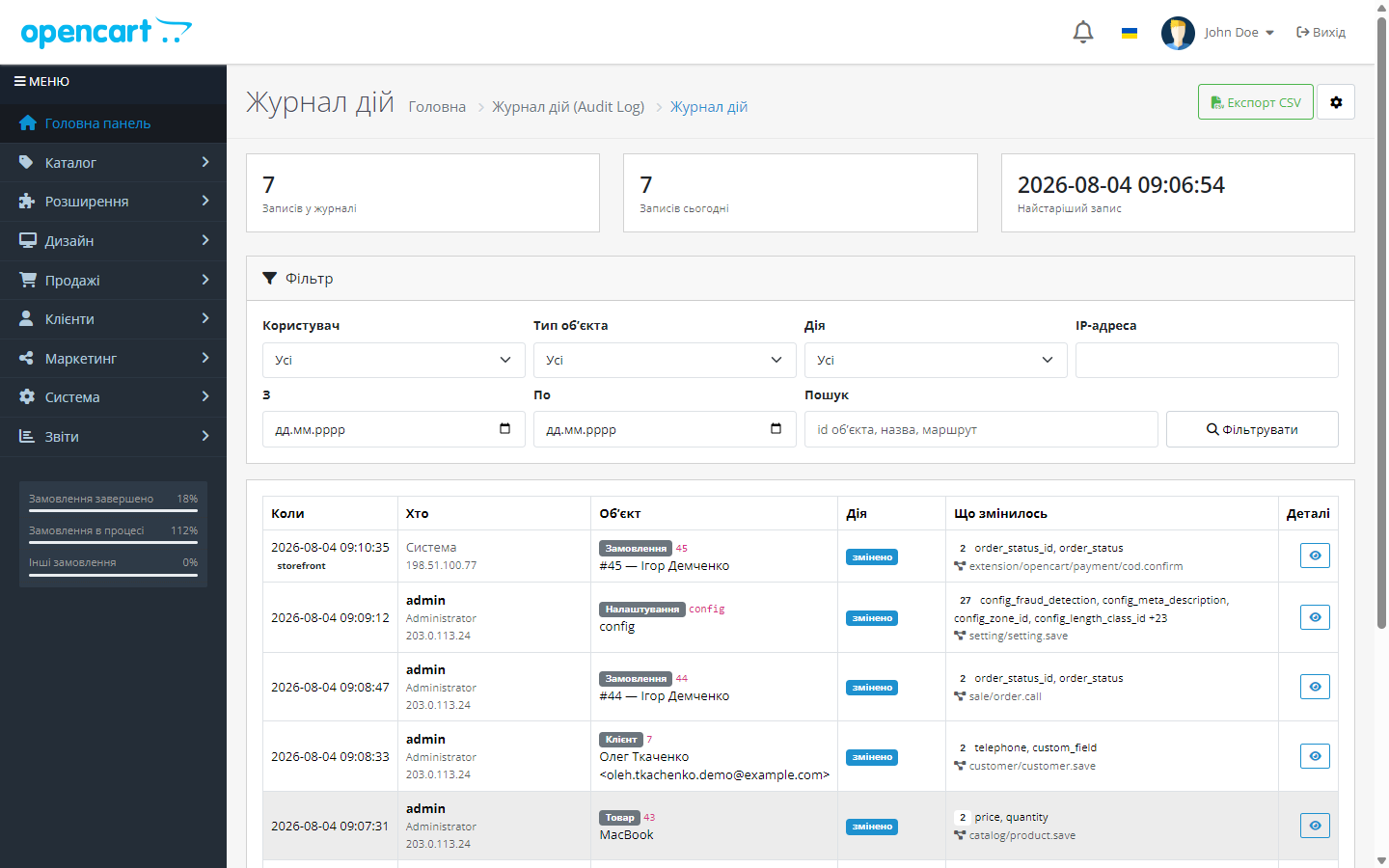
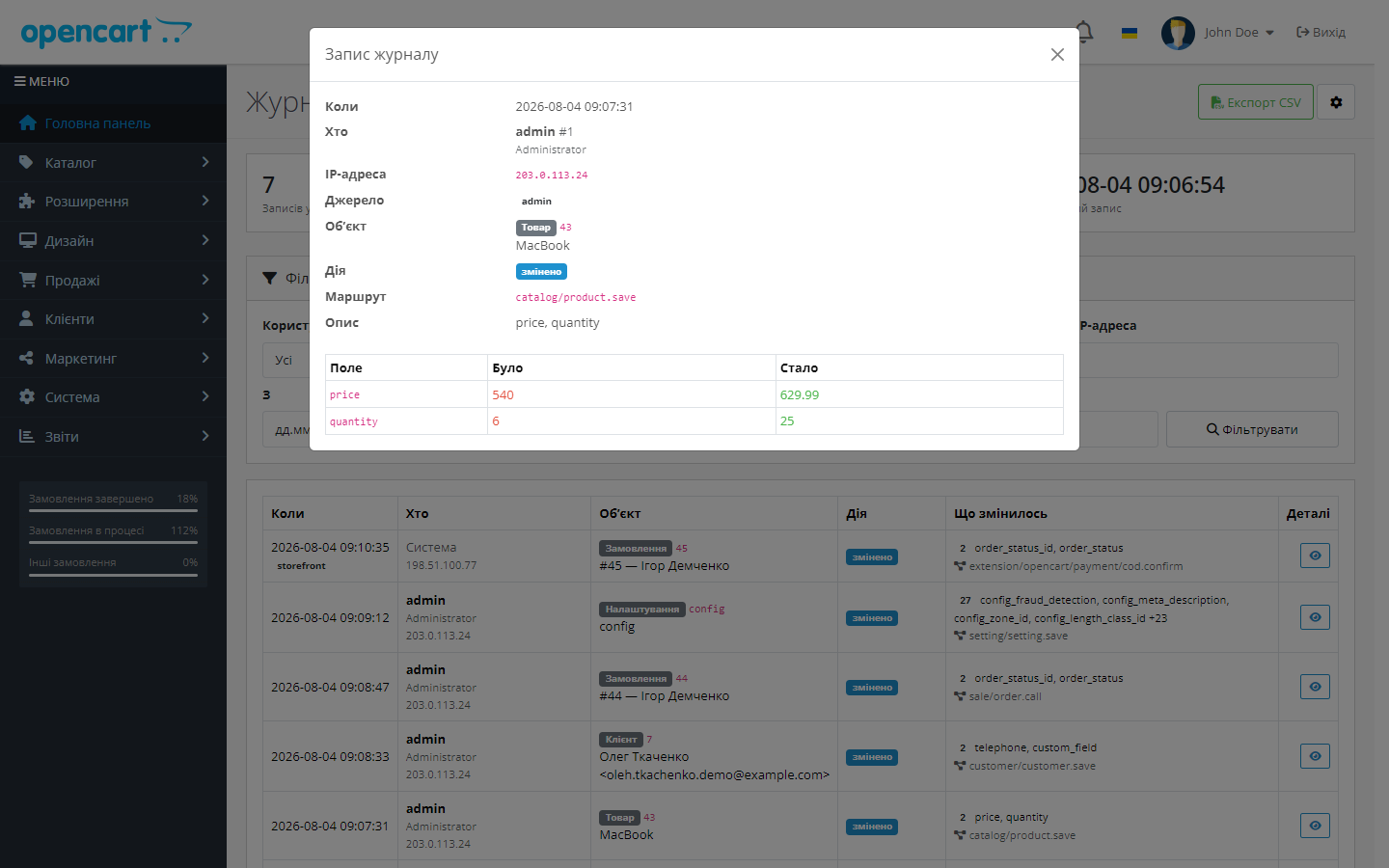
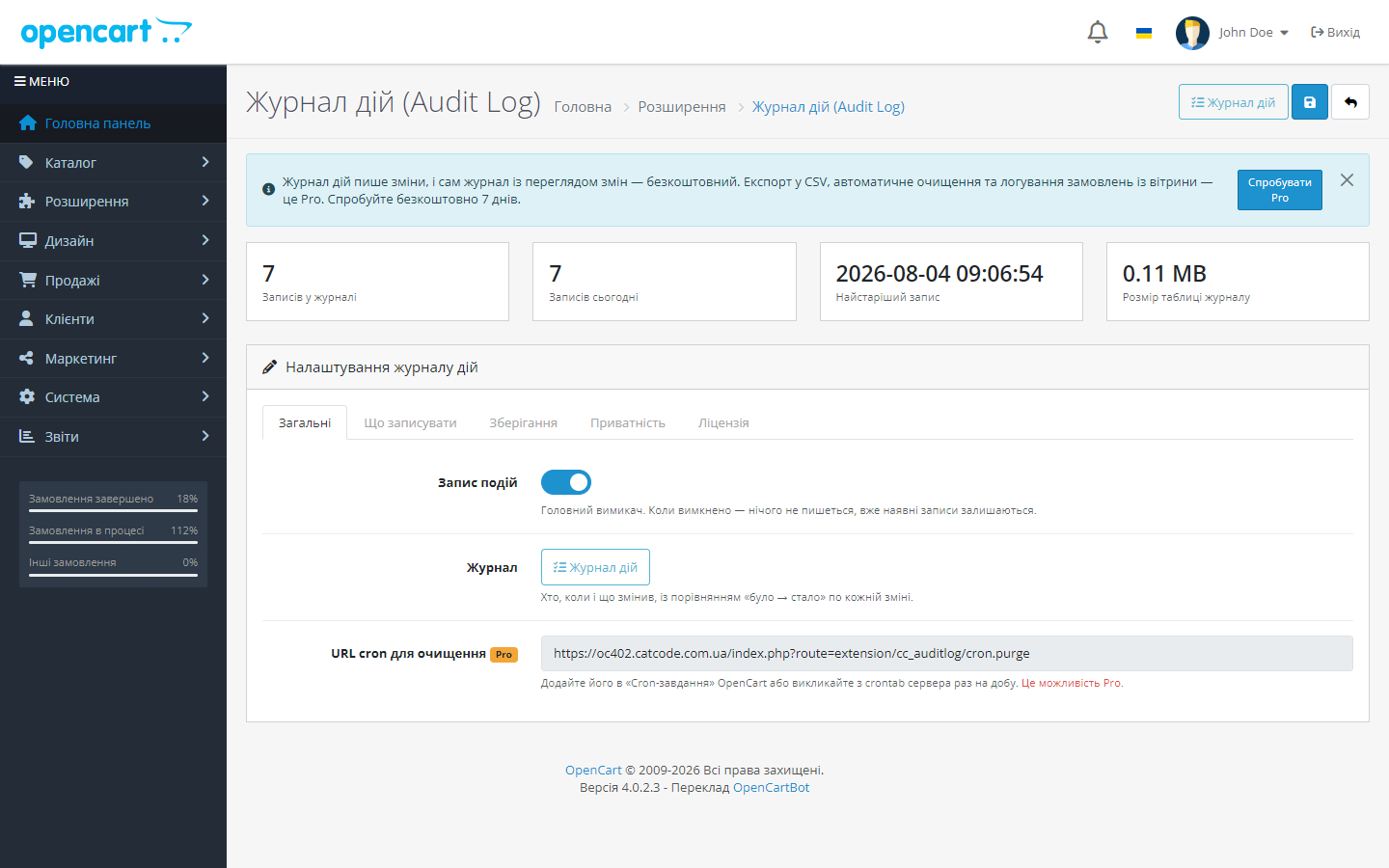
An admin activity log for OpenCart: who changed what, when, in orders, products and settings. Masking of passwords and keys, filters, CSV export.
Clear even without sound: Ukrainian subtitles
The free version works with no time limit. Pro adds the rest of the features in the table.


Admin logins, failed login attempts and logouts; order changes — status, contents, totals, customer data; product changes — price, stock, status; categories, customers, store settings, users and permission groups, installing and removing extensions.

Passwords, tokens, API keys and salts are masked at the point of recording, not at display time — meaning they physically never reach the database.

The log is filterable by user, entity type, action, date range, IP and free-text search; it has pagination and an entry detail view in a modal window.

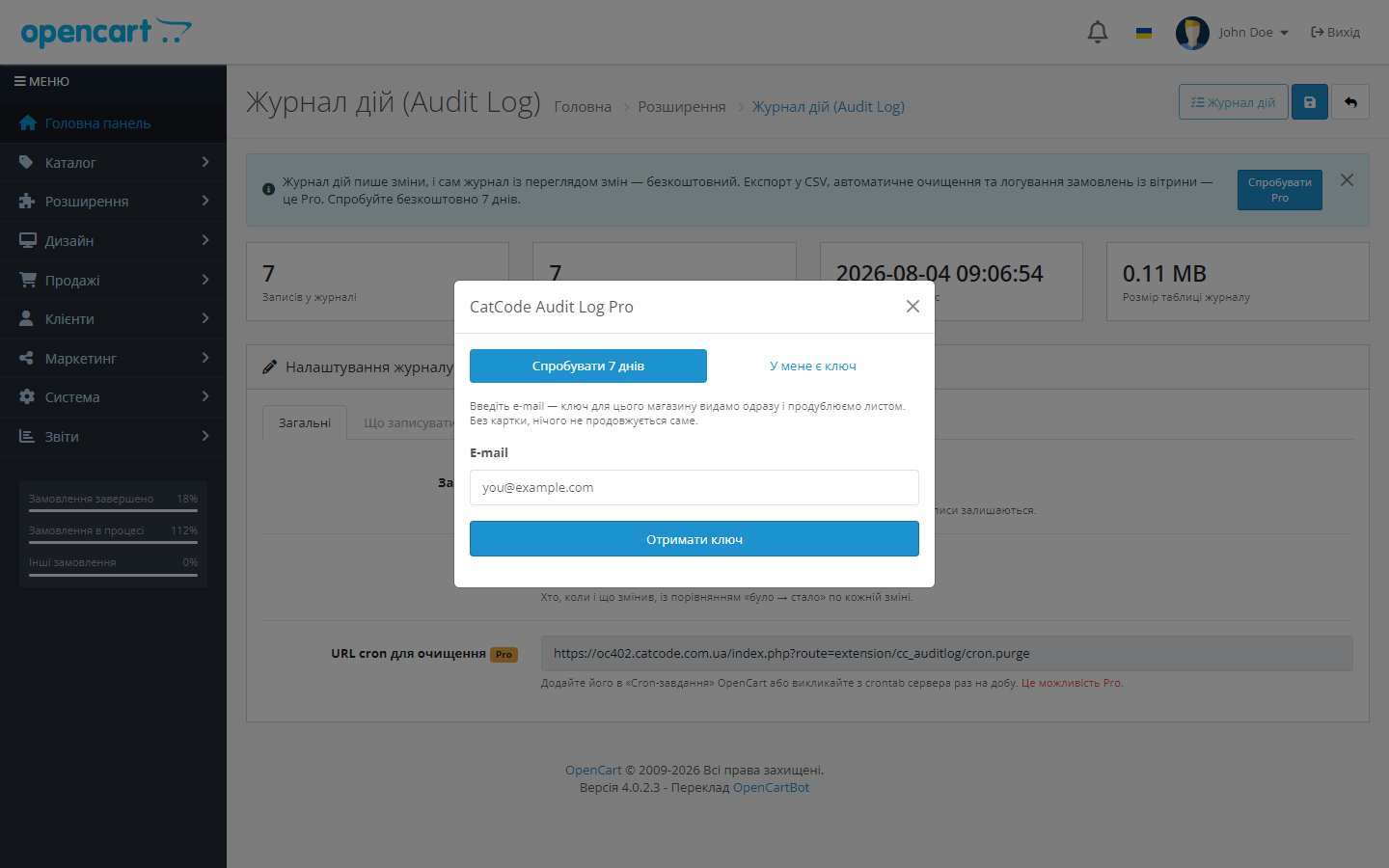
A fresh install is the free version, nothing switches on by itself. The “Try Pro for 7 days” button → e-mail → the key right in the window and by e-mail.

Moving the store? Unbind the licence on the old domain and activate it on the new one yourself. For studios — keys for 5 or 25 sites, or unlimited.
 OpenCart 2.3.0.x, 3.0.2 – 3.0.5.0 and 4.0.2 – 4.1.x
A purchased licence for OpenCart now works without expiry.
The journal with a filter opens again on the PDO database driver.
The 3.0.x build brought up to the same model as 4.x and 2.3.
Logging works again on OpenCart 4.0.x.
An admin activity log with a “before → after” diff, filters, secret masking, CSV export and scheduled cleanup.
4 modules in one order — 40% cheaper than separately



Audit Log for OpenCart 2.3, 3.x and 4.x answers a question that sooner or later comes up in every store with more than one employee: who changed the price, who cancelled the order, who removed access rights, and exactly when it happened.
Admin logins, failed login attempts and logouts; order changes — status, contents, totals, customer data; product changes — price, stock, status; categories, customers, store settings, users and permission groups, installing and removing extensions.
Every entry records who performed the action (user, IP, browser), when, on which entity, exactly what the action was — and, most importantly, a detailed diff of the changed fields in “before → after” format. For permissions, it separately shows which routes were removed and which were added.
Passwords, tokens, API keys and salts are masked at the point of recording, not at display time — meaning they physically never reach the database. At the same time, the fact that a secret changed is recorded: you can see the payment module’s key was changed, but not its value. This is a deliberate distinction: a log that stores keys becomes a security hole itself.
The log is filterable by user, entity type, action, date range, IP and free-text search; it has pagination and an entry detail view in a modal window. Retention limits — by entry age and by count — are configurable in the free version; scheduled auto-cleanup and CSV export of the filtered log are part of Pro.
Uninstalling the module removes its events and cron tasks, but doesn’t delete the log table: a log that can be wiped with one click isn’t an evidentiary record.
Trial — only on your click. Installing and saving settings activate nothing. If you want to look at Pro, click “Try Pro”, enter your e-mail, and get a 7-day key for this store right away; it’s also sent by mail. No card, nothing auto-renews.
Logging never blocks the store: a logging error never breaks a page, and saving with no real changes doesn’t create empty entries. Benchmarks on our demo stand showed no measurable difference in admin speed with logging on versus off.
Didn't find the answer? Message us on Telegram and we'll reply within a business day.
 @catcode_support
Setup, compatibility, activation
@catcode_support
Setup, compatibility, activation
No. They're masked before recording, so they're physically absent from the database. Only the fact of the change is recorded.
No. Recording runs safely and doesn't block the page; benchmarks showed no speed difference.
There's scheduled auto-cleanup and settings for exactly which event types get recorded.
Events and the cron job are removed, but the log table stays — so entries can't be destroyed with one click.
Yes, it separately shows the list of routes that were removed and those that were added.
No reviews yet. Be the first.
No questions yet. Ask one — we answer within 24 hours.
We build custom modules for WordPress, WooCommerce, OpenCart and Shopify. Tell us about the task and we'll prepare an estimate.
Order a custom module
—

CatCode assistant
Just now


CatCode assistant
Online

I’ll help with your website task
Describe your website task — I’ll find a ready-made module or pass it to a developer for an estimate. Modules, custom features, layout, integrations, speed, migration, technical SEO.
