
WordPress
iPay.ua для WooCommerce — оплата карткою через інтернет-еквайринг
Free + Pro
890 грн/рік
v1.0.2
 All Access4 990 ₴ на рік
 Аудит сайтуPDF-звіт на пошту за 3 хвилиниПеревірити сайт
Для щоденних задач
Стиснення фотоРозмір, якість і WebP пачкоюГенератор QRПосилання, Wi-Fi, оплата на IBANКалькулятор ПДВ20, 14, 7 % і сума прописомТранслітераціяЗа постановою КМУ № 55Перевірки сайту
PHP і плагіниВерсія PHP, WordPress, плагіниФід Google MerchantПоля, ціни, GTIN, фотоПошта доменуSPF, DKIM, DMARC, чорні спискиГотовність до AI-пошукуllms.txt, боти, розміткаУсі 9 інструментівВведіть щонайменше 2 символи

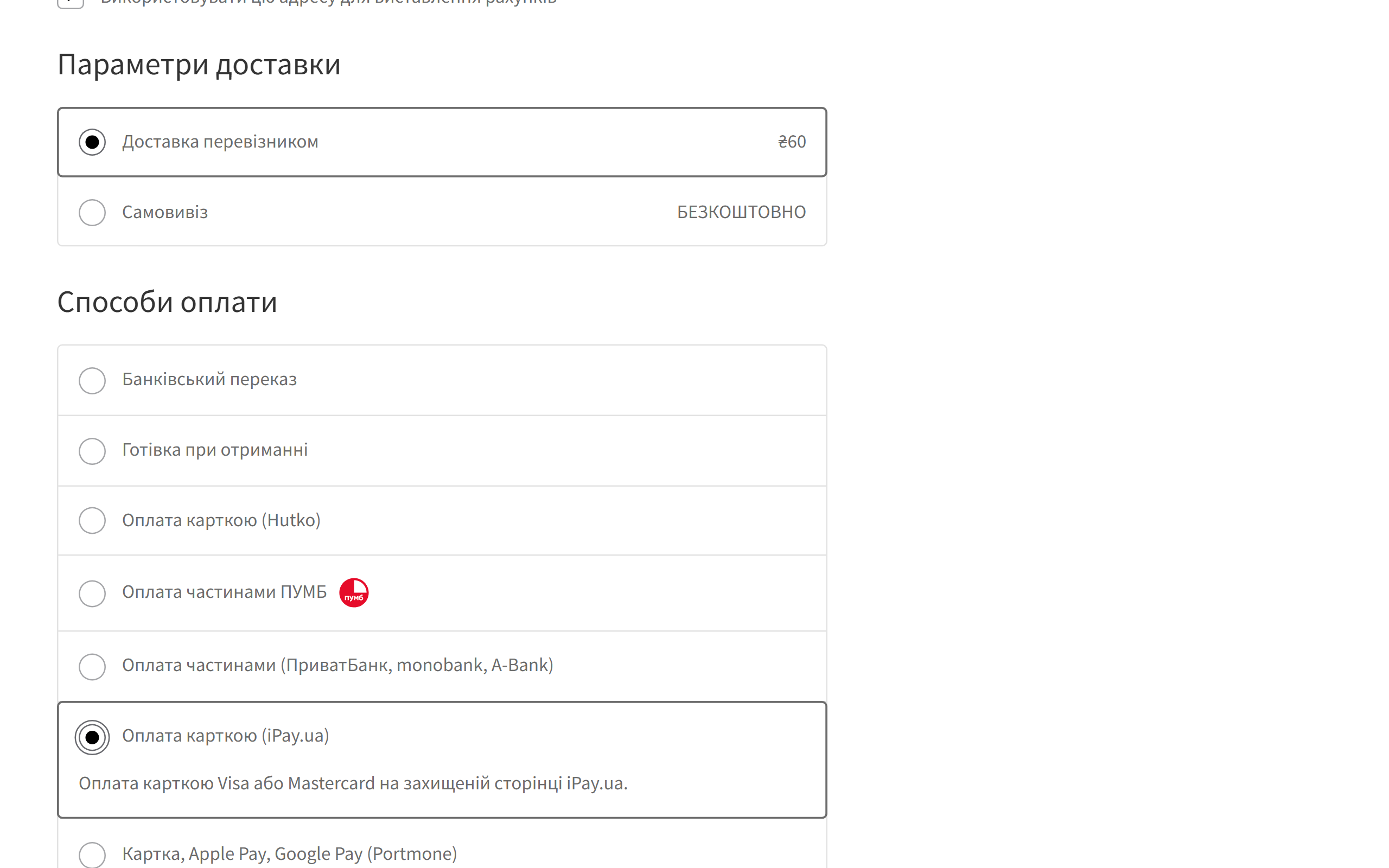
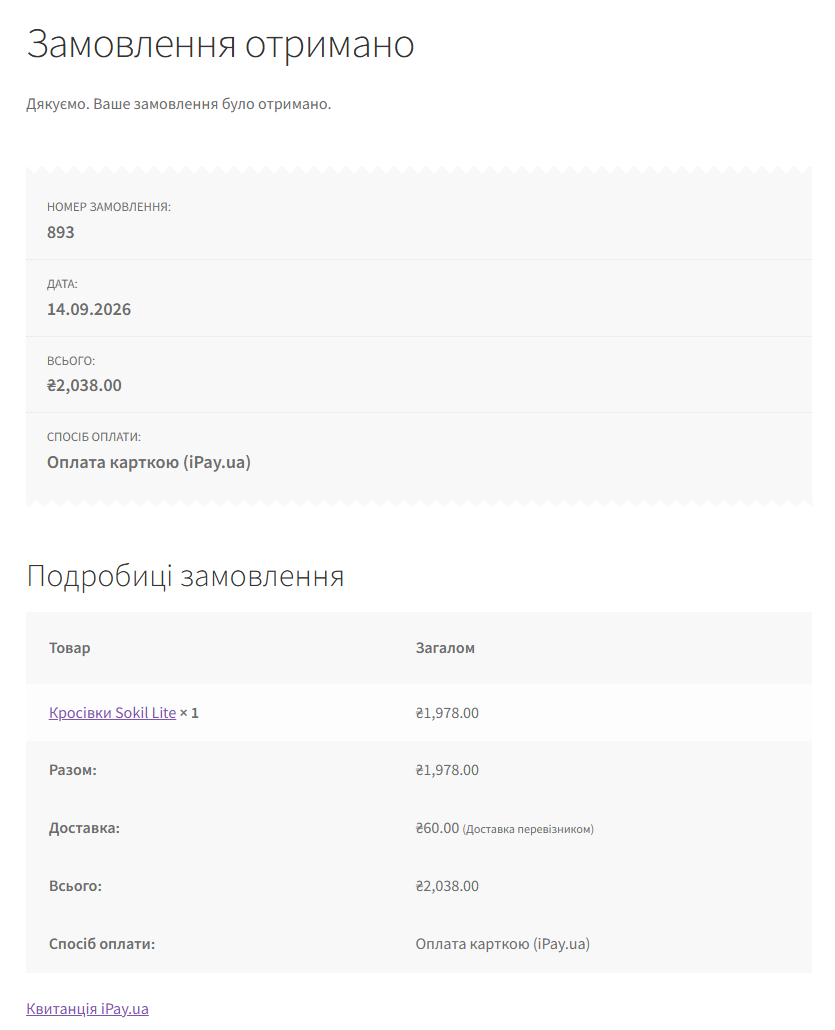
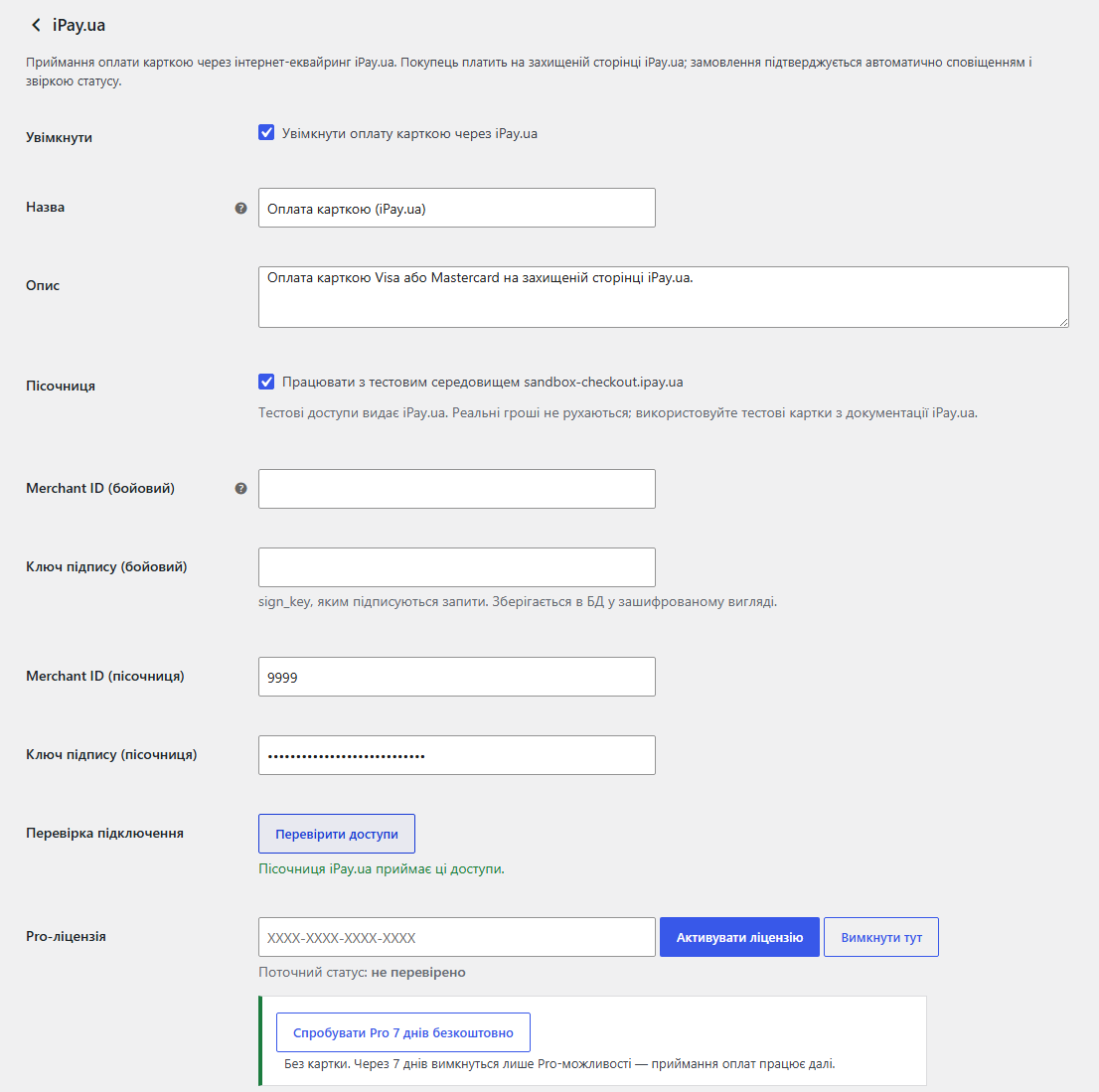
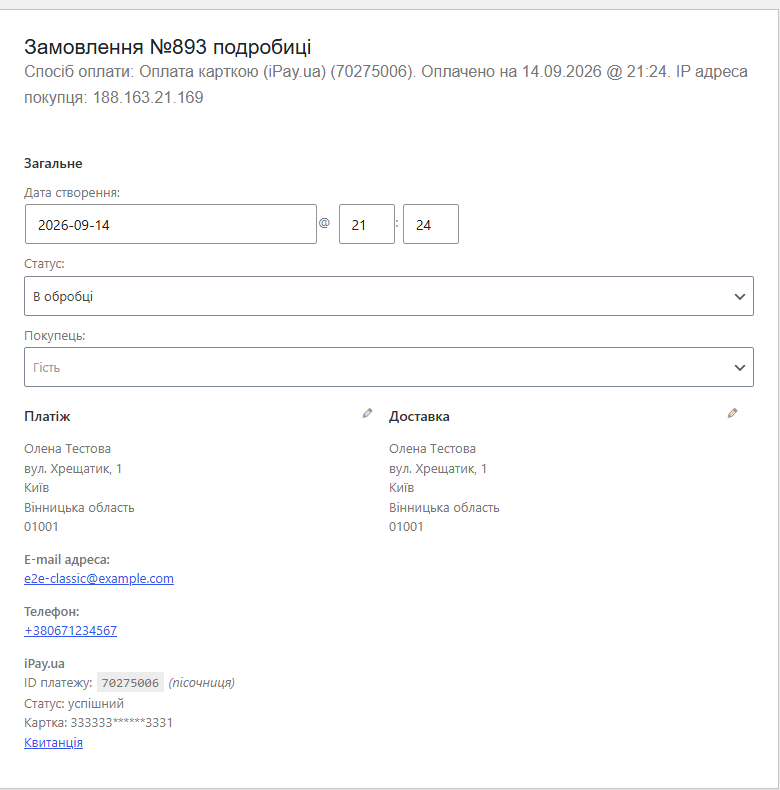
Приймайте оплату карткою в WooCommerce через iPay.ua: захищена сторінка оплати, автопідтвердження з перепровіркою статусу, фонова звірка, пісочниця. Pro — повернення, предавторизація, фіскальні чеки і журнал платежів.
Безкоштовна версія працює без обмеження в часі. Pro додає решту функцій з таблиці.



Свіжий інстал — безкоштовна версія, нічого не вмикається само. Кнопка «Спробувати Pro 7 днів» → e-mail → ключ одразу у вікні і листом.

Переносите магазин — відв’яжіть ліцензію на старому домені й активуйте на новому самі. Для студій — ключі на 5, 25 сайтів або без обмежень.
 WooCommerce 6.0+ з класичним або блоковим чекаутом, сумісність з HPOSWordPress 6.2+ · PHP 7.4+Валюта магазину — гривня. При іншій валюті спосіб оплати ховається сам, і покупця не спишуть на неправильну суму.Договір з iPay.ua і доступи до Checkout API: mch_id та sign_key. Тестові доступи для пісочниці теж видає iPay.ua.Для предавторизації — увімкнений у iPay.ua режим предавторизації для вашого мерчанта. Для фіскальних чеків — касир і каса, підключені в iPay.ua. Для повернень у наступні дні — доступ до Refund, який iPay.ua надає за згодою.
Фіскальний чек більше не буває більшим за списану суму.
Ключі доступу в базі тепер шифруються AES-256-CBC з HMAC замість старого XOR-шифрування, яке антивіруси деяких хостингів позначали й видаляли.
Створення платежу iPay.ua з переходом на сторінку оплати, підписані запити HMAC-SHA512, сповіщення з перепровіркою через Status, звірка при поверненні покупця й фонова звірка кожні 10…
4 модулі одним замовленням — на 40% дешевше, ніж окремо



iPay.ua для WooCommerce — платіжний плагін, який приймає оплату карткою через інтернет-еквайринг iPay.ua (Checkout API). Покупець переходить на захищену сторінку iPay.ua, платить карткою Visa або Mastercard, а замовлення в магазині підтверджується само. Плагін не вірить сповіщенню на слово: на кожне він окремо питає в iPay.ua статус платежу й звіряє суму, тож підробленим запитом замовлення «оплатити» не вийде.
Якщо оплата не пройшла, покупець натискає «Повернутися на сайт» і бачить сторінку оплати замовлення з поясненням і можливістю спробувати ще раз або обрати інший спосіб. Замовлення при цьому не губиться.
ipay-ua-for-woocommerce-1.0.2.zip і активуйте.Не знайшли відповідь? Напишіть у Telegram — відповімо протягом робочого дня.
 @catcode_support
Налаштування, сумісність, активація
@catcode_support
Налаштування, сумісність, активація
Так. iPay.ua видає і бойові, і тестові доступи (mch_id та sign_key).
Гривня. Якщо валюта магазину інша, спосіб оплати iPay.ua не показується, і покупця не спишуть на неправильну суму.
Фонова звірка підтягне оплату протягом 10 хвилин. Якщо так повторюється, перевірте, що iPay.ua підключив URL сповіщень з налаштувань плагіна.
Ні. Картка вводиться на сторінці iPay.ua, а сповіщення про оплату плагін ще й перепровіряє запитом до iPay.ua.
Приймання оплати, автопідтвердження, фонова звірка й пісочниця безкоштовні без обмеження в часі.
Поки що жодного відгуку. Будьте першим.
Поки питань немає. Запитай — ми відповімо протягом 24 годин.
Робимо кастомні модулі під WordPress, WooCommerce, OpenCart і Shopify. Розкажіть про задачу — підготуємо оцінку.
Замовити кастомний модуль
—

Помічник CatCode
Щойно


Помічник CatCode
Онлайн

Допоможу із задачею по сайту
Опишіть задачу по сайту — підберу готовий модуль або передам розробнику з оцінкою. Модулі, доробки, верстка, інтеграції, швидкість, перенесення, технічне SEO.
