OpenCart
WayForPay — оплата карткою для OpenCart 2.3, 3.x і 4.x
Free + Pro
1 490 грн
v1.1.1
 All Access4 990 ₴ на рік
 Аудит сайтуPDF-звіт на пошту за 3 хвилиниПеревірити сайт
Для щоденних задач
Стиснення фотоРозмір, якість і WebP пачкоюГенератор QRПосилання, Wi-Fi, оплата на IBANКалькулятор ПДВ20, 14, 7 % і сума прописомТранслітераціяЗа постановою КМУ № 55Перевірки сайту
PHP і плагіниВерсія PHP, WordPress, плагіниФід Google MerchantПоля, ціни, GTIN, фотоПошта доменуSPF, DKIM, DMARC, чорні спискиГотовність до AI-пошукуllms.txt, боти, розміткаУсі 9 інструментівВведіть щонайменше 2 символи
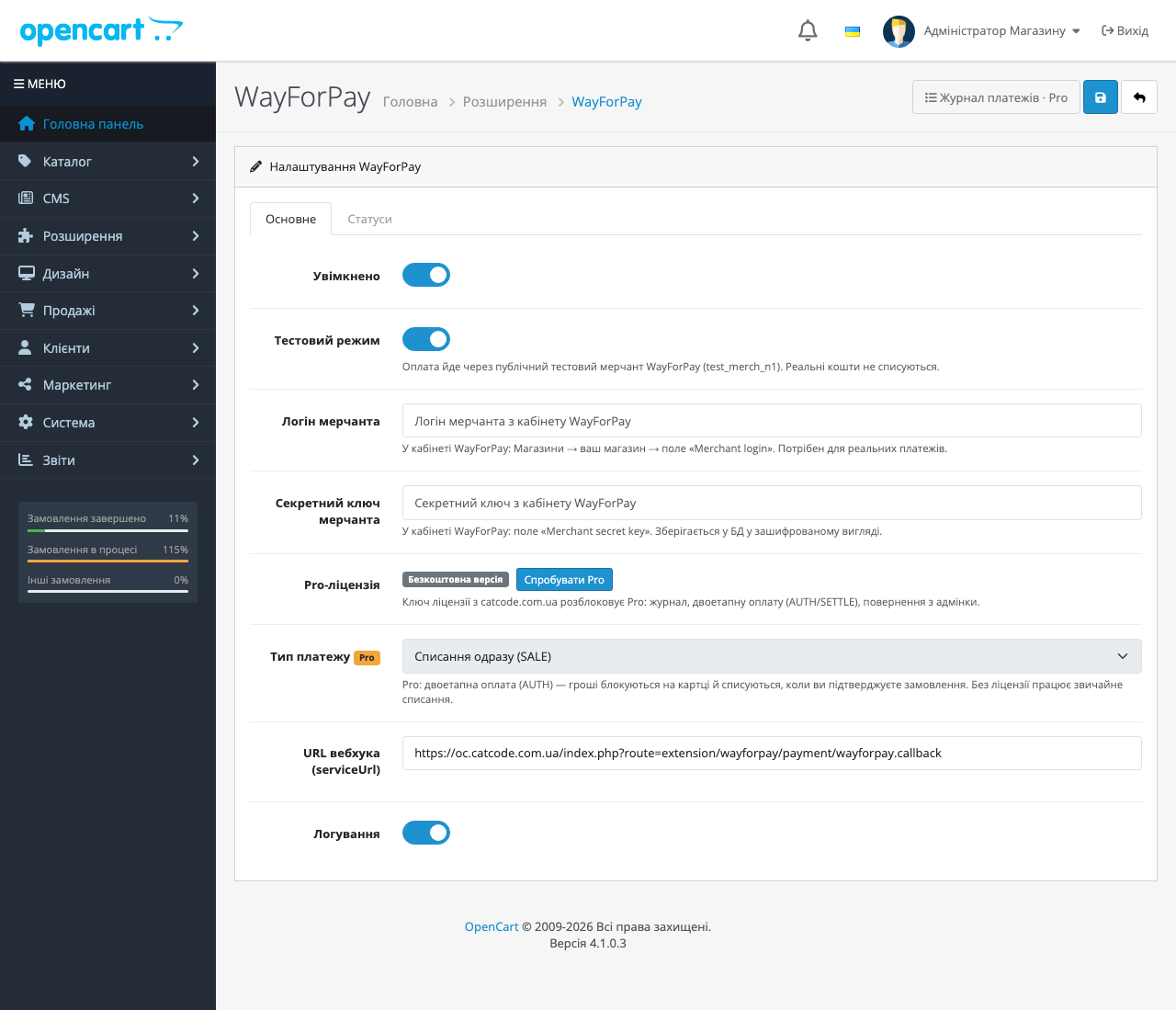
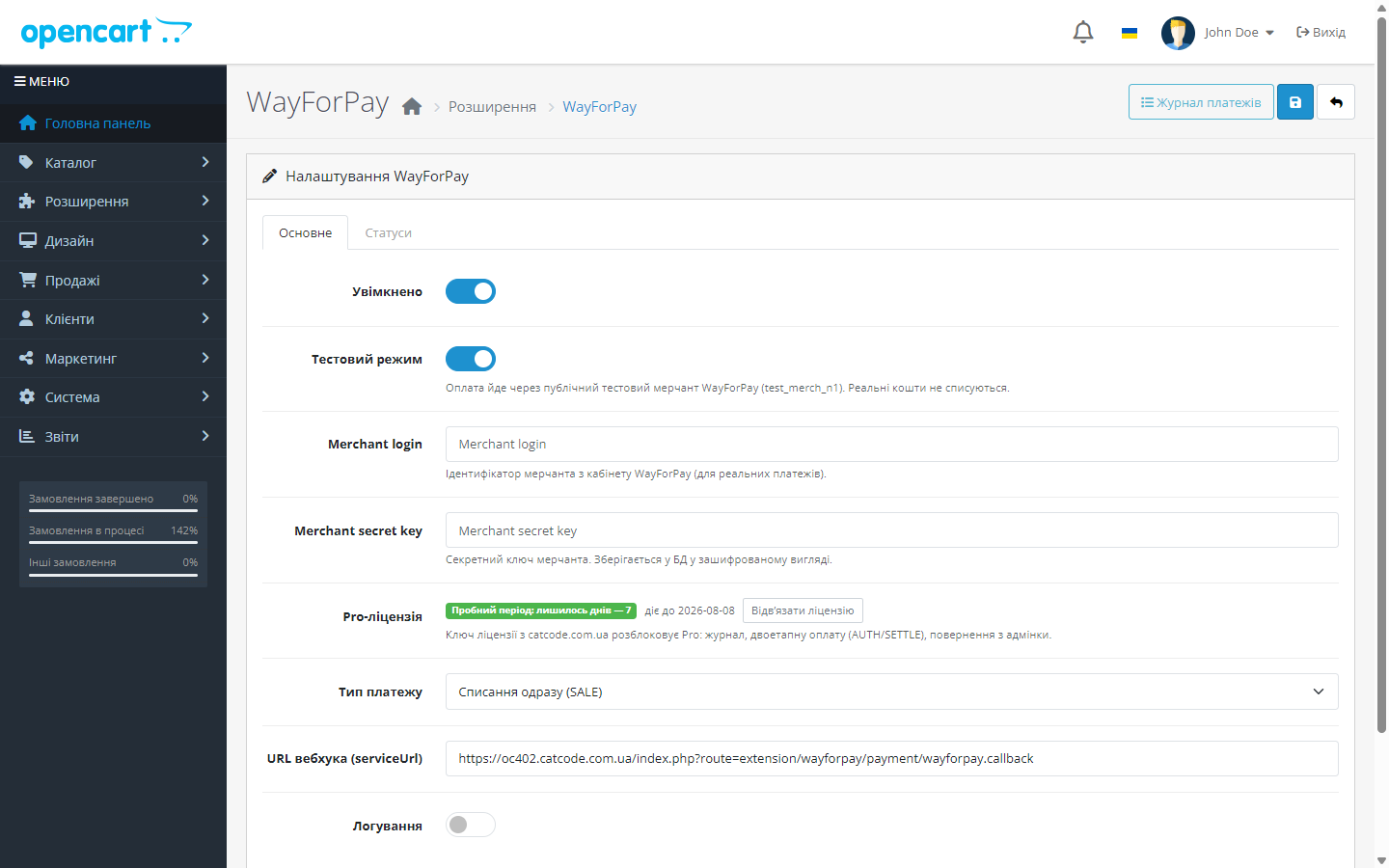
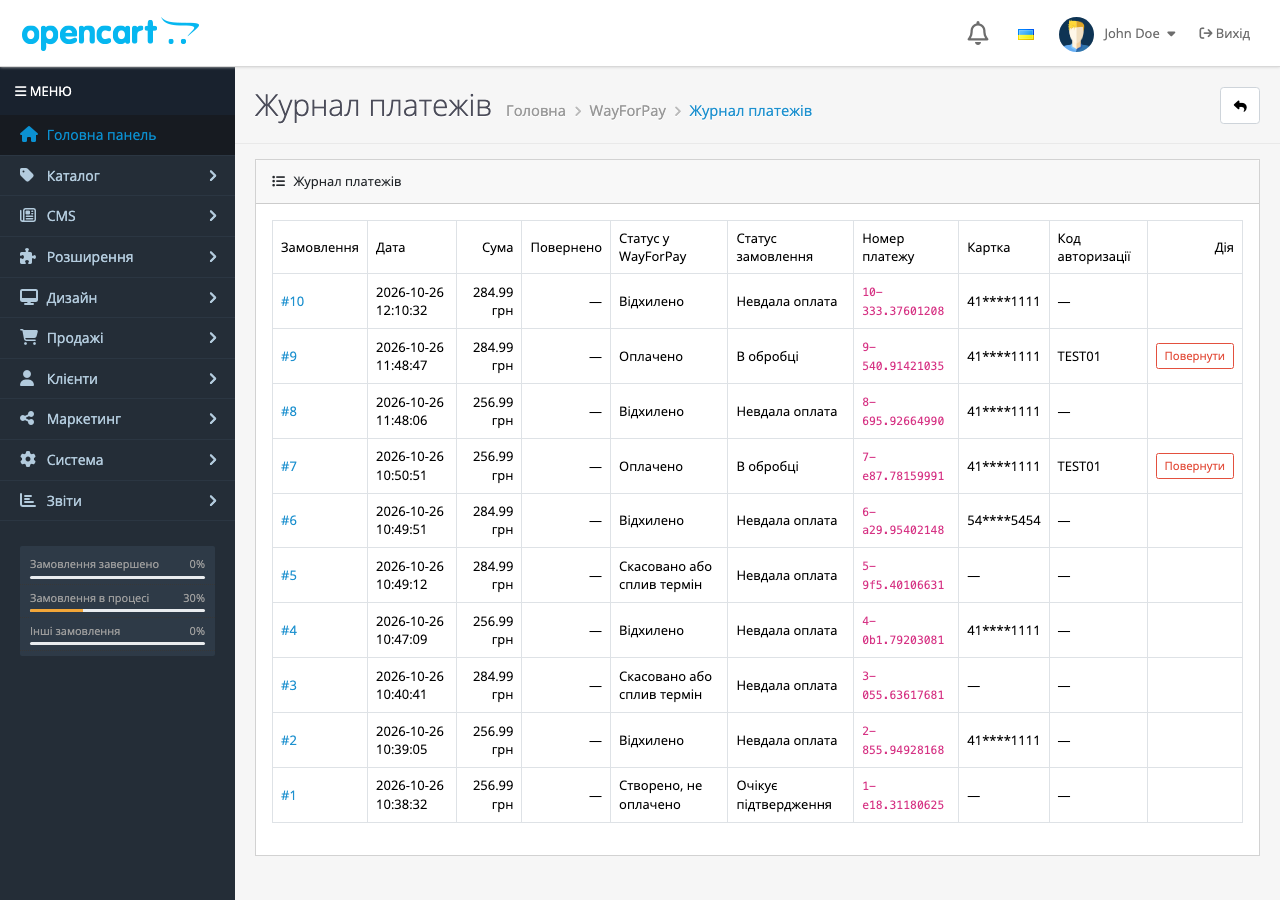
Приймання оплати карткою Visa/Mastercard через WayForPay в OpenCart. Автопідтвердження замовлення callback-ом з перевіркою HMAC-MD5-підпису. Pro — журнал платежів, двоетапна оплата і повернення з адмінки.
Без звуку теж зрозуміло: субтитри українською
Безкоштовна версія працює без обмеження в часі. Pro додає решту функцій з таблиці.



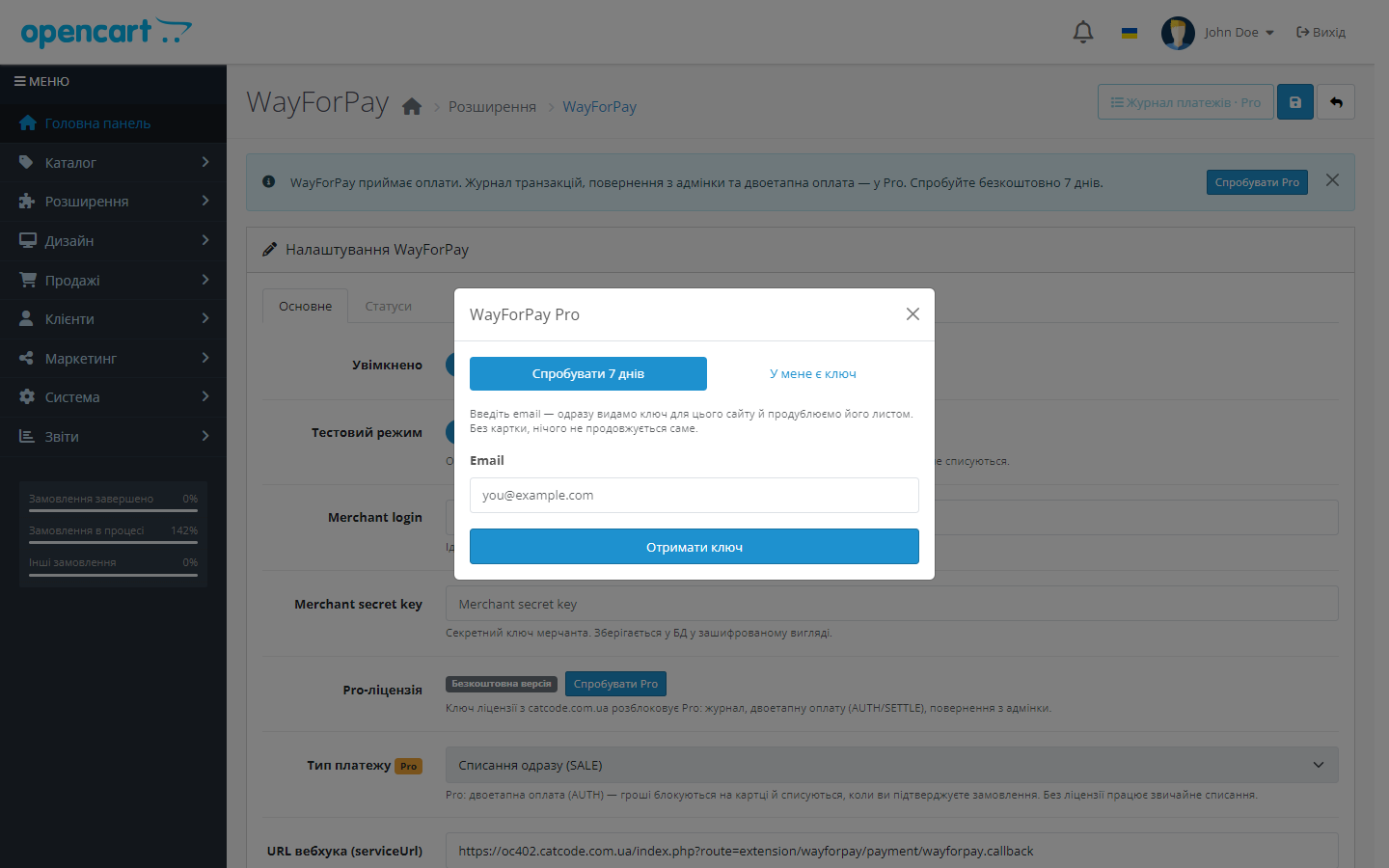
Свіжий інстал — безкоштовна версія, нічого не вмикається само. Кнопка «Спробувати Pro 7 днів» → e-mail → ключ одразу у вікні і листом.

Переносите магазин — відв’яжіть ліцензію на старому домені й активуйте на новому самі. Для студій — ключі на 5, 25 сайтів або без обмежень.
 OpenCart 4.0.2 – 4.1.x (нативна збірка), окремі збірки під OpenCart 3.0.2 – 3.0.5.0 і OpenCart 2.3.0.xPHP 8.0+ для OpenCart 4; збірку для OpenCart 2.3 перевірено на PHP 5.6 і 7.0Merchant login і secret key з кабінету WayForPay — лише для бойового режиму; тестовий працює одразу без договору
Куплена ліцензія для OpenCart працює безстроково.
Після відмови банку чи «Скасувати оплату» на сторінці WayForPay покупець повертається в кошик з товарами і поясненням.
OpenCart 4.1: у банк ішла сума попереднього кроку.
Повернення з адмінки в цих двох збірках нарешті працює як задумано.
Виправлено недоплату: колбек на суму, меншу за замовлення, більше не зберігається як Approved.
Виправлено конфлікт при оформленні замовлення на OpenCart 4.0.2.x.
Перший публічний реліз: оплата карткою через захищену сторінку WayForPay, serviceUrl-вебхук з перевіркою HMAC-MD5 підпису, CHECK_STATUS-звірка на поверненні, тестовий режим на публічному…
4 модулі одним замовленням — на 40% дешевше, ніж окремо



WayForPay для OpenCart — платіжне розширення, що під’єднує еквайринг WayForPay до магазину на OpenCart 2.3, 3.x або 4.x. Покупець оплачує карткою Visa чи Mastercard на захищеній сторінці WayForPay, а далі все автоматично: WayForPay надсилає serviceUrl-вебхук, модуль перевіряє HMAC-MD5 підпис і сам змінює статус замовлення. Менеджеру не треба щоранку звіряти оплати в кабінеті банку з замовленнями в адмінці.
wayforpay.ocmod.zip. Для OpenCart 3.0.x використовуйте збірку wayforpay-oc3-1.1.3.ocmod.zip, для OpenCart 2.3 — wayforpay-oc2-1.1.3.ocmod.zip із завантажень товару (у 2.3 вміст теки upload/ заливається в корінь магазину по SFTP, бо штатний інсталятор цієї версії копіює файли лише через FTP).Не знайшли відповідь? Напишіть у Telegram — відповімо протягом робочого дня.
 @catcode_support
Налаштування, сумісність, активація
@catcode_support
Налаштування, сумісність, активація
Ні. Модуль реєструється як стандартний спосіб оплати OpenCart — тема і чекаут залишаються ваші.
Так, у комплекті дві збірки: нативна для OC 4.0.2–4.1.x і окремий порт для OC 3.0.2–3.0.5.0. Ліцензія одна на продукт.
Так. У тестовому режимі модуль працює через публічний мерчант test_merch_n1 — реальні кошти не списуються, договір і власний мерчант потрібні тільки для бойових оплат.
Замовлення просто не отримає оплаченого статусу. Підтвердження приходить лише з підписаним вебхуком від WayForPay, а на поверненні статус ще раз звіряється через CHECK_STATUS.
Так. Ліцензія працює на одному активному домені, і перенести її можна самостійно: у налаштуваннях модуля на старому домені натисніть «Деактивувати» — слот звільниться миттєво, після чого активуйте той самий ключ на новому домені. Доплат немає; якщо доступу до старого сайту вже немає — напишіть нам, звільнимо слот вручну.
Модуль продовжить приймати оплати безкоштовно і без обмежень за часом. Pro стосується лише журналу, двоетапної оплати і повернень з адмінки.
Поки що жодного відгуку. Будьте першим.
Поки питань немає. Запитай — ми відповімо протягом 24 годин.
Робимо кастомні модулі під WordPress, WooCommerce, OpenCart і Shopify. Розкажіть про задачу — підготуємо оцінку.
Замовити кастомний модуль
—

Помічник CatCode
Щойно


Помічник CatCode
Онлайн

Допоможу із задачею по сайту
Опишіть задачу по сайту — підберу готовий модуль або передам розробнику з оцінкою. Модулі, доробки, верстка, інтеграції, швидкість, перенесення, технічне SEO.
