
OpenCart
Підписка з підтвердженням (Double Opt-In) для OpenCart
Free + Pro
1 290 грн
v1.0.3
 All Access4 990 ₴ на рік
 Аудит сайтуPDF-звіт на пошту за 3 хвилиниПеревірити сайт
Для щоденних задач
Стиснення фотоРозмір, якість і WebP пачкоюГенератор QRПосилання, Wi-Fi, оплата на IBANКалькулятор ПДВ20, 14, 7 % і сума прописомТранслітераціяЗа постановою КМУ № 55Перевірки сайту
PHP і плагіниВерсія PHP, WordPress, плагіниФід Google MerchantПоля, ціни, GTIN, фотоПошта доменуSPF, DKIM, DMARC, чорні спискиГотовність до AI-пошукуllms.txt, боти, розміткаУсі 9 інструментівВведіть щонайменше 2 символи

Модуль double opt-in для OpenCart: підписка активується лише після переходу за посиланням з листа. Запис згоди з IP і датою, відписка в клік, експорт CSV. Free до 200 підписників, Pro — без ліміту.
Безкоштовна версія працює без обмеження в часі. Pro додає решту функцій з таблиці.



Свіжий інстал — безкоштовна версія, нічого не вмикається само. Кнопка «Спробувати Pro 7 днів» → e-mail → ключ одразу у вікні і листом.

Переносите магазин — відв’яжіть ліцензію на старому домені й активуйте на новому самі. Для студій — ключі на 5, 25 сайтів або без обмежень.
 OpenCart 4.0.2 – 4.1.x (версії для 3.x і 2.3 — у розробці).PHP 7.4+ (працює і на 8.0–8.3).MySQL/MariaDB з підтримкою InnoDB і utf8mb4.Налаштована пошта магазину (Система → Налаштування → Пошта): модуль надсилає листи тим самим транспортом, що й решта магазину, — окремих доступів заводити не треба.
Список підписників з фільтром знову відкривається на драйвері бази PDO.
Посилання «підтвердити підписку» і «відписатись» більше не спрацьовують від поштового сканера.
Куплена ліцензія для OpenCart працює безстроково.
Повний цикл double opt-in, підпорядкування штатної галочки, чотири листи з редагуванням по мовах, грід підписників з доказом згоди, експорт CSV, нагадування і ретенція за розкладом, разовий…
4 модулі одним замовленням — на 40% дешевше, ніж окремо



Штатний OpenCart вважає згодою саму галочку. Покупець поставив «Підписатися на новини» під час реєстрації — і в базі одразу зʼявляється customer.newsletter = 1. Ні підтвердження, ні дати, ні сліду, звідки та згода взялася. Адресу, яку хтось вписав у чужу форму реєстрації, зі списку вже не прибрати, а довести, що людина справді погоджувалась, нічим.
Модуль перетворює цю галочку на заявку. Прапорець піднімається лише після того, як людина перейшла за посиланням із власної поштової скриньки — і саме тоді в базі зʼявляється запис про згоду з часом, джерелом та IP.
У підвалі (або там, де ви поставите форму) — поле e-mail, за бажанням поле імені й кнопка. Після відправки людина одразу бачить: «Майже готово — перевірте пошту і перейдіть за посиланням у листі. До того ми нічого вам не надсилатимемо».
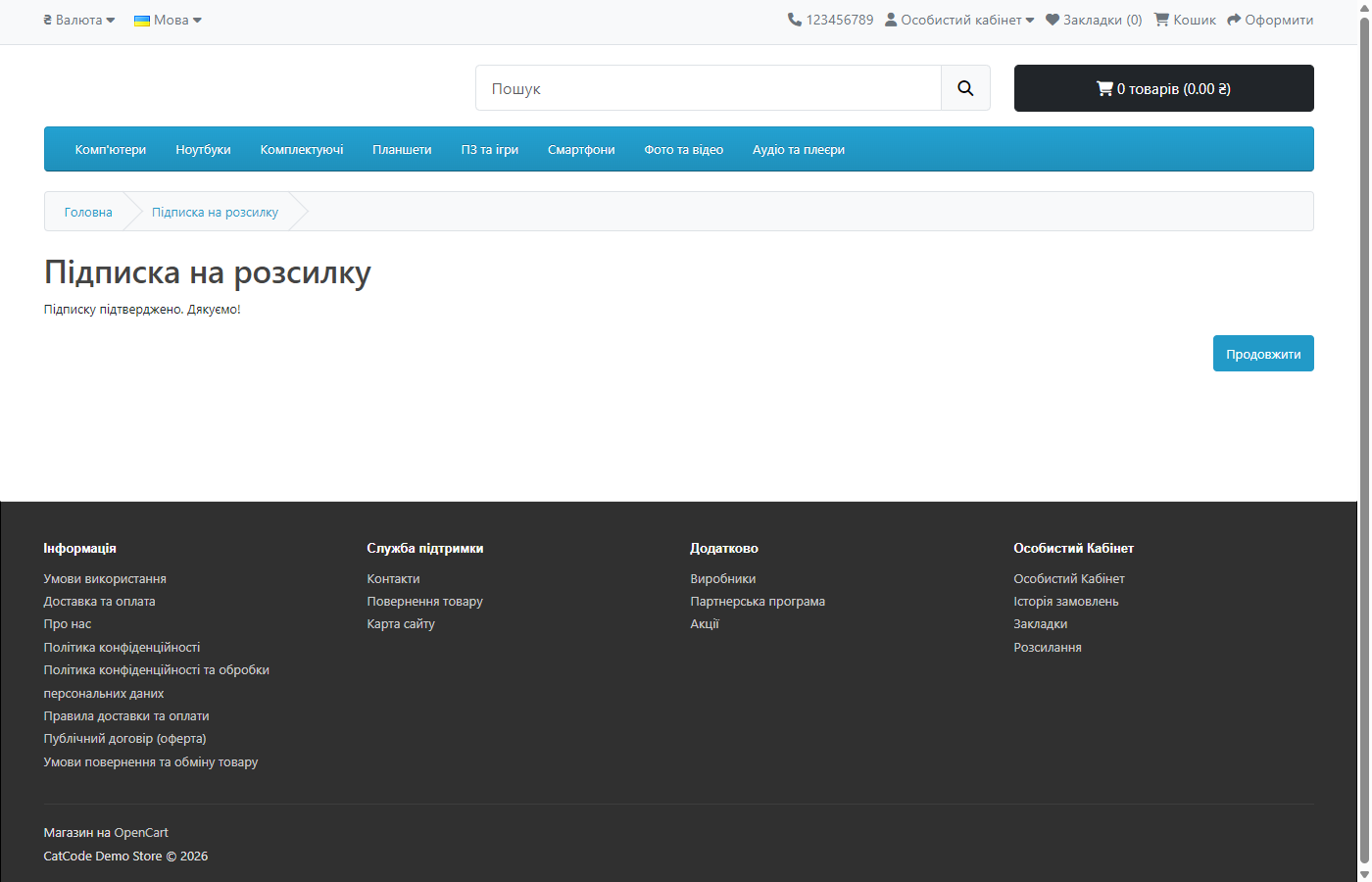
У листі одна дія — посилання підтвердження. Після кліку відкривається сторінка магазину у вашій темі (використовується штатний шаблон common/success, тож вигляд успадковується від теми) з текстом «Підписку підтверджено». Слідом приходить короткий вітальний лист, у якому вже є посилання на відписку в один клік.
Якщо людина вводить адресу, яка вже підтверджена, вона бачить «Ця адреса вже підписана» — і жодного зайвого листа не отримує. Це навмисно: інакше будь-хто міг би засипати чужу скриньку «підтвердженнями», просто вводячи її у форму.
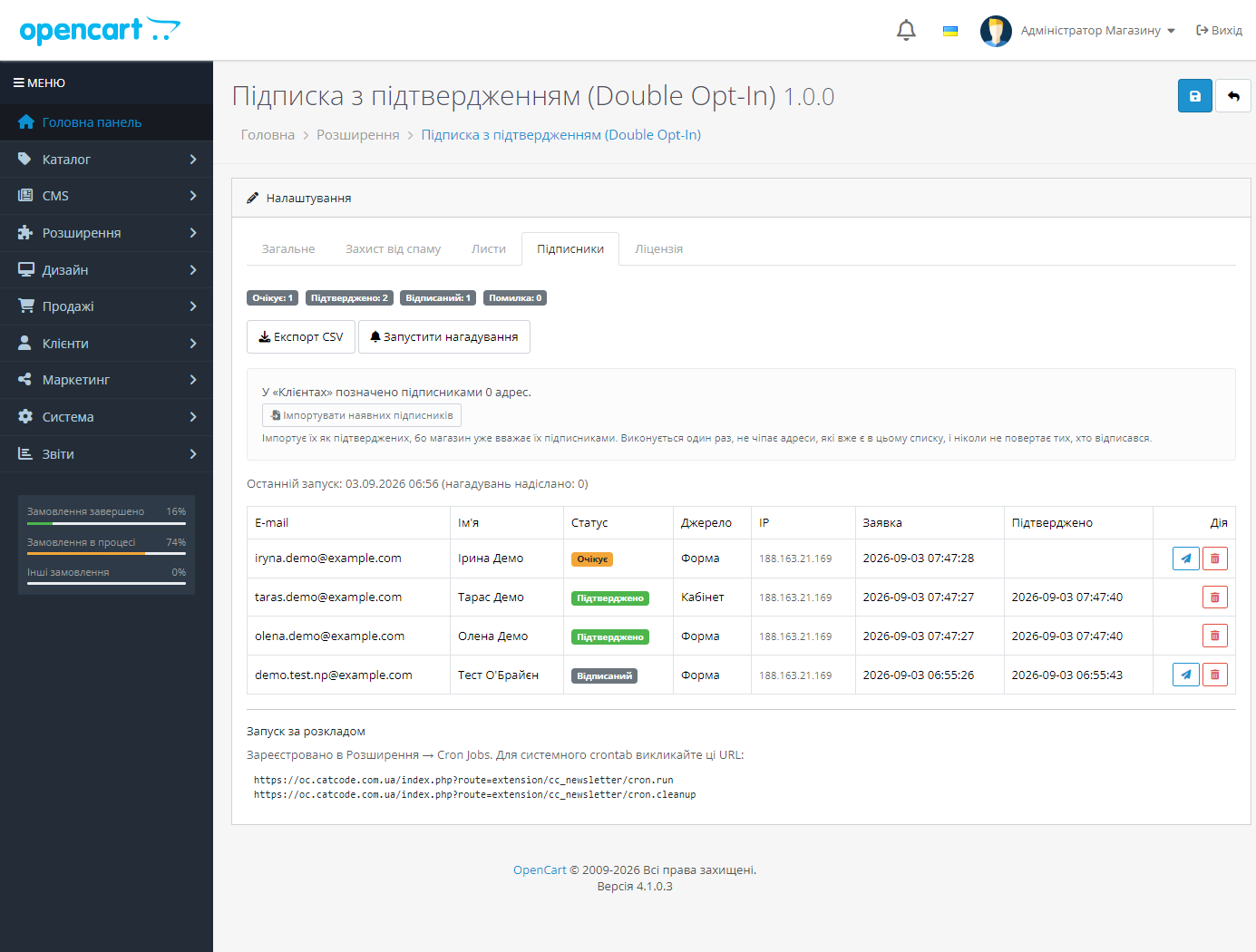
Окремий грід підписників у налаштуваннях модуля: адреса, імʼя, стан (очікує / підтверджено / відписаний / помилка), джерело (форма, кабінет, адмінка, імпорт), мова, IP, дата заявки і дата підтвердження. Фільтри за станом, джерелом, адресою і періодом.
Кнопка «Надіслати ще раз» для тих, хто не підтвердив. Експорт CSV усіх підтверджених адрес — разом із доказом згоди (джерело, IP, обидві дати), у UTF-8 з BOM, щоб Excel не перетворив українські імена на кракозябри.
Лічильники по кожному стану на видноті, щоб було видно реальний розмір списку, а не «скільки колись поставили галочку».
customer.newsletter назад у 0 — доки згоди нема, її нема і в базі.customer.newsletter, щоб решта магазину бачила ту саму картину.Відписка працює в один клік із будь-якого листа: перехід за посиланням переводить рядок у «відписаний», опускає штатний прапорець і (за бажанням) надсилає коротке підтвердження, щоб у людини лишався письмовий доказ.
Одна власна таблиця cc_news_subscriber: рядок на пару (магазин, адреса), зі станом, токеном і доказом згоди. Унікальний ключ по парі не дає задвоєнь, а повторна заявка від тієї самої адреси оживляє той самий рядок із новим токеном — тож посилання зі старого листа перестає діяти.
Токен — 48 шістнадцяткових символів із random_bytes. Один і той самий токен обслуговує і підтвердження, і відписку: після підтвердження він навмисно не змінюється, бо саме на ньому їде посилання «відписатися» в усіх майбутніх листах.
Захист форми — прихований honeypot поза потоком документа й поза табуляцією, плюс підписаний штамп часу (HMAC від параметрів інсталяції), який не переписати з боку клієнта. Штамп живий добу, тож форма переживає повне кешування сторінки. Додатково — ліміт заявок з однієї IP за годину і, за бажанням, штатна капча магазину.
Тексти листів живуть у бібліотеці, а не в мовних файлах: лист складається з трьох різних контекстів (вітрина, адмінка, запуск за розкладом), і мова листа — це мова підписника, а не мова поточного запиту. Порожнє поле шаблону завжди відкочується на вбудований текст, невідома мова — на англійську.
Модуль не чіпає жодного файлу ядра: працює через штатні події OpenCart і власні маршрути вітрини.
{{ cc_newsletter }} у будь-якому Twig-шаблоні.Не знайшли відповідь? Напишіть у Telegram — відповімо протягом робочого дня.
 @catcode_support
Налаштування, сумісність, активація
@catcode_support
Налаштування, сумісність, активація
Ні. Обробник подій обгорнутий так, що будь-яка помилка в ньому не доходить до покупця.
У налаштуваннях є перемикач «Не чіпати» — тоді працює лише власна форма модуля.
Нічого, доки ви самі не натиснете кнопку імпорту. На інсталяції модуль не імпортує нікого.
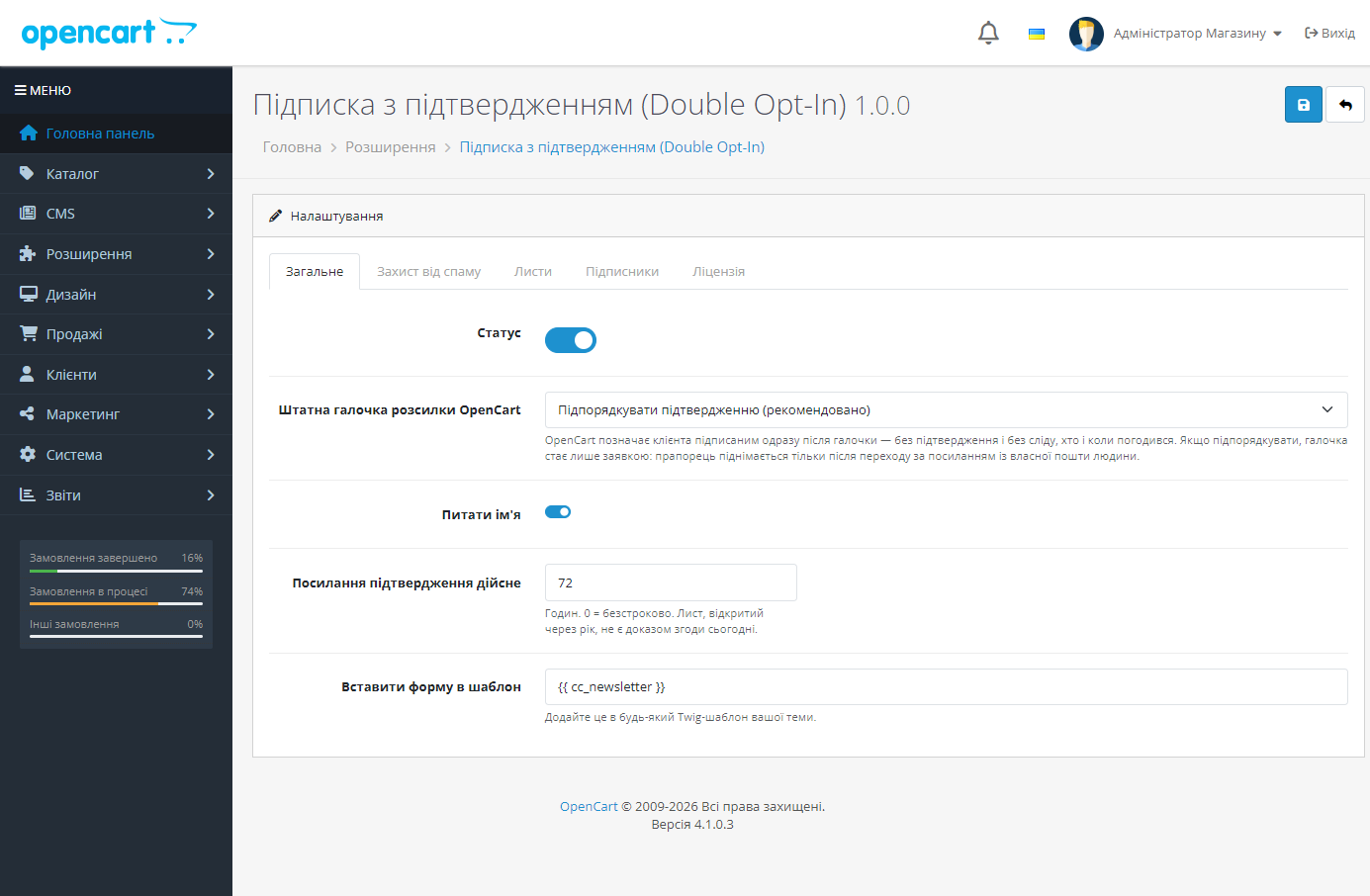
За замовчуванням 72 години, налаштовується.
Ні. Таблиця підписників навмисно лишається — це доказ згоди по кожній адресі.
Поки що жодного відгуку. Будьте першим.
Поки питань немає. Запитай — ми відповімо протягом 24 годин.
Робимо кастомні модулі під WordPress, WooCommerce, OpenCart і Shopify. Розкажіть про задачу — підготуємо оцінку.
Замовити кастомний модуль
—

Помічник CatCode
Щойно


Помічник CatCode
Онлайн

Допоможу із задачею по сайту
Опишіть задачу по сайту — підберу готовий модуль або передам розробнику з оцінкою. Модулі, доробки, верстка, інтеграції, швидкість, перенесення, технічне SEO.
