
OpenCart
LiqPay — оплата карткою для OpenCart 2.3, 3.x і 4.x
Free + Pro
1 490 грн
v1.0.9
 All Access4 990 ₴ на рік
 Аудит сайтуPDF-звіт на пошту за 3 хвилиниПеревірити сайт
Для щоденних задач
Стиснення фотоРозмір, якість і WebP пачкоюГенератор QRПосилання, Wi-Fi, оплата на IBANКалькулятор ПДВ20, 14, 7 % і сума прописомТранслітераціяЗа постановою КМУ № 55Перевірки сайту
PHP і плагіниВерсія PHP, WordPress, плагіниФід Google MerchantПоля, ціни, GTIN, фотоПошта доменуSPF, DKIM, DMARC, чорні спискиГотовність до AI-пошукуllms.txt, боти, розміткаУсі 9 інструментівВведіть щонайменше 2 символи
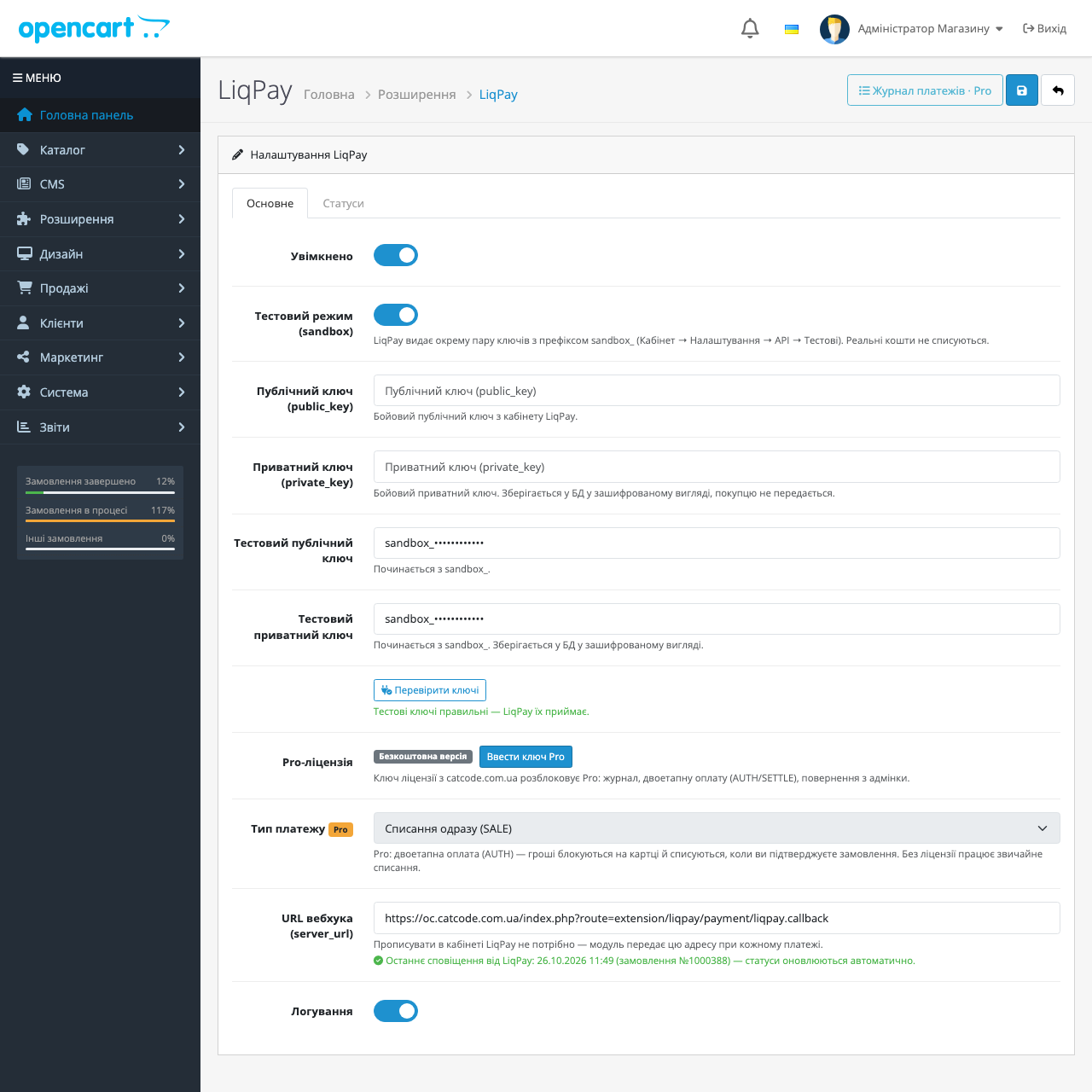
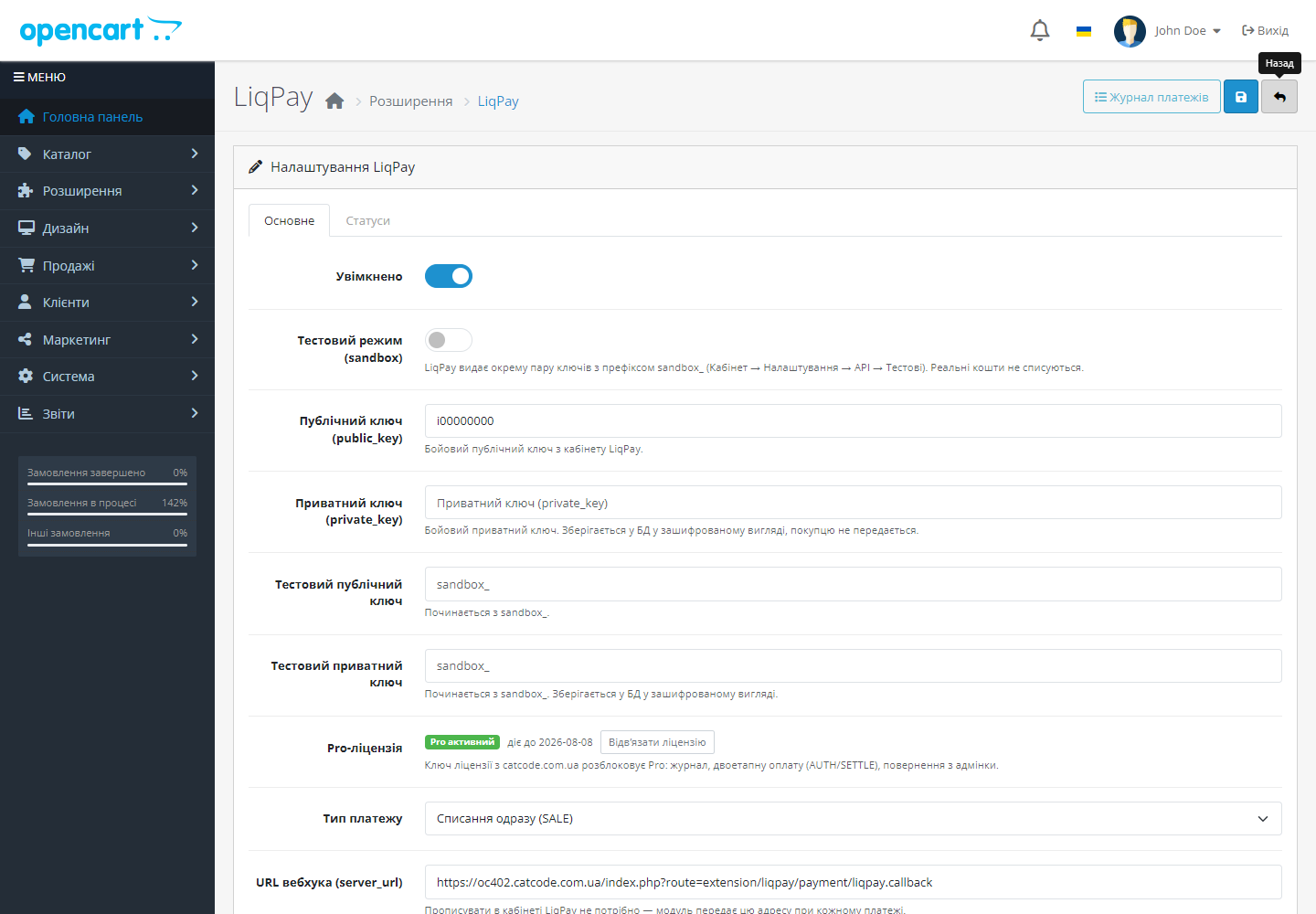

Приймання оплати карткою Visa/Mastercard, Apple Pay та Google Pay через LiqPay в OpenCart. Автопідтвердження замовлення serviceUrl-вебхуком з перевіркою HMAC-MD5-підпису. Pro — журнал платежів, двоетапна оплата і повернення з адмінки.
Без звуку теж зрозуміло: субтитри українською
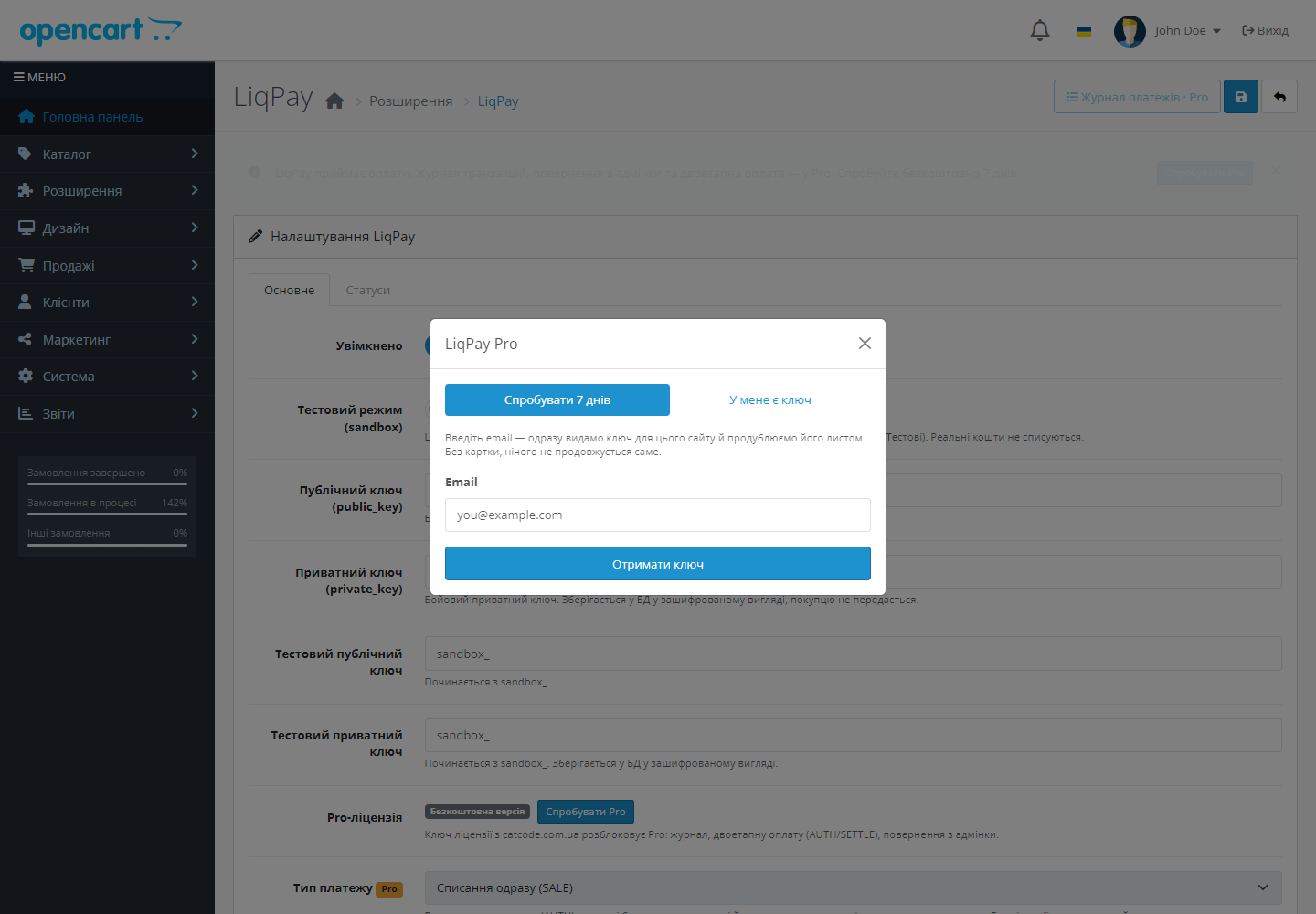
Безкоштовна версія працює без обмеження в часі. Pro додає решту функцій з таблиці.



Свіжий інстал — безкоштовна версія, нічого не вмикається само. Кнопка «Спробувати Pro 7 днів» → e-mail → ключ одразу у вікні і листом.

Переносите магазин — відв’яжіть ліцензію на старому домені й активуйте на новому самі. Для студій — ключі на 5, 25 сайтів або без обмежень.
 OpenCart 3.0.2 – 3.0.5.0 (збірка liqpay-oc3-1.1.2.ocmod.zip) або 4.0.2 – 4.1.x (збірка liqpay.ocmod.zip)PHP 7.4+Публічний і приватний ключ LiqPay — з кабінету LiqPay; для тестів потрібна окрема пара ключів sandbox_OpenCart 2.3.0.x — окрема збірка liqpay-oc2-1.1.2.ocmod.zip, працює на PHP 5.6 і новіших
Куплена ліцензія для OpenCart працює безстроково.
Скасування й відмова банку: якщо покупець натиснув «Скасувати оплату» на сторінці LiqPay або банк відхилив платіж, кошик лишається, покупець бачить зрозуміле повідомлення, а замовлення…
OpenCart 4.1: у банк ішла сума попереднього кроку.
Виправлено недоплату: колбек на суму, меншу за замовлення, більше не зберігається як успішна оплата.
Виправлено конфлікт при оформленні замовлення на OpenCart 4.0.2.x.
Перший публічний реліз.
4 модулі одним замовленням — на 40% дешевше, ніж окремо


LiqPay для OpenCart — платіжний модуль, який приймає оплату карткою Visa/Mastercard, Apple Pay і Google Pay через захищену сторінку LiqPay. Покупець оплачує — LiqPay надсилає підписаний serviceUrl-вебхук, модуль перевіряє SHA1-підпис і сам переводить замовлення у потрібний статус. Жодної ручної звірки «оплачено чи ні» — статус змінюється лише тоді, коли гроші реально пройшли.
extension/liqpay/payment/liqpay.callback. Модуль перевіряє SHA1-підпис по сирому тілу запиту і ставить замовленню обраний статус «оплачено».liqpay.ocmod.zip і натисніть «Встановити».sandbox_.LiqPay — торгова марка АТ КБ «ПриватБанк». Цей модуль є незалежною інтеграцією і не афілійований з LiqPay чи ПриватБанком.
Не знайшли відповідь? Напишіть у Telegram — відповімо протягом робочого дня.
 @catcode_support
Налаштування, сумісність, активація
@catcode_support
Налаштування, сумісність, активація
Public і private ключі з кабінету LiqPay. Вставляєте їх у налаштування способу оплати в адмінці OpenCart — і магазин приймає картки.
Так. LiqPay надсилає підписаний вебхук на serviceUrl, модуль перевіряє HMAC-MD5-підпис і переводить замовлення у статус оплаченого лише за реальною оплатою.
Так, у комплекті дві збірки: для OpenCart 3.0.2 – 3.0.5.0 і для 4.0.2 – 4.1.x.
Free приймає оплату і автоматично підтверджує замовлення. Pro додає журнал платежів зі звіркою статусів, двоетапну оплату та повернення прямо з адмінки.
Ні, це незалежний модуль CatCode на публічному API LiqPay. Афілійованості з LiqPay чи ПриватБанком немає.
Поки що жодного відгуку. Будьте першим.
Поки питань немає. Запитай — ми відповімо протягом 24 годин.
Робимо кастомні модулі під WordPress, WooCommerce, OpenCart і Shopify. Розкажіть про задачу — підготуємо оцінку.
Замовити кастомний модуль
—

Помічник CatCode
Щойно


Помічник CatCode
Онлайн

Допоможу із задачею по сайту
Опишіть задачу по сайту — підберу готовий модуль або передам розробнику з оцінкою. Модулі, доробки, верстка, інтеграції, швидкість, перенесення, технічне SEO.
